Marketing collaboration tools are digital applications that simplify campaign planning, coordination, and execution for marketing teams. They enable teams to plan campaigns, coordinate workflows, collaborate on content and assets, and align stakeholders across the entire marketing lifecycle.
These tools centralize communication, planning, tasks, approvals, assets, and discussions into a single shared workspace, allowing teams to collaborate efficiently without fragmentation or information loss. By keeping every activity connected to its campaign context, marketing collaboration platforms create clarity, alignment, and continuity across marketing initiatives.
By organizing work around campaigns, standardizing workflows, and providing real-time visibility into progress and ownership, tools help teams execute faster, stay aligned with stakeholders, and deliver consistent, high-quality marketing outcomes with greater control and accountability.
What are marketing collaboration tools?
Marketing collaboration tools are digital applications that enable teams to plan campaigns, coordinate work, collaborate on content and assets, manage approvals, and maintain shared visibility across all stakeholders from strategy to execution.
It centralizes campaign planning, task dependencies, asset versions, feedback loops, and approval workflows so every marketing activity is executed within a defined campaign context, ownership structure, and execution timeline.
A collaborative marketing tool standardizes how marketing work is planned, executed, reviewed, and governed across the organization, ensuring alignment, accountability, and clarity of execution for marketing operations.
Here is the list of 11 marketing collaboration tools to choose from.
| Sr. no. | Tool | Best for | Key features | Pricing (billed annually) | Rating |
| 1. | ProofHub | All-in-one marketing collaboration and campaign execution | Campaign workspaces, task dependencies, approvals, proofing, centralized communication, file versioning, reports | Essential: Flat $45/month (unlimited users) Ultimate Control: Flat $89/month (unlimited users) | G2: 4.6 Capterra: 4.5 |
| 2. | Adobe Workfront | Enterprise-scale marketing operations and governance | Campaign intake, workflow automation, resource management, multi-level approvals, audit trails, Adobe integrations | Custom pricing | G2: 4.1 Capterra: 4.4 |
| 3. | Airtable | Campaign planning, calendars, and flexible workflows | Campaign tables, calendars, timelines, custom fields, views, automations, integrations | Free for 5 editors Team: $20/user/month Business: $45/user/month Enterprise: Custom pricing | G2: 4.6 Capterra: 4.6 |
| 4. | Notion | Marketing briefs, documentation, and playbooks | Campaign docs, content databases, templates, real-time editing, knowledge linking | Free Plus: $10/user/month Business: $20/user/month Enterprise: Custom pricing | G2: 4.6 Capterra: 4.7 |
| 5. | Slack | Real-time marketing coordination and communication | Channels, threads, direct messages, file sharing, integrations | Free Pro: $7.25/user/month Business+: $15/user/month Enterprise+: Custom pricing | G2: 4.5 Capterra: 4.7 |
| 6. | Figma | Creative collaboration and design feedback | Real-time co-editing, in-canvas comments, design libraries, prototypes, version history | Starter: Free Professional: Starts at $12/user/month Organization: Starts at $25/user/month Enterprise: Custom pricing | G2: 4.7 Capterra: 4.7 |
| 7. | StoryChief | Content collaboration and multi-channel publishing | Editorial calendars, collaborative writing, approvals, publishing, content performance tracking | Individual: Free or $22/month Team: Starts at $34/user/month Agency: Starts at $58/user/month Enterprise: Custom pricing | G2: 4.6 Capterra: 4.7 |
| 8. | Bynder | Digital asset collaboration and brand governance | Asset library, metadata, brand portals, approvals, usage rights | Custom pricing | G2: 4.5 Capterra: 4.5 |
| 9. | Mural | Marketing strategy and campaign ideation | Visual whiteboards, templates, real-time collaboration, integrations | Free for 3 murals Team+: $9.99/user/month Business: $17.99/user/month Enterprise: Custom | G2: 4.6 Capterra: 4.5 |
| 10. | HubSpot Marketing Hub | Campaign execution and marketing automation | Campaign management, automation workflows, content tools, analytics, CRM integration | Free Starter: $9/seat/month Professional: $800/month Enterprise: $3,600/month | G2: 4.5 Capterra: 4.5 |
| 11. | Buffer | Social media collaboration and publishing | Social calendars, approvals, scheduling, analytics, role-based access | Free for 3 channels Essentials: $5/channel/month Team: $10/channel/month | G2: 4.3 Capterra: 4.5 |
1. ProofHub
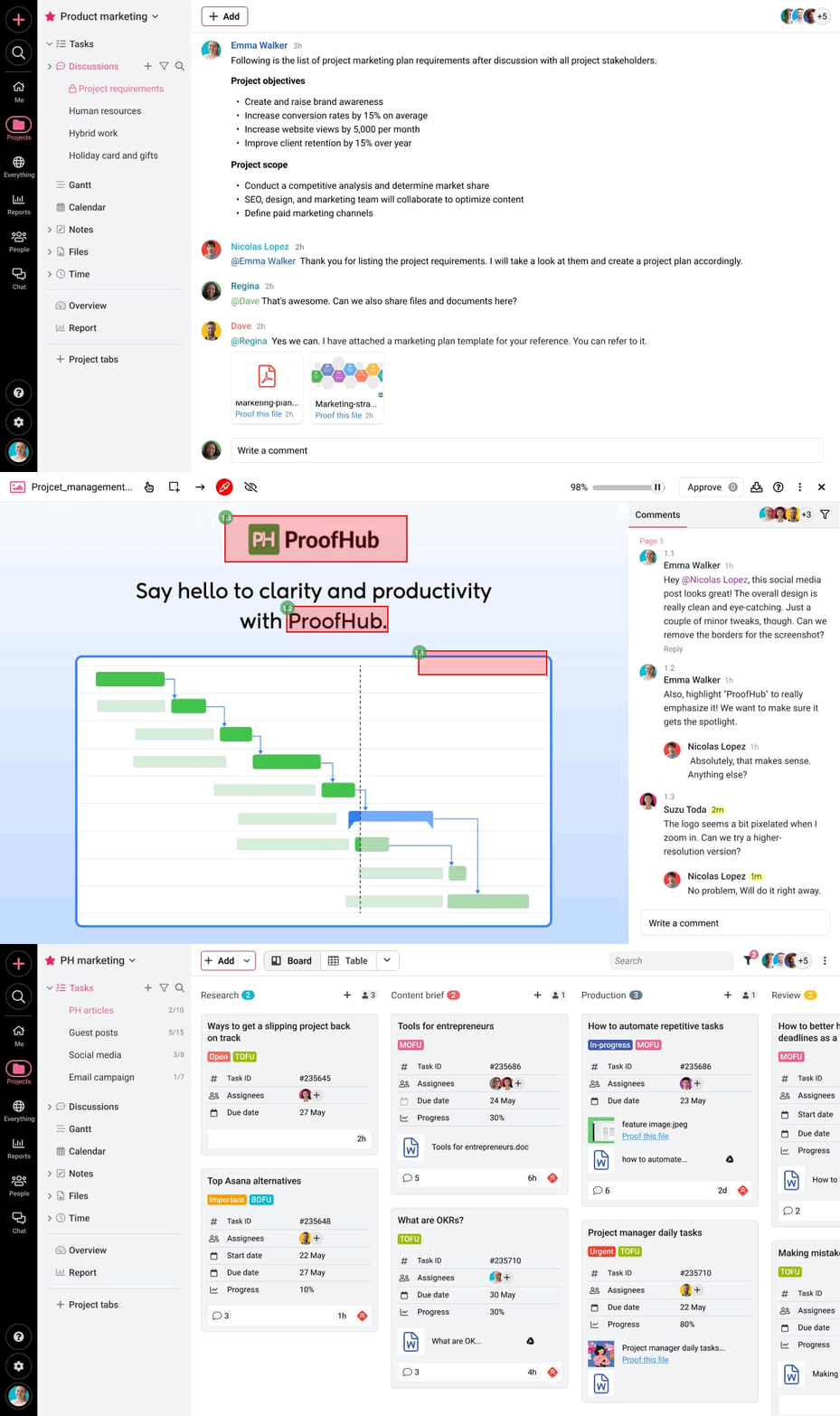
ProofHub is a collaboration and project management platform that centralizes campaign planning, workflow coordination, content collaboration, approvals, and execution visibility in one shared workspace.
It enables marketing teams, agencies, and stakeholders to collaborate on campaigns without relying on scattered tools for tasks, communication, file reviews, or approvals.
ProofHub supports marketing execution by keeping briefs, assets, feedback, timelines, and decisions connected to campaign workflows. It reduces coordination gaps, accelerates approvals, and maintains accountability across internal teams and external collaborators.
Key features
- Unified campaign workspace: Combines tasks, discussions, files, and approvals into a single campaign context, ensuring every activity remains traceable and aligned.
- Collaborative task and workflow management: Supports Kanban boards, Gantt charts, tables, and calendars to manage campaign timelines, dependencies, and responsibilities across contributors.
- Built-in communication and discussions: Provides real-time chat, threaded discussions, task comments, and mentions so conversations stay linked to execution context.
- Online proofing and approvals: Enables reviewers to comment, markup, and approve creative assets directly, reducing revision cycles and approval delays.
- File sharing and version control: Maintains centralized asset storage with version tracking to prevent duplication and outdated asset usage.
- Custom reports and visibility: Surface execution progress, workload distribution, and bottlenecks to support delivery consistency and coordination.
Pros
- Centralized platform for marketing workflows, communication, and approvals
- Strong proofing and review capabilities for creative teams
- Flat pricing model suitable for growing marketing teams
- Supports internal teams, agencies, and client-facing collaboration
- Clear role-based access and permissions
Cons
- No free plan available, sign up for a 14-day trial
- Not ideal for solopreneurs or individual users
Pricing
ProofHub offers two fixed flat-rate pricing plans:
- Essential: Flat $45/month for up to 40 projects and unlimited users (billed annually)
- Ultimate Control: Flat $89/month for up to unlimited projects, users, and advanced features (billed annually)
Rating
- G2: 4.6
- Capterra: 4.5
2. Adobe Workfront
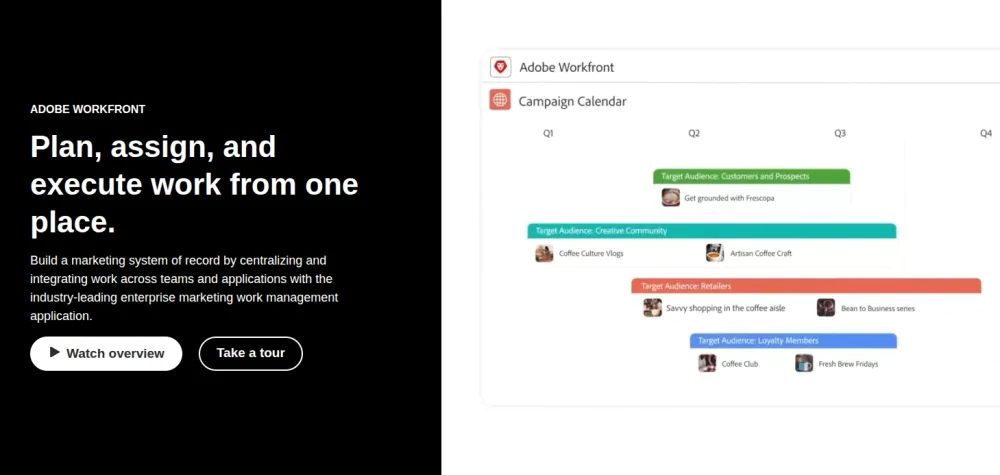
Adobe Workfront is an enterprise-grade collaboration and work management platform designed to plan, orchestrate, and govern complex marketing operations at scale.
It enables large marketing teams to manage campaigns, resources, workflows, and approvals with strict control, visibility, and standardization across global teams.
Adobe Workfront structures marketing execution by connecting strategy, intake requests, workflows, approvals, and delivery tracking in a single system. It ensures consistency, compliance, and predictability across high-volume and multi-region marketing initiatives.
Key features
- Enterprise campaign and work planning: Supports large-scale campaign planning with structured intake forms, prioritization frameworks, and capacity planning.
- Workflow automation and governance: Defines standardized workflows for reviews, approvals, and handoffs with rule-based automation.
- Resource and capacity management: Provides visibility into team workloads, utilization, and availability.
- Approval and compliance controls: Enforces multi-level approvals with audit trails, version tracking, and compliance records.
- Integrated reporting and dashboards: Delivers real-time reporting on execution status, delivery timelines, and operational performance.
- Adobe ecosystem integration: Integrates with Adobe Creative Cloud and Adobe Experience Cloud.
Pros
- Designed for large, enterprise organizations
- Strong governance, compliance, and audit capabilities
- Deep integration with Adobe’s marketing and creative tools
- High execution visibility across global teams
Cons
- Complex setup and onboarding
- Not ideal for small teams
- Rigid workflows
Pricing
Adobe Workfront offers a custom, quote-based pricing for its three paid plans – Select, Prime, and Ultimate; contact the sales team for more details.
Rating
- G2: 4.1
- Capterra: 4.4
3. Airtable
Airtable is a work management platform that combines databases, spreadsheets, and visual views to plan campaigns, manage calendars, and coordinate marketing workflows.
It enables marketing teams to structure campaign data, timelines, assets, and responsibilities in customizable formats while keeping collaboration and visibility centralized.
Airtable supports marketing execution by allowing teams to design campaign systems that match how they plan, track, and report work.
Key features
- Campaign planning tables: Custom tables structure campaigns, channels, deliverables, and owners.
- Marketing calendars and timelines: Calendar and timeline views visualize launch dates, content schedules, and milestones.
- Custom workflows and fields: Custom fields, formulas, and statuses adapt workflows to specific marketing processes.
- Collaboration and comments: In-record comments and mentions keep discussions tied to campaign data.
- Views and dashboards: Grid, Kanban, gallery, and dashboard views surface progress and priorities.
- Integrations and automation: Native integrations and automation enable Airtable to connect with marketing, communication, and analytics tools.
Pros
- Strong campaign planning and content calendar structuring
- Flexible data models for multi-channel marketing workflows
- Supports cross-team coordination without rigid processes
- Useful for custom reporting and campaign tracking
Cons
- Collaboration depends on manual workflow design
- Asset collaboration is not natively governed
- Execution control weakens at scale
Pricing
Airtable offers four pricing plans to choose from:
- Free: Free for up to five editors
- Team: $20/seat per month (billed annually)
- Business: $45/seat per month (billed annually)
- Enterprise Scale: Contact the sales team
Rating
- G2: 4.6
- Capterra: 4.6
4. Notion
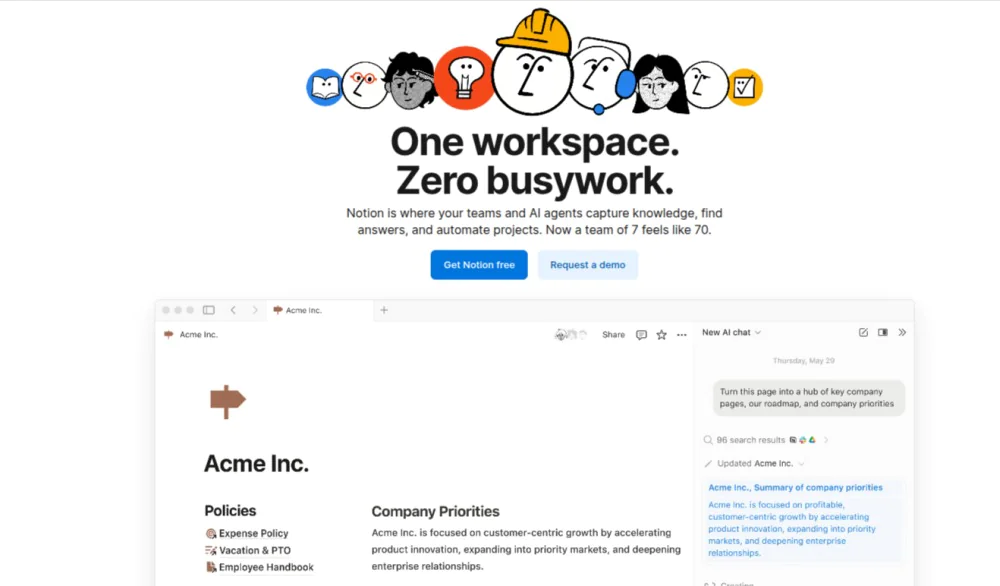
Notion is a collaborative workspace that centralizes campaign knowledge, content guidelines, and execution references that inform how work is planned and delivered.
It allows marketing teams to create, organize, and share briefs, documentation, and playbooks within a single structured environment.
Notion makes strategy, decisions, and documentation accessible and reusable. This shared knowledge layer improves alignment across campaigns and teams.
Key features
- Campaign briefs and documentation: Structured pages capture campaign goals, messaging, timelines, and requirements.
- Content planning databases: Databases organize content calendars, deliverables, and responsibilities.
- Templates and playbooks: Reusable templates standardize briefs, processes, and workflows.
- Real-time collaboration: Comments, mentions, and live editing support collaborative input and updates.
- Knowledge linking and hierarchy: Linked pages connect strategies, guidelines, and execution references.
Pros
- Centralized base for marketing knowledge
- Effective for briefs, playbooks, and documentation
- Flexible and intuitive interface
- Easy collaboration on written assets
Cons
- Limited workflow and approval controls
- Not designed for execution tracking
- Depends on integrations for delivery workflows
Pricing
Notion offers four pricing plans including a free one:
- Free: $0 for individual usage
- Plus: $10/member/month (billed annually)
- Business: $20/user/month (billed annually)
- Enterprise: Custom sales team for details
Rating
- G2: 4.6
- Capterra: 4.7
5. Slack
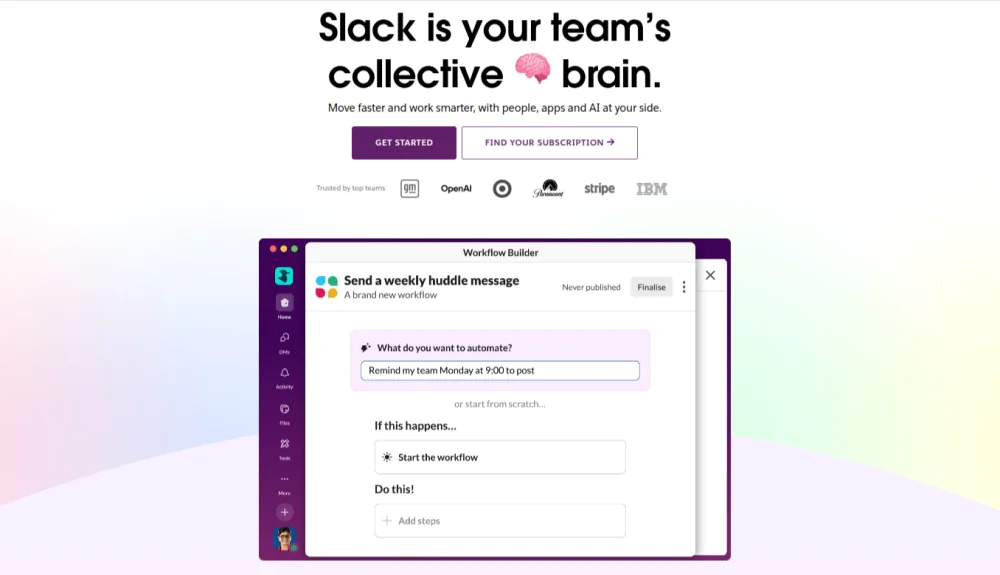
Slack is a real-time communication and collaboration platform used by teams to coordinate work, share updates, and make quick decisions through organized channels and direct messaging.
It supports day-to-day collaboration by keeping conversations accessible and searchable across teams.
Slack enables fast coordination and immediate feedback. It functions primarily as a communication layer rather than a system for governing execution.
Key features
- Channel-based communication: Channels organize discussions by campaign, project, or function.
- Direct messaging and group chats: Private messages support quick coordination between individuals or small teams.
- Threaded conversations: Threads keep replies organized within conversations.
- File sharing and previews: Files and links can be shared directly in conversations.
- Integrations and workflow automation: Integrations connect Slack with marketing and collaboration tools.
Pros
- Swift coordination and real-time communication
- Clear organization through channels
- Strong integration ecosystem
- Searchable conversation history
Cons
- Lacks approval and governance controls
- Limited message history and storage in free plan
- Too many channels and messages create noise and distractions
Pricing
Slack offers a free and three paid plans to choose from:
- Free: Free for basic functionality
- Pro: $7.25/user per month (billed annually)
- Business+: $15/user per month (billed annually)
- Enterprise+: Contact team for details
Rating
- G2: 4.5
- Capterra: 4.7
6. Figma

Figma is a collaborative design platform used by marketing teams to create, review, and refine visual assets together in real time.
It keeps design creation, feedback, and iteration in a single shared environment accessible to marketers, designers, and stakeholders.
Figma supports marketing execution by reducing design handoffs and feedback delays. Creative collaboration happens directly on live assets, keeping reviews aligned with campaign timelines.
Key features
- Real-time co-editing: Multiple contributors work on the same design simultaneously.
- In-canvas comments and feedback: Stakeholders leave comments directly on designs.
- Design systems and shared libraries: Reusable components and brand assets maintain consistency across campaigns.
- Prototyping and previews: Interactive previews simulate final experiences.
- Version history: Automatic version tracking records design changes over time.
Pros
- Strong real-time creative collaboration
- Feedback stays directly attached to designs
- Reduces design review cycles
- Supports brand consistency at scale
Cons
- No native campaign or workflow management
- Approvals require external coordination
- Not suited for non-visual assets
Pricing
Figma offers four pricing plans including a free one:
- Starter: Free
- Professional: $3/user per month for Collab seat, $12/user per month for Dev seat, and $16/user per month for Full seat (billed annually)
- Organization: $5/user per month for Collab seat, $25/user per month for Dev seat, $55/user per month for Full seat (billed annually)
- Enterprise: $5/user per month for Collab seat, $35/user per month for Dev seat, $90/user per month for Full seat (billed annually)
Rating
- G2: 4.7
- Capterra: 4.7
7. StoryChief
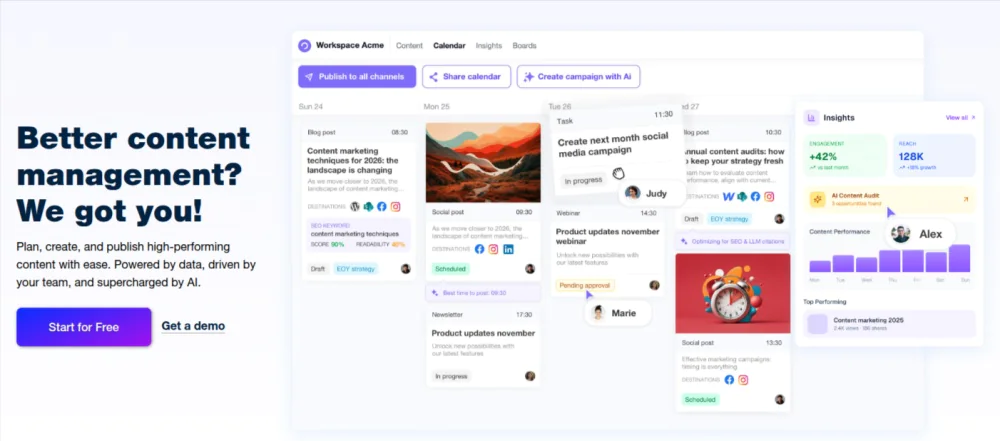
StoryChief is a content collaboration and publishing platform built for marketing teams to plan, create, review, approve, and distribute content from one centralized workspace.
It connects content workflows, approvals, and publishing across channels while keeping contributors aligned to campaign goals.
StoryChief structures content execution by linking briefs, drafts, feedback, approvals, and distribution within a single system. This reduces content delays and maintains consistency across marketing channels.
Key features
- Editorial planning and calendars: Editorial calendars organize content ideas, deadlines, and channels.
- Collaborative content creation: Multiple contributors write and edit content together.
- Approval workflows: Built-in review and approval stages control when content moves forward.
- Multi-channel publishing: Content publishes directly to blogs, CMS platforms, and social channels.
- Content performance tracking: Basic analytics track reach and engagement.
Pros
- Clear editorial workflows and approvals
- Centralized content planning and publishing
- Reduces handoffs between writing and distribution
- Supports multi-channel marketing teams
Cons
- Limited beyond content workflows
- Asset management is content-centric
- Less suitable for non-content campaigns
Pricing
StoryChief offers four types of plans:
- Individual: Free; $22 per month for Social Media Calendar (billed annually)
- Team: $34/user per month for Social, $81/user per month for Editorial, and custom pricing for Discounts (billed annually)
- Agency: $58/user per month for Social, $93/user per month for Editorial, and custom pricing for Discounts (billed annually)
- Enterprise: Contact team
Rating
- G2: 4.6
- Capterra: 4.7
8. Bynder
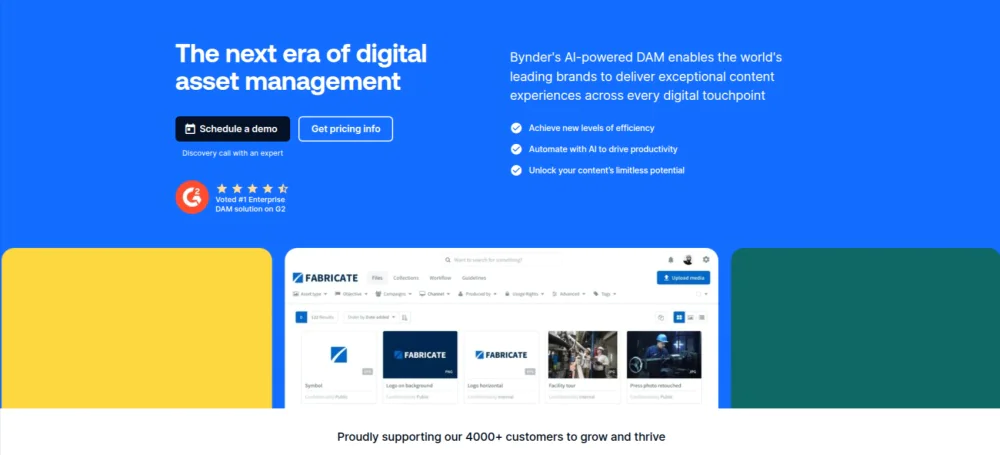
Bynder is a digital asset management platform that supports marketing collaboration by centralizing, governing, and distributing brand and campaign assets.
It enables marketing teams to store, organize, review, and share creative assets while maintaining brand consistency and usage control across channels and stakeholders.
Bynder ensures teams work with approved, up-to-date assets, reducing duplication, misuse, and approval friction in asset-heavy campaigns.
Key features
- Centralized asset library: A single repository stores images, videos, and creative files.
- Metadata and tagging: Custom metadata and search filters organize assets by campaign, channel, or usage rights.
- Brand portals and guidelines: Branded portals provide controlled access to approved assets.
- Approval workflows: Review and approval flows govern asset readiness.
- Usage rights and permissions: Rights management controls who can access and use assets.
Pros
- Strong asset governance and brand control
- Centralized access to approved marketing assets
- Reduces duplication and misuse
- Supports internal and external sharing
Cons
- Limited campaign planning capabilities
- Requires integration for execution workflows
- Not designed for task coordination
Pricing
Bynder offers custom, quote-based pricing. Contact for details.
Rating
- G2: 4.5
- Capterra: 4.5
9. Mural
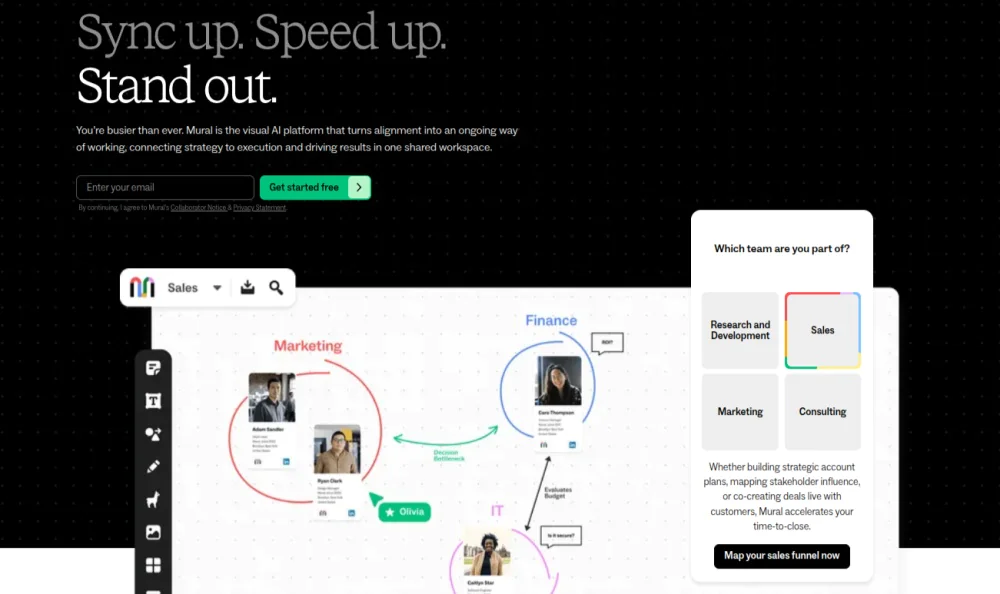
Mural is a visual collaboration platform used by marketing teams to facilitate strategy sessions, campaign ideation, and collaborative planning through shared digital whiteboards.
It supports marketing teams’ early-stage thinking by enabling them to align ideas, concepts, and frameworks in a visual, interactive format.
Mural makes abstract marketing discussions tangible. Teams capture insights, decisions, and structures before execution begins.
Key features
- Digital whiteboards: Shared canvases support collaborative brainstorming, mapping, and planning.
- Facilitation and templates: Pre-built templates structure workshops, retrospectives, and strategy sessions.
- Real-time and asynchronous collaboration: Participants contribute simultaneously or over time.
- Sticky notes and visual mapping: Visual elements organize ideas and themes.
- Integration with execution tools: Integrations transfer outputs into planning and task systems.
Pros
- Visual alignment for cross-functional teams
- Effective for remote workshops
- Encourages participation and creativity
- Useful in early campaign planning
Cons
- Limited workflow and approval controls
- Requires export to manage delivery
- Not suitable for asset governance
Pricing
Mural offers four pricing plans including a free one:
- Free: $0 for up to three murals
- Team+: $9.99/member per month (billed annually)
- Business: $17.99/member per month (billed annually)
- Enterprise: Contact for custom pricing
Rating
- G2: 4.6
- Capterra: 4.5
10. HubSpot Marketing Hub
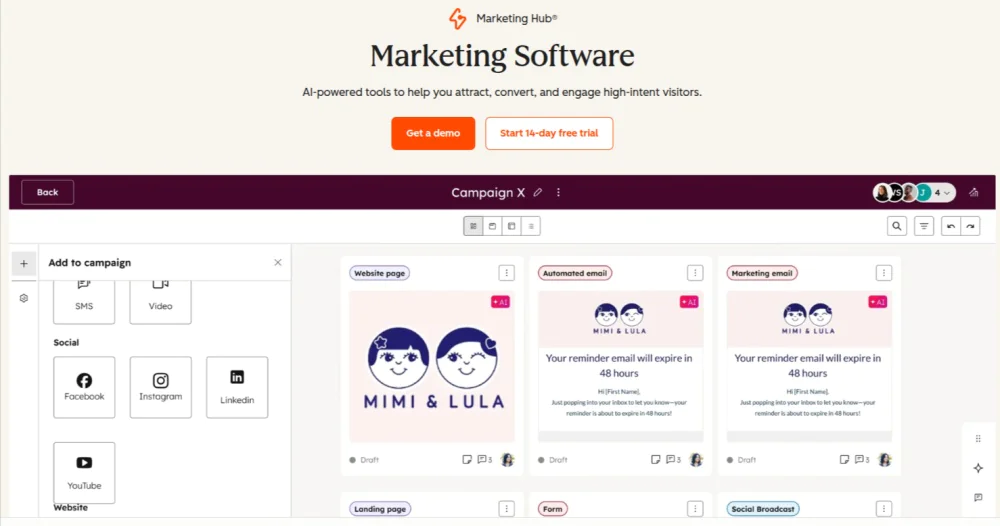
HubSpot Marketing Hub is a marketing automation platform that helps marketers connect campaign execution, automation, and performance tracking in one system.
It enables marketing teams to collaborate around campaigns by aligning content creation, lead management, automation workflows, and reporting within a shared operational environment.
HubSpot Marketing Hub structures collaboration around execution and outcomes. Teams coordinate campaigns while maintaining visibility into delivery status, engagement signals, and ROI metrics.
Key features
- Campaign management: Campaigns group related content, workflows, and performance metrics.
- Marketing automation workflows: Automation workflows manage emails, lead nurturing, and triggers.
- Content and landing page collaboration: Built-in editors support collaborative creation of emails, landing pages, and forms.
- Lead management and segmentation: Contact databases and segmentation tools organize audience data.
- Analytics and reporting: Dashboards track traffic, conversions, and campaign performance.
Pros
- Strong execution and automation capabilities
- Clear campaign-level performance visibility
- Integrated content, automation, and analytics
- Supports marketing and sales alignment
Cons
- Limited approval workflows
- Basic asset governance
- Expensive as costs increase with scale
Pricing
HubSpot offers four pricing options for its Marketing Hub:
- Free: $0 per month for up to 2 users
- Starter: $9/seat per month (billed annually)
- Professional: $800 per month for 3 core seats (billed annually); additional core seats start at $45 per month
- Enterprise: $3600 per month for 5 core seats (billed annually); additional core seats start at $75 per month
Rating
- G2: 4.5
- Capterra: 4.5
11. Buffer

Buffer is a social media collaboration platform that enables marketing teams to plan, review, approve, publish, and analyze social content from a shared workspace.
It supports marketing collaboration by structuring how social campaigns are coordinated, reviewed, and executed across teams and channels.
Buffer aligns content creation, approvals, scheduling, and performance visibility. Teams collaborate on social campaigns with clear ownership and controlled publishing workflows.
Key features
- Social content planning and calendars: Content calendars organize posts by channel, campaign, and schedule.
- Collaborative content creation: Teams draft, edit, and refine posts together.
- Approval workflows: Approval controls define who reviews and approves content before publishing.
- Multi-channel scheduling and publishing: Posts are published across multiple social platforms from one interface.
- Analytics and performance insights: Post-level and channel-level metrics track engagement and reach.
- Role-based access: Permissions control contributor, approver, and publisher roles.
Pros
- Strong collaboration for social content workflows
- Clear approval and publishing controls
- Centralized social calendars
- Easy coordination across teams
Cons
- Focused only on social media collaboration
- Limited beyond content scheduling
- Basic campaign planning functionality
Pricing
Buffer offers three pricing options including a free one:
- Free: Free for up to three channels
- Essentials: $5/channel per month (billed annually)
- Team: $10/channel per month (billed annually)
Rating
- G2: 4.3
- Capterra: 4.5
What are the benefits of using marketing collaboration tools?
Marketing collaboration tools deliver stronger alignment, improved productivity, faster decision-making, clearer accountability, and greater visibility into execution by structuring how marketing work is planned, coordinated, reviewed, and tracked across teams.
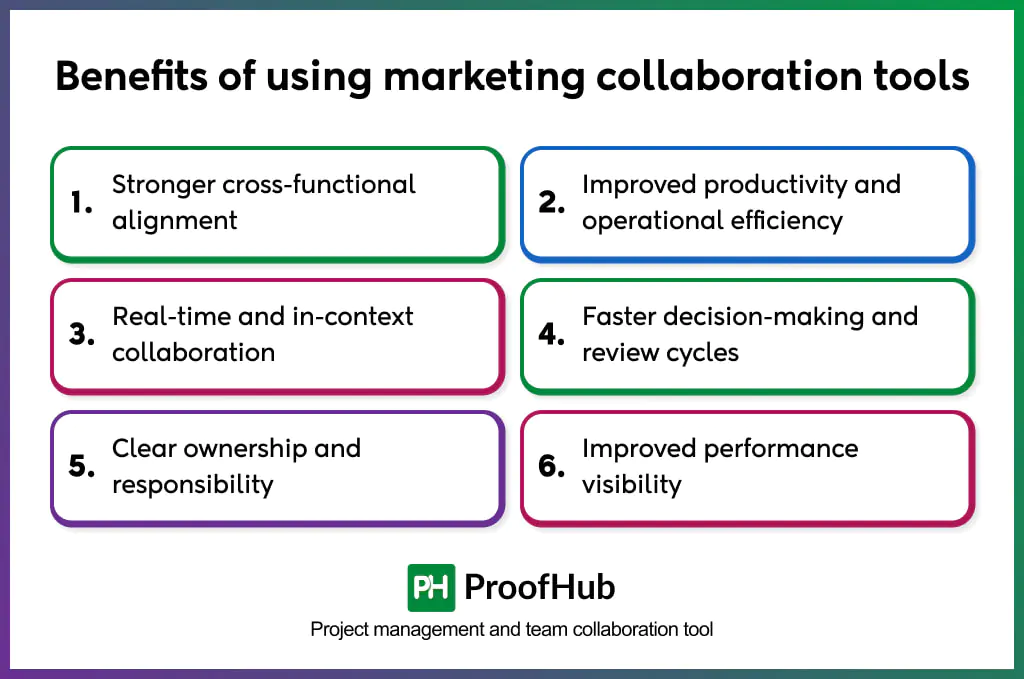
- Stronger cross-functional alignment: Shared timelines, dependencies, and execution stages align marketers, creatives, stakeholders, and external partners onto the same page. With unified visibility into the campaign, teams clearly understand how their work contributes to a larger campaign, reducing siloed execution and misinterpretation.
- Improved productivity and operational efficiency: By structuring communication, task coordination, and asset flow within a single workspace, teams spend less time on follow-ups, status checks, and clarification loops. This allows more focus on executing campaigns rather than managing process overhead.
- Real-time and in-context collaboration: Feedback, revisions, and discussions occur directly alongside the work. Teams can review work, respond to feedback, and make updates in real time or asynchronously without losing context or repeating conversations.
- Faster decision-making and review cycles: Defined review and approval workflows make responsibilities and status visible at every stage. This minimizes delays caused by informal sign-offs and fragmented feedback, helping campaign progress without unnecessary escalation.
- Clear ownership and responsibility: Each task, asset, and decision is assigned to a specific owner, preventing work from stalling due to unclear responsibilities, assumptions, or overlapping roles.
- Improved performance visibility: Centralized workspace provides teams with clear insight into progress, bottlenecks, and delivery, enabling timely intervention, maintaining momentum, and keeping campaigns on track throughout the lifecycle.
What challenges can marketing collaboration tools help overcome?
Marketing collaboration tools help teams overcome challenges such as delayed campaign execution, unclear ownership and accountability, extended review and approval timelines, rework caused by version confusion, misalignment across teams and stakeholders, delayed detection of execution risks, and inconsistent campaign outcomes.
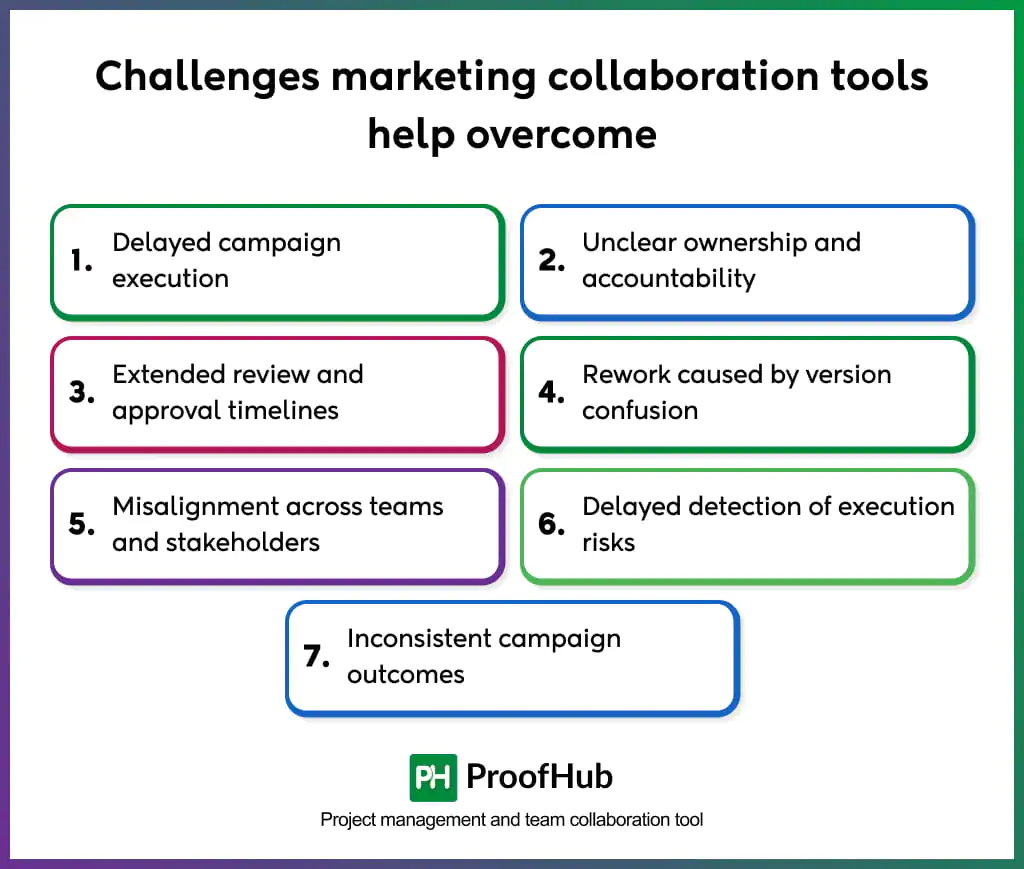
- Delayed campaign execution: Planning, task dependencies, and approvals are managed across multiple tools, leading to missed handoffs and poor work sequencing. Tools keep strategy, timelines, and dependencies connected within a single campaign workflow, ensuring execution progresses in the right order.
- Unclear ownership and accountability: Execution slows when responsibility for tasks, assets, or approvals is unclear, leading to waiting, duplication of effort, or unnecessary escalation. Marketing collaboration software assigns clear ownership at every stage, keeping accountability clear and work moving forward.
- Extended review and approval timelines: Reviews take longer when feedback is scattered across emails and messages, resulting in conflicting inputs and delayed decisions. Collaborative tools structure reviews and approvals with clear status and responsibility, reducing delays and accelerating decision-making.
- Rework caused by version confusion: Teams often revise the wrong files when multiple versions and feedback threads exist, increasing errors and wasted effort. Centralized collaborative tools maintain a single source of truth for assets and feedback, ensuring teams work from the latest approved version.
- Misalignment across teams and stakeholders: Teams lack shared visibility into goals, timelines, and constraints, causing rework and missed expectations. Marketing collaboration tools provide shared campaign context and real-time visibility, keeping all stakeholders aligned throughout execution.
- Delayed detection of execution risks: Delays become critical issues when teams lack visibility into progress and dependencies, leaving little time to course-correct. Tools identify blockers early, enabling proactive intervention before deadlines are missed.
- Inconsistent campaign outcomes: Campaign results vary when execution relies on ad-hoc coordination rather than repeatable processes. Centralized platforms standardize workflows and execution practices, enabling consistent delivery across teams and campaigns.
What features should a marketing collaboration tool have?
A marketing collaboration platform should support end-to-end campaign planning and execution, real-time communication, workflow automation, centralized content management, task dependencies, in-context feedback, progress tracking, role-based access, and system integrations.
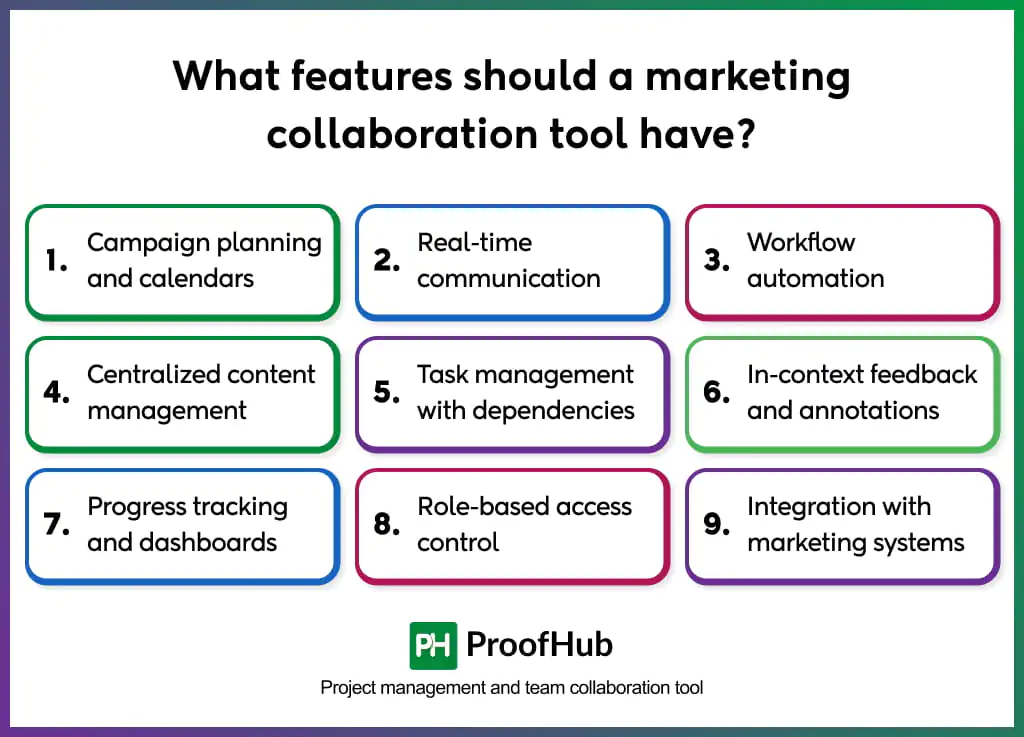
- Campaign planning and calendars: A unified execution timeline connects goals, milestones, and channel activity in one place. This ensures teams work against the same deadlines and priorities, reducing last-minute conflicts between strategy and delivery.
- Real-time communication: Discussions stay connected to the work instead of being scattered across tools. This allows questions to be resolved quickly, decisions to be documented, and progress to continue even when teams work across time zones.
- Workflow automation: Defined paths for briefs, reviews, and sign-offs remove uncertainty around next steps. Work moves forward without constant follow-ups, and teams avoid delays caused by unclear review responsibility.
- Centralized content management: Files, feedback, and approvals remain tied to their campaign context. Teams always know which version is final, reducing rework, inconsistent usage, and compliance risks.
- Task management with dependencies: Execution follows the correct sequence by linking tasks that rely on one another. This prevents teams from starting work too early or waiting unnecessarily for inputs, keeping campaigns moving smoothly.
- In-context feedback and annotations: Feedback is captured directly where work happens, preserving intent and reducing back-and-forth clarification. Reviews become faster and more accurate, shortening revision cycles.
- Progress tracking and dashboards: Ongoing visibility into status and blockers allows teams to course-correct before delays escalate. Leaders can assess delivery health without interrupting execution.
- Role-based access control: Visibility and permissions are tailored by role, enabling secure collaboration with agencies and partners while maintaining internal control over sensitive work.
- Integration with marketing systems: Execution workflows stay connected with automation, analytics, and asset systems. This prevents manual updates, reduces data gaps, and keeps performance insights aligned with campaign activity.
How much do marketing collaboration tools typically cost?
Marketing collaboration tools typically range from $5–$15 per user per month for entry-level plans and $15–$60 per user per month for advanced plans. Enterprise-grade platforms use custom or quote-based pricing, with total costs ranging from hundreds to thousands of dollars per month, depending on user volume, storage requirements, security controls, and governance needs.
Most marketing collaboration platforms follow a subscription-based pricing model billed monthly or annually. Entry-level plans focus on core collaboration features like task management, basic workflows, and limited integrations, making them suitable for small or early-stage marketing teams. Mid-tier plans introduce advanced workflows, approval automation, asset management, and reporting to support growing teams managing multiple campaigns. Enterprise plans are built for scale and compliance, typically including advanced permissions, audit trails, API access, and dedicated support.
Is there any difference between marketing collaboration and project collaboration tools?
Yes, marketing and project collaboration tools differ in how they structure work, manage context, and support execution.
Marketing collaboration tools emphasize campaigns, content, approvals, and cross-channel coordination. They organize work by marketing objectives, messaging context, timelines, and stakeholder alignment, ensuring strategy, creative assets, and execution remain connected throughout the campaign lifecycle.
Project collaboration tools focus on generic tasks and project tracking across functions. They manage timelines, assignments, and progress, but do not preserve marketing-specific context such as campaign goals, creative dependencies, content reviews, or channel coordination.
| Aspect | Marketing Collaboration Tools | Project Collaboration Tools |
| Primary focus | Campaign execution and marketing workflows | Generic project and task tracking |
| Context preservation | Maintains campaign goals, messaging, and creative context | Limited contextual linkage beyond tasks |
| Approvals and reviews | Built-in approval flows for content and assets | Basic or external approval handling |
| Asset collaboration | Centralized assets with version control and feedback | File attachments without asset governance |
| Cross-functional alignment | Designed for marketers, creatives, leaders, agencies | Designed for cross-functional project teams |
| Execution governance | Enforces marketing-specific workflows and standards | Tracks progress without marketing rules |
| Performance linkage | Connects execution with campaign outcomes | Rarely links work to marketing performance |
Can marketing collaboration tools support remote and distributed teams?
Yes, marketing collaboration tools support remote and distributed teams by centralizing coordination, maintaining execution context, and enabling asynchronous collaboration across locations and time zones.
They provide shared access to campaign plans, tasks, assets, feedback, and approvals in a single system, allowing team members to work independently without losing alignment. Centralized visibility ensures everyone operates from the same priorities, timelines, and expectations regardless of location.
Asynchronous workflows allow reviews, approvals, and feedback to progress without requiring real-time meetings. Version control and documented decisions prevent confusion caused by delayed responses or overlapping work hours.
Role-based access and external collaboration features enable agencies, partners, and freelancers to participate securely without disrupting internal workflows. This structure allows distributed teams to execute campaigns consistently while maintaining governance and accountability.
How to measure the effectiveness of marketing collaboration tools?
The effectiveness is measured by cycle time, approval speed, campaign delivery consistency, rework frequency, visibility, bottleneck resolution, and stakeholder participation.
- Cycle time: Measure the duration from campaign initiation to launch. Shorter cycle times indicate faster coordination, fewer execution delays, and better workflow efficiency.
- Approval speed: Track how quickly content, assets, and campaigns move through review and sign-off stages. Faster approvals reflect clear workflows, defined ownership, and reduced back-and-forth.
- Campaign delivery consistency: Measure how reliably campaigns launch on schedule and according to plan. High consistency signals standardized workflows and controlled execution.
- Rework frequency: Track the number of revisions caused by unclear briefs, conflicting feedback, or asset version issues. Lower rework indicates effective collaboration and context preservation.
- Visibility and bottleneck resolution: Assess how early delays and blockers are identified and resolved. Faster intervention reflects strong execution transparency.
- Stakeholder participation: Measure engagement across teams, agencies, and reviewers. Consistent participation indicates effective cross-functional collaboration.
Are marketing collaboration tools suitable for agencies and client-facing teams?
Yes, marketing collaboration tools are suitable for agencies and client-facing teams because they support structured external collaboration while maintaining control over execution and accountability.
They enable agencies and internal teams to collaborate within shared campaign environments where briefs, assets, feedback, and approvals remain centralized, reducing miscommunication, scattered feedback, and approval delays that commonly occur in client-driven workflows.
Role-based access ensures clients participate only in relevant review and approval stages without exposing internal planning or sensitive data. Approval workflows formalize client sign-offs, reducing scope creep and post-approval revisions.
Shared visibility into timelines, deliverables, and status improves expectation management and accountability on both sides, supporting smoother client collaboration while preserving operational efficiency.