

Internal collaboration is the process in which individuals, teams, or departments work together within an organization to achieve shared objectives. It helps teams share information, combine expertise, and work together instead of in isolation.
It improves team performance, productivity, and efficiency. Helping teams identify problems early, reduce time spent on repeated work, and avoid missing information.
Teams also gain more time for improvement and innovation instead of spending energy on fixing avoidable issues.
This article explains what internal collaboration is, its benefits, its types, and strategies for implementing it in the organization.
What is internal collaboration?
Internal collaboration is the coordinated effort of employees across departments, roles, and levels within an organization to achieve shared objectives by aligning information, resources, and decision-making.
It ensures knowledge, skills, and perspectives flow across teams and hierarchies—so the whole organization can perform as one.
Internal collaboration unfolds across three interconnected layers:
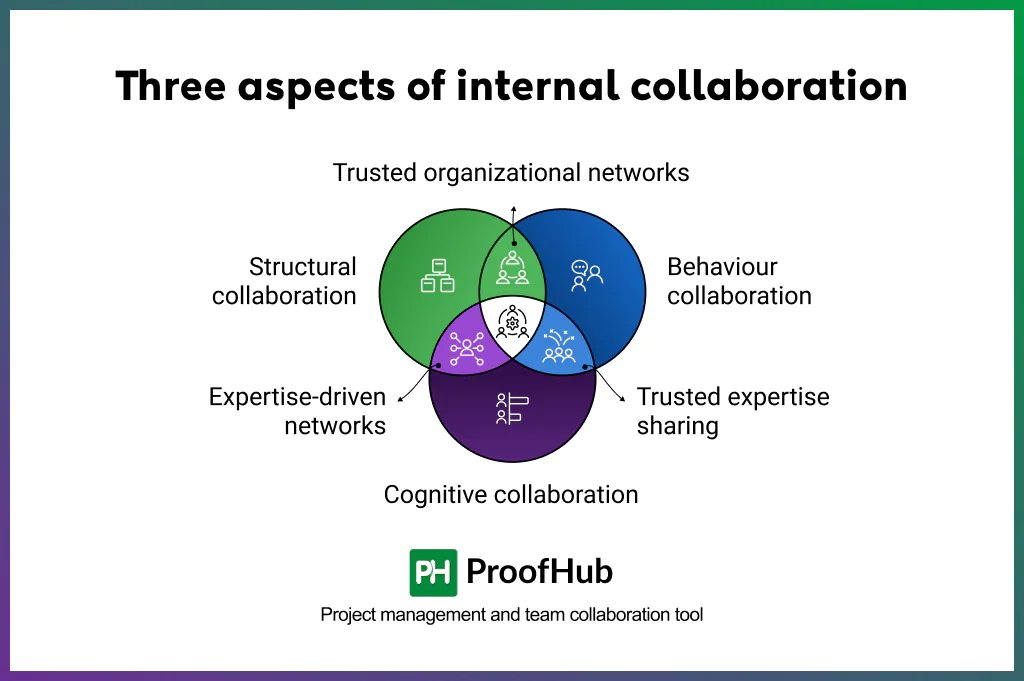
- Structural: How departments, functions, and hierarchies are linked. Strong internal networks prevent silos and accelerate the flow of information.
- Behavioral: The trust, empathy, and psychological safety that encourage people to share openly without fear of judgment.
- Cognitive: Shared knowledge of “who knows what” in the organization, known in psychology as transactive memory systems. This helps teams tap into the right expertise quickly.
Together, these layers help employees connect their expertise, coordinate work, and contribute to shared organizational goals.
What are the benefits of internal collaboration to an organization?
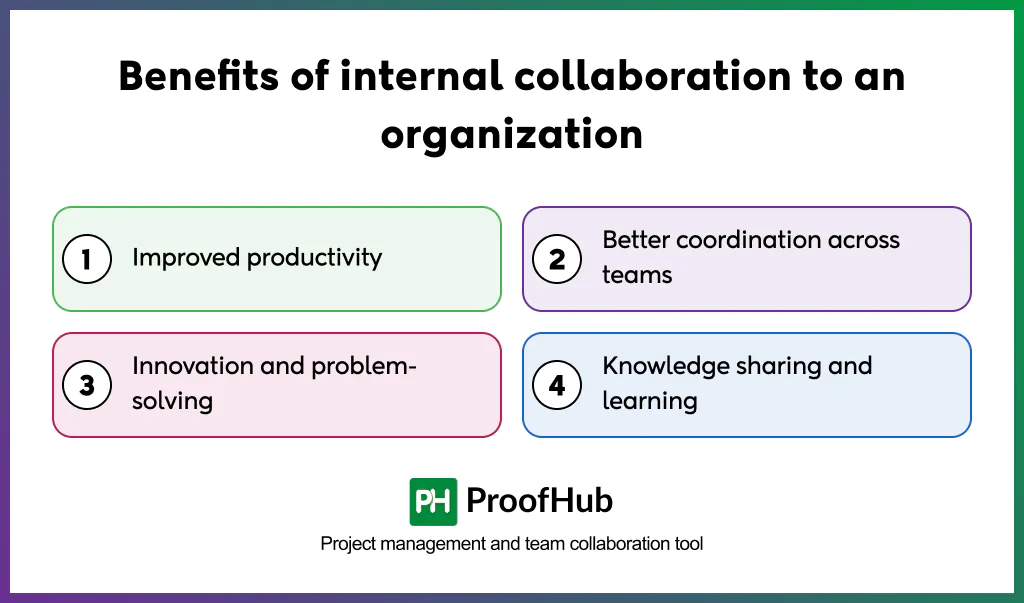
The key benefits of internal collaboration include improved productivity, strengthened coordination across teams, support for innovation and problem-solving, and improved knowledge sharing and learning.
1. Improved productivity
Internal collaboration improves productivity by eliminating silos, improving collective understanding, and reducing duplicated work. When teams share knowledge openly, work flows faster and with fewer errors.
Research from i4cp shows that companies promoting collaborative working were 5.5 times more likely to be high-performing.
Instead of chasing updates or redoing tasks, employees spend their time creating value. For leaders, this translates directly into shorter cycle times and higher ROI on projects.
2. Better coordination across teams
Improves team coordination by aligning teams’ priorities, responsibilities, and activities when work depends on multiple departments.
It helps teams work toward the same goals instead of focusing only on their own priorities.
It makes it easier for teams to manage dependencies, coordinate handoffs, and work together when projects involve multiple departments.
3. Innovation and problem-solving
Allows people with different perspectives and expertise to work together. Approaching problems from different angles and integrating team knowledge helps teams find new solutions, which can lead to breakthrough ideas.
According to a study by Harvard Business Review, cross-functional collaboration significantly increases the odds of producing successful new products.
4. Knowledge sharing and learning
Internal collaboration creates opportunities for employees to exchange information, expertise, and experience. When employees collaborate across departments or roles, knowledge becomes a shared resource instead of remaining with one individual or team.
Toyota’s production model, with its emphasis on shared problem-solving, is a practical example where collaboration turns individual expertise into collective intelligence and results in organizational growth.
What are the different types of internal collaboration?
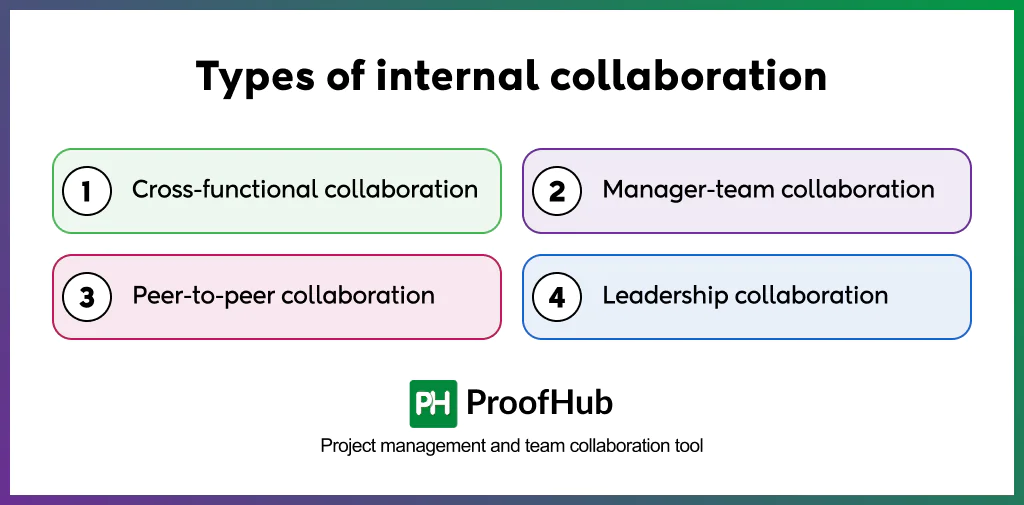
The most common types of internal collaboration observed in successful organizations include cross-functional collaboration, manager-team collaboration, peer-to-peer collaboration, and leadership collaboration.
1. Cross-functional collaboration: Cross-functional collaboration connects people from different teams or departments to work toward a shared outcome. It allows teams to contribute their knowledge and coordinate work that requires input from multiple functions.
2. Manager-team collaboration: Manager-to-team collaboration is the two-way interaction between managers, and their direct reports. It includes setting goals, clarifying expectations, sharing feedback, and creating space for open dialogue. This approach creates better alignment and trust by giving employees an active role in discussions rather than relying only on top-down communication.
3. Peer-to-peer collaboration: Peer-to-peer collaboration involves employees at the same organizational level, often across teams or areas of expertise. It allows employees to share knowledge, provide mutual support, and solve problems without relying on managerial mediation. This can help teams spot issues faster, share knowledge more freely, and create stronger networks across the organization.
5. Leadership collaboration: Leadership collaboration involves executives, department heads, and other senior leaders working together to coordinate strategy, priorities, and resources. It focuses on aligning organizational goals and making high-level decisions that affect multiple teams or functions.
Strategies for implementing internal collaboration in the workplace
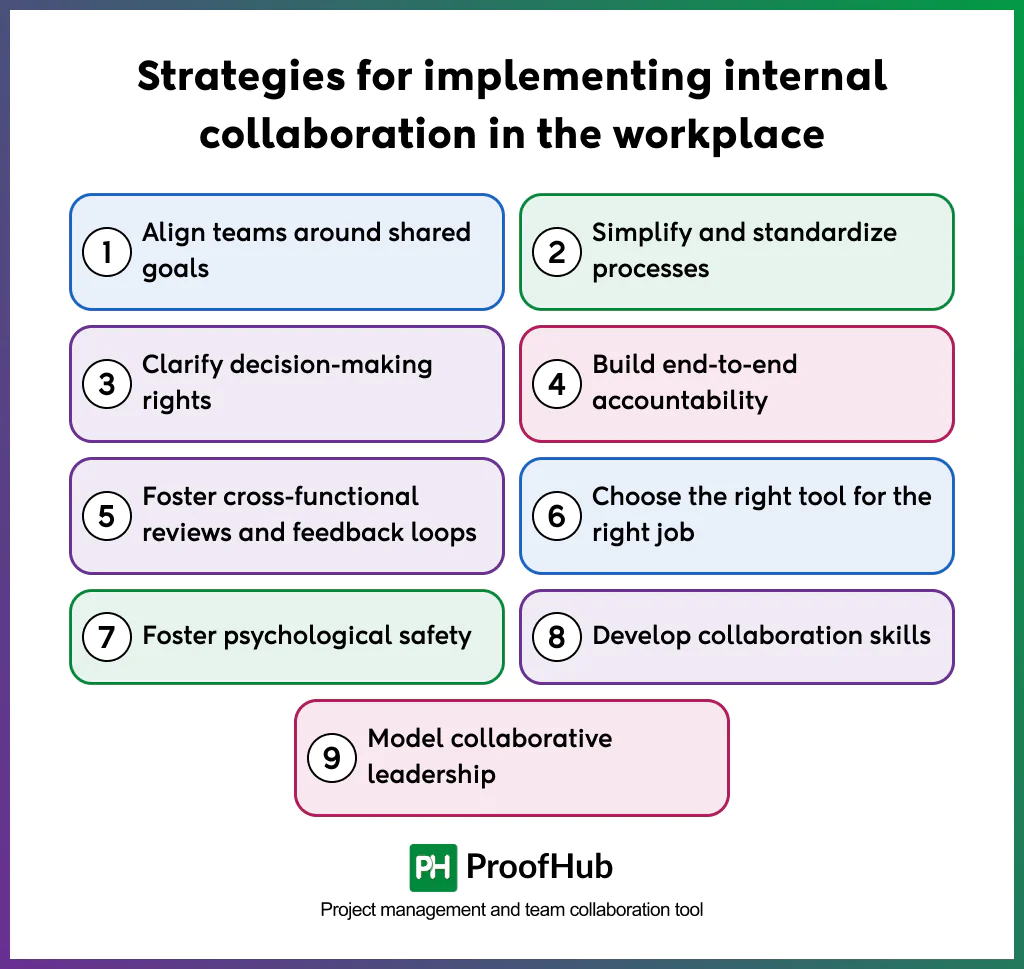
To effectively implement internal collaboration, organizations need to set clear goals, define responsibilities, establish effective processes, and choose the right tools to support coordination and workflow. These help teams stay aligned, coordinate their work, and make decisions more effectively.
The following is the list of key strategies that you can implement for effective internal team collaboration:
1. Align teams around shared goals
Aligning teams around shared goals means moving beyond siloed objectives and creating targets that require collaboration across functions. When goals are cross-functional, teams see how their efforts contribute to shared outcomes instead of focusing only on local priorities.
How to do it:
- Use frameworks like OKRs or SMART goals to make goals specific, measurable, and time-bound.
- Communicate goals broadly so all teams understand not just their role, but how their work ties into shared outcomes.
- Review progress jointly in cross-functional forums, celebrating wins and addressing obstacles together.
Shared goals create alignment across teams. Teams can focus on shared outcomes instead of optimizing only for their individual priorities, leading to more cohesive execution reducing internal friction.
2. Simplify and standardize processes
Simplifying processes means reducing unnecessary variation in how work is handled. Standardization reduces confusion by giving teams a consistent way to manage work across functions.
How to do it:
- Identify processes and remove unnecessary steps or variations.
- Use shared templates and tools for recurring collaborative work.
- Establish consistent workflows and documentation standards for recurring work.
Simplified and standardized processes make teamwork easier to follow and reduce friction during handoffs, helping teams coordinate work more consistently.
3. Clarify decision-making rights
Clarifying who has the authority to make specific decisions and who needs to be consulted or informed reduces uncertainty and prevents unnecessary approval delays. It helps teams make decisions without repeatedly negotiating who has the authority to act.
How to do it:
- Map critical decisions in each value chain or process that requires cross-functional input.
- Use frameworks such as RACI or RAPID where they help clarify decision roles.
- Review decision rights regularly as roles evolve, responsibilities, and priorities change.
- Involve stakeholders to ensure buy-in, but avoid bloated decision-making that stalls progress.
Clear decision-making rights help teams move work forward with confidence and speed, allowing them to focus on execution
4. Build end-to-end accountability
End-to-end accountability means assigning clear ownership of an entire process or outcome. It creates alignment across teams and departments by ensuring someone is responsible for coordinating work toward the overall outcome, rather than focusing only on individual parts of the process.
How to do it:
- Set shared metrics like on-time delivery, project completion rates, or employee experience scores to measure outcomes that depend on multiple teams.
- Reinforce with cross-functional reviews where teams analyze performance jointly and agree on improvements.
- Elevate accountability by assigning strong managers or senior leaders to coordinate complex, high-impact processes end to end.
When accountability is set, everyone knows who is responsible for the outcome, which reduces confusion and builds trust across the workplace.
5. Foster cross-functional reviews and feedback loops
Cross-functional reviews are structured forums where representatives from different teams track progress, resolve bottlenecks, and share insights. Unlike siloed meetings, these reviews focus on outcomes across the entire process and help teams identify issues that affect multiple functions.
How to do it
- Schedule regular reviews around shared outcomes, like onboarding time or delivery accuracy.
- Use KPIs that reflect end-to-end performance, not just functional success.
- Encourage open discussion of root causes and co-create action items.
Cross-functional reviews make collaboration practical. They enable faster resolution of issues and create customer experiences that feel seamless across teams.
6. Choose the right tool for the right job
Choosing the right tool helps teams spend less time chasing information and more time creating value. It keeps workflows organized and helps coworkers get faster, more reliable responses because information is easier to find and manage.
If teams rely on chat for project tracking, important details get buried. If email is the default for urgent issues, response times suffer. Over-reliance on the wrong tool creates confusion, duplication, and fatigue.
How to do it:
- Map collaboration needs such as real-time communication, project tracking, document sharing, and knowledge management.
- Establish clear rules of engagement eg, when to use chat, email, project management tools, or shared documentation.
- Review the tools regularly and remove unnecessary overlap between platforms.
Using the right tools for specific collaboration needs helps teams keep information organized, reduce unnecessary communication, and work more efficiently across functions.
7. Foster psychological safety
Psychological safety creates an environment where people feel free to share ideas, raise concerns, and ask questions without fear of judgment. When psychological safety is absent, employees stay silent or avoid raising problems.
These silences lead to rework, delays, and frustration among co-workers. A safe environment encourages employees to share different perspectives, speeds up problem-solving, and encourages innovation.
How to do it:
- Build psychological safety by rewarding achievements and surfacing mistakes early.
- Provide training in listening, feedback, and conflict resolution.
- Create opportunities for employees to raise concerns, ask questions, and share different viewpoints.
It helps employees participate more openly, making it easier for teams to identify problems, share knowledge, and solve issues together.
8. Develop collaboration skills
Developing collaboration skills helps teams communicate across departments. Without these shared skills, teamwork often defaults to uneven participation, unresolved disagreements, or decisions dominated by the loudest voices.
How to do it:
- Offer training in listening, constructive feedback, and conflict resolution, not just technical skills.
- Use role-play scenarios (e.g., resolving cross-departmental disagreements) to practice in safe settings.
- Encourage peer coaching where employees observe and give feedback on collaborative behaviors.
- Build collaboration expectations into performance reviews to consistently reinforce skills.
Developing these skills helps employees communicate more effectively, resolve conflicts constructively, and contribute more effectively to cross-functional work.
9. Model collaborative leadership
Demonstrate the behaviors and values you expect from teams when working together. Lead by sharing insights, flagging risks early, and encouraging cross-functional coordination to create a smoother and more consistent experience.
How to do it:
- Share the reasons behind important decisions, so teams understand the context and priorities.
- Invite dissenting views and acknowledge the team members’ contributions.
- Recognize and reward behaviors that support cross-functional collaboration.
When leaders consistently model collaborative behaviors, employees are more likely to adopt the same approach, strengthening coordination and collaboration across teams.
What are the challenges of internal collaboration?
The key challenges of internal collaboration include collaboration overload, unclear responsibilities, technology friction, persistent silos, unequal participation, communication breakdowns, cultural and geographical barriers, and organizational constraints.
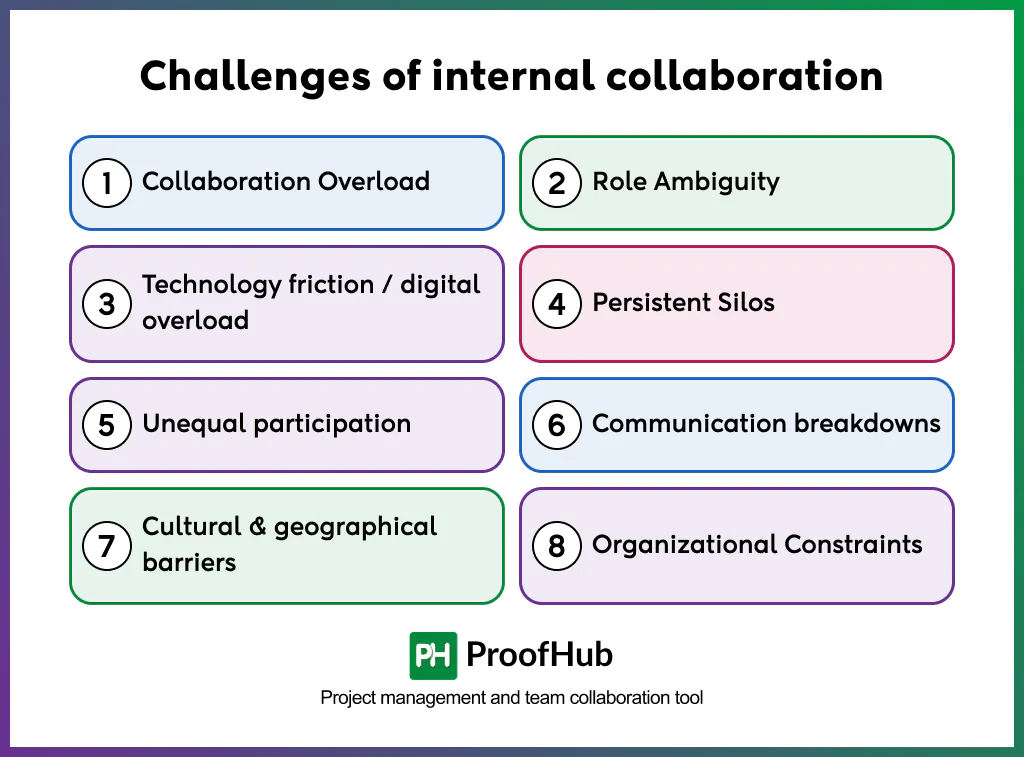
1. Collaboration Overload: Too much collaboration can hinder productivity. A Harvard Institute researcher, in collaboration with Prof. Bob Ross, found that employees may spend up to 75–85% of their week in meetings, email chains, or chat threads, leaving little time for focused work. When every task requires group input, collaboration becomes a bottleneck rather than an enabler.
2. Role Ambiguity: When responsibilities are unclear, motivation suffers. Employees hesitate to act, duplicate work, or dispute ownership. When collaboration blurs who is responsible for what, motivation suffers and teams can struggle to coordinate work and maintain accountability.
3. Technology friction / digital overload: Using multiple collaboration tools can create friction when employees have to navigate different platforms. Multiple platforms, poor adoption, or inconsistent training make it harder for employees to know where to look, slowing work and reducing alignment.
A Deloitte survey in 2022 found that 75% of employees reported increased digital overload while working from home, with many linking it to higher burnout.
4. Persistent Silos: Departments often protect local priorities, limiting cross-team knowledge sharing. Even with collaboration tools, teams may focus on individual goals instead of organizational objectives, leading to misalignment and fragmented execution.
The result is duplication, misalignment, and a lack of shared accountability. Research from Harvard Business Review Analytics Services found that 67% of collaboration failures stem from silos—a staggering figure that shows how destructive fragmentation can be.
5. Unequal participation: Some voices dominate while others remain quiet. This uneven participation undermines collective intelligence, resulting in weaker decisions and missed perspectives. Creating inclusive processes is essential to harnessing diverse insights.
6. Communication breakdowns: Information can get lost across platforms, buried under noise, or delivered too late. Poorly managed collaboration can make finding the correct information harder, decreasing efficiency and clarity.
7. Cultural & geographical barriers: Global, remote, or hybrid teams face challenges from differences in culture, communication style, and time zones. What is proactive in one culture may feel intrusive in another, and scheduling across regions can unintentionally exclude participants.
8. Organizational Constraints: Collaboration is shaped by structural realities: rigid hierarchies, slow decision-making, and resource bottlenecks. These constraints can make it harder for teams to coordinate work, make timely decisions, and follow through on shared goals.
What is the best tool for internal collaboration?
The best tool for internal collaboration helps teams communicate, manage tasks, share information, and coordinate work without relying on multiple disconnected applications.
A good collaboration platform keeps communication, responsibilities, files, and project information visible in one place, making it easier for teams to stay aligned.
ProofHub is an easy-to-use collaboration and project management platform that brings these features into one workspace. Teams can manage tasks, communicate through discussions, share files, track project progress, and keep important project information organized without switching between multiple tools.
What are the examples of successful internal collaboration?
Successful internal collaboration isn’t about teams using the same tool — it’s about how they structure work, share knowledge, and stay aligned as they move toward a goal. When you look at real-world examples, a few patterns stand out:
1. GitHub’s engineering teams
Developers at GitHub use pull requests, code reviews, and shared repositories to work together. These practices make workflows transparent — everyone can see what’s happening and contribute to improving it, resulting in better quality and stronger alignment.
2. NASA project teams
NASA coordinates massive, complex missions by using highly structured workflows and centralized knowledge sharing. Engineers, scientists, and project managers align through detailed dashboards, milestone tracking, and strict accountability. This proves that when stakes are high, shared systems and clear responsibilities make collaboration not just helpful, but mission-critical.
3. Airbnb product teams
Airbnb organizes product development around cross-functional squads that run structured sprints. Designers, engineers, and product managers plan together, share feedback continuously, and rally around clear goals. The key takeaway: collaboration improves when roles are clear, goals are shared, and feedback loops are short.
The patterns across all these examples are common. Collaboration succeeds when teams combine three things: clarity (processes and roles), transparency (visibility into work), and centralization (a shared system of record).
What is the difference between internal and external collaboration?
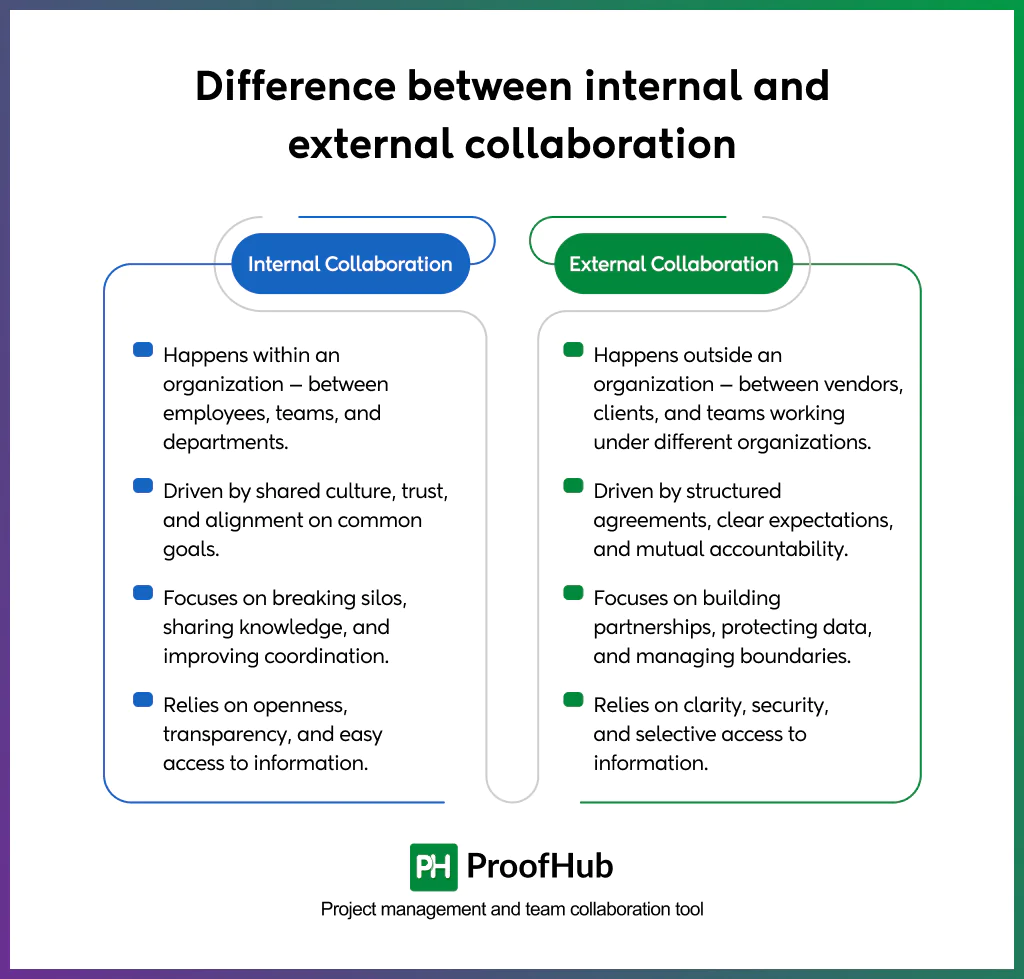
The key difference between internal and external collaboration is the participants involved. Internal collaboration focuses on teams working together within an organization, while external collaboration consists of coordinating with clients, partners, or vendors outside the organization.
Internal collaboration is about creating alignment among employees so everyone is moving in the same direction. It works to break down silos, making sure information and resources flow freely across teams. Strong internal collaboration builds a culture of openness and trust — where people feel comfortable sharing ideas, asking for help, and contributing to collective problem-solving. The result is smoother workflows, faster decision-making, and a stronger sense of ownership across the organization.
External collaboration is about managing relationships beyond the company’s boundaries. Here, the focus shifts to setting clear terms of engagement — defining deliverables, timelines, and responsibilities in a way that avoids confusion. Successful external collaboration ensures that clients, vendors, or contractors can contribute meaningfully to projects. When done well, it builds trust, strengthens partnerships, and creates long-term value.
Can remote work affect internal collaboration?
Yes, remote work has a significant impact on internal collaboration. Its effects can be both positive and negative, depending on how well teams adapt their tools, processes, and culture.
Remote work can make communication feel fragmented if conversations aren’t structured. Without clear systems, updates get lost across chat threads and emails, leaving teams unsure of priorities. Visibility can also suffer — when progress isn’t transparent, managers may feel disconnected and employees may feel unseen. Team cohesion is another risk, since remote settings naturally reduce informal interactions and the sense of belonging that comes from working side by side.
On the positive side, remote work also enables greater flexibility and focus. Teams are no longer bound by physical presence, which means collaboration can happen asynchronously — people contribute when they are at their best, rather than being forced into constant real-time communication. This allows for deeper, uninterrupted work while still keeping projects moving.
Can internal collaboration impact project efficiency?
Yes, internal collaboration directly affects project efficiency by improving coordination, reducing redundancies, and enabling faster decision-making.
Effective internal collaboration makes work move smoothly, keeps projects on track, teams share information openly, tasks are clearly owned, and decisions get made faster because the right people are aligned from the start. This prevents the project slowdowns, like waiting for approvals, redoing work that was misunderstood, or struggling to find missing information. In well-collaborating teams, efficiency is built into the system itself.
When internal collaboration is not done effectively, it leads to inefficiencies, misunderstandings, delayed updates, and people lose sight of priorities. Work slows not because the project is complex, but because communication is fragmented. The result is duplicated effort, mounting frustration, and wasted time that could have been avoided.
Does organizational culture influence the effectiveness of internal collaboration?
Yes, organizational culture plays a critical role in shaping how well teams collaborate, influencing trust, accountability, and knowledge sharing.
A strong collaborative culture encourages psychological safety, where employees feel comfortable sharing ideas, raising concerns, and asking questions without fear of judgment. This openness accelerates problem-solving and fosters innovation because people feel secure to share the ideas.
When teams are transparent, track progress, and understand decisions, trust builds naturally. A culture where diverse voices are heard and different perspectives are welcomed, internal collaboration thrives.
When teams know that their contributions are recognized and aligned with organizational priorities, collaboration becomes a habit rather than a chore.
To sum up, teams with the right culture, supported by effective processes and collaborative tools like ProofHub, communicate better, make faster decisions, and achieve goals more efficiently. Without culture, even the most advanced collaboration platforms can’t deliver their full potential.