
A collaborative meeting is a structured working session in which participants actively contribute to decisions, problem-solving, and action planning toward a shared goal. It replaces one-way updates with collective evaluation, shared knowledge and ownership, and visible commitments.
It enables groups to make accurate decisions, align teams, and convert discussion into accountable action. Decision accuracy improves when perspectives are evaluated together. Alignment strengthens as participants share knowledge and priorities. Accountability increases through visible decisions and owned actions. Execution speeds up when outcomes are defined and tracked. Engagement rises with active participation, while project risk reduces through early issue detection and shared understanding.
Collaborative meetings depend on clearly defined roles. Leaders set direction and decision authority. Facilitators manage flow and balanced participation. Note-takers capture decisions and actions. Participants contribute input and commit to outcomes.
Based on the purpose and constraints, collaborative meetings take different formats. In-person, virtual, and hybrid meetings support different environments. Facilitated workshops, breakout groups, round tables, fishbowl, and lean coffee formats structure interaction to match discussion depth, group size, and decision needs.
Effective collaborative meetings require following disciplined execution.Objectives are clarified first, followed by designing outcome-driven agendas and pre-work-focused discussions. Roles are assigned in advance, contributions are evenly facilitated, and decision rules are explicit.
What is a collaborative meeting?
A collaborative meeting is a structured working session in which participants actively contribute to a shared understanding, decisions, and actions toward a common goal. It is designed to evaluate inputs collectively, align priorities, and produce clear decisions with owned next steps.
Instead of one person leading and others listening, it emphasizes active participation, clear objectives (such as developing a strategy, refining a process, or solving an issue), and psychological safety that enables people to contribute openly without hesitation.
A well-run collaborative meeting ensures participants understand the context and desired outcomes beforehand, contribute insights during the discussion, and collectively turn individual inputs into aligned decisions, defined responsibilities, and actionable next steps.
What are the benefits of collaborative meetings?
Collaborative meetings improve decision accuracy, team alignment, accountability, faster execution, team engagement and reduced project risks.
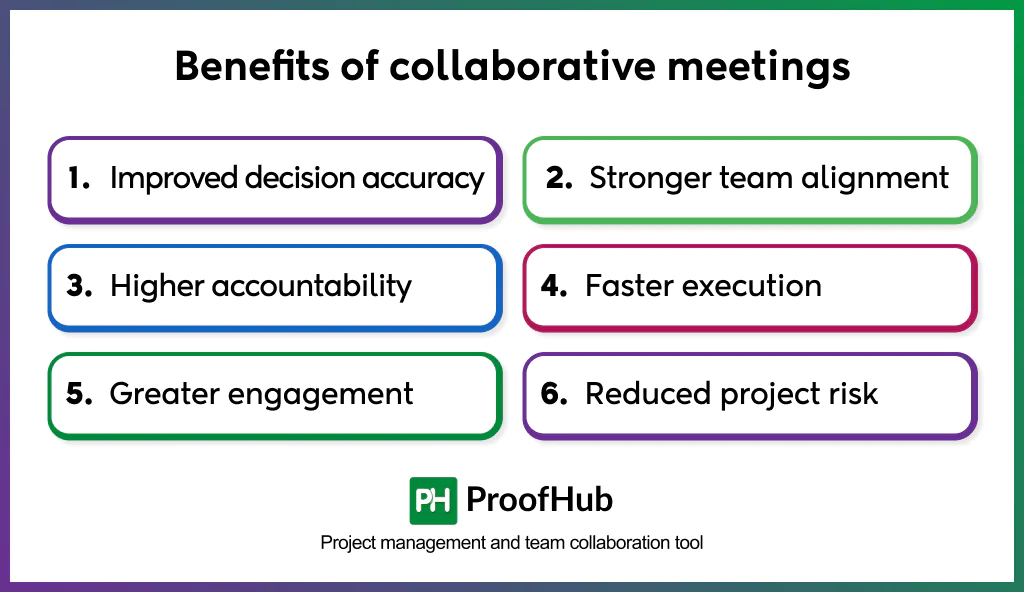
- Improved decision accuracy: Participants come into collaborative meetings with their own analyses, assumptions, and interpretations of the work. Through discussion, these perspectives are compared, clarified, and aligned. Misunderstandings and assumptions are corrected using input from people with direct, hands-on context. This shared understanding reduces blind spots, replaces guesswork with clarity, and leads to decisions grounded in how the work functions.
- Stronger team alignment: Participants define goals, constraints, expectations, and priorities together in the same environment. This eliminates conflicting interpretations, prevents parallel efforts from diverging, and ensures that every contributor works from a shared mental model throughout the project.
- Higher accountability: People commit to decisions they co-create. When contributors define tasks, responsibilities, and timelines together, they take ownership of delivering those outcomes. This shared responsibility increases follow-through and reduces the need for external supervision.
- Faster execution: Teams finalize decisions inside the meeting, reducing post-meeting clarification loops. Clear next steps, confirmed dependencies, and synchronized schedules eliminate delays caused by rework, contradictory instructions, or missing context, enabling smoother project execution.
- Greater engagement and higher-quality contributions: Participants influence the direction of the work rather than receiving top-down updates. This autonomy increases motivation, encourages deeper preparation, and leads to richer ideas and more meaningful contributions during the session.
- Reduced project risk: Collaborative discussions catch inconsistencies early. Teams surface obstacles, identify resource gaps, challenge unrealistic assumptions, and evaluate feasibility together. This early detection prevents costly corrections, timeline slippage, and misaligned execution later.
What are the important roles in collaborative meetings?
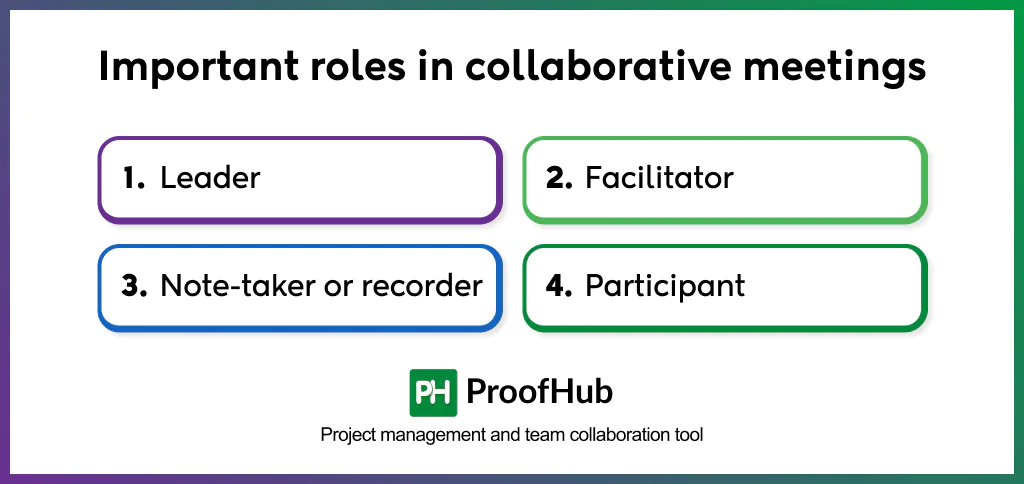
The important roles in a collaborative meeting are leader, facilitator, note-taker, and participant. Collaborative meetings rely on these roles to maintain structure, distribute responsibility, and ensure productive outcomes.
Leader
- Defines the meeting goal and expected outcome.
- Selects the right participants based on expertise and relevance.
- Owns the agenda and ensures it aligns with the objective.
- Guides the discussion back to the goal when conversations drift.
- Confirms decisions, responsibilities, and next steps before closing.
- Oversees post-meeting follow-up to ensure commitments are tracked.
Facilitator
- Designs the meeting structure and flow with the leader.
- Manages time, transitions, and collaboration activities.
- Encourages balanced participation and prevents dominance.
- Maintains psychological safety and healthy group dynamics.
- Keeps discussions productive and outcome-focused.
Note-taker or recorder
- Captures key decisions, action items, owners, and deadlines.
- Records important context that affects future work.
- Ensures note accuracy during or immediately after the meeting.
- Shares finalized notes with participants to maintain alignment.
- Preserves meeting outcomes for reference and accountability.
Participant
- Review pre-work and arrive prepared with relevant insights.
- Contribute ideas, feedback, and expertise during discussions.
- Ask clarifying questions and challenge assumptions constructively.
- Support group decisions once made.
- Take ownership of assigned action items and follow through.
Collaborative meetings also include additional or rotating roles such as:
- Timekeeper: Ensures each agenda item stays within its designated time slot, provides gentle reminders as items approach their allotted time, and helps maintain the overall meeting pace and schedule.
- Vibes-watcher: Monitors the meeting’s interpersonal and emotional climate to uphold psychological safety, encourages participation from quieter members, and intervenes when unproductive or negative dynamics emerge.
- Decision maker: When separate from the meeting leader, this role is responsible for articulating final decisions, ensuring clarity on outcomes, and tracking commitments and action items to prevent post-meeting oversight.
- Subject matter experts (SMEs): Offer specialized knowledge and context, contributing insights that inform discussions and decisions without necessarily engaging in facilitation or process management.
How to run collaborative meetings effectively?
Collaborative meetings are effectively conducted by clarifying the objectives first, designing an outcome-driven agenda, focused pre-work, assigning roles before the meeting, facilitating balanced contribution, using explicit decision rules, documenting decisions and actions, converting meeting outcomes into tasks, setting follow-up and review processes, using time and scope discipline and applying remote-first practices.
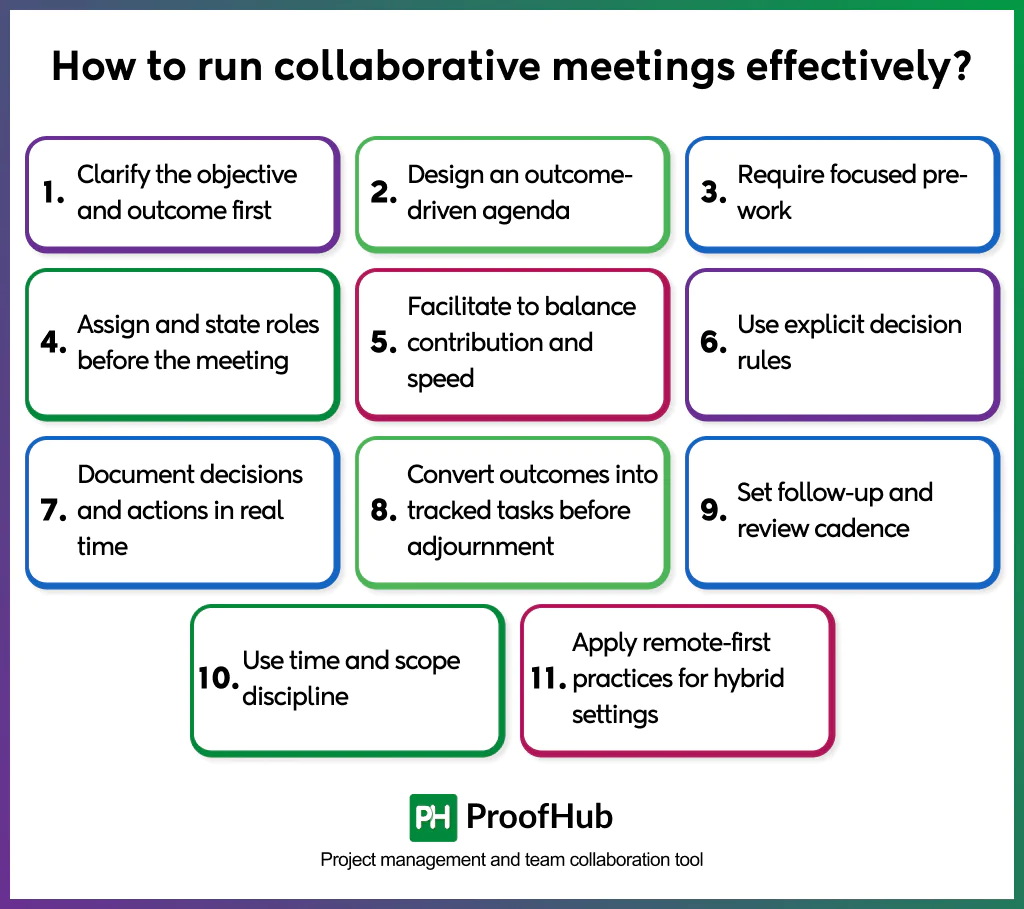
1. Clarify the objective and outcome first: State the single meeting goal (decision, plan, design, or problem resolution) and the exact deliverable expected by the end of the session. This goal determines participants, time allocation, and required pre-work, keeping the meeting outcome-oriented.
2. Design an outcome-driven agenda: Create a time-boxed agenda that lists items in priority order, the decision or input required for each, and who brings data or proposals. Add time blocks for context, discussion, decision, and immediate assignment of next steps. Share the agenda 48-72 hours in advance with required pre-reads.
3. Require focused pre-work: Participants read materials, prepare proposals, identify constraints, and log initial comments in shared documents. Pre-work reduces catch-up time, raises discussion quality, and concentrates the live session on synthesis and decisions.
4. Assign and state roles before the meeting: Name a leader (owns goal), facilitator (manages process), note-taker (records outcomes), timekeeper (manages schedule), and decision owner (if separate from leader). Publish roles on the agenda so everyone knows responsibilities and the meeting runs without role ambiguity.
5. Facilitate to balance contribution and speed: The facilitator asks clarifying questions, manages dominance, invites quieter participants, and enforces timeboxes. Use techniques such as round-robin input (a structured technique for obtaining equal input from everyone in a group), silent ideation followed by clustering, breakout rooms for subgroups, and quick voting for near-consensus. Facilitation helps maintain quality and prevents drift.
6. Use explicit decision rules: State the decision rule at the start (consensus, majority vote, leader decides after input, or delegated authority). Record when exceptions occur and why. Decision rules speed closure and make outcomes defensible.
7. Document decisions and actions in real time: The note-taker uses a shared template to capture each decision, the rationale, owners, deadlines, dependencies, and success criteria. Validate captured items aloud before closing each agenda item to ensure the record is accurate. Immediate documentation prevents loss of context.
8. Convert outcomes into tracked tasks before adjournment: Create action items/tasks with owners and due dates inside a project management platform during the meeting. Link decisions to tasks, attach relevant files, and set follow-up checkpoints. This ensures decisions become execution, not unresolved notes.
9. Set follow-up and review cadence: Define when progress updates will happen and where status will be posted (dashboard, shared doc). Schedule a brief synchronous check only if risk or divergence appears. Regular reviews keep commitments visible and reduce scope creep.
10. Use time and scope discipline: Limit meeting length to what the goal needs, prefer multiple short, focused sessions to one long, unfocused meeting. End early when goals finish, extend only with group consent and new agenda items. Time discipline preserves cognitive energy and improves decisions.
11. Apply remote-first practices for hybrid settings: Ensure every participant joins via their own device, use high-quality audio/video, and mirror in-room boards to digital whiteboards. Alternate facilitation techniques to include remote attendees equally and avoid in-room bias. Remote-first setup preserves fairness and participation parity.
What are the types of collaborative meetings?
The main types of collaborative meetings are planning and strategy meetings, problem-solving and decision-making meetings, progress status meetings, information-sharing meetings, co-creation meetings, relationship-building meetings, review and evaluation meetings, and innovation and exploration meetings.
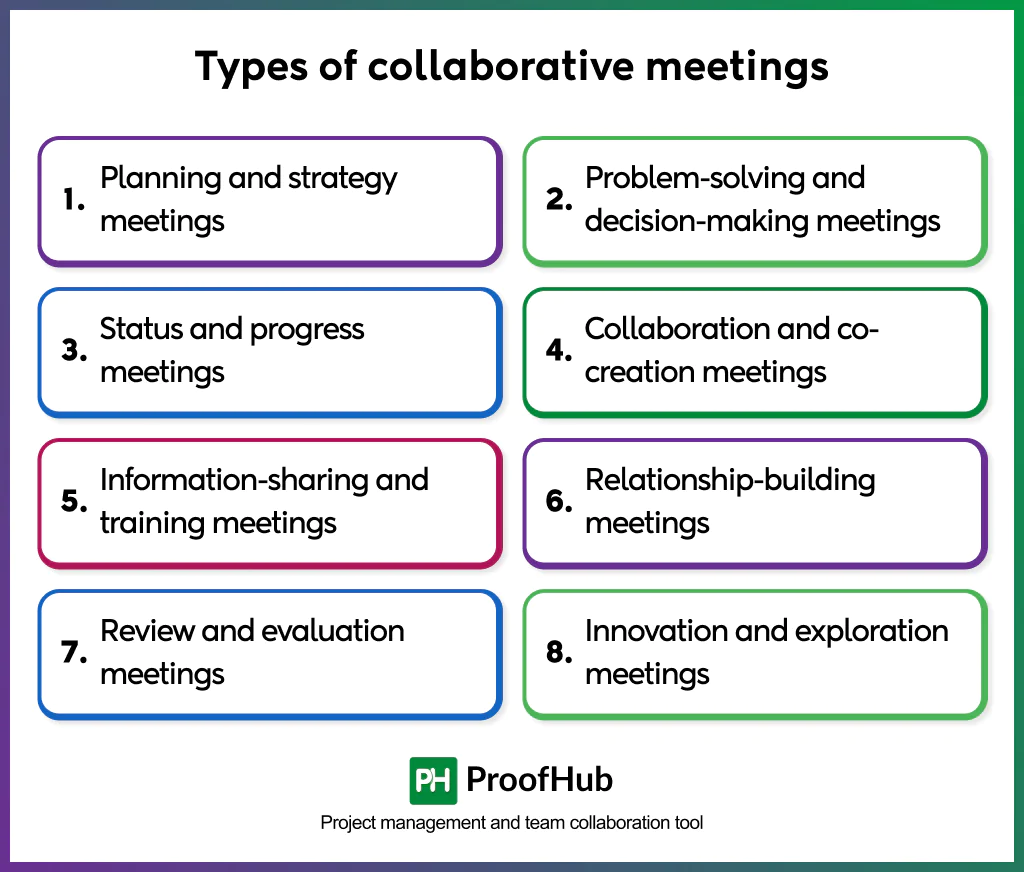
- Planning and strategy meetings: Sets direction, aligns teams on goals, and defines priorities for upcoming cycles. They clarify scope, assign ownership, and establish the roadmap that guides all subsequent work.
- Problem-solving and decision-making meetings: Gathers the right people to analyze challenges, compare alternatives, and choose the most effective solution. They rely on structured frameworks such as root-cause analysis, decision matrices, or trade-off discussions to drive clear, defensible decisions.
- Status and progress meetings: It keeps teams aligned on ongoing work by reviewing metrics, milestones, risks, and next steps. They establish shared visibility, prevent duplication, and ensure dependencies are managed before delays occur.
- Collaboration and co-creation meetings: Focus on delivering real-time results, such as drafting documents, mapping workflows, designing solutions, or refining user journeys. Participants contribute simultaneously using shared workspaces, turning group insight into tangible output.
- Information-sharing and training meetings: These meetings transfer knowledge, introduce new tools or processes, or teach important skills. They support onboarding, change management, and capability development, ensuring everyone operates with the same level of understanding.
- Relationship-building meetings: Strengthens trust, psychological safety, and group cohesion. Examples include team retrospectives, informal check-ins, and culture-building sessions that improve communication quality and readiness for future collaboration.
- Review and evaluation meetings: Assess outcomes, quality, performance, or compliance. They examine what worked, what failed, and what must change, generating insights that feed back into planning and execution cycles.
- Innovation and exploration meetings: Push teams to think beyond constraints, generate new ideas, and shape long-term opportunities. These meetings use techniques such as brainstorming, scenario planning, and design sprints to surface novel concepts and strategic possibilities.
What are the different formats for running collaborative meetings?
The formats for running collaborative meetings include in-person, virtual or online, hybrid, facilitated workshops, breakout group format, roundtable format, fishbowl format and lean coffee format.
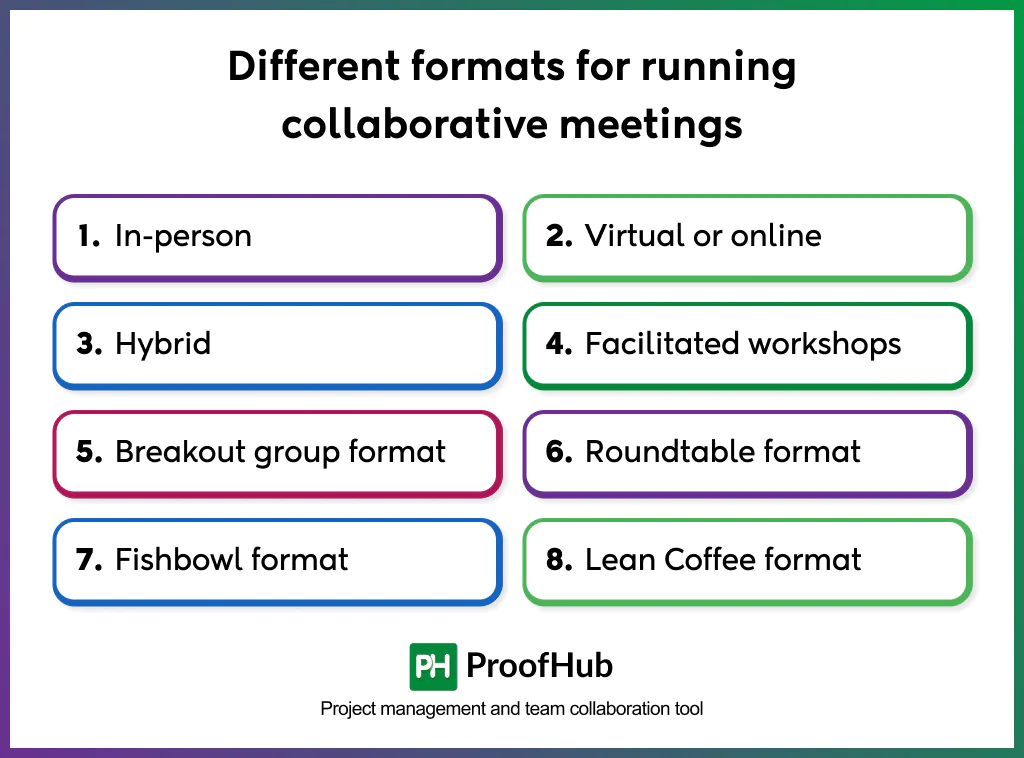
- In-person: Teams meet in the same physical space and work together using whiteboards, printed materials, and face-to-face discussion. Use these collaborative meetings for hands-on activities such as planning workshops, design sessions, or negotiations, where body language and quick interactions help teams align more quickly.
- Virtual or online: Takes place over video calls, with shared digital canvases and real-time documents. Use them when contributors are distributed; combine screen sharing, live editing, and breakout rooms to preserve interactive co-creation.
- Hybrid: Brings onsite and remote participants together while maintaining a remote-first setup (each person uses their own device). Use mirror cameras, shared boards, and facilitation rules so remote voices have parity with in-room voices.
- Facilitated workshops: Structured collaboration with designed activities, timeboxes, and clear outputs. Use them for complex problem-solving, cross-functional alignment, or structured ideation that must produce actionable artefacts.
- Breakout group format: Splits the larger meeting into small teams that work on subproblems, then reconvene to combine their solutions. Use them to increase participation, accelerate parallel work, and find diverse solutions before collective decision-making.
- Roundtable format: Roundtables are open, equal-participation discussions where everyone contributes insights. Use them for cross-functional alignment, policy discussions, and topics that require broad input rather than top-down answers.
- Fishbowl format: A core discussant group while observers listen, then rotates participants into the center. Use it for feedback, conflict resolution, and reflective dialogue, where listening, followed by participatory exchange, improves outcomes.
- Lean Coffee format: Participants propose topics, vote on what to discuss, and discuss them in short, timed sessions. Use it when priorities are unclear, and the group needs a flexible way to identify and resolve the most important issues.
What are the limitations of collaborative meetings?
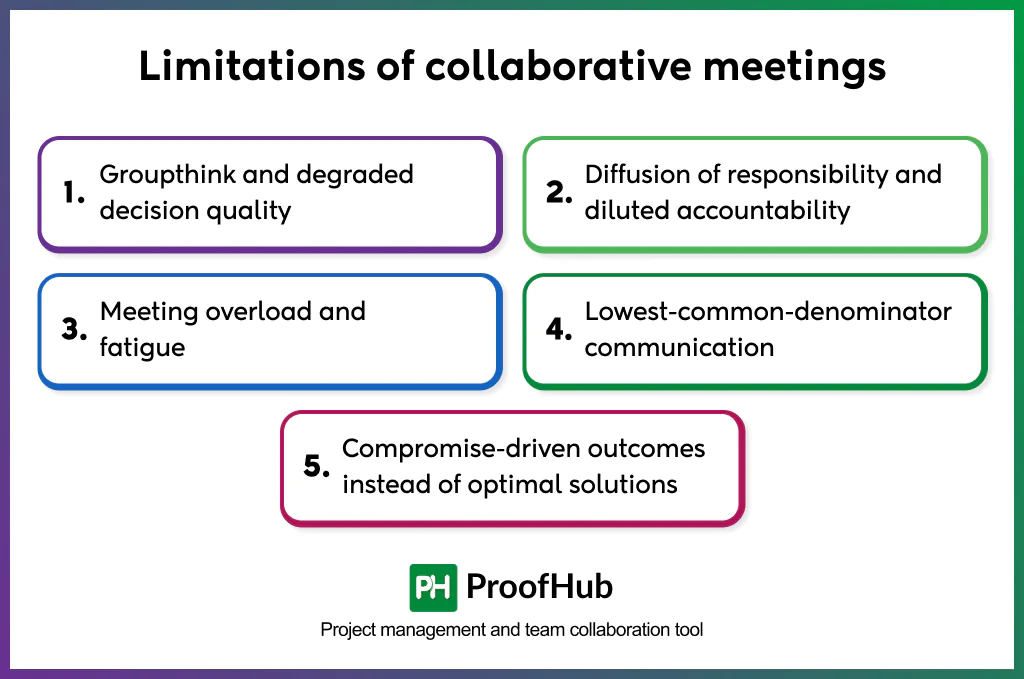
The limitations of collaborative meetings include groupthink or degraded decision quality, diffusion of responsibility or diluted accountability, meeting overload or fatigue, lowest-common-denominator communication, and compromise-driven outcomes.
1. Groupthink and degraded decision quality
Collaborative meetings intensify groupthink – the pressure to reach consensus, fear of disagreement, or tendency to follow a dominant or popular opinion, suppressing critical thinking. In other cases, discussions drag on without resolution. Both patterns lead to decisions that receive agreement without sufficient challenge or that are never fully concluded.
2. Diffusion of responsibility and diluted accountability
When decisions emerge from a group, ownership often becomes unclear. The collective nature of collaboration blurs responsibility for follow-up actions, making it difficult to identify who is accountable for outcomes. This diffusion increases the risk of missed deadlines, incomplete execution, and reliance on others to act.
3. Meeting overload and fatigue
Teams that treat collaboration as the default often schedule excessive meetings. The constant need for collective alignment reduces focus time, triggers cognitive fatigue, and leads to shallow participation. This overload weakens decision quality and slows execution.
4. Lowest-common-denominator communication
Collaborative meetings require a shared understanding among participants with varying levels of context and expertise. This often forces discussions to simplify complex or nuanced topics so everyone can follow along. As a result, teams move at the pace of the least-prepared participant, limiting depth, slowing progress, and reducing the quality of advanced problem-solving.
5. Compromise-driven outcomes instead of optimal solutions
Collaborative decision-making often results in compromise rather than excellence. To achieve group agreement, teams adjust proposals to partially satisfy everyone rather than selecting the strongest option. This consensus-driven trade-off limits the effectiveness of harmony, especially in strategic or high-stakes decisions.
Examples of collaborative meetings
Some of the examples of collaborative meetings include:
- Project kickoff meeting: A project team gathers at the start of an initiative to confirm objectives, clarify scope, and align responsibilities. The group defines the plan together, agrees on timelines, and establishes how progress will be monitored. This collaborative start prevents ambiguity and sets a unified direction for the entire project.
- Requirements-gathering meeting: A product team meets with users, business leaders, and technical experts to understand needs before building new features. The meeting transforms scattered insights into prioritized requirements and validated assumptions.
- Brainstorming session: A cross-functional team collaborates to generate ideas for a new campaign, product concept, or process improvement. Participants contribute diverse perspectives and build on each other’s suggestions. The session ends with grouped themes, initial evaluations, and shortlisted ideas for further development.
- Strategy planning meeting: Leadership teams meet to define direction for the next quarter or year. The group evaluates data, debates alternatives, and aligns on strategic initiatives that support organizational goals. The meeting concludes with a shared roadmap and assigned owners for each strategic action, ensuring unified execution.
- Retrospective meeting: A project team gathers after completing a milestone to evaluate what worked and what failed. Participants share observations, root-cause insights, and improvement ideas without blame. Together, they identify patterns, agree on corrective actions, and commit to changes that prevent recurrence.
Best tools to support collaborative meetings
Tools that support collaborative meetings include real-time meeting platforms, visual collaboration tools, document and knowledge workspaces, and task and project-management platforms that create shared visibility, enable real-time contribution, and convert discussions into documented outcomes.
- Real-time meeting platforms: Video platforms provide the live environment where collaborative meetings occur. They support face-to-face discussion, screen sharing, breakout rooms for small-group work, and real-time engagement features.
Tools like Zoom, Microsoft Teams, and Google Meet enable structured conversations, facilitate participation, and maintain meeting continuity across teams.
- Visual collaboration tools: Digital whiteboards replicate in-room ideation sessions by allowing teams to sketch, map workflows, cluster ideas, and vote on concepts together.
Tools like Miro, Lucidspark, and Microsoft Whiteboard support brainstorming sessions, requirements mapping, retrospectives, and strategy workshops. These tools keep ideation inclusive and provide a shared canvas that documents every contribution.
- Document and knowledge workspaces: Shared document systems allow teams to co-edit agendas, meeting notes, decisions, and action plans in real time.
Platforms like Google Workspace, Dropbox Paper, and Notion centralize documents, reduce version conflicts, and ensure that all participants work with the same information. These tools convert meeting outputs into structured, accessible knowledge.
- Task and project-management platforms: Project management tools turn meeting agreements into trackable actions.
Platforms like ProofHub, Asana, and Wrike help assign tasks, set deadlines, monitor progress, and maintain accountability after the meeting ends.
How to run collaborative meetings in remote and hybrid teams?
Running collaborative meetings in remote and hybrid teams requires structured preparation, equal participation, and digital tools that replicate real-time collaboration.
- Define the meeting goal clearly: State the required decision, plan, or outcome so that every participant joins with the same purpose and context.
- Share pre-work and materials early: Provide agendas, documents, data, and expectations in advance to eliminate information gaps created by distance.
- Use a remote-first structure: Ask everyone (onsite or remote) to join from individual devices to maintain equal visibility and prevent side conversations.
- Actively facilitate participation: use structured turn-taking, hand-raising tools, or round-robin prompts to balance voices and avoid dominance or silence.
- Leverage real-time collaboration tools: Use digital whiteboards, shared docs, and screens to co-create ideas, map decisions, and maintain shared visibility.
- Document decisions immediately: Capture action items, owners, deadlines, and agreements during the call so distributed teams leave with unified direction.
- Send follow-up notes: Share outcomes, references, and next steps to keep remote and hybrid participants aligned after the meeting ends.
What pre-work should participants do before a collaborative meeting?
Before meeting, review the meeting goal, agenda, and required outcomes to understand why the meeting exists and what contribution is expected from them. They read background documents, data, briefs, or previous notes to eliminate information gaps and avoid slowing the discussion.
If the meeting involves problem-solving or planning, participants review the materials, develop insights, identify constraints, and outline potential solutions in advance.
Contributors add pre-read comments, questions, or ideas directly to shared documents or tools so the group enters the meeting with initial visibility of areas that need attention.
How to document decisions made during collaborative meetings?
Document decisions made during collaborative meetings by recording them in a shared, real-time workspace where a designated note-taker captures what was decided, why it was chosen, who owns the next steps, and when each action is due, then sharing the finalized notes immediately to maintain alignment and accountability.
Which templates can be used to improve meeting outcomes?
To improve meeting outputs, use structured templates such as decision logs, RACI matrices, action-item or next-step trackers, meeting notes templates, and risk or dependency trackers that keep information organized and easy to interpret.
Decision logs help teams document agreements and the reasoning behind them, while RACI matrices clarify who is responsible, accountable, consulted, or informed for each task.
Next-step trackers outline actions, owners, and deadlines so work continues smoothly after the meeting. Standardized note-taking templates ensure consistent capture of discussions, and risk or dependency trackers help teams surface constraints early.
How to prevent collaboration overload from too many meetings?
Prevent collaboration overload by intentionally reducing unnecessary meetings, setting clearer purposes, and shifting routine updates to asynchronous channels.
Teams can adopt meeting-free blocks, tighten agendas, and limit attendee lists so only contributors join. Using shared documents, project dashboards, and async status updates helps teams exchange information without constant live discussions.
Leaders can also standardize decision-making processes and provide templates so that work moves forward without requiring a meeting each time. When teams align on which topics require real-time collaboration, they reclaim focus time and improve overall productivity.
How often should teams run collaborative meetings and status updates?
Run collaborative meetings at a frequency that supports progress without interrupting focus time. Core collaboration sessions occur weekly or bi-weekly to align on priorities, resolve blockers, and make cross-functional decisions.
Status updates work best when handled asynchronously through dashboards or shared documents, with live reviews scheduled only when metrics shift or risks emerge. Strategic or planning-focused collaborative meetings occur monthly or quarterly, depending on project scale.
When teams set predictable cadences and reserve real-time meetings for work that requires collective judgment, they maintain clarity without creating meeting fatigue.