
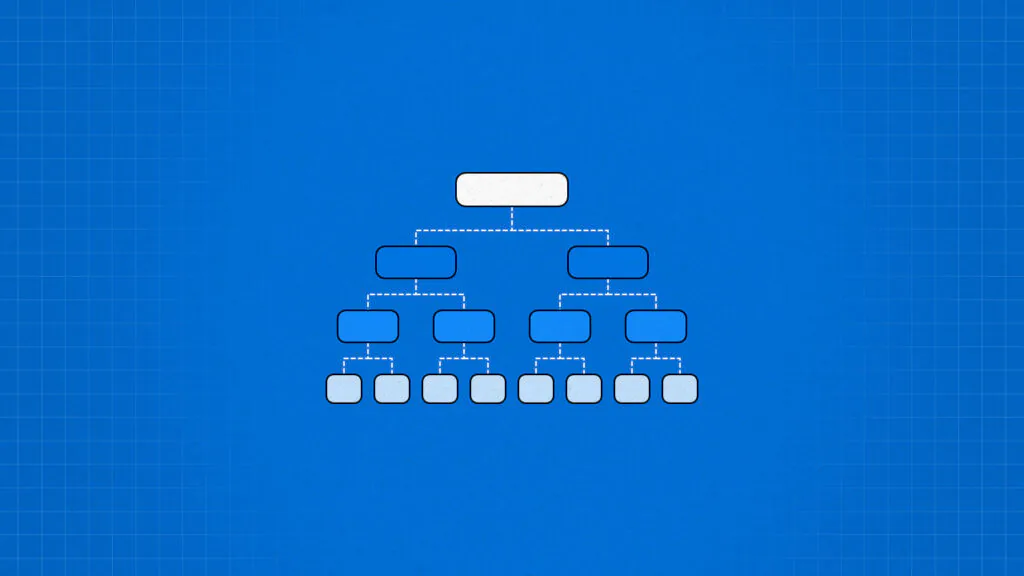
A resource breakdown structure organizes every resource a project needs into a clear hierarchy. Project managers use it to plan staffing, materials, equipment, and tools. It also links resource planning with cost estimation and scheduling.
This guide covers what an RBS is, how to build one, and which mistakes to avoid. It also covers examples, templates, and how an RBS differs from related project management tools.
- 1.Hierarchy organizes resources: A Resource Breakdown Structure (RBS) is a hierarchical list that categorizes all project resources into levels of increasing detail. This centralized structure gives teams clear visibility to assign tasks, prevent shortages, and estimate costs accurately.
- 2.The key benefits of project ranking include enhanced focus on high-impact work, optimized resource allocation, improved strategic alignment, better decision-making, higher ROI, maximized project success rates, and strengthened stakeholder alignment.
- 3.Avoid common structural pitfalls: Avoid mixing resources with deliverables, over real-world constraints like vendor lead times or team availability will lead to unrealistic project schedules.
- 4.Adaptable across different industries: The general RBS framework easily adapts to specific field needs, whether tracking heavy machinery and raw materials for construction, cloud infrastructure and developer skill levels for software, or channel platforms and creative staff for marketing.
- 5.Works alongside other core project management tools: The RBS identifies what inputs are needed, while the Work Breakdown Structure (WBS) outlines what must be delivered and the Responsibility Assignment Matrix (RAM) defines who handles each activity. Used together, these tools create a comprehensive foundation for scope, budgeting, and accountability.
What is a resource breakdown structure (RBS)?
A resource breakdown structure (RBS) is a hierarchical list of every resource a project needs. It groups people, materials, equipment, technology, and external services into categories and subcategories.
Each level adds detail, so the list moves from broad groups to specific resources. Then, project managers can plan, allocate, track, and cost resources from one organized view.
What are the benefits of creating a resource breakdown structure?
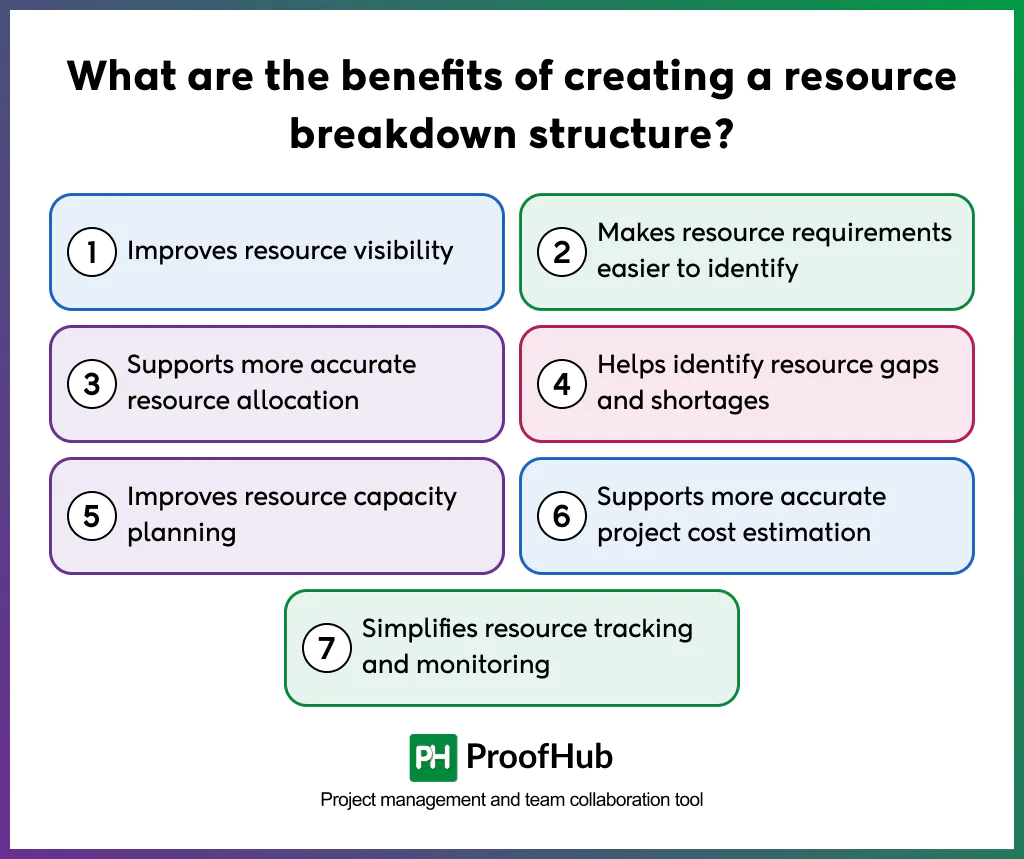
The key benefits of creating a resource breakdown structure are that it improves resource allocation, makes resource requirements easier to identify, supports more accurate resource allocation, helps identify resource gaps and shortages, improves resource capacity planning, supports more accurate project cost estimation, and simplifies resource tracking and monitoring.
All the benefits of resource breakdown structure are explained below in greater detail:
- Improves resource visibility: An RBS lists every resource in one place. Therefore, teams can see what exists, where the resource sits, and who owns it. This reduces surprises during execution.
- Makes resource requirements easier to identify: The hierarchy forces teams to think category by category. Consequently, missing skills, tools, and materials surface early. Planners can then document requirements before work begins.
- Supports more accurate resource allocation: Clear categories show which resources fit which tasks. In turn, you can assign the right people and assets to the right work. This lowers the risk of overload and idle time.
- Helps identify resource gaps and shortages: Comparing required resources with available resources exposes shortfalls. As a result, you can hire, rent, train, or reschedule before delays occur. Early detection is cheaper than late correction.
- Improves resource capacity planning: The RBS shows the total supply of each resource type. Thus, planners can compare capacity with demand across the project timeline. This helps balance workloads and avoid bottlenecks.
- Supports more accurate project cost estimation: Each resource carries a rate or unit cost. Consequently, the RBS rolls up into labor, material, and equipment budgets. Cost estimates become more detailed and easier to defend.
- Simplifies resource tracking and monitoring: Consistent categories make usage data easier to collect and compare. Hence, you can track actual consumption against the plan. Variances become visible sooner, which speeds up corrective action.
What are the key components of a resource breakdown structure?
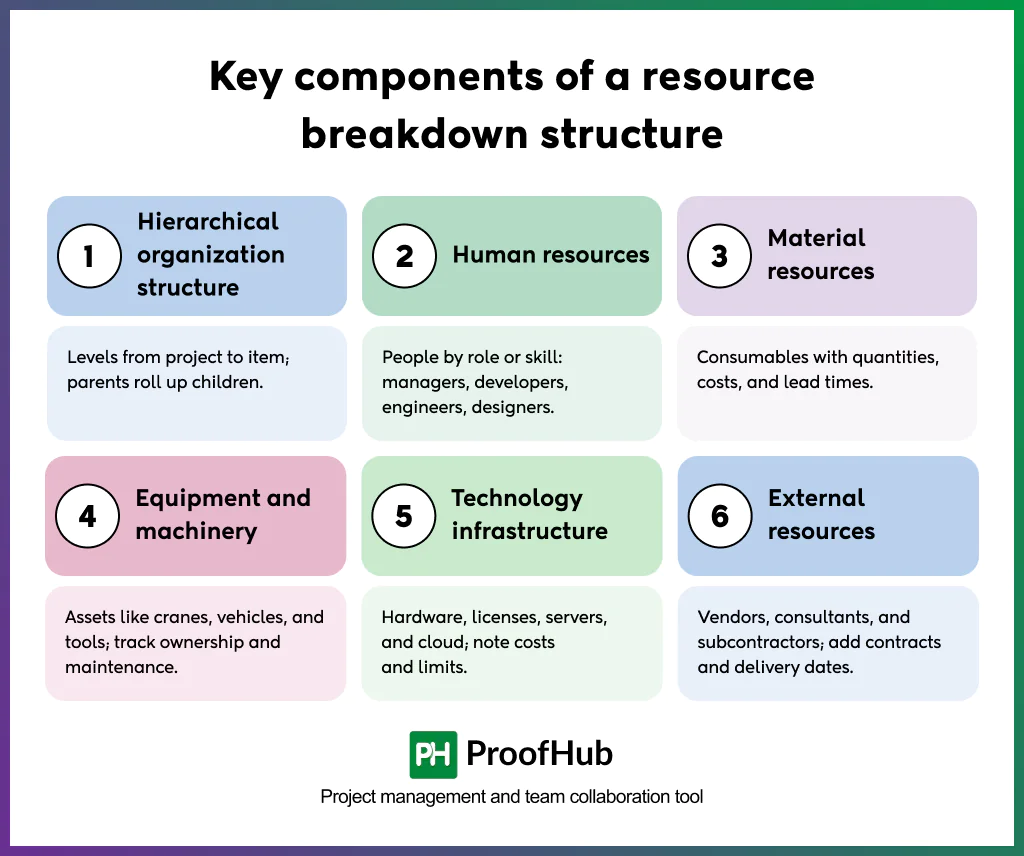
The key components of a resource breakdown structure are hierarchical organization structure, human resources, material resources, equipment and machinery, technology infrastructure, and external resources.
You can include any or all of these in their resource breakdown structure based on the resources’ availability. The components are explained below:
- Hierarchical organization structure: The RBS arranges resources in levels, from the project down to individual items. Each parent category rolls up its child resources. This design keeps the structure consistent, scalable, and easy to read.
- Human resources: This category covers employees, contractors, and specialists grouped by role, skill, or department. Examples include project managers, developers, engineers, and designers. It also records headcount, availability, and skill levels.
- Material resources: Materials are consumable items used to build deliverables. Examples include concrete, steel, raw components, and packaging. Quantities, unit costs, and supplier lead times usually appear here.
- Equipment and machinery: This category lists physical assets such as cranes, vehicles, tools, and testing devices. Ownership, rental terms, and maintenance schedules matter here. These details affect both availability and cost.
- Technology infrastructure: Technology resources include hardware, software licenses, servers, cloud services, and networks. They often carry subscription costs and usage limits. Listing them prevents licensing and capacity problems later.
- External resources: External resources come from outside the organization. Typical examples are vendors, consultants, subcontractors, and third-party service providers. Contracts, service levels, and delivery dates should accompany each entry.
What are the main levels of an RBS?
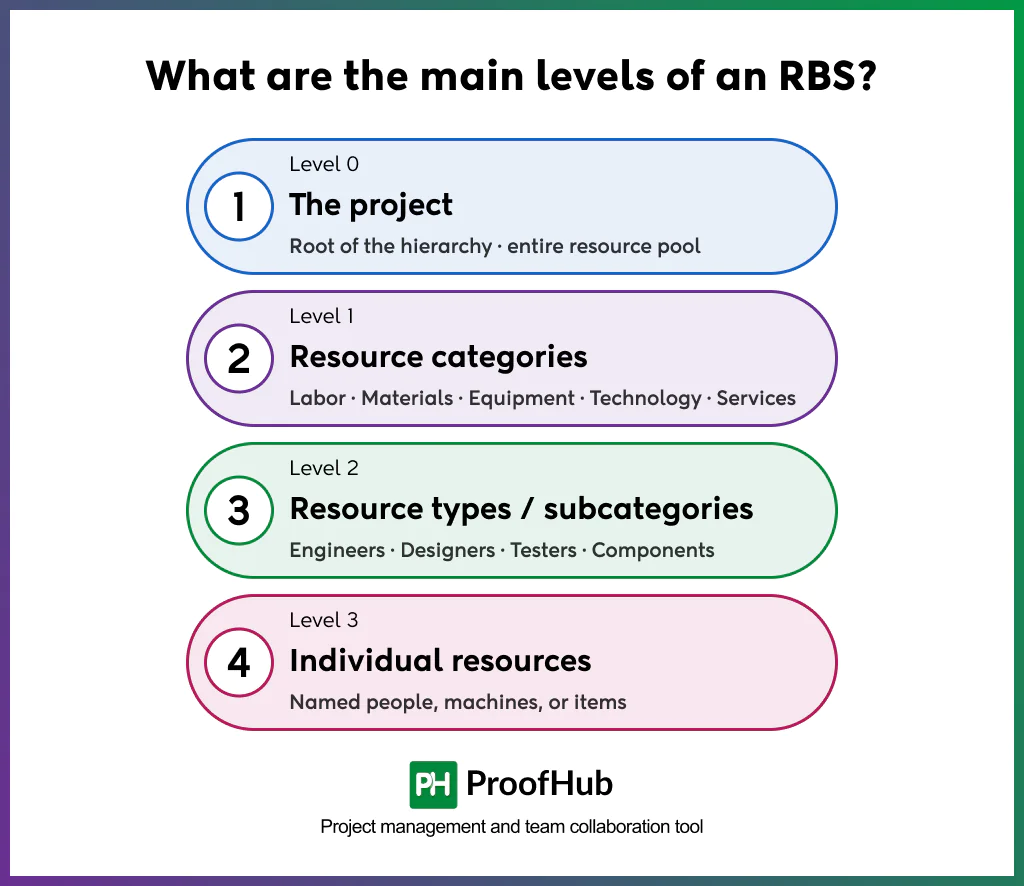
The levels of a resource breakdown structure are level 0 (the project), level 1 (resource categories), level 2 (resource types or sub categories), and level 3 (individual resources).
Most RBS diagrams follow a top-down structure. The number of levels depends on project size and complexity. However, four levels work well for most projects. The levels are explained below:
Level 0: The project
This is the root of the hierarchy, sitting above every other level. It represents the entire pool of resources the project consumes, across every phase and team.
Nothing sits above it, and every branch below eventually traces back to it. This level rarely needs its own row in a table. Instead, it serves as the anchor that gives the rest of the structure context and scope.
Level 1: Resource categories
Here, resources split into broad groups based on type. Common groups are labor, materials, equipment, technology, and external services. Each category groups resources that share a similar nature, cost pattern, or sourcing method.
For example, managers bill labors by hours worked, while materials are billed by unit purchased. Keeping these categories distinct makes later cost rollups and capacity checks far easier to calculate and audit.
Level 2: Resource types or subcategories
Each category divides into more specific types that reflect how managers actually organize work. For example, labor divides into engineers, designers, and testers. Materials might divide into raw components, packaging, and finishes.
This level bridges the gap between a broad category and a single named item, so it should mirror how teams actually plan and staff their work. Choosing subcategories that match real team structures makes the RBS intuitive rather than abstract.
Level 3: Individual resources
Level 3 holds individual resources, such as a named engineer or an excavator by asset ID. Use names only when individual tracking matters.
This level supports direct assignment, scheduling, and tracking, since each entry maps to one identifiable resource rather than a category of resources.
Additionally, large programs may add rates and availability as fields. Nevertheless, extra levels should serve a purpose. Otherwise, they only add maintenance work.
How to create a resource breakdown structure step by step?
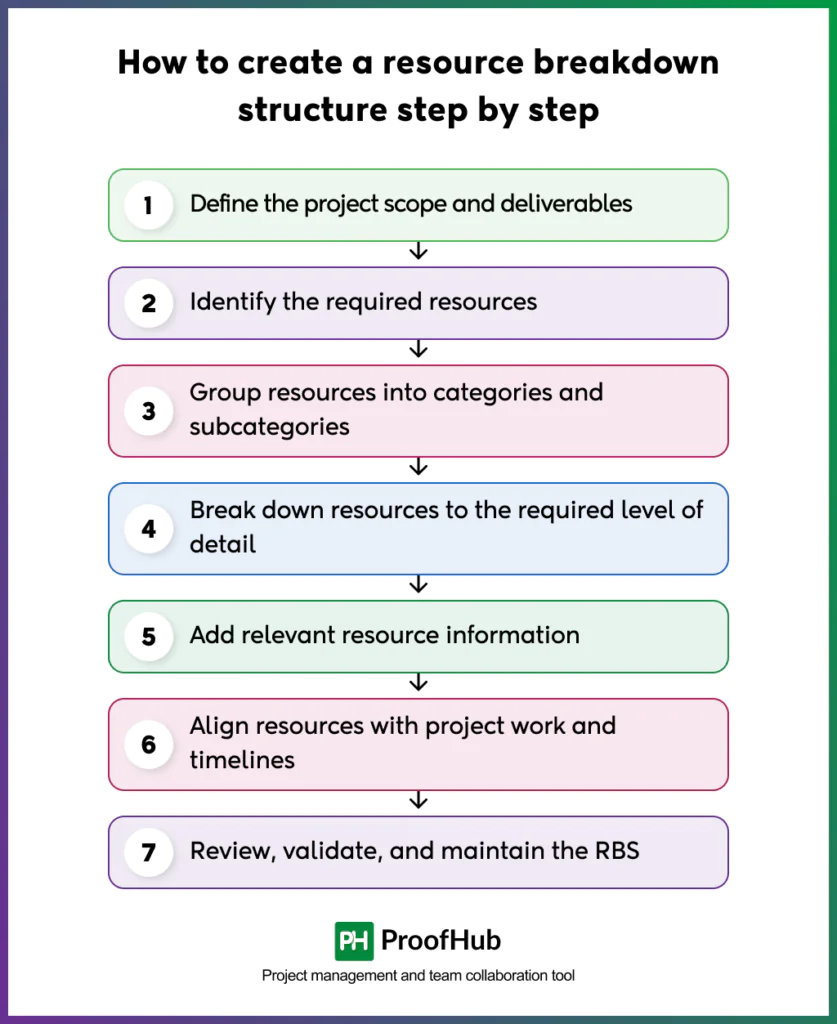
The steps to creating a resource breakdown structure include defining the project scope and deliverables, identifying required resources, grouping resources into categories and subcategories, breaking down resources to the required level of detail, adding relevant resource information, aligning resources to project work and timelines, and reviewing, validating, and maintaining the RBS.
Each step is described below in greater detail:
1. Define the project scope and deliverables
Start by reviewing the project scope statement, charter, and deliverables. Next, confirm objectives, constraints, and success criteria with stakeholders.
Then, review the work breakdown structure (WBS) if one exists. Additionally, note the duration, budget, and quality standards.
Finish this step before listing any resources. A clear scope keeps the RBS focused, accurate, and relevant.
2. Identify the required resources
Next, list every resource the project will need. Work through each deliverable and work package one by one. For each item, ask which people, materials, equipment, and tools it requires.
Moreover, consult team leads, subject matter experts, and past project records. At this stage, do not worry about order or grouping. Instead, capture everything first. Later steps will refine it, remove overlaps, and add structure.
3. Group resources into categories and subcategories
Once the list is complete, sort the resources into logical groups. Then, divide each category into subcategories.
For example, split human resources by department, role, or skill. Choose one grouping logic and apply it consistently.
Also, make sure each resource fits into only one category. Give each category a clear, standard name. Consistent naming helps everyone read the structure the same way.
4. Break down resources to the required level of detail
Now, decide how deep the hierarchy should go. Break resources down until you can estimate, assign, and track them reliably.
However, avoid excessive detail. As a rule, stop when further division adds no planning value.
For example, list “QA engineers” rather than every tester’s name, unless individual tracking matters. This balance keeps the structure practical and useful.
5. Add relevant resource information
After setting the hierarchy, attach useful data to each resource. For external resources, include contract terms and lead times. Keep the attribute set small and consistent.
Adding too many fields reduces data quality. Instead, include only fields that support decisions. Store the data in a shared spreadsheet or project management tool.
6. Align resources with project work and timelines
Link each resource to the work it supports. Map resources to WBS work packages, activities, and milestones. Additionally, note when each resource is needed and for how long.
Also, compare demand against availability, leave, and other commitments. Resource leveling or smoothing may follow. Use a responsibility assignment matrix (RAM) to show who owns each assignment.
7. Review, validate, and maintain the RBS
Finally, review the RBS with the project team and key stakeholders. Check for missing resources, duplicate entries, and inconsistent categories. Verify that quantities, costs, and availability are accurate.
Then, obtain approval from the project sponsor or resource managers. Update it after scope changes, staffing changes, and phase transitions.
Additionally, assign a clear owner for updates. Maintain version control so everyone uses the current structure. A regularly updated RBS remains reliable throughout the project lifecycle.
What are the common mistakes to avoid while creating a resource breakdown structure?
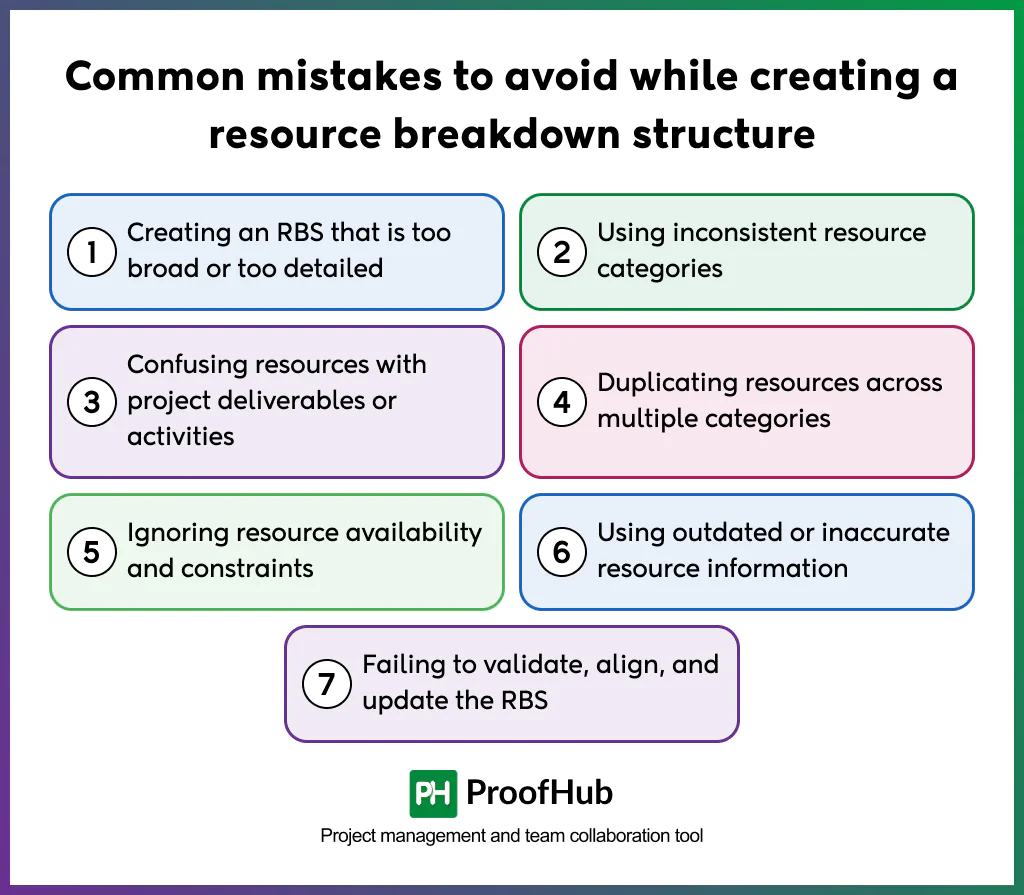
Common mistakes to avoid when creating resource breakdown structure are: creating an RBS that is too broad or too detailed, using inconsistent resource categories, duplicating resources across multiple categories, ignoring resource availability and constraints, using outdated or inaccurate resource information, and failing to validate, align, and update the RBS.
The mistakes are described below in detail:
- Creating an RBS that is too broad or too detailed: A broad RBS hides important resources behind vague categories. An overly detailed RBS becomes hard to build, maintain and wastes time. To avoid, match the depth to project size, risks, and reporting needs. Stop adding levels once every item can be estimated, assigned, and tracked without extra effort.
- Using inconsistent resource categories: Mixing grouping logic, such as department in one branch and skill in another, confuses anyone reading the structure. It causes unreliability across teams and slows down onboarding new members. To fix inconsistencies, choose one grouping rule for each level and apply it on all the categories. Document that rule so future updates follow the same logic.
- Duplicating resources across multiple categories: A single resource listed twice inflates capacity and cost figures, budgets and staffing plans look healthier than the actual project allows. It often appears when one person serves two roles, such as a designer who also manages content. To fix the issue, assign each resource to one primary category only, and note secondary use as a separate attribute instead of a duplicate entry.
- Ignoring resource availability and constraints: Listing a resource does not guarantee that it will be available when the schedule needs it. Leave, maintenance windows, shared contracts, and competing projects all limit real usage. Overlooking these limits creates a plan that looks complete but fails during execution. Record known constraints directly in the RBS, alongside quantity and cost. This visibility lets managers resolve conflicts before they delay the schedule.
- Using outdated or invalidated resource information: Old rates, headcounts, or skill records lead to managers building budgets and schedules on wrong assumptions. An unreviewed RBS often contains gaps that only surface once work is already underway. A structure that drifts away from the WBS and schedules loses its value as a planning tool. Skipping validation also weakens trust among stakeholders who rely on the RBS for reporting.
Examples of Resource breakdown structure
The examples below show how an RBS adapts to different project types. Each one follows the same format. However, the categories and resources differ by industry. Use them as starting points, then adjust them to your project.
1. Construction project RBS
A construction RBS typically centers on labor, materials, and heavy equipment. Labor includes site managers, engineers, electricians, and general workers. Materials include concrete, steel, timber, and fixtures. Equipment covers cranes, excavators, and scaffolding. Additionally, subcontractors and permits appear under external resources. This structure helps control costs and coordinate site logistics.
2. Software development RBS
A software RBS emphasizes skills, tools, and infrastructure. Human resources include developers, testers, designers, and product owners. Technology resources include cloud servers, licenses, and development tools. Meanwhile, external resources may include freelancers or security auditors. Because staff time drives most costs, skill-level detail is especially valuable here.
3. Marketing campaign RBS
A marketing RBS combines creative staff, and tools. Human resources include strategists, copywriters, designers, and analysts. Material resources include print assets and event supplies. Technology covers analytics, email, and automation platforms. Furthermore, external resources include agencies, influencers, and ad networks. The structure clarifies budget allocation across channels.
Simple resource breakdown structure template
A simple template works for most small and mid-sized projects. It lists categories, subcategories, and individual resources in a table. It also records quantity, unit cost, and availability. Consequently, teams can use it for planning and cost tracking immediately.
You can get a downloadable resource breakdown structure template below. You can start using it right away with Google Sheets or Microsoft Excel.
Simple resource breakdown structure template
A simple template works for most small and mid-sized projects. It lists categories, subcategories, and individual resources in a table. It also records quantity, unit cost, and availability. Consequently, teams can use it for planning and cost tracking immediately.
Download the free template nowWhat is the difference between resource breakdown structure, work breakdown structure, and organizational breakdown structure?
An RBS, a work breakdown structure (WBS), and an organizational breakdown structure (OBS) each organize project information differently. The RBS groups resources. The WBS breaks scope into deliverables and work packages. The OBS maps the organization’s departments and reporting lines. Together, they support integrated planning. For instance, the WBS shows the work, the RBS shows the inputs, and the OBS shows who manages them.
In short, the three structures complement one another. Consequently, many teams link them through a control account or RAM.
What is the difference between resource breakdown structure, resource requirements, and resource management plan?
These three terms are closely related, yet they serve different purposes. Resource requirements describe what the project needs, in what quantity, and when. The RBS organizes those needs into a structured hierarchy. The resource management plan explains how the team will acquire, manage, and release resources. Thus, requirements feed the RBS, and the RBS supports the plan.
To summarize, requirements answer “what is needed,” the RBS answers “how is it organized,” and the plan answers “how is it managed.”
Who is responsible for creating and maintaining the resource breakdown structure?
The project manager is usually accountable for the RBS. However, the work is collaborative. Team leads and subject matter experts identify resource needs within their areas.
Likewise, resource managers or functional managers confirm availability and capacity. In organizations with a project management office (PMO), the PMO may provide templates and standards. Meanwhile, the finance team may validate rates and cost data.
How often should you review and update a resource breakdown structure?
Review the RBS at every major project milestone. At minimum, check it at kickoff, at each phase gate, and at project closure. In addition, update it whenever scope, budget, or staffing changes.
Fast-moving projects need more frequent checks. For example, agile teams may review the RBS every sprint or every month. Long, stable projects may review it quarterly.
How is an RBS related to a responsibility assignment matrix (RAM)?
An RBS and a responsibility assignment matrix (RAM) work together. The RBS lists the resources needed by the project. The RAM shows which of those resources handle which work packages or activities.
In other words, the RBS identifies the resources, while the RAM assigns responsibility for the work. A RACI chart is a common type of RAM. It marks each person as responsible, accountable, consulted, or informed.
In practice, build the RBS first, then map its human resources to WBS work packages in the RAM. Then, they map its human resources against WBS work packages in the RAM. This sequence reduces confusion about ownership and prevents overlaps.
Conclusion
A resource breakdown structure gives project teams a clearer picture of what they need before the work begins. By organizing people, materials, equipment, technology, and external services into a practical hierarchy, an RBS makes resource gaps, capacity issues, and cost concerns easier to spot early.
The key is to keep the structure detailed enough to support decisions without making it difficult to maintain. Review it as the project changes, update resource availability and costs, and keep it aligned with the project schedule. With that approach, an RBS becomes more than a planning document. It becomes a practical tool for keeping resources visible, workloads realistic, and projects on track.