
Creativity is not enough for producing great designs; it also needs effective project management. Every design project involves multiple stakeholders, files, deadlines, feedback exchanges, planning, and deliverables.
Managing design projects requires a structured approach to coordinate with teams, communicate ideas, define scope, manage file versions and meet deadlines.
Design project management brings together designers, managers, reviewers, clients, stakeholders, and other team members to produce quality output.
When done effectively, it helps managers align goals, manage resources, collect feedback, track progress and move projects forward.
Let’s explore in more detail.
What is design project management?
Design project management is the process of planning, coordinating, and executing creative projects within the defined scope, time, and cost. It involves managing resources, coordinating tasks, and tracking progress, while balancing creative freedom with project constraints to deliver on the client’s creative expectations.
Whether it is designing web pages, developing marketing campaigns, or creating brand assets, the sole purpose is to develop and refine final deliverables that meet the project’s objectives.
Unlike projects where the final output and process are clearly defined upfront, design projects often start with a desired outcome rather than a fully defined deliverable. The final solution is shaped through concept development, structured feedback, and refinement.
Why is design project management important for creative teams?
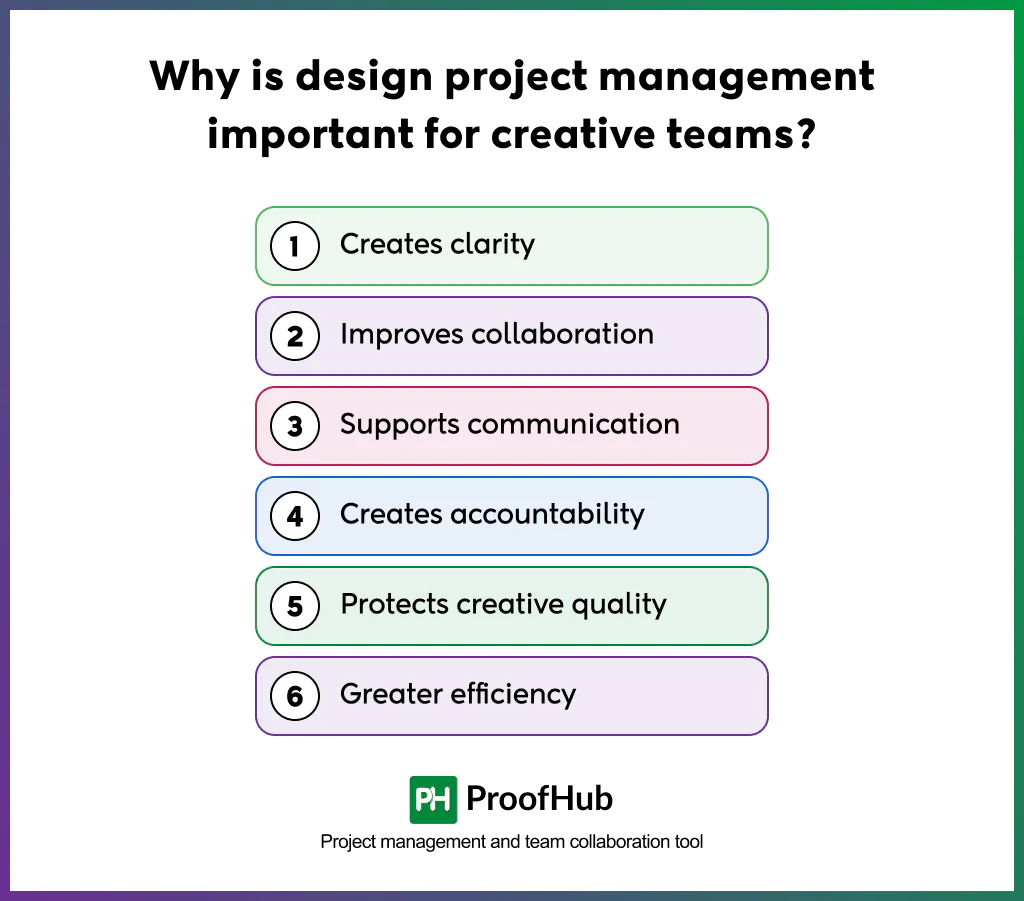
Design project management is important for creative teams because it provides clarity, improves collaboration, supports communication, creates accountability, protects quality, and greater efficiency in design projects.
- Creates clarity: Design project management turns client expectations and project requirements into a clear brief that gives designers a shared direction to work toward. This reduces ambiguity and misunderstandings while giving teams a clear reference for making decisions throughout the project.
- Improves collaboration: Design project management creates a structured workflow where responsibilities, deadlines, and dependencies are clearly defined. When everyone knows what they own and how their work connects to others, collaboration becomes easier and work moves forward with fewer handoff delays.
- Supports communication: The structured process creates clear communication channels and review points that allow designers and clients to exchange information at the right stage. Status updates, feedback, and design decisions are shared through agreed channels rather than scattered across emails, meetings, and messages.
- Creates accountability: Clearly assigned responsibilities make ownership visible, so everyone understands their role and what they are expected to deliver. Design teams easily reach out for assistance, follow up on pending work, and identify gaps before they affect the final deliverable.
- Protects creative quality: By structuring the design workflow around requirements, feedback, reviews, and approvals, teams spend less time chasing information and managing avoidable rework. This gives designers more focused time to explore ideas and produce quality work.
- Greater efficiency: Structured workflows support the iterative nature of creative work without making it into an open-ended process. Each round of feedback and refinement has a clear purpose, helping designs move closer to the agreed objectives.
What is the lifecycle of design projects?
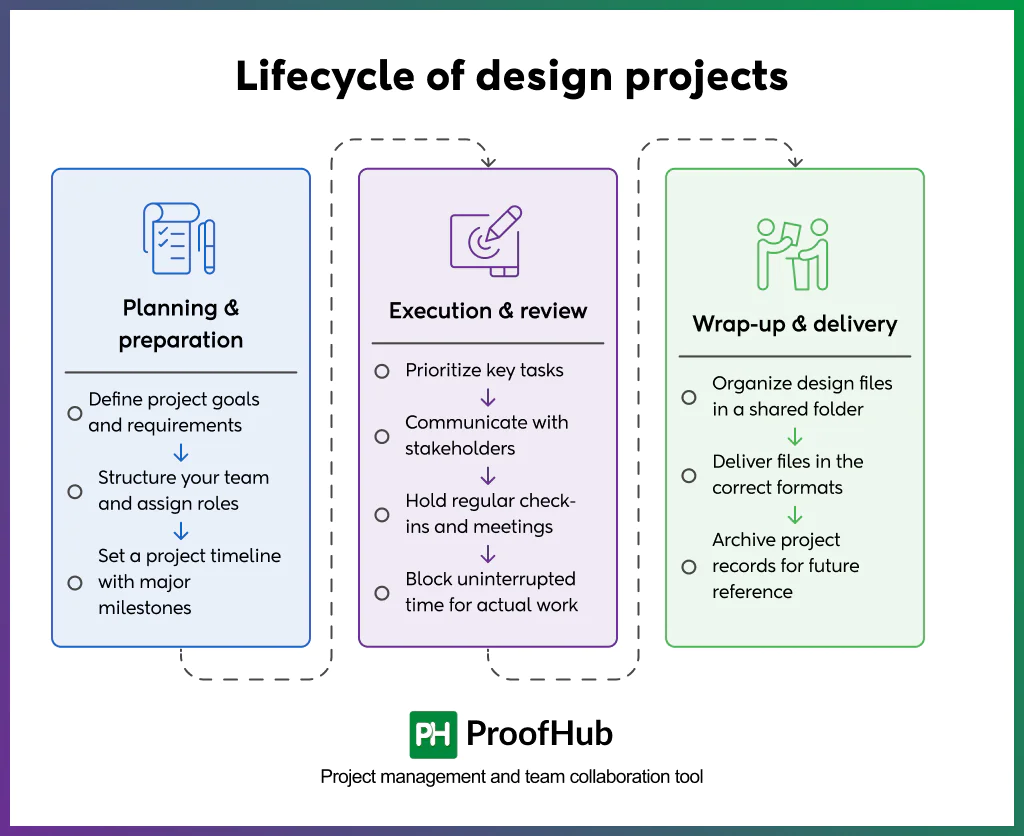
The design project lifecycle has three phases: Planning & preparation, execution & review, and wrap-Up & delivery.
1. Planning & preparation
This phase is all about consolidating all the information necessary for a successful project. Gather the project scope, client requirements, resources, target audience, constraints, and other relevant information to build a timeline that is realistic and achievable.
The goal is to create clarity and alignment before execution starts, so the team and client have a shared understanding of what needs to be delivered, when, and within what boundaries.
- Define project goals and requirements: Clarify what the design needs to achieve by understanding client expectations, project requirements, timeline and budget, and the resources and tools required. Create a communication plan covering how often updates, feedback, and approvals will be shared. Defining these details upfront reduces ambiguity and prevents avoidable revisions, delays, and frustration during execution.
- Structure your team and assign roles: Identify the people needed for the project and assign ownership based on their skills, experience, and relevance to the work. Consider where team members need additional support or collaboration to deliver effectively, and make sure responsibilities are clear enough for the right person to step in at the right time.
- Set a project timeline with major milestones: Based on the project scope, tasks, and available resources, establish a realistic timeline that aligns with the agreed deadline and budget. Define milestones for key stages of the project and set deadlines for teams to prioritize tasks effectively and make adjustments before the work moves forward.
2. Execution & review
After getting approval on the project plan, move into execution. Assign responsibilities and get the team to work toward the agreed deliverables and milestones. This is the internal working phase where designs are developed, refined, and reviewed before they are presented to stakeholders.
- Prioritize key tasks: Identify work that has multiple downstream tasks depending on it or has the greatest impact on a deadline or deliverable. Let your team focus on these tasks first to ensure critical work keeps moving without unnecessary delays.
- Communicate with stakeholders: Keep communication open with both internal and external stakeholders to surface feedback and concerns while the work is still in progress. Involving them at relevant review points keeps expectations aligned while reducing misunderstandings and late-stage changes that can affect the project timeline.
- Hold regular check-ins and meetings: Host regular check-ins to spot mistakes, remove blockers, review progress, and maintain alignment with the established design objectives. Use these sessions to provide feedback that guides the next iteration and improves workflow efficiency. Provide feedback directly on designs using online proofing tools like ProofHub to keep comments connected to the work and reduce back-and-forth.
- Block uninterrupted time for actual work: Minimize unnecessary meetings and interruptions so designers have the protected focus time and mental space to explore and iterate before the design reaches its final form.
3. Wrap-up & delivery
This is the final stage where the approved design is prepared for handoff and delivery. The team can close out the project, capture key learnings, and reflect on what could be improved for future projects.
- Organize design files in a shared folder: Add design files to a shared folder so everyone can access them without searching through emails or multiple tools. Use custom permissions to control and limit access to who can view, edit, or download sensitive assets.
- Deliver files in the correct formats: Share approved design files in the formats and specifications requested by the client. Allow clients to review the final files and provide edit requests if they identify any last-minute changes before delivery is finalized.
- Archive project records for future reference: Store final files, key decisions, and version history to maintain a complete project record that can be used to revisit decisions, reuse assets, and inform future projects.
Which project management methodologies are effective for design teams?
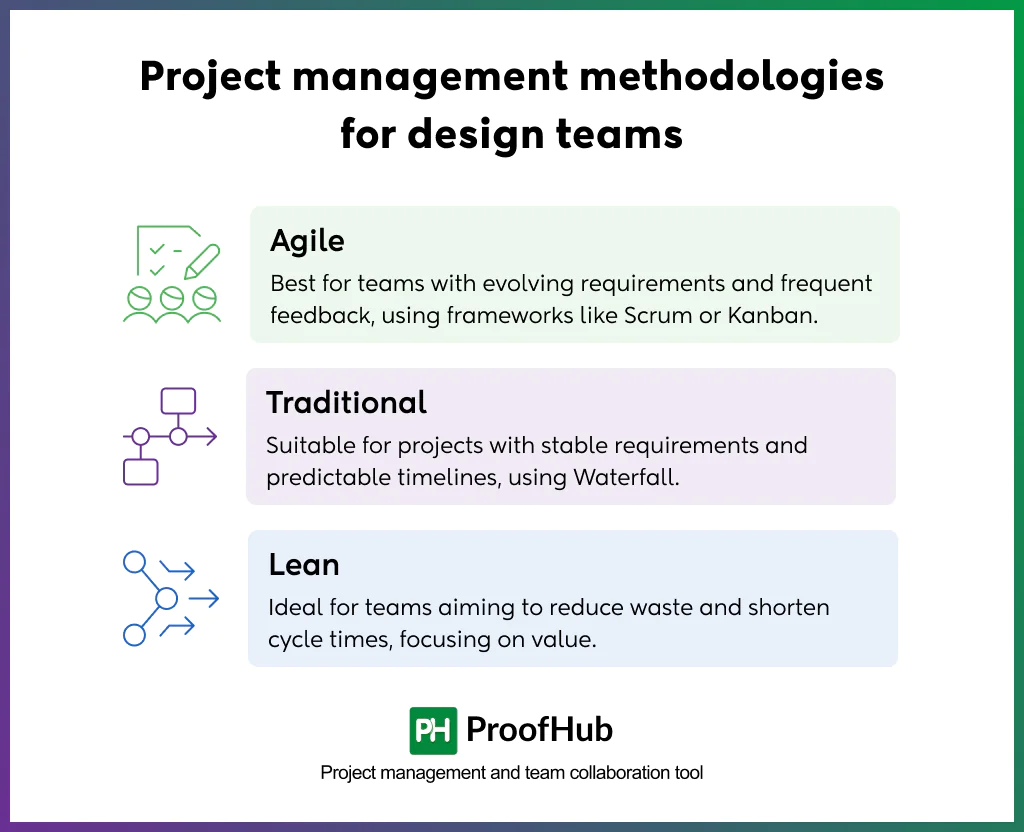
The three commonly used project management methodologies for design teams are: Agile, Traditional, and Lean. The right choice depends largely on the stability of the scope and the level of iteration required.
1. Agile
Agile is an iterative approach that helps design teams adapt to changing requirements and incorporate feedback throughout the project.
It suits teams where requirements evolve, frequent feedback is expected, and work needs to be delivered in short iterations.
Two frameworks that implement it are:
- Scrum: Scrum is particularly effective for design projects that require frequent feedback and iteration, where teams work in short, repetitive cycles called sprints. Stakeholders review the work at the end of each sprint, and the feedback is incorporated into the next sprint.
- Kanban: Kanban works well for teams handling a continuous flow of design requests and deliverables. Teams set limits on work in progress (WIP limit) and use a visual board to track work across stages.
Scrum: Scrum works well when design work can be organized into short, defined cycles called sprints.
2. Traditional
Traditional project management methodology follows a sequential approach where the scope, timeline, and deliverables are defined upfront.
It works well when requirements are stable, and the team works in a predictable timeline.
- Waterfall: Waterfall is a linear, sequential approach where each project stage is completed before the next begins. The deliverable is well-defined and progresses through clearly planned stages or phases before final completion.
3. Lean
Lean focuses on maximizing value by removing activities that do not contribute to the final outcome – such as unnecessary steps, handoffs, and approvals in the workflow.
It works well for teams that want to reduce unnecessary work, shorten cycle times, and focus effort on work that creates value.
Note: Design teams also use hybrid project management, combining approaches such as Waterfall and Scrum. This works well when teams need upfront structure for major requirements but flexibility during design and execution.
What are the common challenges in design project management?
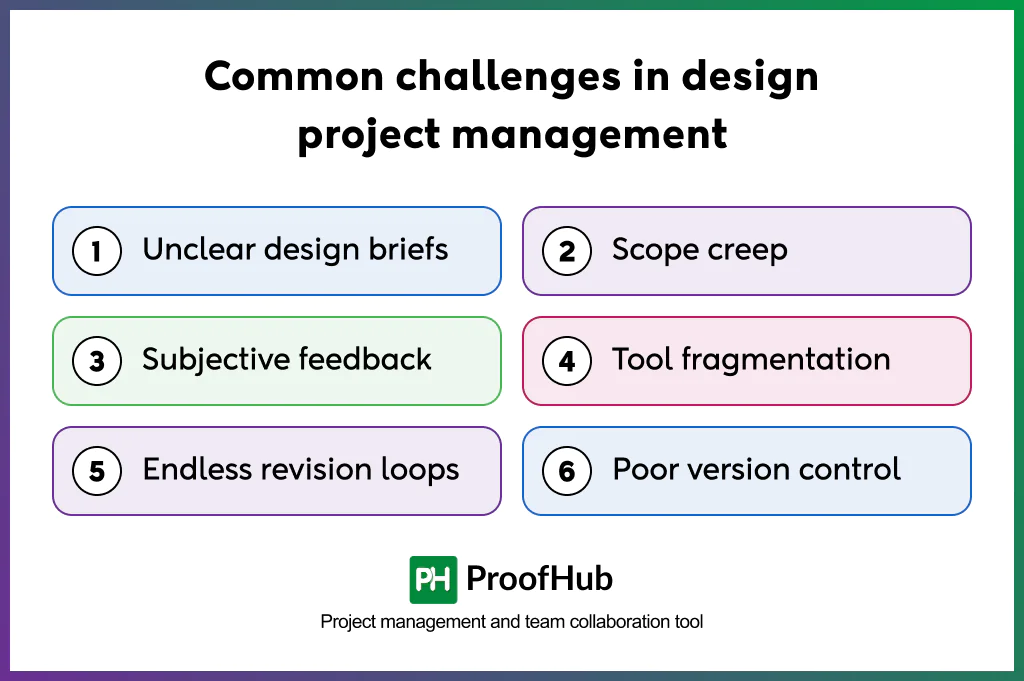
The six most common challenges in design project management are: unclear project briefs, scope creep, subjective feedback, tool fragmentation, endless revision loops, and poor version control.
- Unclear design briefs: Starting a design project without clear requirements or with vague objectives and missing information can create confusion later in the project. Without a clear brief, teams have no shared reference for what the design needs to achieve.
- Scope creep: Any new requirements, client requests, or design changes can disrupt the predictable flow of a project. To incorporate these additions, teams either have to increase the scope or put the original timeline under pressure. Either way, designers end up absorbing the additional workload, while deadlines remain unchanged.
- Subjective feedback: Regardless of established design guidelines, design work is still open to subjectivity. With multiple stakeholders involved at the same stage, individual personal preferences can become prominent, resulting in conflicting feedback or requests that pull the design away from the agreed objectives.
- Tool fragmentation: Design project management is highly collaborative. With design files, tasks, communication, feedback, and approvals scattered across multiple apps and locations, context and continuity become difficult to maintain. Teams waste time locating information or losing track of important updates and decisions.
- Endless revision loops: Uncontrollable design revisions, either because of unclear or conflicting feedback, shifting requirements, or the design that fails to meet idealized expectations. Each repeated round of changes consumes designers’ time and capacity, while keeping the project timeline fixed from the outset.
- Poor version control: A design is likely to go through multiple revisions before it is finalized. An inconsistent record of these versions is likely to cause confusion, duplicated efforts, and unnecessary rework. It can make tracking changes difficult, complicate approvals, and make it unclear which file is final.
Best practices for design project management
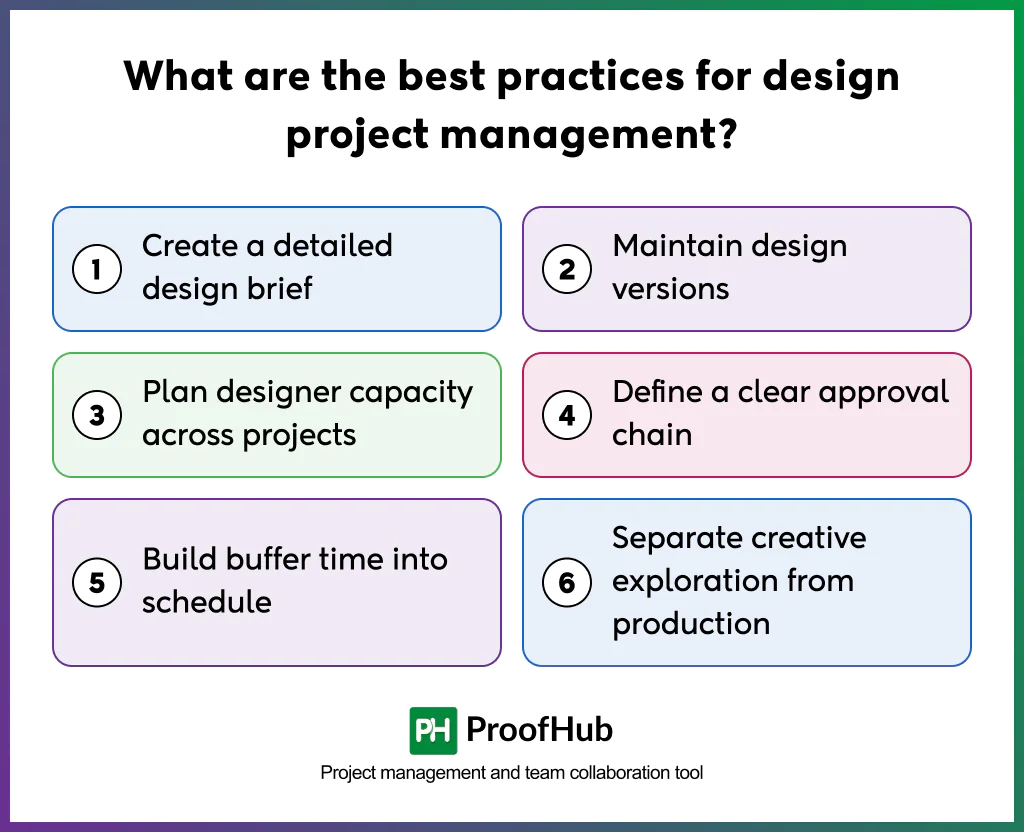
Some of the best practices for design project management include creating a design brief, maintaining design versions, planning designers’ workload and capacity, defining an approval chain, building buffer time, and separating creative exploration from production.
- Create a detailed design brief: Start by defining clear project objectives, target audience, client expectations, scope, deliverables, timeline, and success criteria before commencing the project. A detailed overview of these elements creates shared understanding and gives the team a clear reference point throughout execution.
- Maintain design versions: Keep different iterations of design files organized by deciding on clear design labels or versioning standards. Teams use these conventions to identify the current version, understand feedback provided on previous iterations, and maintain a clear record of changes.
- Plan designer capacity across projects: Review each designer’s existing workload, availability, and upcoming commitments before assigning them a task. Analysing whether their skills best complement the project requirements is also a critical factor that influences the quality of the design. This helps teams plan capacity realistically and identify potential resource constraints before they affect delivery.
- Define a clear approval chain: Identify the people responsible for providing input, creating the design, reviewing the work, and approving the final outcome. Clarity on ownership prevents conflicts at later stages and maintains a clear path from creation to final approval.
- Build buffer time into schedule: Allow additional time for creative exploration that could happen during the design process. Every round of feedback or unexpected change can trigger additional revisions, which could affect the final delivery. It is better to leave room in the schedule to absorb the unexpected work without putting the deadline at risk.
- Separate creative exploration from production: Account for both exploration and execution when allocating time to designers. Allow them to first explore concepts and ideas before moving directly into production. Protecting this exploration time gives designers space to establish a creative direction before committing to final designs effectively.
What are the best tools for design project management?
Some of the best tools for design project management are: ProofHub, Filestage, Miro, Trello, and Ziflow.
1. ProofHub
ProofHub is a project management and team collaboration platform that creates a centralized space to manage design projects while allowing teams to manage tasks, deadlines, dependencies, files, feedback, reviews, and approvals.
Key features:
- Online proofing to review, annotate, comment on, collaborate on, and approve designs and other creative files.
- File versioning to store multiple versions of files, compare different versions, and maintain a centralized record.
- Task and deadline management to assign tasks, set due dates, and track progress.
- Custom workflows to create stages based on specific design processes and team needs.
- Real-time collaboration through built-in chat, discussions, task comments, and mentions.
2. Filestage
Filestage is an online proofing software that helps creative teams streamline design reviews, collect stakeholder feedback, manage versions, and secure approvals from stakeholders.
Key features:
- Online proofing to review and annotate creative files directly.
- AI-powered review agents to flag basic mistakes.
- Folders to group projects by topic or client for easy organization.
- Project dashboard to keep track of project activity, status, and reviews.
- Insights to get visibility into active projects, average comments, and versions uploaded.
3. Miro
Miro is a visual collaboration and online whiteboard platform that is particularly useful when teams need to research, ideate, and organize ideas visually before moving into production.
Key features:
- Collaborative whiteboard to help design teams brainstorm, develop ideas, and collaborate visually.
- Kanban boards to organize design tasks into workflow stages and turn ideas into actionable work.
- Timelines view to visualize project schedules, track deadlines, and identify blockers.
- Docs to turn brainstormed ideas and visual boards into structured briefs, research notes, and project documentation.
- Mind maps to visually structure ideas and create multi-branch relationships between concepts.
4. Trello
Trello is a Kanban-based project management solution suitable for design teams that need a straightforward approach to managing tasks through visualization.
Key features:
- Boards to visualize design projects and organize work across stages.
- Planner to bring tasks and priorities together and schedule work.
- Inbox to capture requests, tasks, and follow-ups in one place.
- Power-ups to extend Trello boards with additional capabilities.
- Ready-made templates for design workflows to reduce setup time.
5. Ziflow
Ziflow is a collaborative proofing platform that brings designs, reviews, and approvals together in one place to help creative teams move campaigns from concept to delivery faster.
Key features:
- Online proofing to review and approve creative assets.
- Version comparison to compare different versions of designs.
- Annotations and comments to provide precise feedback directly on assets.
- Tracking & management to monitor project status, approvals, and feedback in one place.
- Routing & automation to automatically route creative work to the right people
What is the difference between traditional and design project management?
Traditional project management is structured around predictability and control, while design project management is structured around iteration and creative exploration.
Traditional project management is an approach that focuses on delivering fixed, measurable outcomes while controlling scope, resources, and timelines. Design project management, on the other hand, focuses on the development of a deliverable that evolves through multiple rounds of feedback and refinement before it reaches the agreed objectives.
How do you measure the success of a design project?
The success of a design project is measured against five key metrics:
- Whether the design is delivered within the defined scope, budget, and timeline.
- The number of revision cycles taken against the planned limit.
- Stakeholder satisfaction with the process and final deliverables.
- Whether the deliverable aligns with its intended business objective.
- Whether the final work meets the agreed creative, functional, and brand requirements.
How can AI help in managing design projects?
AI can help teams reduce administrative workload and focus more on creative decision-making and execution.
A few areas where AI can be particularly useful:
- Brief summarization: Turn scattered requirements, meeting notes, and stakeholder inputs into a clear project brief.
- Feedback consolidation and analysis: Combine feedback from different reviewers and identify recurring comments or conflicting requests.
- Resource allocation: Recommend resource assignments based on designer workload, availability, and project requirements
- Risk identification: Flag potential risks such as delayed approvals, overloaded resources, or repeated revision cycles.