
A scope management plan defines what a project will deliver, what it won’t, and the formal process for approving every change request. The plan sets the project’s objectives, requirements, and deliverables in a document, so the entire team works from one shared definition of the project instead of separate assumptions.
The project manager treats this document as the fixed standard for every new request. Comparing actual progress against it catches schedule and budget deviations early, before the deviations turn into missed deadlines or cost overruns.
This guide covers what a scope management plan is, its core components, and the steps to build one through project scope planning. You will also find the tools that support scope planning and the common challenges teams run into along the way.
- 1.A scope management plan is a written document that defines how a project’s scope will be defined, validated, and controlled — separate from scope management, which is the ongoing process itself.
- 2.Four core components make up the plan: the project scope statement, work breakdown structure, scope baseline, and scope validation process.
- 3.Building the plan follows six steps: defining objectives, gathering requirements, defining scope, creating a WBS, validating scope, and controlling scope through change requests.
- 4.A formal change request process is the strongest defense against scope creep, since it stops informal additions from entering the project unchecked.
- 5.ProofHub supports different stages of scope planning, from task tracking to timeline management, keeping scope visible alongside actual project execution.
What is scope management?
Scope management is the process of defining what a project will and will not include, then controlling that boundary throughout the project.
Scope management covers everything from gathering requirements to breaking deliverables into tasks to checking the final work, so the team knows exactly what to build.
A project manager ensures the resources are spent only on the work required to achieve the project’s objectives.
What is a scope management plan?
A scope management plan is the written document that defines how the project’s scope will be planned, validated, and controlled throughout the project.
It is created during the project planning phase; the document states how the team collects requirements, builds the work breakdown structure (WBS), and confirms who approves scope changes and who accepts completed deliverables.
The plan explains how the team will manage project deliverables throughout execution. It gives every team member the same rulebook for handling requirements, changes, and approvals, instead of each person following their own judgment.
What is the purpose of a scope management plan?

The main purpose of a scope management plan is to prevent scope creep, align stakeholder expectations, strengthen project control, improve risk management, and raise the project’s overall success rate.
It provides a structured framework for managing project scope so every stakeholder follows the same process when reviewing deliverables or evaluating changes.
- Prevents scope creep: Sets clear boundaries on deliverables upfront. Every addition has to go through a defined change process before it’s accepted. It keeps the original goals intact and stops small additions from adding up into major delays.
- Aligns stakeholder expectations: Gives everyone involved, from clients to internal teams, the same definition of what counts as “done.” The shared understanding cuts down on deliverable disputes and makes it easier to get sign-off at each milestone.
- Better project control: Provides a documented process for evaluating, approving, or rejecting change requests instead of handling them ad hoc. The standard baseline allows you to measure progress and spot when the project veers off course.
- Better risk management: Reduces the risks of missing dependencies and budget overruns as scope changes are reviewed formally. This proactive check limits the number of surprises that show up later in the project.
- Higher project success rate: Keeps the team focused on the agreed deliverables instead of splitting effort across shifting priorities. With scope, timeline, and budget staying aligned, the project is far more likely to close on schedule.
What are the key components of the scope management plan?
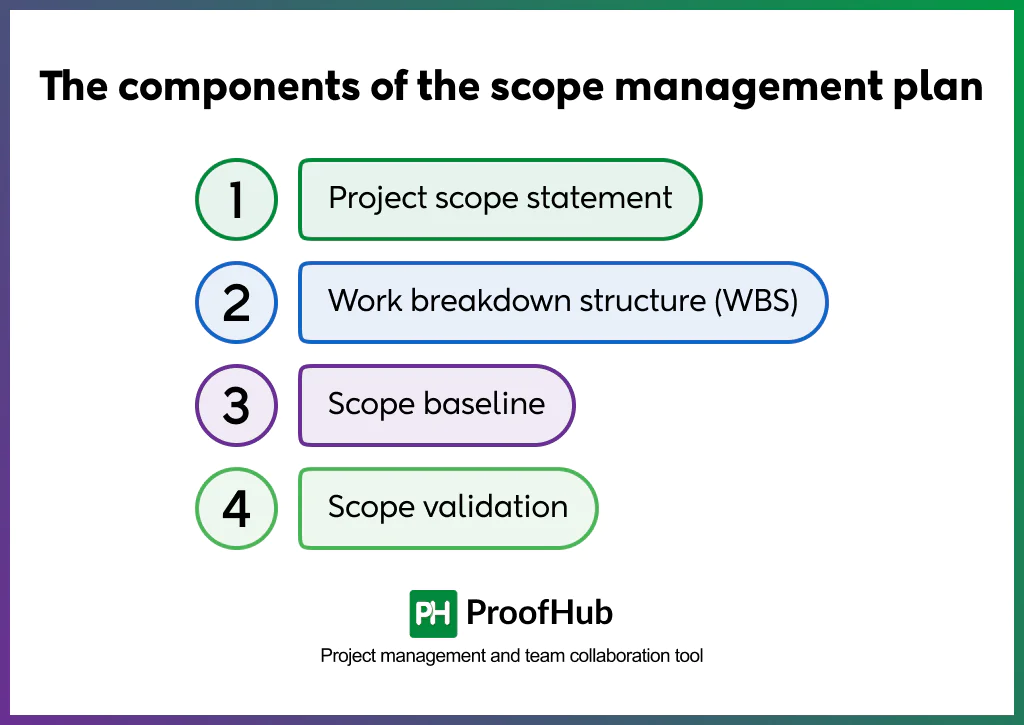
A scope management plan consists of four core components: the project scope statement, work breakdown structure (WBS), scope baseline, and scope validation process. Each component plays a specific role in defining, organizing, approving, and verifying project work.
1. Project scope statement
A project scope statement defines the project’s deliverables, boundaries, assumptions, constraints, and exclusions in detail.
The statement builds on the project objectives by listing exactly what the team will deliver and what falls outside the project.
Because every deliverable and exclusion exists in writing, the team has one document to point to when a stakeholder questions what was agreed.
2. Work breakdown structure (WBS)
A work breakdown structure is a hierarchical breakdown of a project’s total scope into smaller, manageable tasks. Breaking the project down this way gives the team accurate task-level estimates and makes progress easy to track throughout execution.
A software launch, for example, breaks down into design, development, testing, and deployment, each split further into individual coding or testing tasks.
3. Scope baseline
A scope baseline is the approved version of the project scope. The baseline combines the scope statement and work breakdown structure into a single comparison point for evaluating progress and requested changes.
Because the baseline stays fixed once approved, the team measures every deliverable and changes against one stable standard instead of a shifting target.
4. Scope validation
Scope validation is the process of formally reviewing completed deliverables to confirm the deliverables meet the agreed acceptance criteria. Stakeholders compare completed work against the approved scope before accepting it as complete.
Scope validation gives the team stakeholder-confirmed deliverables at every milestone, instead of unresolved issues discovered at project closure.
How to create a scope management plan?
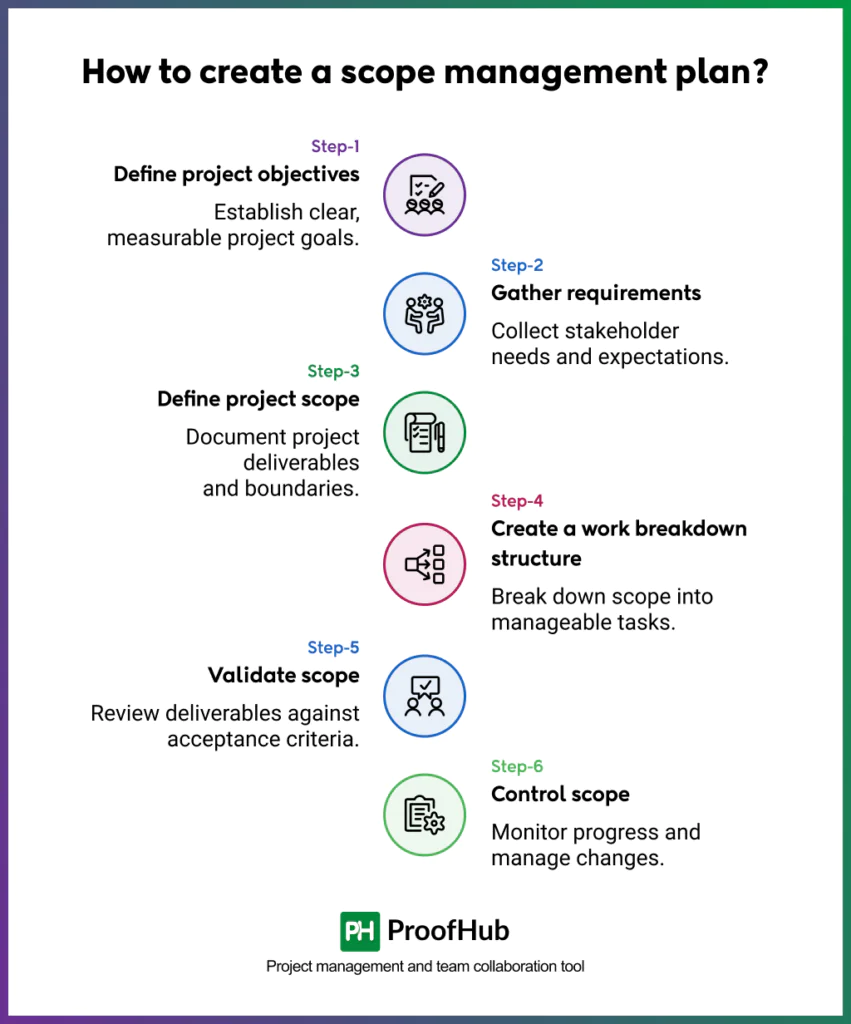
Creating a scope management plan involves six sequential steps: defining objectives, gathering requirements, defining scope, building a work breakdown structure, validating scope, and controlling scope.
Each step builds on the previous one, so the team moves from a broad project goal to a fully controlled, trackable scope.
1. Define project objectives
Start by establishing what the project needs to achieve and why it matters to the organization. Objectives should be specific, measurable, and tied to a business outcome, rather than vague statements of intent.
This clarity becomes the reference point for every scope decision that follows, since anything that doesn’t support these objectives falls outside the project’s boundaries.
2. Gather requirements
Collect detailed input from stakeholders, clients, and end users to understand what the project must deliver. Use techniques like interviews, surveys, workshops, and document analysis to surface both stated and unstated needs.
Documenting these requirements clearly at this stage prevents the ambiguity that often leads to scope disputes later.
3. Define project scope
Convert the gathered requirements into a formal scope statement that spells out deliverables, boundaries, and exclusions.
This document should specify not just what’s included, but explicitly what isn’t, to avoid assumptions creeping in later. A well-defined scope statement gives everyone a single source of truth for what “done” looks like.
4. Create a work breakdown structure
Break the project scope down into smaller, manageable components using a work breakdown structure (WBS). Each deliverable gets divided into tasks and subtasks until the work is specific enough to assign, estimate, and track.
This structure makes it easier to spot gaps in scope and assign ownership for each piece of work.
5. Validate scope
Review completed deliverables with stakeholders to confirm they meet the agreed requirements before formal acceptance. This step catches misunderstandings early, rather than at final delivery when corrections are far more costly.
Getting formal sign-off at this stage also protects against later disputes over whether the work was actually completed as specified.
6. Control scope
Monitor the project continuously to catch any deviations from the approved scope, and route all change requests through a formal evaluation process.
Every proposed change should be assessed for its impact on timeline, budget, and resources before approval. This ongoing oversight is what prevents scope creep from quietly expanding the project beyond its original goals.
What are the common challenges in planning scope management?
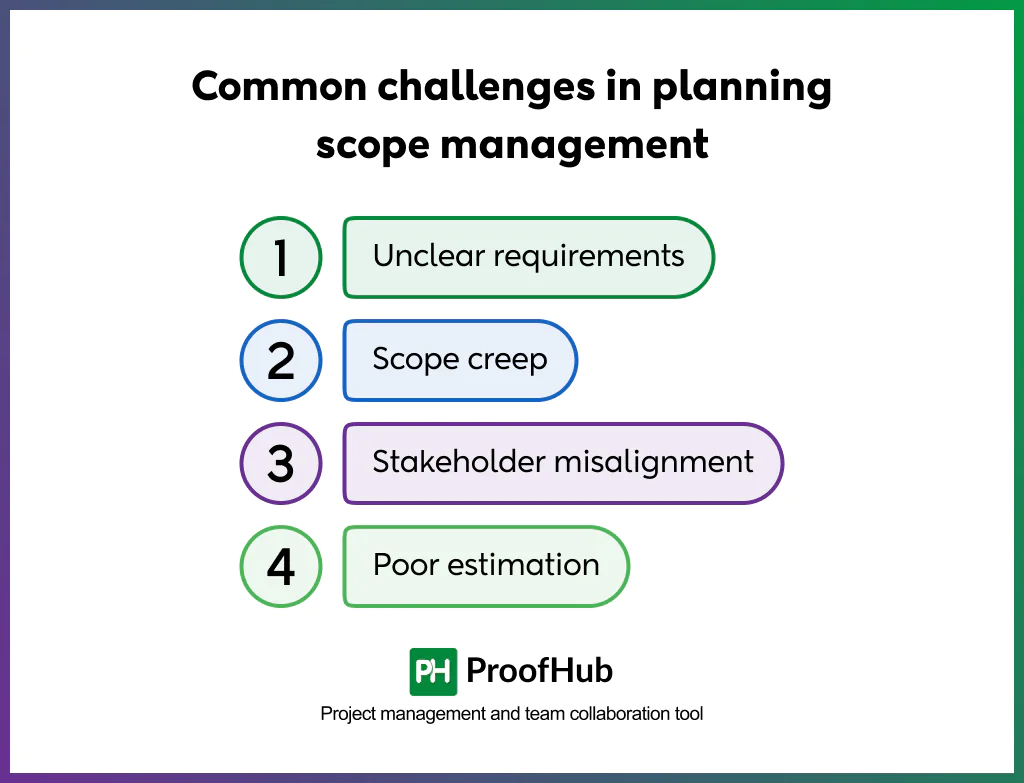
The most common challenges in planning scope management are unclear requirements, scope creep, stakeholder misalignment, and poor estimation.
Planning scope management comes with recurring obstacles that can derail a project before work even begins. Recognizing these challenges early makes it easier to build safeguards into the plan itself.
1. Vague requirements: Broad, ambiguous, or missing detail leave room for multiple interpretations, leading to rework, missed features, and disagreements over actual deliverables. To fix, gather requirements through techniques like interviews, workshops, and documented sign-off.
2. Uncontrolled changes: Approving change requests without a formal evaluation process causes the project to expand beyond its original boundaries, straining budget, timeline, and resources. Implement a change control process, where every request is logged, assessed for impact, and formally approved or rejected.
3. Stakeholder misalignment: Different stakeholders have different priorities, deliverables, or success criteria, which creates conflict during reviews and can stall approvals at critical stages. Create regular alignment sessions, combined with a shared scope statement, to keep stakeholders aligned.
4. Lack of visibility: Not tracking and communicating scope status clearly leads to teams and stakeholders losing sight of what’s been completed versus what’s pending. Use a project management tool to track scope items and progress in real time to give everyone the up-to-date picture.
What tools help with scope management planning?
The tools that help with scope management planning fall into four categories: project management software, work breakdown structure tools, collaboration and documentation tools, and change management tools.
Together, these tools give the project manager one connected system, task tracking, scope visibility, stakeholder documentation, and change approval, instead of managing each piece through separate, disconnected methods.
Each category supports a different part of the scope management process, from defining tasks to controlling approved changes.
1. Project management software
Project management software helps teams define tasks, set timelines, and track progress against the approved scope. Teams use these tools to keep task assignments and deadlines visible in one place throughout execution.
- ProofHub: Combines task management, Gantt charts, time tracking, and team collaboration in one platform. Keeping scope visible alongside actual project execution means the team never has to leave the platform to check whether work still matches the plan. Its topic-based discussion feature lets stakeholders and the team keep scope-related conversations organized in one place, instead of scattered across email threads.
- Asana: Lets teams assign tasks and monitor deadlines through timeline and board views. Teams get fast visibility into who owns what and when it’s due, though the platform focuses primarily on task-level tracking rather than full scope documentation.
- ClickUp: Offers customizable task views and timelines for tracking work against deadlines. Teams adapt the interface to their own workflow instead of forcing their process to fit the tool.
2. Work breakdown structure tools
Work breakdown structure tools help teams break large projects into smaller, manageable tasks. These tools turn a broad deliverable into a visual hierarchy the team can assign and estimate.
- WBS Chart Pro: Builds hierarchical task breakdowns specifically designed for WBS documentation. Its single-purpose design gives teams a faster path to a finished WBS than a general diagramming tool would.
- Lucidchart: Offers flexible diagramming for visualizing the same hierarchy alongside other project diagrams. Teams keep the WBS in the same tool as their other process diagrams, instead of switching between separate apps.
3. Collaboration and documentation tools
Collaboration and documentation tools help teams document scope statements, requirements, and approvals in a shared space. Every stakeholder references the same version of the scope instead of separate files.
- Confluence: Organizes scope documentation into linked wiki pages that teams can update collaboratively, with comments and edit history showing who changed what. The team traces how a scope document evolved and who approved each change, without digging through email threads.
- Notion: Offers flexible databases and pages for tracking requirements and approvals in a customizable format. Teams keep discussion and documentation together, since members can comment, assign tasks, and tag stakeholders directly within the same document.
4. Change management tools
Change management tools help teams control and approve scope changes through a formal review process. Every change request stays documented and accountable before it reaches the project.
- Jira: Routes change requests through customizable approval workflows tied to development tickets. The engineering team sees exactly how a scope change affects the tickets they’re already working on.
- ServiceNow: Manages change requests with structured approval chains suited for larger, cross-departmental organizations. Large organizations route a single change through every required approver without manually tracking who’s next.
Project scope plan template
To make this easier, you can use the following template to build and track your project’s scope from a single file:
Project scope management plan template
Download the ProofHub Scope Management Plan Template to define your objectives, deliverables, and boundaries and control every change from one place.
Download the free template nowHow to use the scope management plan template
Step 1: Open the file and start with the Cover tab
This tab holds your project details such as name, project manager, sponsor, dates, and version. Fill in the yellow cells only. The grey and navy cells are labels and section headers, so leave those as is.
Step 2: Define your scope on the Scope Statement tab
This is where you set the foundation. Fill in each section:
- Project Objective: The measurable goal the project must achieve
- Deliverables (In Scope): Everything the project will produce
- Exclusions (Out of Scope): What the project will explicitly not deliver
- Assumptions: Conditions you’re planning around
- Constraints: Fixed limits on budget, time, or resources
- Acceptance Criteria: What “done” looks like for each deliverable
Each section has a short note attached to the cell showing what to fill in — hover over the cell to see it.
Step 3: Break deliverables into tasks on the WBS tab
Once your scope statement is set, list each deliverable and split it into smaller tasks using WBS codes (1.1, 1.2, 1.3) to show hierarchy. Fill in the owner, dates, and status for each task using the dropdown. The Overall Progress cell at the bottom calculates automatically from what you enter; don’t type into it directly.
Step 4: Record your baseline and log changes on the Scope Baseline & Change Log tab
Once your project sponsor approves the scope statement and WBS, fill in which version was approved, who approved it, and the date. This record is your baseline. From that point forward, log every new request in the Change Request Log before it enters the project, using the Status dropdown to track pending, approved, or rejected.
Step 5: Confirm deliverables on the Scope Validation tab
As each deliverable is completed, add a row here with the deliverable name, its acceptance criteria, who reviewed it, and the review date. Use the Status dropdown to mark it approved or rejected, and add notes if anything needs revision.
Step 6: Repeat for every new project
Duplicate this file for each new project, or clear the Scope Statement, WBS, and Change Log tabs and start fresh while keeping the Cover tab structure intact.
How does a scope management plan prevent scope creep?
A scope management plan prevents scope creep by requiring every new request to pass through a formal change control process before joining the project. The process assesses each request’s impact on timeline and budget, then routes it through a designated approver for final sign-off.
The plan also establishes a scope baseline, a fixed reference point that makes any deviation from the original agreement visible immediately, instead of surfacing after the damage is done.
Who is responsible for managing project scope?
The project manager is primarily responsible for managing project scope. They define the scope statement, build the WBS, and approve or reject change requests. Stakeholders contribute requirements and sign off on deliverables, but the project manager owns the day-to-day control of the boundary.
What is the difference between a scope management plan and a scope statement?
| Aspect | Scope Management Plan | Scope Statement |
|---|---|---|
| Definition | A document that outlines how scope will be defined, validated, and controlled throughout the project | A document that describes the project’s deliverables, boundaries, and exclusions |
| Purpose | Sets the process and guidelines for managing scope changes | Defines what work is actually included and excluded in the project |
| Scope of content | Covers processes: how scope changes are requested, evaluated, and approved | Covers specifics: deliverables, acceptance criteria, constraints, and assumptions |
| When it’s created | Created early, during project planning, before detailed scope is defined | Created after requirements gathering, as part of defining the scope itself |
| Focus | Process-oriented, focused on managing scope over the project lifecycle | Outcome-oriented, focused on what the project will deliver |
| Level of detail | High-level guidelines and procedures | Specific, detailed description of deliverables and boundaries |
| Who uses it | Project managers, to guide how they handle scope throughout execution | Project team and stakeholders, as a reference for what’s in and out of scope |
| Example Content | Change control process, roles for scope approval, validation methods | List of deliverables, project exclusions, acceptance criteria |
Is a scope management plan required in agile projects?
Agile projects don’t require a formal scope management plan, but they still need scope control. Agile teams manage scope through the product backlog, sprint planning, and prioritization instead of a fixed upfront document. Both approaches control what gets built. Agile teams just execute that control iteratively, sprint by sprint, instead of defining it once at the start.
How often should a scope management plan be updated?
A scope management plan needs an update whenever the project undergoes a major change, such as a new stakeholder, revised objective, or significant approved scope change. Outside of these triggers, teams review the plan at each project phase gate. Frequent, minor updates aren’t necessary since the plan defines process, not day-to-day tasks.
Conclusion
A scope management plan gives every project a fixed reference point for what work stays in and what stays out. The plan sets objectives, breaks deliverables into tasks, and requires formal approval for any changes, so scope creep never derails the timeline or budget. Teams that skip this step react to changes after they happen; teams that build the plan first control them before they start. Begin with a clear scope statement, build your WBS, and establish your baseline before execution begins. Platforms like ProofHub make this easier to manage in practice, keeping your scope, tasks, and timelines visible in one place from planning through delivery.