
Project planning is the foundation of turning ideas into successful outcomes. It keeps a project organized, structured, and on track from start to finish.
With a well-developed project management plan, teams stay aligned, informed, and focused on shared objectives while meeting deadlines and staying within budget.
Let’s explore in depth how to build an effective project plan in this guide.
- 1.A project plan defines scope, goals, timeline, and resources, keeping teams aligned from start to finish and turning ideas into successful outcomes.
- 2.Five core components are essential: scope sets boundaries and prevents scope creep; schedule uses Gantt charts to map timelines and the critical path; cost manages the budget; resources allocate teams and materials; and risk uses a risk register to mitigate threats.
- 3.Effective planning delivers key benefits, including clarity on goals, improved productivity, enhanced team coordination, proactive risk reduction, cost predictability, and clear accountability for deliverables.
- 4.Follow the 10-step process: define goals, identify deliverables, create a Work Breakdown Structure (WBS), sequence tasks, estimate time and resources, develop a schedule, set a budget, identify risks, create a project charter and planning documents, and secure stakeholder approval.
- 5.Avoid common mistakes such as vague scope, unrealistic timelines, ignored risks, and poor stakeholder buy-in, while tracking progress through KPIs such as Schedule Variance (SV), Cost Variance (CV), Schedule Performance Index (SPI), and Cost Performance Index (CPI).
What is project planning?
Project planning is the phase of the project lifecycle that defines how a project will be executed, monitored, and completed.
It establishes the project’s scope, schedule, budget, resources, risks, and communication strategies before work begins.
What is the main purpose of project planning?
The main purpose of a project plan is to provide a realistic roadmap that turns project goals into a clear set of actions.
It ensures project objectives, timelines, and costs are clearly defined and controlled.
Why is the project planning phase important?
Project planning is important because it clarifies goals, improves productivity and team coordination, reduces risks, aligns goals, improves cost predictability, and sets accountability.
It serves as a comprehensive blueprint for a project, outlining its initiation, objectives, and completion. Ensuring tasks are completed on schedule and within budget.
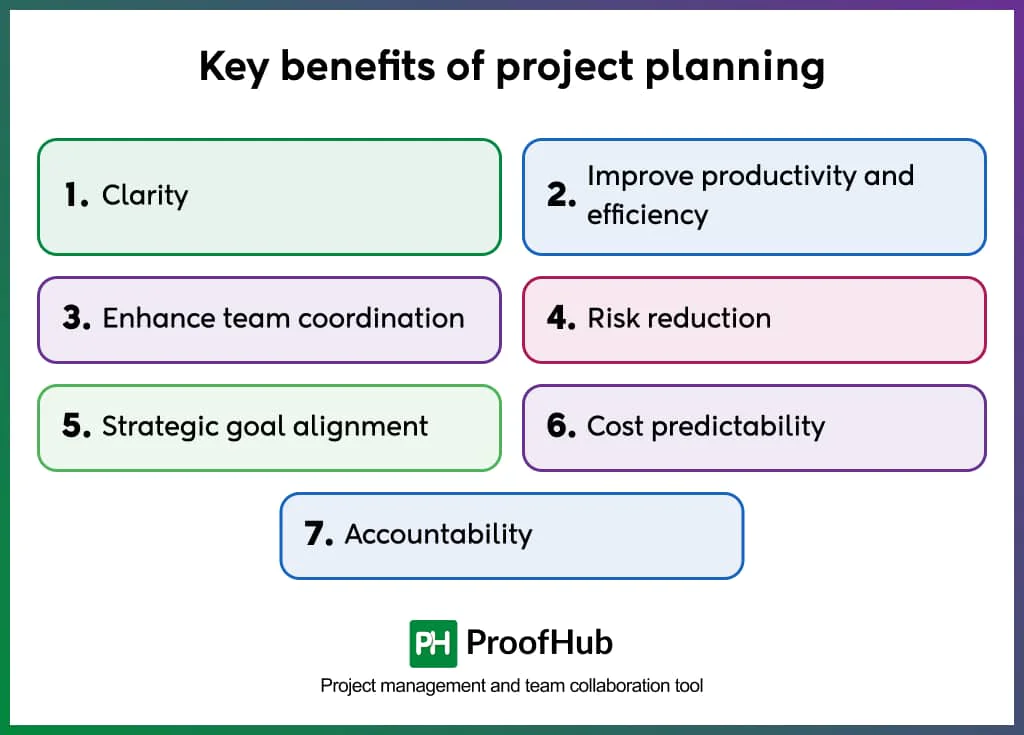
The key benefits of project planning include the following:
1. Clarity: It helps you to define what the project aims to achieve and how it will be accomplished. Also, it eliminates confusion about goals and expectations.
2. Improve productivity and efficiency: Structured planning helps the team use resources better, reduce waste, complete projects on time, and improve overall quality.
3. Enhance team coordination: With defined roles, responsibilities, timelines, and clear communication, teams understand their tasks, resulting in smoother, overlap-free work.
4. Risk reduction: Proper project planning identifies potential challenges in advance, allowing teams to prepare solutions before issues arise.
5. Strategic goal alignment: Ensures everyone involved in the project understands and agrees on objectives, priorities, and success criteria.
6. Cost predictability: Establishes accurate budget estimates and financial controls to prevent unexpected expenses and cost overruns.
7. Accountability: Assigns specific responsibilities to team members, clearly defining who is responsible for each task and deliverable.
What are the key components of project planning?
The seven key components of project planning are Scope, Schedule, Cost, Resources, Risk, Quality, and Communication:
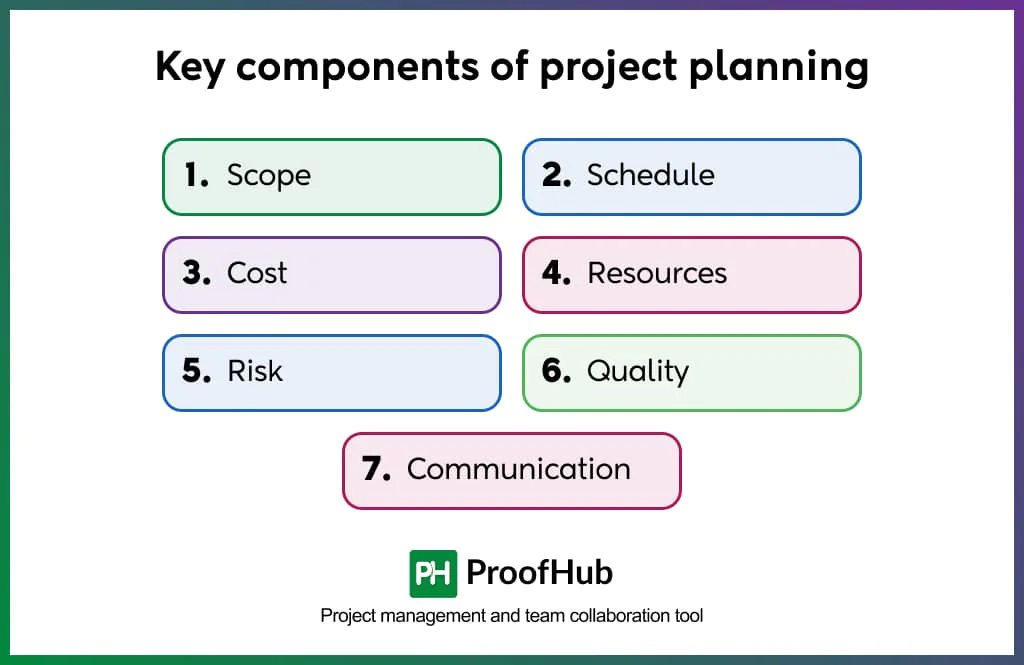
1. Scope: Defines and controls what is included and excluded from the project through requirements, WBS creation, and scope validation. It also prevents scope creep (unwanted or extra) by establishing clear boundaries, ensuring all stakeholders agree on deliverables, maintaining project focus, and preventing unauthorized changes.
2. Schedule: The systematic process of defining activities, sequencing them, estimating effort, and scheduling project activities to ensure timely project completion. It includes a detailed timetable (e.g, Gantt chart) of tasks, dependencies, and resources, enabling managers to track progress against a baseline and control project timelines.
3. Cost: The cost component includes estimating, budgeting, and controlling project costs to complete within the approved budget. It involves earned value management (EVM) to measure performance and forecast completion cost, ensuring financial accountability and preventing overspending.
4. Resources: A systematic process for acquiring, developing, and managing the project team and physical resources. It also addresses resource allocation, team development, and conflict resolution to improve productivity, build high-performing teams, and ensure resources are available when needed.
5. Risk: The process of identifying, analyzing, and controlling potential risks to reduce their negative impact. It helps develop risk response strategies (avoid, transfer, mitigate, accept) and maintain a risk register to proactively manage uncertainties and minimize threats.
6. Quality: Ensures deliverables meet defined quality standards through quality planning, assurance, and control processes. It sets quality standards, conducts audits, and implements continuous improvement to prevent defects, reduce rework, and enhance stakeholder satisfaction.
7. Communication: The process of planning, managing, and monitoring how information flows through the project. It helps in ensuring the right information reaches the right people at the right time. Without any confusion.
How to create a project plan?
To create a project plan, follow these 10 clear steps: Define project goals and objectives, identify deliverables and scope, create a work breakdown structure (WBS), sequence tasks and define dependencies, estimate time and resources, develop the project schedule, Estimate costs and set a budget, identify risks and mitigation plans, create the project planning documents, review and get stakeholders’ approval.
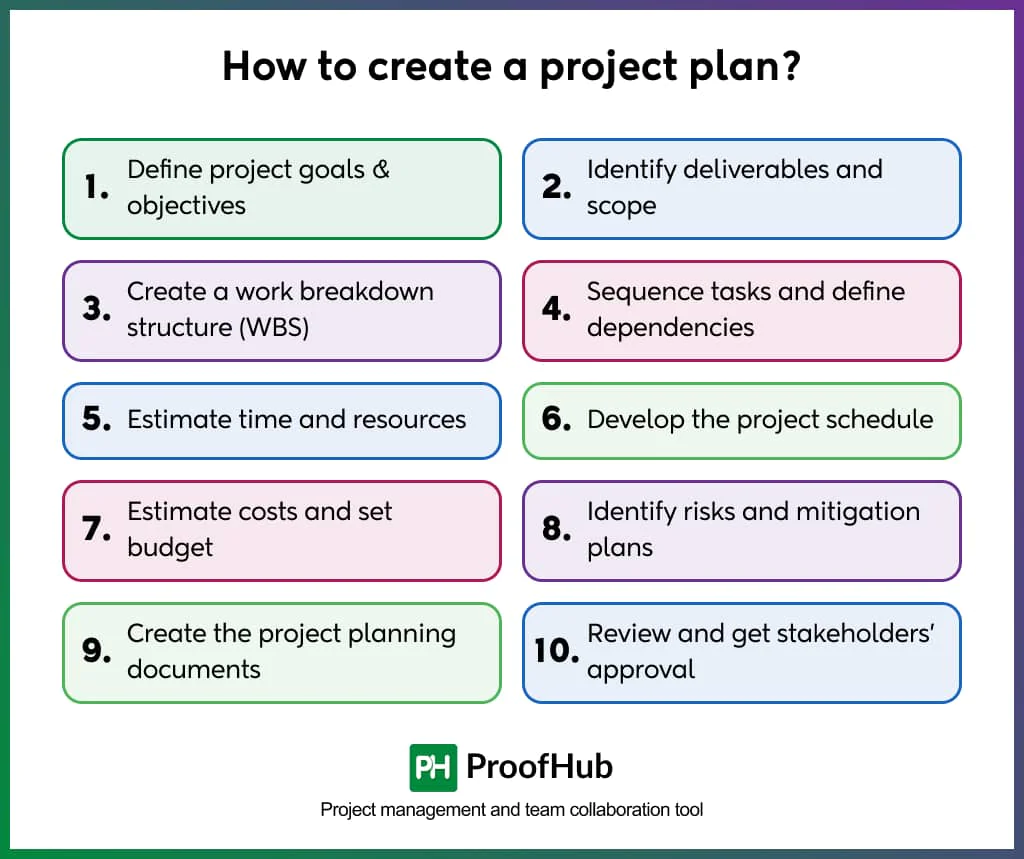
These steps provide a structure to the project planning process and keep stakeholders on the same page.
Below, we break down each step for you for better understanding.
1. Define project goals & objectives
It establishes the project’s aim and the reasons for undertaking it. With clear and measurable objectives, guided decision-making, and alignment with stakeholder expectations.
It sets the direction and success criteria for the entire project. A defined goal helps in avoiding confusion, ensures focused efforts, and provides a basis for evaluating project performance.
For example, a goal like “increase website traffic by 20% in 3 months” is specific and measurable, making progress easier to track.
2. Identify deliverables and scope
Deliverables are the outputs a project produces, while scope defines what is included and excluded. It includes setting requirements, limitations, and acceptance criteria with stakeholders.
A clear scope focuses on preventing scope creep, aligns expectations, and guides planning.
For example, in a mobile app project, deliverables may include a user login system, dashboard, and notification feature. The scope defines that only Android development is included, while iOS development and third-party integrations are excluded. This ensures clear boundaries and avoids unnecessary work.
3. Create a work breakdown structure (WBS)
A work breakdown structure is a hierarchical breakdown of the total project scope into smaller, manageable parts called work packages. It organizes work from major deliverables down to tasks that can be assigned, estimated, and tracked.
It is important because it ensures complete scope coverage, supports accurate time and cost estimation, and forms the basis for scheduling and resource planning. Each work package is clearly defined in the WBS dictionary, including scope, responsibilities, and criteria.
For example, a construction project may have Levels 1 (Building), 2 (Foundation, Structure, Interior), and 3 (Foundation: Excavation, Concrete, Curing).
4. Sequence tasks and define dependencies
Task sequencing is the process of arranging project activities in the correct order based on logical relationships (dependencies). Dependencies can be mandatory, discretionary, external, or internal.
This step helps create a realistic project schedule by showing which tasks must come first and which can run in parallel. It is important for identifying the critical path, avoiding delays, and improving resource allocation and efficiency.
For example, in software development, “database design” must finish before “database implementation” can start (finish-to-start dependency), while “user interface design” and “backend API development” might occur simultaneously with periodic integration points.
5. Estimate time and resources
It helps create accurate, realistic plans to effectively execute projects without delays or resource shortages.
The main purpose of this step is to create accurate, realistic estimates of time and resources so the project can be planned effectively and executed without delays or shortages.
Example: A college wants to build a website.
- Time estimation:
Requirement (3 days), Design (5 days), Development (22 days), Testing (5 days), Deployment (2 days) → Total: ~37–40 days
- Resources estimation:
1 project manager, 1 designer, 4 developers, 1 tester, 1 deployment engineer + tools like React, database, hosting server.
6. Develop the project schedule
A project schedule is a timeline that shows when each task will be completed, including how long each task takes, the task order, and available resources.
A schedule is developed using techniques such as the critical path method (CPM) to identify the longest path of dependent activities, the program evaluation and review technique (PERT) for uncertain estimates, and resource leveling to balance workload.
The schedule includes milestones (important points in the project) and a baseline to track progress. It is important for coordinating the team, sharing timelines with stakeholders, and checking if the project is on track.
Example: A company is building a mobile banking app and creates a schedule by dividing the work into tasks: design (2 weeks), development (7 weeks), testing (2 weeks), and deployment (1 week), totaling about 12 weeks.
This schedule helps the team follow a clear timeline and complete the project on time.
7. Estimate costs and set budget
It involves forecasting the financial resources required for project activities (labor, materials, risks, etc.).
It is determined using techniques such as bottom-up estimation (summing individual work package costs), analog estimating (using similar past projects), and parametric modelling (cost per unit).
Example: A company developing a mobile app estimates costs of ₹10,00,000 for developers, ₹1,50,000 for tools, ₹1,00,000 for testing, and an extra ₹1,50,000.
This sets a total budget of ₹14,00,000, helping control spending and ensure enough funds for the project.
8. Identify risks and mitigation plans
Risk identification involves systematically identifying potential threats and opportunities that could impact project objectives. While risk analysis assesses their probability and impact.
Mitigation planning develops response strategies such as avoid (eliminate the threat), transfer (shift impact to a third party), mitigate (reduce probability or impact), or accept (acknowledge without action).
This step is vital because proactive risk management prevents crises, reduces uncertainty, and improves decision-making.
Example: Risk: “Key developer resignation” (Probability: Medium, Impact: High), Mitigation: “Cross-train team members, document code thoroughly, maintain relationships with contract developers for backup, create knowledge transfer protocols.”
9. Create the project planning documents
Project planning documents include a complete project management plan along with smaller plans for different areas. They cover scope, schedule, cost, quality, resources, communication, risk, procurement, and stakeholder management.
Baselines for performance measurements are also included in project planning documents.
Documenting is important because it provides a roadmap for execution, establishes accountability, facilitates communication, and decision-making.
Example: A company developing a cloud-based data management system creates planning documents such as a scope plan (system features), a schedule (development timeline), a cost plan (budget), and a risk plan (handling system failures or delays).
These documents help the team stay organized, manage resources, and ensure successful project completion.
10. Review and get stakeholders’ approval
Stakeholder approval and review involve presenting the complete project plan to key stakeholders, sponsors, and governance bodies for validation and formal authorization to proceed.
It includes walkthrough sessions, addressing concerns, incorporating feedback, and obtaining sign-offs. Approval is critical because it secures commitment, confirms resource allocation, establishes accountability, and provides authority to execute the plan.
Example: A school planning to install a computer lab system presents the project plan to the principal and management.
They review the setup details, budget, and schedule, then approve starting the installation work.
What are the common mistakes to avoid when creating a project plan?
Common mistakes to avoid when creating a project plan include vague scope, unrealistic timelines, ignored risks, poor communication, and lack of stakeholder alignment, all of which can lead to delays and project failure.
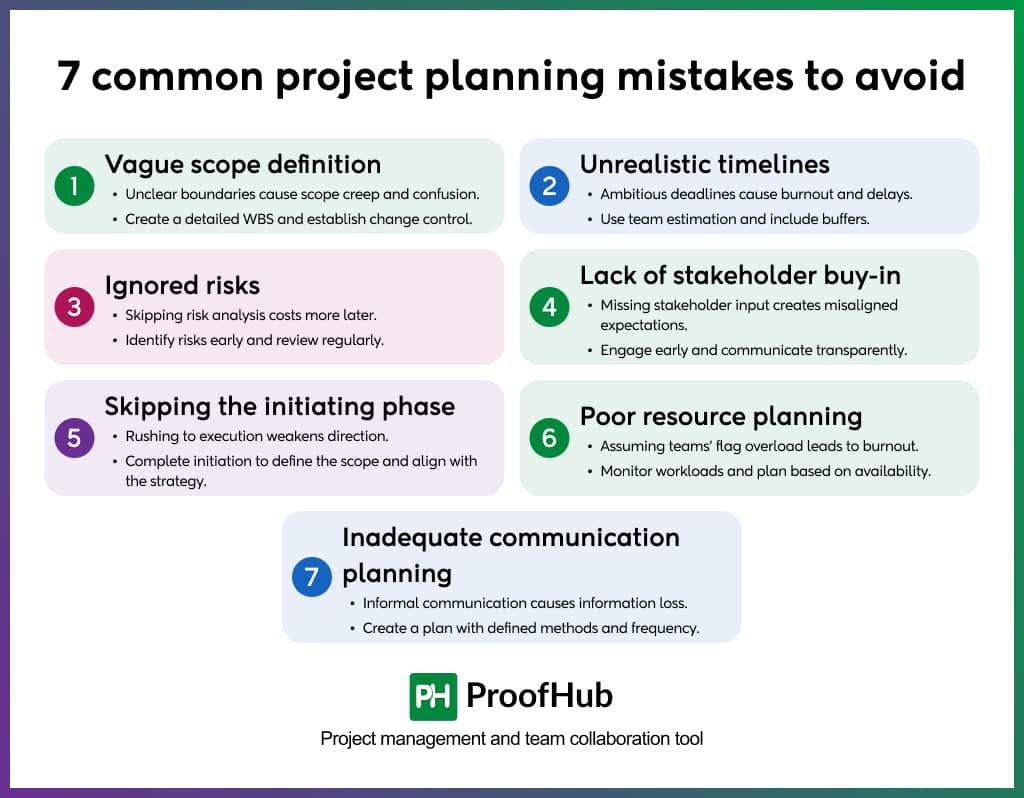
These mistakes can cause confusion, team burnout, stakeholder dissatisfaction, and ultimately put the overall project success at risk.
List of mistakes to take care of:
1. Vague scope definition
- Mistake: Not establishing clear scope boundaries means the project’s position fails from day to day or is perceived differently by stakeholders. Without a detailed Work Breakdown Structure (WBS), the entire planning foundation is compromised.
- Mitigation: Create a comprehensive WBS that breaks down all deliverables into manageable components, establish clear “in scope” and “out of scope” boundaries, and implement a formal change control process before work begins.
2. Unrealistic timelines
- Mistake: Setting timelines that are hard to meet without accounting for resources or considering past experience leads to deadlines that are difficult to meet.
- Mitigation: Break the work into small tasks using a work breakdown structure (WBS), and ask the team to estimate the time required to complete each task. Use different ways to estimate and clearly explain risks, trade-offs, and what success looks like.
3. Ignored risks
- Mistake: Ignoring risks is a problem that is identified late or not considered at all, which can impact the project if it occurs.
- Mitigation: Identify risks early, build possible plans, create a risk register documenting identified risks and response strategies, and schedule regular risk review sessions throughout the project.
4. Lack of stakeholder buy-in
- Mistake: Not involving key stakeholders early in planning or failing to secure support from leaders leads to misaligned expectations. This also invites an unsupportive nature from the stakeholders.
- Mitigation: In the initiating phase, identify internal and external stakeholders who will interact and influence the overall project outcome. Involving the stakeholder to define success criteria and maintain transparent communication about progress and issues.
5. Skipping the initiating phase
- Mistake: Skipping the project initiation phase to move quickly into planning or execution can be risky. It leads to an unclear goal and weakens the project direction.
- Mitigation: Always complete project initiation to define project scope, commit financial resources, and identify stakeholders. Ensure the project aligns with strategic business goals before investing in detailed planning.
6. Poor resource planning
- Mistake: Poor resource management occurs when it assumes team members will speak up when they are overloaded or overworked, which can lead to burnout, low performance, and disengagement. It is also a major challenge in project resource management.
- Mitigation: To avoid this, use resource planning and leveling, monitor workloads through project dashboards and Work Performance Data, and ensure planning is based on resource calendars, availability, skills, and constraints.
7. Inadequate communication planning
- Mistake: Inadequate communication planning occurs when it is handled informally, such as via email, chat, or verbally. This leads to loss of information and accountability. Without structured communication, stakeholders remain uninformed, and the misalignments keep multiplying.
- Mitigation: To avoid this, develop a Communications Management Plan as part of the Project Management Plan. Define communication methods, frequency (cadence), channels, and stakeholder requirements, and use a proper system to ensure clear, consistent, and timely information flow.
What are the important KPIs for a project plan?
The eight important project plan KPIs are: Schedule Variance, Cost Variance, Schedule Performance Index, Cost Performance Index, Schedule Adherence, Budget Utilization, Quality Performance Rate, and Stakeholder Satisfaction Score.
Effective KPIs follow the SMART (Specific, Measurable, Achievable, Relevant, and Time-bound) framework and serve as benchmarks for tracking progress against the project baseline.
Simply: KPIs = analyzed results (how well it is happening)
Here is the list of KPIs included in the project plan:
1. Schedule Variance (SV = EV − PV)
The schedule variance is measured to determine whether the project is ahead or behind schedule. It is calculated by comparing Earned Value (EV) with Planned Value (PV).
A negative value indicates a delay, and a positive value indicates being ahead of schedule.
2. Cost Variance (CV = EV − AC)
The cost variance KPI shows whether the project is under or over budget. It is calculated by comparing Earned Value (EV) with Actual Cost (AC).
A negative value means the project is over the budget.
3. Schedule Performance Index (SPI = EV ÷ PV)
The KPI measures schedule efficiency in Earned Value Management (EVM).
The schedule performance index below 1 indicates slower progress than planned, and above 1 indicates faster progress.
4. Cost Performance Index (CPI = EV ÷ AC)
The cost performance index measures cost efficiency under EVM (Earned Value Management). A CPI (Cost Performance Index ) below 1 means cost overrun, and above 1 means cost efficiency.
5. Schedule adherence (%)
Schedule Adherence KPI shows how closely your project is following the planned timeline. A higher percentage means the work is staying on schedule.
6. Budget utilization (%)
Budget utilization measures how much of the Cost Baseline (from the Project Cost Management Plan) has been spent. It is compared to actual progress.
7. Quality performance rate / defect density
A Quality Management KPI that measures the number of defects per unit of deliverable (e.g., per module or function point), based on Quality Control (QC) and Quality Assurance (QA) data.
8. Stakeholder satisfaction score
The stakeholder satisfaction score measures stakeholder expectations against actual delivery.
This KPI is captured through stakeholder engagement assessments, surveys, and feedback as part of the Stakeholder Management Plan.
Real-world example of a project plan
Here’s the real-world example of a project plan:
- Project overview: A small business wants to create a website so customers can view products and contact them online, with the goal of launching it within 1 month.
- Requirements and Scope: The project includes collecting requirements, designing the website layout, developing pages using HTML and CSS (and backend if needed), adding product details and images, making the site mobile-friendly, and testing it before launch.
- Timeline Plan:
- Week 1: Requirement gathering and UI design
- Week 2: Website development
- Week 3: Content integration and testing
- Week 4: Final fixes and deployment
- Budget Estimate: Domain costs are around ₹1,000 per year, hosting costs are around ₹3,000 per year, and development costs are around ₹15,000, depending on features and complexity.
- Team and Roles: A project manager coordinates the work, a web developer builds the website, a UI/UX designer handles design, and the client provides requirements and approvals.
- Risks and Mitigation: Possible risks include delayed content, changing requirements, technical bugs, and performance issues. These are managed through clear requirement finalization, regular communication, proper testing, and optimization.
- Communication Plan: Weekly updates are shared with the client, daily coordination happens within the team, and progress is reviewed at each milestone.
- Success Criteria: The project is successful if the website is fully functional, responsive, error-free, approved by the client, and launched on time.
What are the best tools for project planning?
The best tools for project planning include Trello, ProofHub, Asana, Wrike, and Basecamp. These tools help plan, schedule, and track projects efficiently.
1. Trello: A simple Kanban-based tool that helps teams organize tasks, track progress, and collaborate visually using boards, lists, and cards. It’s best for small teams and simple projects, but it lacks advanced features such as multiple views, subtasks, and resource management for complex work.
2. ProofHub: One of the best project planning tools, an all-in-one platform that helps teams plan, assign, and track tasks in a centralized workspace. Its specialty is offering multiple project views (Gantt, Kanban, calendar), built-in collaboration, and flat pricing for unlimited users, making it highly flexible and cost-effective for teams of all sizes.
3. Asana: A tool that helps teams organize tasks and track progress. It connects daily work to bigger team goals through timelines, task lists, and automation. However, many advanced features are locked behind premium plans, which can add up as teams grow.
4. Wrike: The platform that offers customizable workflows and real-time collaboration for teams. It provides Gantt charts, dashboards, and resource management to track projects from start to finish. Its strength is its flexibility, which allows teams to adjust it to specific processes. However, the interface can feel complex for new users, and full functionality requires higher-tier subscriptions.
5. Basecamp: A simple tool that combines tasks, schedules, communication, and file sharing in one place for easy team collaboration. It is ideal for remote teams and offers a clean, user-friendly interface that prioritizes simplicity over complex project tracking.
Who is responsible for project planning?
A project manager creates a project plan and serves as the primary author. Managers gather input from key stakeholders and team members, define the scope, schedule, and resources, and translate the project charter into an actionable roadmap.
Who approves the project plan?
The project plan is formally approved by the project sponsor and key stakeholders. In some cases, senior management also reviews and authorizes the project plan.
How detailed should project planning be?
A project plan should be detailed enough that everyone clearly understands what needs to be done, who is responsible, and when the project is due. It helps you remove unnecessary complexity in the project.
What is the difference between a project plan and a project schedule?
The difference between a project plan and a project schedule is that a project plan defines the overall project scope, goals, and approach. In contrast, a project schedule focuses only on the timeline and sequence of tasks.
What is scope variance in project planning?
Scope variance in a project plan is the difference between the planned project scope and the actual work being done. It happens when extra work is added or planned work is missed without proper approval.
Is a project planning required for small projects?
Yes, a project plan is required for small projects as well. It helps to clarify what to do, who will do it, and when it’s due. It keeps everyone aligned and helps prevent confusion or scope creep.
Conclusion
A well-structured project plan is important for turning ideas into successful outcomes. By following essential steps like defining goals, managing scope, scheduling tasks, estimating costs, and identifying associated risks. By following these key steps, easily create a clear roadmap for the team.
But to keep the project on track, one must avoid common mistakes such as vague scope, unrealistic timelines, ignored risks, poor communication, and lack of stakeholder alignment. Whether managing a large enterprise project or a small business website, proper planning will keep everyone aligned, reduce uncertainty, and increase the likelihood of delivering the project on time and on budget.