
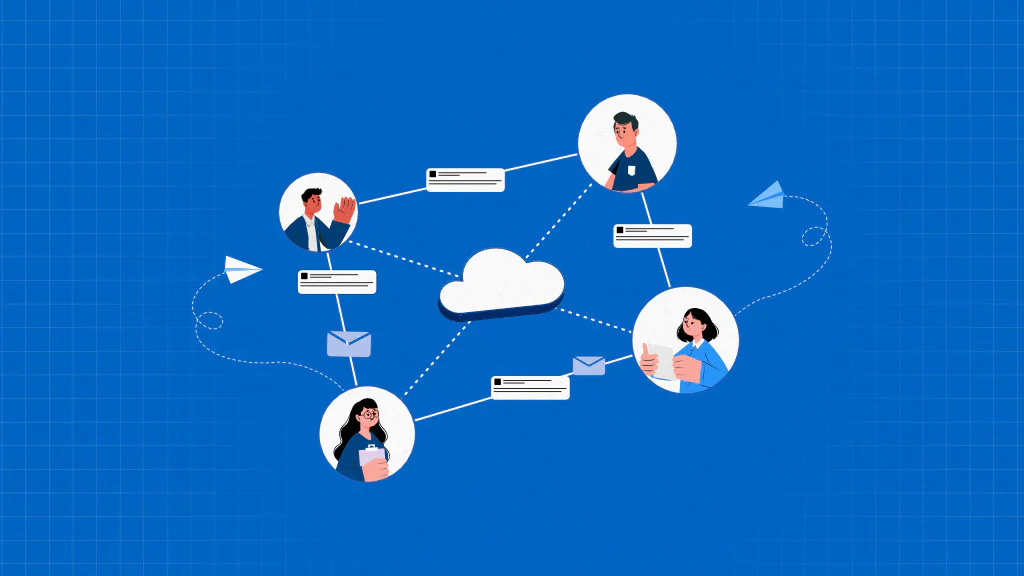
Cloud collaboration is the practice of teams working together on shared files, content, and projects through cloud-based platforms that provide centralized data access, continuous availability, and multi-user access with role-based permissions. It relies on cloud infrastructure to keep work accessible over the internet while preserving a single, consistent version for all contributors.
It keeps work organized, increases team engagement, provides easy access to large files, supports flexible, location-independent work, and delivers real-time updates that keep teams aligned.
However, these benefits depend on structured usage. Clear ownership, defined access rules, controlled tool usage, visible version history, and balanced contribution patterns determine whether collaboration remains scalable and reliable as teams grow.
Without this structure, cloud collaboration introduces execution, governance, and coordination challenges, including access control and permission mismanagement, collaboration management overhead, rising collaboration-related costs, real-time editing conflicts, loss of context across tools, and dependency on internet connectivity.
To implement cloud collaboration successfully, organizations must define collaboration goals and use cases, standardize tools by purpose, establish clear access rules and ownership, set norms for real-time and asynchronous work, enforce versioning and activity visibility, balance participation and workload, train teams on collaboration practices, not just tools, and plan for connectivity limitations.
What is cloud collaboration?
Cloud collaboration is the process of individuals and teams working together to create, access, edit, and manage shared work through internet-based cloud platforms, either in real time or asynchronously, under controlled permissions.
It uses centralized data access hosted on cloud computing infrastructure, reducing dependence on local devices or on-premises servers. Files, conversations, and project artifacts remain continuously available online, ensuring a single, authoritative version of the work.
It enables real-time synchronization, allowing users to co-author documents, comment, review changes, and track activity in real time. When real-time interaction is not required, asynchronous collaboration ensures continuity without delays or file conflicts.
Multi-user access with role-based permissions governs who can view, edit, approve, or share content. This access control maintains data integrity while supporting internal teams, external partners, and clients within the same workspace.
What are the benefits of cloud collaboration?
Cloud collaboration keeps work organized, updates in real-time, increases team engagement, provides easy access to large files, and supports flexible and location-independent work to keep teams aligned.
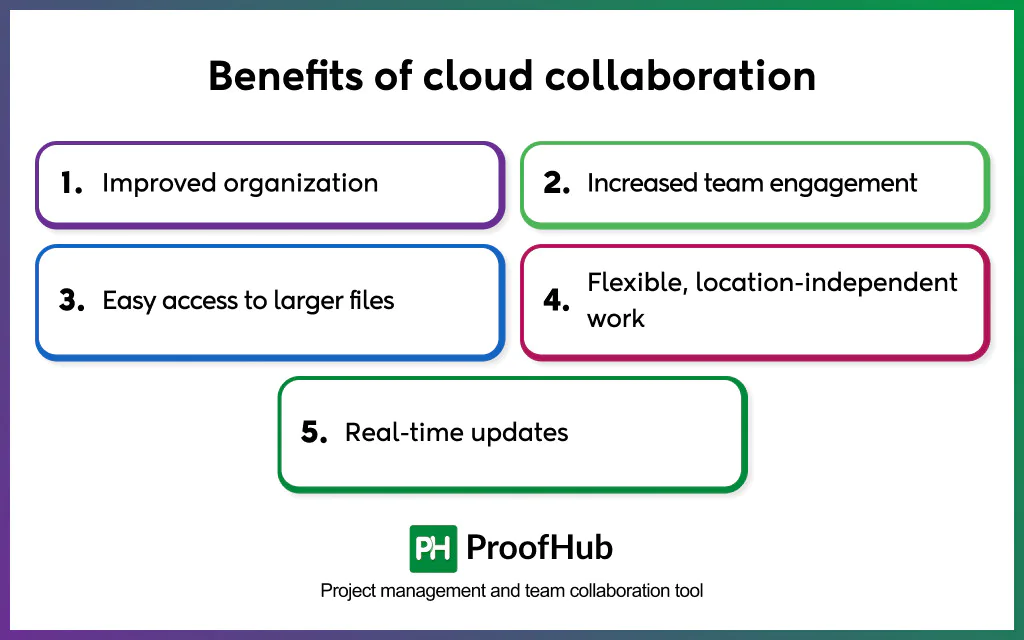
- Improved organization: Centralizes files, conversations, tasks, and permissions in a shared digital workspace. This creates a single source of truth, preserves context, and allows teams to understand how work evolves without searching across disconnected systems.
- Real-time updates: Syncs file changes instantly across users and devices, keeping everyone aligned on the most current version of the work. This eliminates parallel copies, overwrite risks, and reconciliation delays while maintaining speed and accuracy.
- Increased team engagement: Keeps work visible and accessible throughout its lifecycle, cloud collaboration encourages continuous participation rather than occasional check-ins. Transparent contributions, clear ownership, and active feedback loops increase accountability and sustained engagement as work progresses.
- Easy access to large files: Allows teams to store, share, and work directly on large files within centralized cloud storage. By removing file-size limits and transfer constraints, teams avoid delays caused by emailing, downloading, or compressing assets while maintaining a single authoritative version.
- Flexible, location-independent work: Supports flexible work and office models, including remote and hybrid setups, by removing dependence on physical locations and fixed devices. Communication, file access, and core business processes are delivered through cloud-based, device-agnostic platforms, allowing teams to collaborate effectively from offices, homes, or on the move using laptops, PCs, or smartphones.
What are the best practices to follow to make cloud collaboration work?
Best practices for organizations are defining clear access rules and ownership, establishing norms for real-time collaboration, intentionally limiting tool sprawl, enforcing versioning and activity visibility, balancing participation and workload, and regularly reviewing collaboration usage to keep work structured, visible, and scalable.
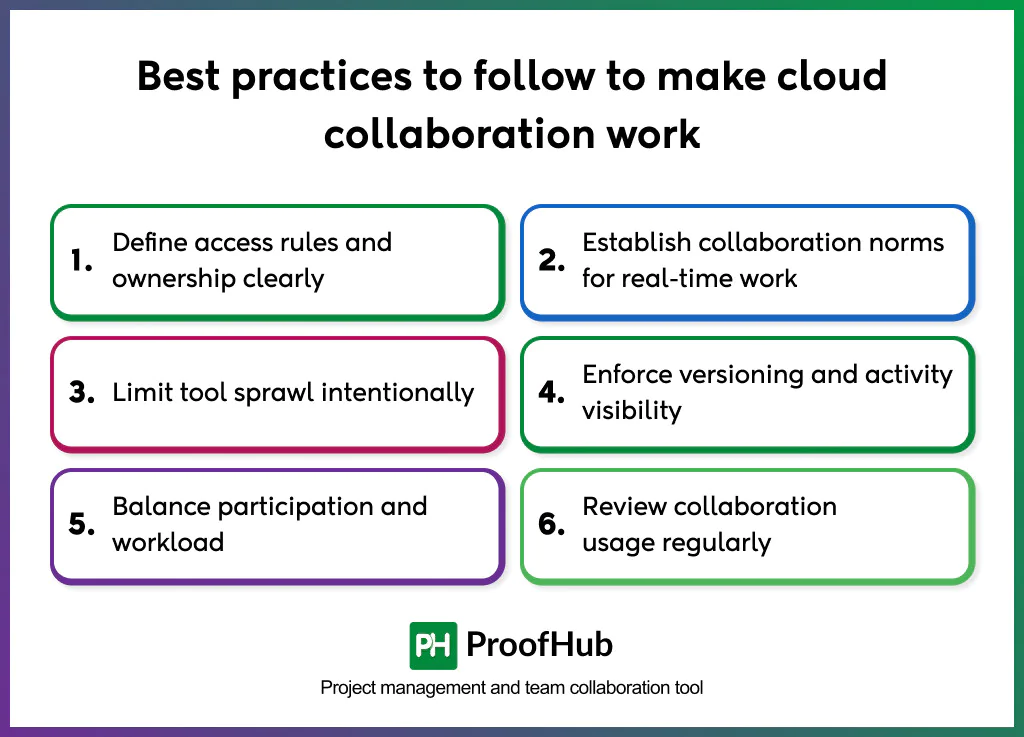
1. Define access rules and ownership clearly: Assign explicit roles for viewing, editing, reviewing, and approving shared work so collaboration actually happens. Clear ownership establishes a single point of responsibility for accuracy, progress, and decisions, preventing overlaps, unauthorized changes, and stalled approvals.
When permissions align with responsibility, teams reduce rework, limit risk, and maintain consistent standards across shared workflows, making collaboration predictable, auditable, and scalable rather than ad hoc.
2. Establish collaboration norms for real-time work: Define clear rules for simultaneous editing, feedback cycles, and approval handoffs within shared documents or workspaces. These norms structure how contributors interact in live environments, preventing overwrites, conflicts, and version confusion.
By clarifying when edits can occur, how feedback is provided and resolved, and who has final approval authority, teams shorten review cycles, maintain content consistency, and enable parallel work to proceed without disrupting overall execution.
3. Limit tool sprawl intentionally: Standardize collaboration tools by purpose rather than individual preference. Each additional platform creates parallel conversations, duplicate files, and competing sources of truth, increasing cognitive load and fragmenting context.
A well-defined, limited toolset keeps discussions, decisions, and work artifacts connected within a single environment. This reduces coordination friction, simplifies onboarding and access management, lowers administrative and cost overhead, and ensures collaboration remains coherent, scalable, and well- governed as teams grow.
4. Enforce versioning and activity visibility: Maintain version history, change logs, and clear attribution for all shared work. These records document what changed, when, and why, helping teams trace decisions, recover from errors, and avoid misinterpretation.
Clear attribution makes ownership visible and accountability implicit. When contributions and activity are transparent, teams reduce uncoordinated edits, speed up reviews, and assess progress based on actual work rather than assumptions.
5. Balance participation and workload: Distribute collaboration responsibilities evenly across contributors. Concentrating coordination, reviews, or decisions with a few individuals creates bottlenecks, slows progress, and increases burnout, while others disengage due to limited ownership.
Balanced participation spreads accountability and effort across the team. Clear roles, shared ownership, and rotation of high-effort tasks prevent overload, improve continuity, and help teams maintain consistent momentum without relying on a few critical contributors.
6. Review collaboration usage regularly: Audit user access, storage consumption, and active collaboration patterns. These reviews help organizations reclaim licenses, optimize storage, simplify access controls, and identify inefficient collaboration patterns that slow decisions and increase coordination effort.
Making audits a recurring governance practice helps ensure cost control, reduce security risks, and keep collaboration tools focused on active, value-driven work.
What are the challenges of cloud collaboration?
Cloud collaboration introduces execution, governance, and coordination challenges, such as access control and permission mismanagement, collaboration management overhead, rising collaboration-related costs, real-time editing conflicts, loss of context across tools, and dependency on internet connectivity.
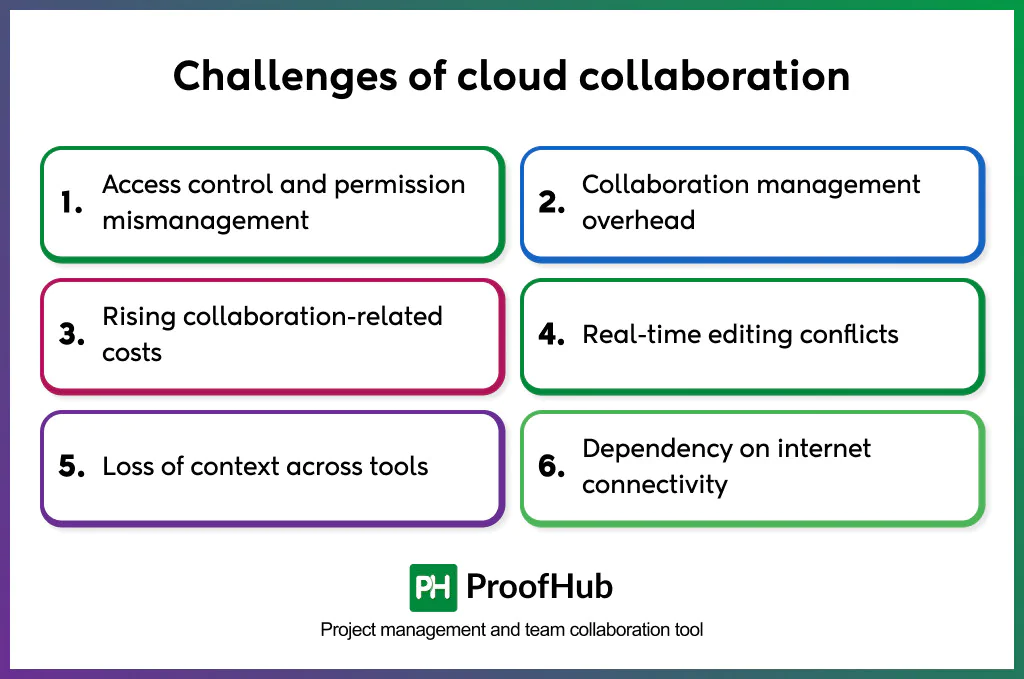
- Access control and permission mismanagement: Collaboration breaks down when users are assigned incorrect access levels. Over-permission exposes sensitive work, while under-permission delays participation, approvals, and feedback, disrupting collaboration across internal teams and external contributors.
- Collaboration management overhead: Managing contributors, ownership, notifications, and workflows becomes complex as collaboration scales. Uncontrolled participation increases coordination effort and administrative burden.
- Rising collaboration-related costs: Costs increase with user licenses, storage consumption, integrations, and external collaborators. When usage visibility is limited, organizations continue to pay for unused licenses, redundant storage, and underutilized integrations, resulting in unnecessary spend tied directly to collaboration activity.
- Real-time editing conflicts: Simultaneous collaboration creates conflicts when multiple users modify the same content without clear ownership or editing rules. This leads to overwritten changes, fragmented input, and confusion about final authority, slowing reviews, reducing content quality, and delaying decisions.
- Loss of context across tools: Collaboration becomes fragmented when conversations, files, and decisions are spread across multiple platforms. Context switching leads to misunderstandings, repeated clarifications, and misaligned execution, slowing progress and increasing rework across teams.
- Dependency on internet connectivity: Collaboration stalls when stable internet access is unavailable, especially across regions. Cloud-based environments require continuous connectivity for real-time participation; network disruptions interrupt workflows, delay decisions, and reduce productivity for distributed teams.
How to implement cloud collaboration in organizations?
To implement cloud collaboration, define collaboration goals and use cases, standardize tools by purpose, establish access rules and ownership, set norms for real-time and asynchronous work, enforce versioning and activity visibility, balance participation and workload, train teams on collaboration practices, not just tools, and plan for connectivity limitations.
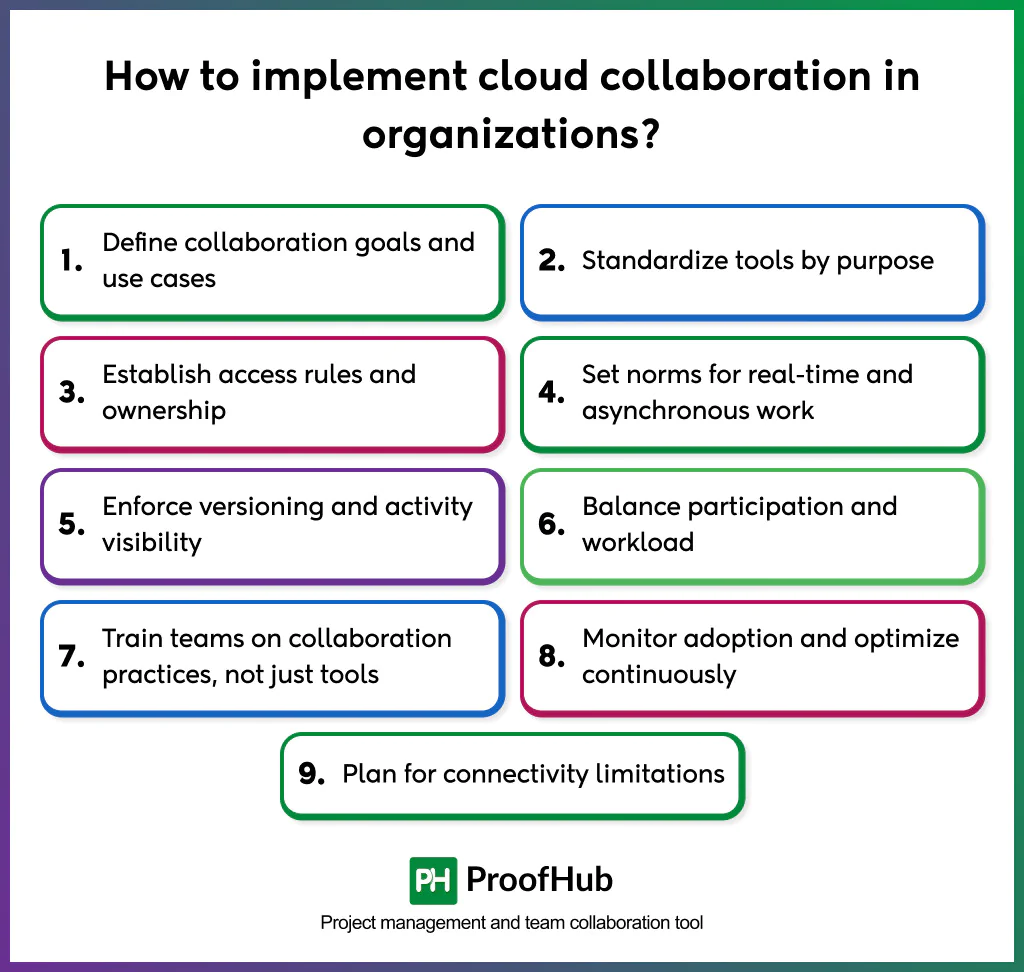
1. Define collaboration goals and use cases
Identify why cloud collaboration is needed and where it will be used. Clarify whether the focus is project execution, content creation, cross-functional coordination, external collaboration, or all of these. Clear use cases prevent over-configuration and tool sprawl from day one.
2. Standardize tools by purpose
Select a limited set of collaboration tools and assign each a clear role (e.g., task management, document collaboration, communication). Avoid overlapping tools that serve the same purpose. Standardization reduces context switching, simplifies onboarding, and keeps work centralized.
3. Establish access rules and ownership
Define who can view, edit, review, and approve shared work. Assign clear owners for tasks, documents, and decisions to create accountability. Align permissions with responsibility to reduce risk, prevent bottlenecks, and keep collaboration auditable.
4. Set norms for real-time and asynchronous work
Set clear guidelines for simultaneous editing, feedback cycles, approvals, and handoffs. Define when real-time collaboration is expected and when asynchronous input is preferred. These norms prevent conflicts, reduce review delays, and protect workflow integrity.
5. Enforce versioning and activity visibility
Ensure version history, change tracking, and attribution are enabled for all shared work. Visibility into changes, contributors, and progress helps teams trace decisions, recover errors, and assess work based on actual activity rather than assumptions.
6. Balance participation and workload
Distribute collaboration responsibilities across the team. Avoid concentrating reviews, coordination, or decision-making with a few individuals. Shared ownership and rotation of high-effort tasks prevent burnout and maintain steady execution.
7. Train teams on collaboration practices, not just tools
Go beyond feature training. Educate teams on collaboration expectations, ownership models, feedback etiquette, and decision workflows. Consistent practices ensure tools are used as intended.
8. Monitor adoption and optimize continuously
Regularly track collaboration usage, participation patterns, storage growth, and access changes. Continuous monitoring reveals gaps in engagement, governance weaknesses, and unnecessary costs.
Optimization ensures collaboration evolves with team size, complexity, and organizational priorities rather than becoming rigid or inefficient.
9. Plan for connectivity limitations
Design collaboration workflows that do not depend on continuous internet access. Enable offline work where possible, define fallback processes for reviews and approvals, and set clear expectations for asynchronous participation during disruptions to ensure work continues without delays.
What are the best tools for cloud collaboration?
The best cloud collaboration tools include Slack and Zoom for communication and video conferencing, and Google Drive and Dropbox for file storage. Google Docs and Microsoft Word for document collaboration; Confluence and Document360 for knowledge management; ProofHub and Trello for project and task management; Miro, Figma, and FigJam for all-in-one collaboration suites; and Google Workspace for all-in-one collaboration suites.
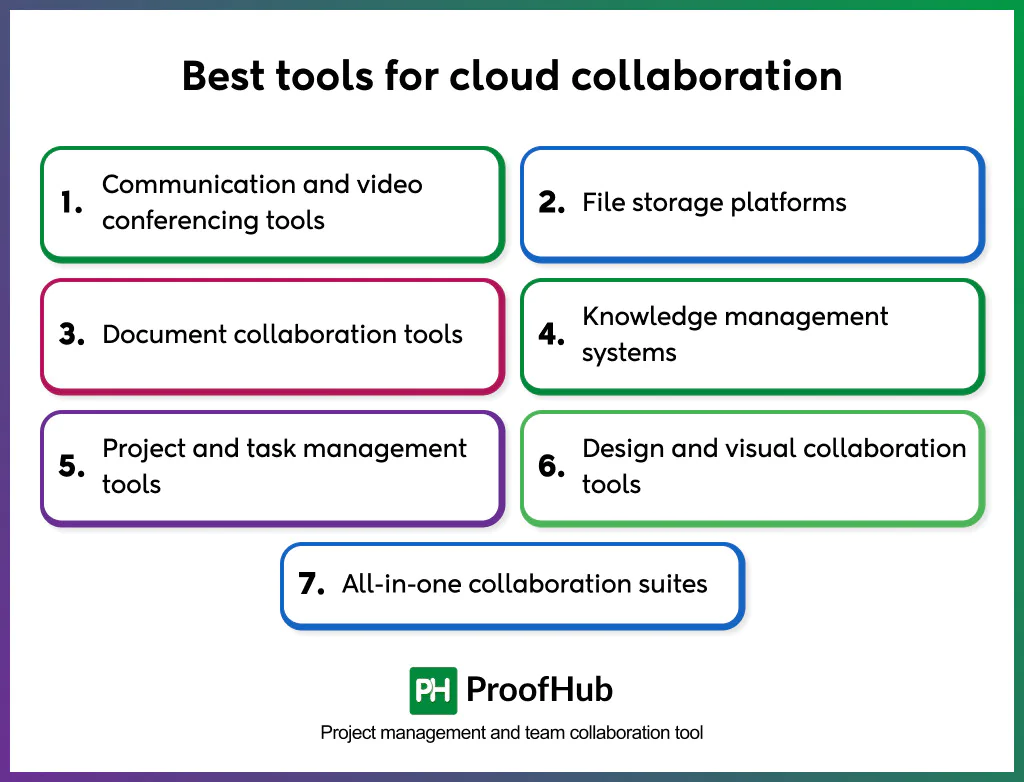
- Communication and video conferencing tools: Enable real-time discussions, quick alignment, and virtual meetings through chat, voice, video, and screen sharing, reducing coordination delays and supporting distributed teams. Examples: Slack, Zoom.
- File storage platforms: Provide centralized cloud storage for files and assets with secure access, sharing controls, and scalability. Their primary role is storage and distribution, not co-creation. Examples: Google Drive, Dropbox, OneDrive.
- Document collaboration tools: Enable multiple users to create, edit, comment on, and review documents simultaneously with version history and change tracking. They focus on content evolution rather than storage. Examples: Google Docs, Microsoft Word.
- Knowledge management systems: Provide centralized repositories for validated organizational knowledge such as policies, processes, documentation, and learning resources, preserving context and institutional memory. Examples: Confluence, Document360.
- Project and task management tools: Organize work through shared task lists, timelines, ownership, and progress tracking, connecting collaboration with accountability and delivery. Examples: ProofHub, Asana, Trello.
- Design and visual collaboration tools: Support shared ideation, visual thinking, design creation, and real-time annotation, enabling teams to co-create concepts that are difficult to express through text alone. Examples: Miro, Figma, FigJam.
- All-in-one collaboration suites: Combine communication, file sharing, task management, and collaboration into a single cloud workspace to reduce tool fragmentation and keep conversations, files, and execution context connected. Examples: Google Workspace, ProofHub.
How is cloud collaboration different from on-premise collaboration?
Cloud collaboration enables teams to work together using internet-based tools that provide centralized access, real-time updates, and the flexibility to collaborate from anywhere. In contrast, on-premise collaboration depends on locally hosted systems, which often limit access to specific locations, require more IT maintenance, and make real-time collaboration slower and less flexible.
| Aspect | Cloud collaboration | On-premise collaboration |
| Definition | Collaboration enabled through cloud computing infrastructure with internet-based access to shared workspaces | Collaboration enabled through locally hosted servers and internal networks |
| Infrastructure | Externally managed cloud platforms with automatic updates and scalability | Internally managed hardware and software requiring maintenance |
| Access model | Location-independent access through the internet | Restricted access through local networks or VPNs |
| Scalability | Instantly scales users, storage, and collaboration scope | Limited by physical infrastructure and IT capacity |
| External collaboration | Supports partners and clients through permission-based access | Complex and often restricted for external users |
| Maintenance responsibility | Managed by the cloud service provider | Managed by internal IT teams |
What are the most common uses of cloud collaboration?
The most common uses include document co-authoring, centralized file storage, project coordination, real-time communication, and shared knowledge management, all enabled by cloud-based collaboration tools.
Teams collaborate on documents in real time by creating, editing, reviewing, and commenting within a single shared workspace. Live updates and version history reduce duplication, minimize rework, and speed up completion. Centralized cloud storage replaces email attachments with secure, permission-based access to data from anywhere.
Cloud collaboration also supports project coordination by centralizing tasks, timelines, dependencies, and ownership on a cloud-based platform, improving visibility and alignment. Additionally, built-in messaging, discussions, video meetings, and screen sharing enable real-time communication, reducing context switching and accelerating decision-making.
Many organizations use cloud infrastructure for shared knowledge management, maintaining centralized access to meeting notes, processes, policies, and training resources to preserve institutional knowledge as teams scale.
How does cloud collaboration support remote and hybrid teams?
Cloud collaboration supports remote and hybrid teams by providing location-independent access to shared workspaces where files, conversations, and updates are available in real-time. This allows team members to collaborate seamlessly, regardless of whether they are working from the office, at home, or in different time zones.
By centralizing communication and work in the cloud, organizations eliminate reliance on physical offices or local servers, ensuring that everyone works from the same source of truth. Features such as multi-device access and role-based permissions further enable remote and in-office employees to contribute equally, maintaining visibility, alignment, and continuity across distributed teams.
How does cloud collaboration impact productivity?
Cloud collaboration improves productivity by eliminating coordination delays, reducing rework, and enabling teams to make continuous progress from a shared workspace.
Teams spend less time searching for files or verifying versions because all updates are centralized, allowing them to focus on executing work. Real-time updates and shared visibility eliminate waiting cycles caused by email-based approvals and manual follow-ups.
At the same time, parallel contributions allow multiple team members to work on the same files simultaneously, while asynchronous access ensures work continues across time zones without idle time.
By keeping work organized, visible, and accessible, cloud collaboration helps teams move faster, stay aligned, and complete tasks more efficiently.
Can cloud collaboration support external partners and clients?
Yes, cloud collaboration supports external partners and clients by providing secure, permission-based access to shared workspaces, files, and communication channels without affecting internal systems.
External users can collaborate within a centralized environment through controlled invitations, eliminating fragmented exchanges via email or file transfers. Role-based permissions clearly define what partners and clients can view, edit, comment on, or approve, while activity logs and version ensure transparency and accountability across organizations.
By combining internet-based access with strong access controls, cloud collaboration enables secure, scalable, and reliable cross-team collaboration.