
A project without a schedule runs on guesswork, where tasks slip, resources clash, and deadlines turn into estimates instead of commitments.
A project schedule fixes these issues by mapping every task, deliverable, and deadline onto one shared timeline, giving a single source of truth for what happens next.
Building and monitoring a schedule keeps a project moving, resources allocated correctly, and deadlines realistic.
This guide breaks down the concept of project schedules in depth, covering what to include, how to build one, and how to track it effectively.
- 1.A project schedule maps every task, milestone, and deliverable to a specific date, owner, and dependency.
- 2.Schedules come in three types: master, milestone, and detailed, each suited to a different audience and level of detail.
- 3.Building a schedule follows seven steps: defining scope, creating a WBS, estimating duration, mapping dependencies, assigning resources, setting a baseline, and monitoring progress.
- 4.Tools like the critical path method, PERT, rolling wave planning, Gantt charts, and agile scheduling each fit different project types, from fixed-sequence launches to fast-changing sprints.
- 5.Effective monitoring, tracking variance, KPIs, and progress reports catch delays early, before they compound into missed deadlines.
What is a project schedule?
A project schedule is a timeline-based plan that outlines all the tasks, milestones, dependencies, resource allocation, and deliverables required to complete a project.
It acts as a roadmap for execution, detailing when work will happen, who is responsible for it, and the logical sequence in which activities must be performed. A schedule translates the project’s scope and work breakdown structure (WBS) into a time-phased document that guides and controls project progress.
Why is creating a project schedule important?
A project schedule is important because it gives clear direction, optimizes resource allocation, improves budget control, helps identify risks early, strengthens stakeholder communication, and keeps delivery on track.
Effective project scheduling ensures the project is delivered successfully while staying within scope and budget.
Here’s why project scheduling matters:
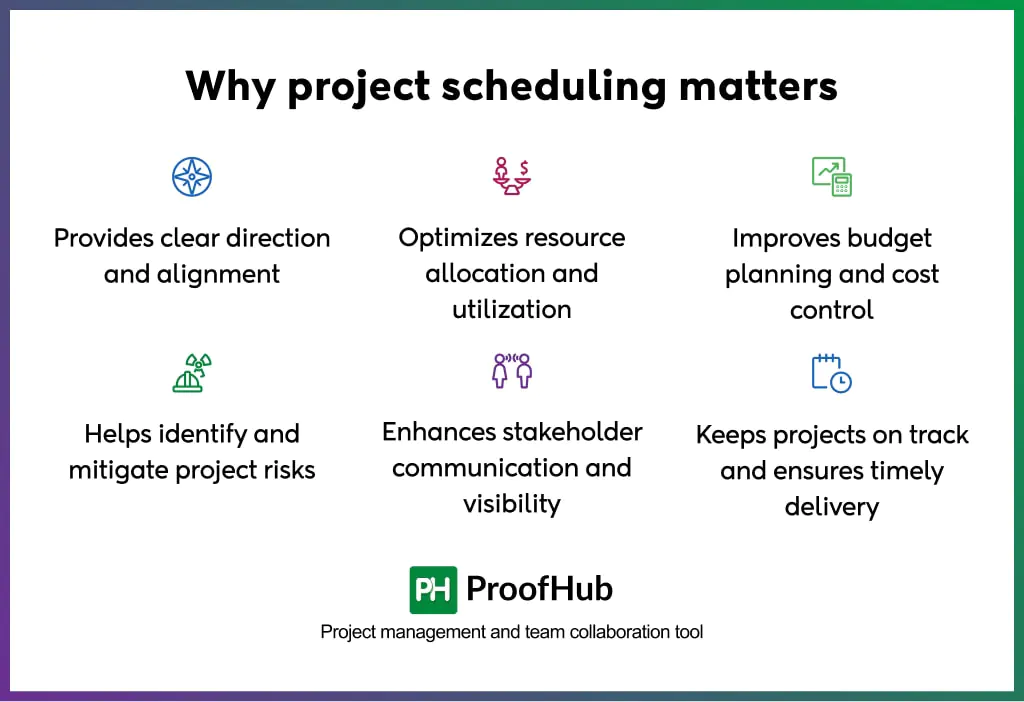
- Provides clear direction and alignment: Eliminates confusion about who’s doing what and when by giving every member a shared reference point for tasks, deadlines, and priorities. The alignment reduces miscommunication and keeps the entire focus on delivering results on time.
- Optimizes resource allocation and utilization: Shows exactly when each resource (people, equipment, or materials) is needed, preventing overlaps and idle time. An accurate project schedule avoids overbooking staff or underusing equipment, making operations more efficient and reducing waste across the project lifecycle.
- Improves budget planning and cost control: Ties tasks to timelines, making it easier to forecast when costs will occur and track spending against milestones. Budget deviations surface early instead of when the damage is done. This proactive visibility keeps the project financially disciplined from start to finish.
- Helps identify and mitigate project risks: Exposes dependencies and bottlenecks before they become critical problems. High-risk phases surface early, allowing contingency plans to be built around them. The foresight minimizes disruptions and keeps the project resilient against unexpected setbacks.
- Enhances stakeholder communication and visibility: Gives stakeholders a transparent view of progress, milestones, and upcoming deliverables. It replaces guesswork with concrete data, building trust and confidence in the project’s direction. Regular visibility keeps everyone aligned and reduces the need for constant status updates.
- Keeps projects on track and ensures timely delivery: Acts as a benchmark against which actual progress is measured. It flags delays immediately, allowing quick corrective action before small slips become major setbacks.
What are the types of project schedules?
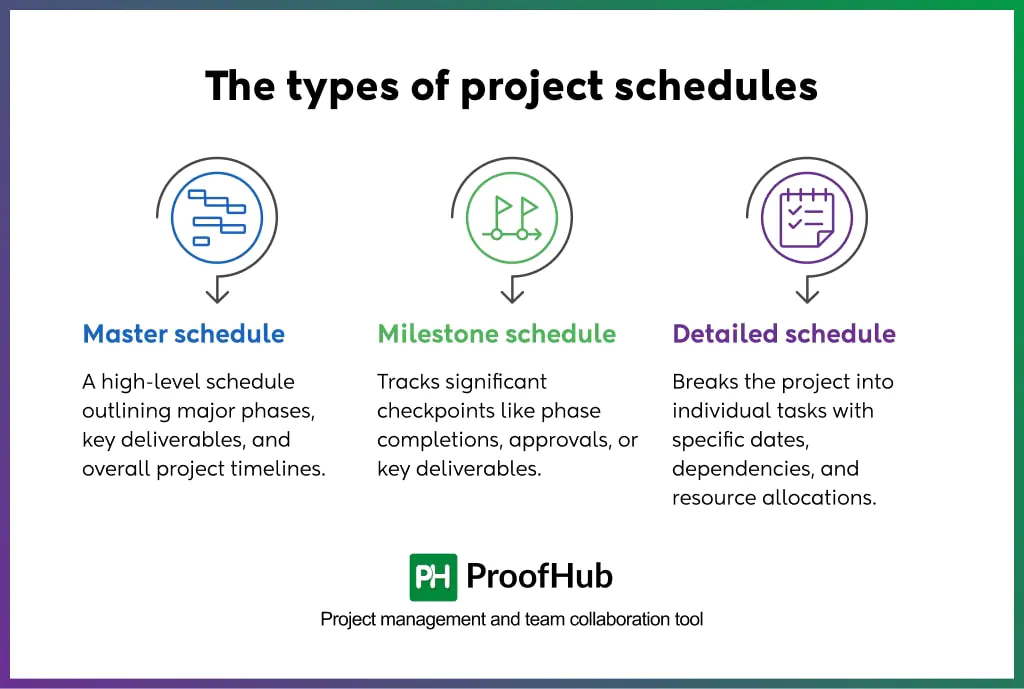
The three types of project schedules are the master schedule, milestone schedule, and detailed schedule. Each type serves a different audience and provides a distinct level of detail, ranging from a high-level project overview to a task-by-task breakdown.
The following are the three types of project schedules:
1. Master schedule
The master schedule is a high-level schedule that outlines major phases, key deliverables, and overall project timelines without diving into task-level detail.
It is built early in planning to give executives and stakeholders a bird’s-eye view of the project’s trajectory.
A master schedule acts as a strategic roadmap that keeps leadership informed and aligned on major deadlines without overwhelming them with granular data.
2. Milestone schedule
A milestone schedule tracks significant checkpoints, such as phase completions, approvals, or key deliverables, without listing every individual task.
It marks progress at critical junctures and confirms the project stays on course.
It clearly highlights achievements and flags delays at pivotal moments, making it easy to communicate progress to stakeholders.
3. Detailed schedule
A detailed schedule breaks the project down into individual tasks, assigning specific start dates, end dates, dependencies, and resource allocations.
It is utilized for managing day-to-day activities and coordinating work, ensuring every task contributes directly to overall project timelines.
What is included in a project schedule?
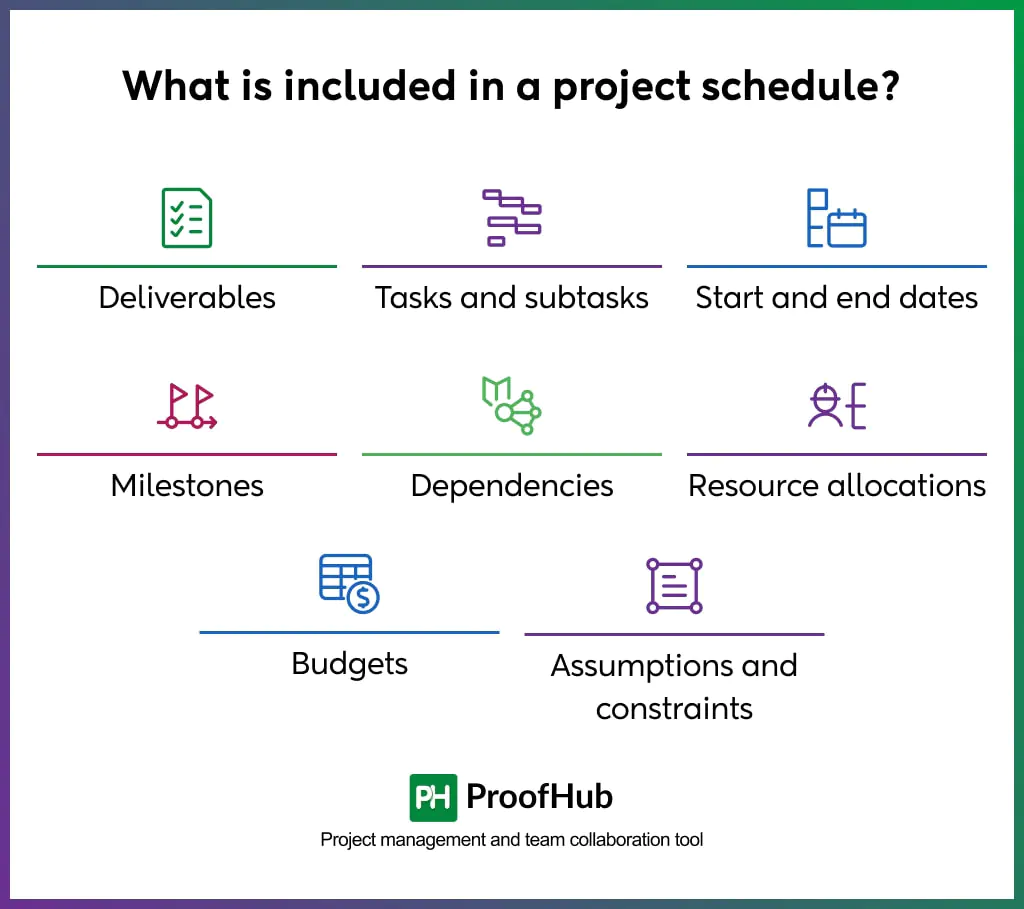
A project schedule includes eight core elements: deliverables, tasks and subtasks, start and end dates, milestones, dependencies, resource allocations, budgets, and assumptions and constraints. Together, these elements turn a project’s scope into a trackable, time-based plan.
Here is what the project schedule includes:
- Deliverables: The specific outputs the project must produce, such as a report, feature, or final product. Each deliverable ties to one or more tasks and a completion date. They are tracked against the schedule to confirm the project meets its defined scope.
- Tasks and subtasks: The individual units of work required to produce each deliverable, broken down into smaller, manageable pieces. A single deliverable is often split into multiple tasks and subtasks by following the work breakdown structure; each is assigned to a specific owner. This breakdown provides a clear, actionable list of what to complete and when.
- Start and end dates: The specific dates assigned to every task, subtask, and phase, marking exactly when each piece of work begins and finishes. Together, they form the timeline that anchors the entire schedule from kickoff to completion. Clear dates measure progress against the plan and catch slippage before it compounds.
- Milestones: Key checkpoints that mark the completion of a major phase or deliverable, such as design approval or product launch. As a decision gate, a milestone occurs at a single point in time and carries no duration of its own. It is used to quickly assess progress without the need to review each individual task.
- Dependencies: The relationships between tasks that determine which activities must finish before others can start. A task with an unresolved dependency delays every task linked to it downstream. Mapping dependencies prevents scheduling conflicts before they affect the timeline. This keeps tasks running in the right order.
- Resource allocations: The people, tools, equipment, and materials that are required and assigned to complete each task on the project schedule. Allocations show exactly what a task needs and confirm that capacity exists to complete it on time. This prevents double-assigning and keeps workloads realistic.
- Budgets: The cost assigned to each task, based on the time and resources it consumes. Budgets tied to the schedule let you track spending against progress in real time. This turns cost control into an ongoing check instead of an end-of-project surprise, with over-budgeting signaling a need to reassess resource allocation.
- Assumptions and constraints: Assumptions are the beliefs a schedule depends on, while project constraints are the fixed boundaries it must work within: things like budget caps, deadlines, or resource limits. Documenting both early prevents surprises when conditions shift during execution and gives a clear reference point for renegotiating scope if an assumption turns out to be wrong.
7 Steps to create a project schedule
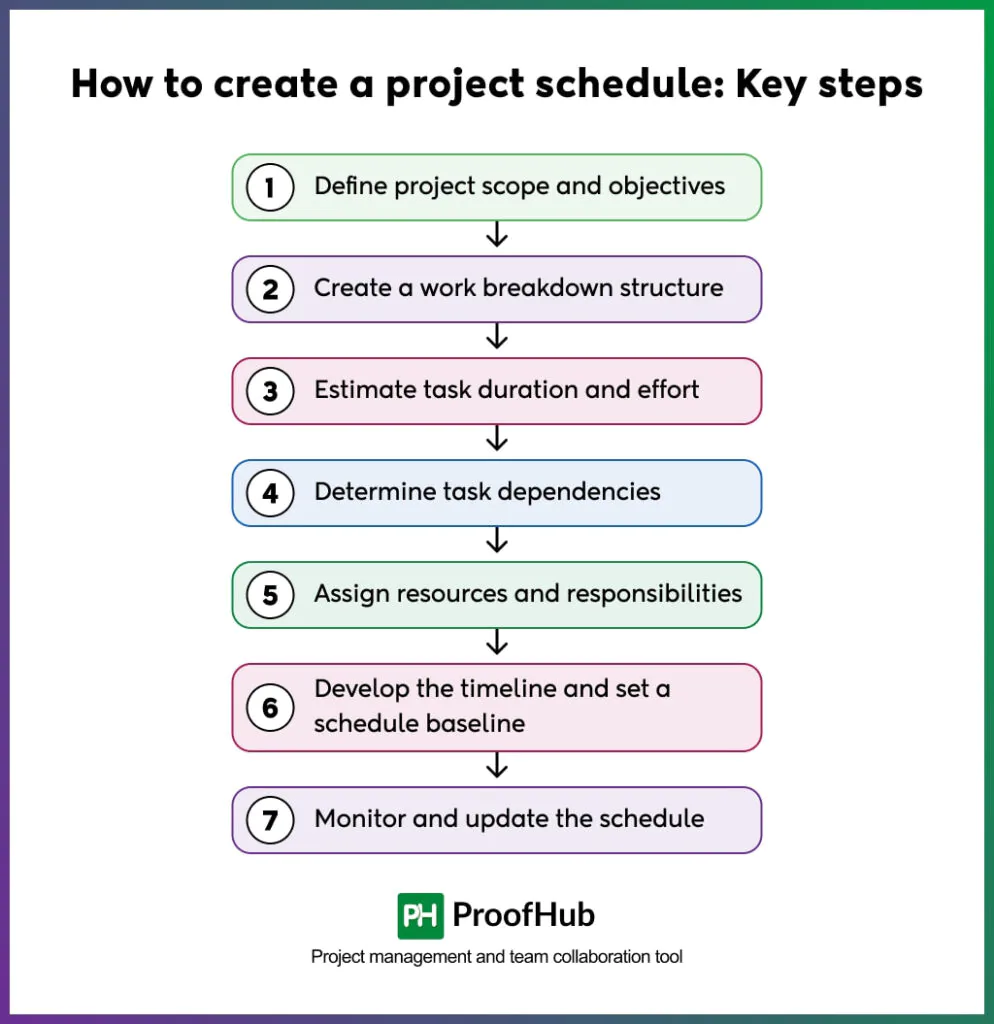
Creating a project schedule involves seven key steps: defining scope, building a work breakdown structure, estimating task duration, mapping dependencies, assigning resources, setting a baseline, and monitoring progress.
Each step builds on the one before it, turning a project’s scope into a fully sequenced, trackable timeline.
Here are the key steps to create a project schedule:
1. Define project scope and objectives
Defining Scope sets the boundaries of what the project will and won’t deliver, giving every later step a clear reference point.
Document objectives, deliverables, and exclusions before any scheduling begins, since vague scope leads to inaccurate timelines and constant rework. This step also aligns stakeholders early, preventing conflicting expectations down the line.
For example, a website redesign project might define scope as “redesign the homepage and product pages” while explicitly excluding backend infrastructure changes, keeping the schedule focused only on what’s actually in play.
2. Create a work breakdown structure (WBS)
A Work Breakdown Structure splits the project into smaller, manageable components, moving from broad phases down to individual tasks.
It helps organize work hierarchically, breaking deliverables into sub-deliverables and then into specific, assignable tasks. WBS makes the project easier to estimate, schedule, and track, since every task ties back to a defined deliverable rather than floating in isolation.
For example, a “Website Redesign” WBS might break into phases like Design, Development, and Testing, with Development further split into tasks like “build homepage” and “integrate payment gateway.”
3. Estimate task duration and effort
Estimating task duration and effort determines how long each task will take and how much work it requires, forming the numerical backbone of the schedule.
Estimates are pulled from historical data, expert judgment, or techniques like three-point estimation, adjusting for task complexity and resource skill level.
Accurate estimates here prevent unrealistic timelines from taking root before the schedule even exists.
For example, “build homepage” might take an estimated 40 hours across five days, based on similar tasks completed in past website projects.
4. Determine task dependencies
Dependencies define the order in which tasks must happen, showing which activities need to finish before others can start.
Mapping these relationships early avoids scheduling conflicts and identifies the critical path, like the sequence of dependent tasks that determines the project’s minimum duration.
Missing a dependency here often causes downstream delays that surface only after work is already underway.
For example, “integrate payment gateway” can’t start until “build homepage” finishes, since the gateway relies on homepage elements already being in place.
5. Assign resources and responsibilities
Resource assignment matches each task to the people, tools, or equipment needed to complete it, confirming capacity exists before work begins.
Check availability against other commitments to avoid burdening or over-allocating shared resources. Clear ownership at this stage improves accountability, since everyone knows exactly what they’re responsible for delivering.
For example, a senior developer might get assigned to “integrate payment gateway” while a junior developer handles “build homepage,” matching skill level to task complexity.
6. Develop the timeline and set a schedule baseline
Timeline development pulls together tasks, durations, and dependencies into a single visual schedule, often using a Gantt chart.
Once finalized, this version is locked as the baseline, the reference point against which all future progress gets measured.
The baseline becomes essential for tracking variance and communicating status accurately throughout execution.
For example, a project baseline might show the “Design” phase running from June 1–15, giving the team a fixed benchmark to compare actual progress against later.
7. Monitor and update the schedule
Monitoring keeps the schedule accurate by comparing actual progress against the baseline on a regular cadence, catching delays before they compound.
The schedule gets updated whenever dependencies shift, risks materialize, or tasks finish ahead of or behind plan, keeping it a living document rather than a static file.
Consistent monitoring protects the entire timeline from drifting out of sync with reality.
For example, if “build homepage” runs three days over estimate, the team adjusts the “integrate payment gateway” start date immediately rather than letting the delay go unnoticed.
What are the tools and techniques for developing project schedules?
The five core tools and techniques for developing project schedules are the critical path method, PERT, Gantt charts, rolling wave planning, and agile scheduling.
Each fits a different project type, from fixed-sequence web development work to fast-changing software development.
Here are the tools and techniques used to develop project schedules:
1. Critical path method (CPM)
The critical path method (CPM) is a technique used to identify the longest sequence of dependent tasks that sets a project’s minimum completion time.
The CPM identifies the most important tasks without any slack, meaning any delay to these specific activities directly pushes the project’s deadlines.
It maps activities and dependencies in a network diagram to calculate the earliest start and latest finish times for every task. CPM works best for projects with fixed, sequential tasks, such as campaigns or web development.
In the “PH paid campaign” project, the critical path includes data analysis, target audience identification, product messaging, and landing page content, with each task dependent on the completion of the previous one. A delay in product messaging pushes back every dependent task after it, delaying the campaign launch.
2. PERT
The program evaluation and review technique (PERT) is a probabilistic scheduling method designed to manage projects where task durations are uncertain or highly variable.
It utilizes three-point estimating to calculate an expected duration by weighting optimistic, pessimistic, and most likely timeframes. The final expected time is derived from a specific weighted formula: (Optimistic + 4 x Most Likely + Pessimistic) / 6.
PERT works best for new or complex projects with no historical data to draw from, such as R&D or early-phase design projects.
For example, a product team estimates that building a new search feature will take 5 days optimistically, 15 days pessimistically, and 8 days most likely. Using the PERT formula, the expected duration comes to 8.5 days, a more realistic estimate than a single guess.
3. Gantt charts
A Gantt chart is a visual representation of project schedules that map tasks and deliverables across a horizontal timeline. These charts provide a clear overview of the start and end dates for each activity, facilitating easy tracking of deadlines and progress.
By linking tasks, they visualize logical dependencies to help project managers identify potential bottlenecks and manage resources. Project management tools like ProofHub provide built-in Gantt charts for tracking dependencies and adjusting schedules in real time.
Gantt charts are ideal for structured projects that require detailed tracking of tasks and predictable timelines.
For example, a marketing team’s Gantt chart shows ‘content creation’ running in weeks 1-2, and ‘Design’ overlapping in weeks 2-3. ‘Campaign launch’ starts in week 4, once both dependent tasks are complete.
4. Rolling wave planning
Rolling wave planning is an adaptive planning technique where near-term work is scheduled in detail, while future work remains high-level until more information becomes available.
Project managers plan the next phase or sprint in full task-level detail. They leave later phases as broad milestones, then progressively add detail as the project advances and requirements become clearer.
This approach is particularly effective for complex, dynamic projects that have frequently evolving requirements.
For example, an app development team plans the current two-week sprint task by task, covering login and onboarding screens. They keep next month’s payment integration phase as a single milestone, then break it into detailed tasks once the current sprint finishes and requirements firm up.
5. Agile scheduling
Agile scheduling is an incremental, adaptive method that prioritizes flexibility and iterative delivery over rigid long-term plans.
Agile scheduling decomposes work into small units called “user stories,” which teams complete in fixed, time-boxed iterations known as sprints.
Teams use velocity tracking to measure how much work they can realistically complete in each cycle based on previous performance.
Agile scheduling works best for software projects or digital transformation projects with evolving requirements or frequent feedback cycles.
For example, a development team commits to three login-related user stories in a two-week sprint. Based on last sprint’s velocity of 20 story points, they scoped this sprint to the same capacity instead of overcommitting.
How to monitor a project schedule effectively?
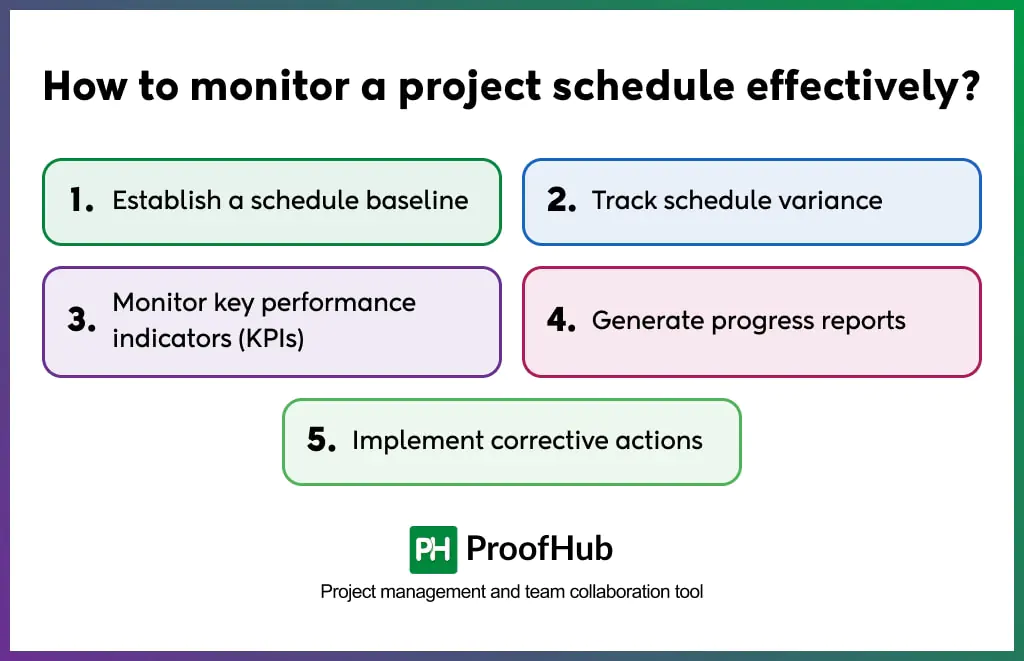
Effective schedule monitoring involves five actions: establishing a baseline, tracking variance, monitoring KPIs, generating progress reports, and implementing corrective actions. Together, these steps turn a static schedule into an active tracking tool.
Here’s how each one works:
- Establish a schedule baseline: Lock the approved schedule as the fixed reference point before execution begins. Every future comparison of actual progress against the plan depends on this baseline, since it defines what “on time” and “on budget” actually mean for the project.
- Track schedule variance: Compare actual task completion dates against the baseline dates on a regular basis. This shows exactly which tasks are ahead, on time, or behind, so managers can address delays before they spread to dependent tasks.
- Monitor key performance indicators (KPIs): Track metrics such as schedule performance index (SPI), task completion rate, and milestone hit rate throughout execution. Metrics give an objective, data-backed view of project health instead of relying on gut feeling.
- Generate progress reports: Summarize task status, variance, and KPI data into a report shared with stakeholders on a set schedule. Regular reports keep stakeholders aligned and give them visibility to raise concerns before delays become critical.
- Implement corrective actions: Adjust the schedule, reassign resources, or re-sequence tasks based on the variance and KPI data collected. This closes the loop between monitoring and action, keeping the project on track instead of just documenting that it slipped.
What are the common challenges in creating a project schedule?
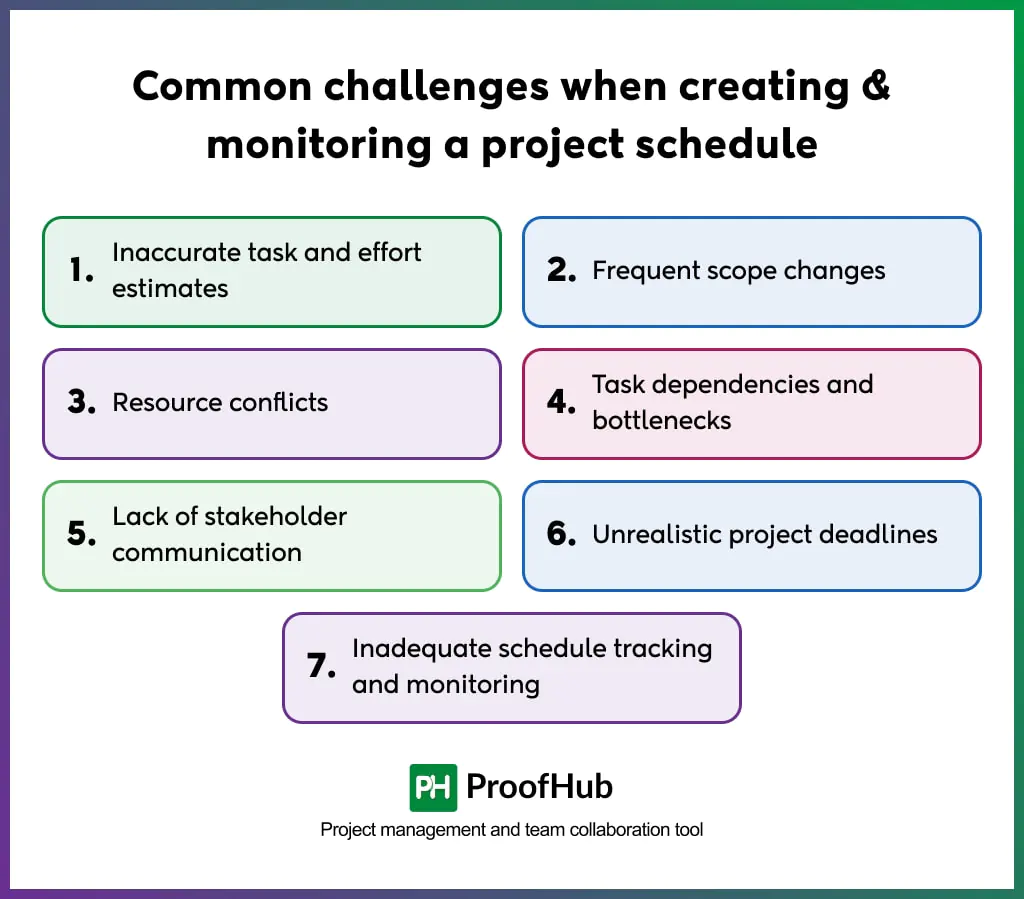
The common challenges when creating a project schedule are: inaccurate estimates, frequent scope changes, resource conflicts, dependency bottlenecks, poor stakeholder communication, unrealistic deadlines, and inadequate tracking. Each one traces back to a specific root cause, and each one has a direct fix.
Address these proactively, and your schedule stays accurate instead of becoming a document nobody trusts.
Here’s how to tackle each challenge head-on:
- Inaccurate task and effort estimates: Underestimating task duration when they skip historical data and rely on guesswork instead of expert input. Compare new estimates against past project timelines and build in buffer time for high-uncertainty tasks to close this gap.
- Frequent scope changes: New feature requests and shifting stakeholder priorities expand the scope after the schedule is already locked. Enforce a formal change-request process that requires approval and a documented impact assessment before any scope change moves forward.
- Resource conflicts: Resource conflicts stall projects fast. Assigning the same equipment to multiple tasks simultaneously creates bottlenecks the moment capacity runs short. Track resource availability alongside the schedule to catch overlaps and prevent conflicts before they escalate.
- Task dependencies and bottlenecks: Poorly mapped dependencies force tasks to wait on others that haven’t finished, stalling the entire schedule. Map every dependency during planning and identify the critical path early, so bottlenecks get flagged long before execution begins.
- Lack of stakeholder communication: Delays and shifts often go unreported until it’s too late for stakeholders to adjust their plans. Share status updates on a fixed cadence and flag major changes immediately to keep trust intact and surprises off the table.
- Unrealistic project deadlines: Leadership sets launch dates based on business goals rather than on what the schedule and available resources can actually support. Validate every deadline against the estimated timeline before committing, and negotiate scope or resources when the gap is too wide to close.
- Inadequate schedule tracking and monitoring: A schedule treated as a one-time planning document instead of an active tool quickly drifts from reality. Set a fixed cadence for reviewing variance and updating the schedule, rather than checking in only after problems surface.
Free project schedule template
Here’s a free template to help: a ready-to-use project schedule paired with built-in tracking for milestones, dependencies, and resource allocations, letting you start planning a timeline in minutes instead of building a system from scratch.
Free Project schedule template
Take control of your timeline with a clear scheduling approach. Download the Project Schedule Template to plan tasks, track milestones, and keep your project moving forward, every step of the way.
Download the free template nowWhat’s in this free template for a project schedule
The free template has a working Excel file with 6 tabs:
- Instructions – legend and how-to-use steps
- Master Schedule – phase-level rollup (auto-calculated from task data)
- Detailed Schedule – full task breakdown: ID, WBS phase, deliverable, owner, dates, duration (formula), dependencies, milestone flag, resources, budget, status, % complete, assumptions/constraints
- Gantt Chart – auto-shaded timeline built from the Detailed Schedule dates
- Milestones – auto-pulled from rows flagged Milestone = Y, with target vs. actual date and status
- Variance Tracker – baseline vs. actual dates, schedule variance, and SPI
Please Note: It’s pre-filled with the “build homepage → integrate payment gateway → QA → launch” example sequence used above in the blog, so the dependency chain and milestone logic are visible in action. Yellow cells are where you can edit. Swap the example rows for real project data, and it’s ready to use.
What is the difference between a project schedule and a project plan?
A project schedule is a timeline-based document that maps out when each task in a project starts, finishes, and depends on other tasks. It assigns specific dates, durations, and resources to every activity, showing the sequence of work from kickoff to completion. A schedule answers the “when,” it’s typically visualized through tools like Gantt charts, calendars, or milestone timelines and gets updated continuously as work progresses.
A project plan is a comprehensive document that defines a project’s scope, objectives, deliverables, budget, risks, resources, and approach. It answers the “what, why, and how,” covering everything from stakeholder roles to quality standards to communication protocols. The plan is created once at the outset (though revised as needed) and serves as the master reference guide for the entire project lifecycle.
Here is in depth difference explanation between the two:
How do dependencies affect a project schedule?
Dependencies determine the sequence in which tasks can happen, since certain tasks can’t start until others finish. A delay in one dependent task pushes back every task linked to it downstream, which can shift the entire project timeline if left unmanaged.
Mapping dependencies early lets project managers spot potential bottlenecks before they disrupt the schedule. This makes dependency tracking essential for keeping tasks aligned and the project moving on time.
How often should you update a project schedule?
You should update a project schedule weekly at a minimum, with additional updates whenever a milestone is completed, a dependency shifts, or a risk materializes that affects the timeline. Weekly reviews catch small delays before they cascade into larger scheduling conflicts downstream.
Fast-moving projects with tight deadlines may need updates twice a week, while stable, long-term projects can often shift to a bi-weekly cadence without losing control.
For example, an app development team reviews the schedule every Friday during active sprints. It updates immediately if a delayed API integration pushes back a dependent task.
Conclusion
A project schedule turns scope into action. It gives every task a date, every deliverable an owner, and every deadline a clear path to completion.
Building one well means starting with a defined scope, breaking work into a WBS, mapping dependencies, and setting a locked baseline. Monitoring it well means tracking variance and KPIs consistently, not just when problems surface.
Teams that treat scheduling as an ongoing practice, not a one-time document, catch delays early and deliver on time. Start with the free template above and build a schedule that actually holds.