Content collaboration platforms are digital applications that enable teams to create, review, approve, and manage content together within a single shared workspace.
A content collaboration tool supports structured collaboration by keeping documents, feedback, versions, and workflows connected, allowing teams to work efficiently across roles, locations, and timelines.
Instead of relying on email exchanges, disconnected files, and manual approvals, content collaboration platforms centralize content discussions, revisions, and decisions in one system. This removes confusion, preserves context, and ensures every contributor works from the same version of content.
By streamlining content workflows, improving visibility into review and approval status, and maintaining controlled access, content collaboration tools help teams deliver accurate, high-quality content at speed.
Here is the list of the best content collaboration tools.
| Sr. no. | Tool | Best for | Key features | Pricing (billed annually) | Rating |
| 1. | Google Workspace | Real-time document collaboration and cloud-based content creation | Real-time co-authoring, comments & suggestions, Google Drive storage, version history, permission-based sharing, Gmail & Meet integration | Starter: $7/user/mo Standard: $14/user/mo Plus: $22/user/mo Enterprise: Contact sales | G2: 4.6 Capterra: 4.7 |
| 2. | Microsoft 365 | Enterprise-grade content collaboration with document control | Office co-authoring, SharePoint & OneDrive storage, versioning, access controls, Teams integration, security & compliance | Basic: $6/user/mo Standard: $12.50/user/mo Premium: $22/user/mo | G2: 4.6 Capterra: 4.6 |
| 3. | Notion | Flexible content organization and collaborative documentation | Collaborative editing, pages & databases, comments & mentions, templates, permissions, knowledge management | Free for 1 user Plus: $10/user/mo Business: $20/user/mo Enterprise: Contact sales | G2: 4.7 Capterra: 4.7 |
| 4. | Planable | Social media management for agencies and marketing teams | Custom approval workflows, Dedicated client workspaces, Real-time collaboration, Unified social inbox | Free for 1 user Basic: $33/workspace/mo (unlimited users) Pro: $49/workspace/mo (unlimited users)mo | G2: 4.6 Capterra: 4.5 |
| 5. | Confluence | Documentation and internal content collaboration | Collaborative pages, structured spaces, version history, comments, templates & macros, access controls | Free for 10 users Standard: Starts $680/year Premium: Starts $1300/year Enterprise: Contact sales | G2: 4.1 Capterra: 4.5 |
| 6. | ProofHub | Structured content collaboration, review workflows, and controlled approvals | Centralized files, proofing & annotations, custom workflows, approvals, version control, discussions, task tracking | Essential: Flat $45/mo (unlimited users) Ultimate Control: Flat $89/mo (unlimited users) | G2: 4.6 Capterra: 4.5 |
| 7. | Quip | Collaborative documents and team-driven content workflows | Real-time co-authoring, inline comments & chat, embedded spreadsheets, version history, permissions, mobile access | Starter: $10/user/mo Plus: $25/user/mo Advanced: $100/user/mo | G2: 4.2 Capterra: 4.4 |
| 8. | Box | Secure content storage and controlled collaboration | Secure cloud storage, file sharing, version history, inline comments & tasks, permissions, compliance controls | Business: $15/user/mo Business Plus: $25/user/mo Enterprise: $35/user/mo Enterprise Plus: $50/user/mo Enterprise Advanced: Contact the team | G2: 4.2 Capterra: 4.4 |
| 9. | Zoho WorkDrive | Team-centric cloud storage and collaborative file management | Team folders, real-time document editing, comments, version history, permission controls, Zoho integrations | Starter: $2.50/user/mo Team: $4.50/user/mo Business: $9/user/mo Enterprise: Contact sales | G2: 4.4 Capterra: 4.6 |
| 10. | Bit.ai | Interactive documents and knowledge-centric collaboration | Rich documents, real-time editing, comments, templates, workspaces, version history, permissions | Free for 5 users Pro: $8/user/mo Business: $15/user/mo | G2: 4.1 Capterra: 5.0 |
| 11. | Axero | Social content collaboration and intranet knowledge hubs | Collaborative pages, structured knowledge libraries, discussions, search, version history, role-based permissions | Custom pricing (contact Axero) | G2: 4.3 Capterra: 4.5 |
| 12. | CoSchedule | Content planning, editorial calendars, and coordinated publishing | Shared calendars, task assignments, workflow automation, comments & mentions, publishing integrations, reporting | Free for 1 user Social Calendar: $19/user/mo Agency Calendar: $59/user/mo Content Calendar: Contact sales Marketing Suite: Contact sales | G2: 4.3 Capterra: 4.4 |
1. Google Workspace
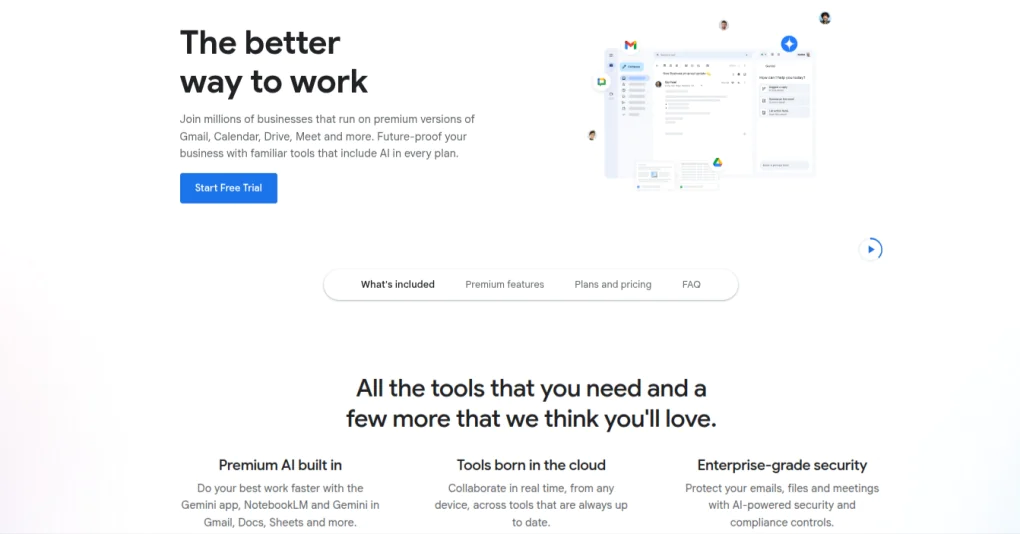
Google Workspace is a cloud-based content collaboration tool that enables teams to create, edit, and share content in real time. It combines document creation, file storage, communication, and collaboration tools into a unified ecosystem designed for fast-moving teams.
Teams collaborate simultaneously on documents, spreadsheets, and presentations while comments, suggestions, and version history remain attached to the content. Shared drives and permission controls allow internal teams and external collaborators to access content without duplicating files or losing context.
Key features
- Real-time co-authoring: Multiple users edit the same document at once with instant updates and live cursor visibility.
- Commenting and suggestion mode: Add contextual comments and suggested edits directly within content.
- Cloud-based file storage: Store and organize content using Google Drive with shared folders and controlled access.
- Version history and recovery: Track changes over time and restore previous versions without data loss.
- Permission-based sharing: Control viewing, commenting, and editing rights for internal teams and external collaborators.
- Integrated communication tools: Connect with Gmail, Google Meet, and Google Chat for contextual discussions.
- Cross-device accessibility: Access and edit content from any device without requiring local files.
Pros
- Strong real-time collaboration and editing experience
- Minimal onboarding and high familiarity for most teams
- Seamless integration across Google applications
- Reliable cloud access and automatic saving
Cons
- Limited structured approval workflows
- Less control over complex content review processes
- Not designed for content lifecycle governance
Pricing
Google Workspace offers four pricing plans:
- Starter: $7/user per month (billed annually)
- Standard: $14/user per month (billed annually)
- Plus: $22/user per month (billed annually)
- Enterprise: Contact the support team
Rating
- G2: 4.6
- Capterra: 4.7
2. Microsoft 365

Microsoft 365 lets teams create, review, store, and manage content across integrated productivity applications. It offers document authoring, file management, communication, and security controls to support structured collaboration at scale.
Teams collaborate on documents in shared workspaces, where edits, comments, and version history are synchronized. SharePoint and OneDrive centralize content storage, while permission controls and compliance features govern access to sensitive materials across teams and external collaborators.
Key features
- Co-authoring across Office applications: Edit Word, Excel, and PowerPoint files simultaneously with real-time updates and tracked changes.
- Centralized content storage: Manage documents through SharePoint libraries and OneDrive with structured folders and metadata.
- Versioning and document history: Track revisions, restore previous versions, and maintain content accuracy across edits.
- Access controls and permissions: Define granular user roles and sharing rights for internal teams and external stakeholders.
- Integrated communication and collaboration: Connect content workflows with Microsoft Teams for discussions, meetings, and file collaboration.
- Enterprise security and compliance: Apply encryption, data loss prevention, audit logs, and regulatory compliance controls.
- Workflow automation support: Automate content-related processes using built-in workflow and approval capabilities.
Pros
- Strong document control and enterprise governance
- Familiar interface for organizations using Microsoft tools
- Deep integration across productivity and collaboration apps
- Scales well for large teams and regulated environments
Cons
- Complex setup for smaller teams
- Learning curve for advanced collaboration features
- Content workflows depend heavily on configuration
Pricing
Microsoft offers three pricing options for businesses:
- Basic: $6.00/user per month (billed annually)
- Standard: $12.50/user per month (billed annually)
- Premium: $22.00/user per month (billed annually)
Rating
- G2: 4.6
- Capterra: 4.6
3. Notion
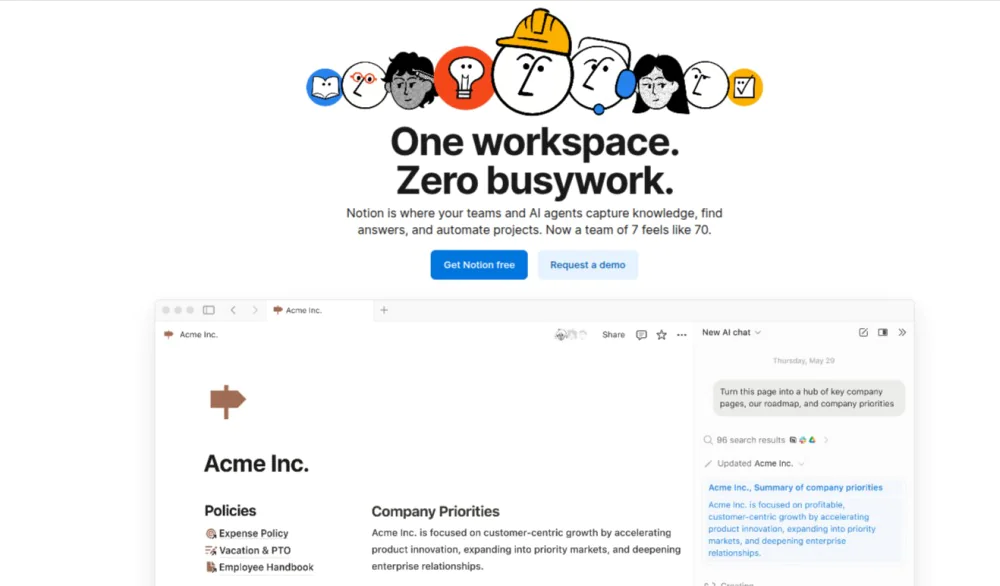
Notion is a knowledge management and collaboration tool that enables teams to create, organize, and collaborate on content within customizable workspaces. It centralized wikis, documents, databases, and knowledge bases to support structured yet adaptable content workflows.
Teams co-author content in real time, leave contextual comments, and organize information using linked pages and databases. Notion supports content planning, documentation, and internal knowledge sharing rather than formal approval-driven workflows.
Key features
- Collaborative page editing: Multiple users edit the same page simultaneously with live updates and comments.
- Flexible content structuring: Organize content using pages, blocks, and databases tailored to different content types.
- Version history and page activity: Track changes and review edit history to maintain content accuracy.
- Comments and mentions: Add contextual feedback and tag collaborators directly within content.
- Templates and reusable layouts: Standardize content creation using predefined or custom templates.
- Permissions and access control: Define who can view, comment on, or edit pages and databases.
- Integrated knowledge management: Connect content across workspaces to build searchable internal documentation.
Pros
- Highly flexible and customizable content organization
- Strong for documentation and knowledge sharing
- Easy to adapt for multiple content use cases
- Supports collaborative writing and planning
Cons
- Limited native approval and workflow controls
- Less suited for structured content review processes
- Performance decline with large content volumes
Pricing
Notion offers four pricing options to choose from:
- Free: Free for individual usage
- Plus: $10/member per month (billed annually)
- Business: $20/member per month (billed annually)
- Enterprise: Contact the sales team for details
Rating
- G2: 4.7
- Capterra: 4.7
4. Planable

Planable is a social media management tool for agencies and marketing teams that combines content creation, collaboration, approvals, scheduling, and performance tracking in one centralized workspace. It is designed around the agency-client workflow: teams plan and produce content, then clients review and approve it in-context. This eliminates much of the back-and-forth that typically comes from emailing drafts, sending documents, or sharing screenshots.
Teams build posts with platform-accurate, pixel-perfect previews for each social network, move content through customizable approval stages, and keep client feedback clearly separated from internal discussions.
With dedicated workspaces for each client or brand, a unified social inbox, and cross-channel analytics, Planable is a strong fit for agencies managing multiple accounts that need tight control over the review process and clear visibility into results.
Key features
- Custom approval workflows: Define approval rules (none, optional, mandatory, or multi-level) per workspace, so each client’s content follows the right review steps before publishing.
- Real-time collaboration and feedback: Add inline comments, annotations, and text suggestions directly on posts. Internal notes remain hidden from clients, so teams can align privately before sharing externally.
- Dedicated client workspaces: Create a separate workspace for each client or brand with its own content library, permissions, and approval settings to keep accounts organized as you scale.
- Multiple content views: Toggle between feed, grid, calendar, and list views to plan, review, and bulk-edit content from the perspective that best matches the task.
- Cross-channel analytics: Measure performance across connected platforms with aggregated metrics, audience insights, top-post highlights, and custom date-range reporting. Reports can be exported or shared via link.
- Unified social inbox: Manage incoming comments across Facebook, Instagram, LinkedIn, and TikTok in a single inbox. Sort by status, group by sentiment, and reply with AI-assisted suggestions without leaving Planable.
- Planable AI: Generate captions, rewrite drafts, brainstorm post ideas, and draft comment replies inside the post composer to speed up content production.
- Guest view sharing: Share a view-only link to a single post or an entire content plan with clients or stakeholders. No login required and no onboarding friction.
Pros
- Approval workflows are tailored to agency-client review cycles, with multi-level approvals and clear separation between internal and client-facing comments
- Clean, intuitive interface with pixel-perfect previews that reduce revisions and shorten approval timelines
- Workspaces scale well across multiple brands and client accounts
- Combines planning, collaboration, scheduling, analytics, and inbox management in a single tool
- Mobile app supports approvals and content review on the go
Cons
- No native CMS integrations for publishing website content
- No built-in social listening or monitoring features
Pricing
- Basic: $33 per workspace per month. unlimited users, 4 workspaces, 2 types of approval
- Basic: $49 per workspace per month. unlimited users, 10 workspaces, 3 types of approval
- Enterprise: custom pricing. Unlimited users & posts, unlimited campaigns, multi-level approval
Rating
- G2: 4.6
- Capterra: 4.5
5. Confluence
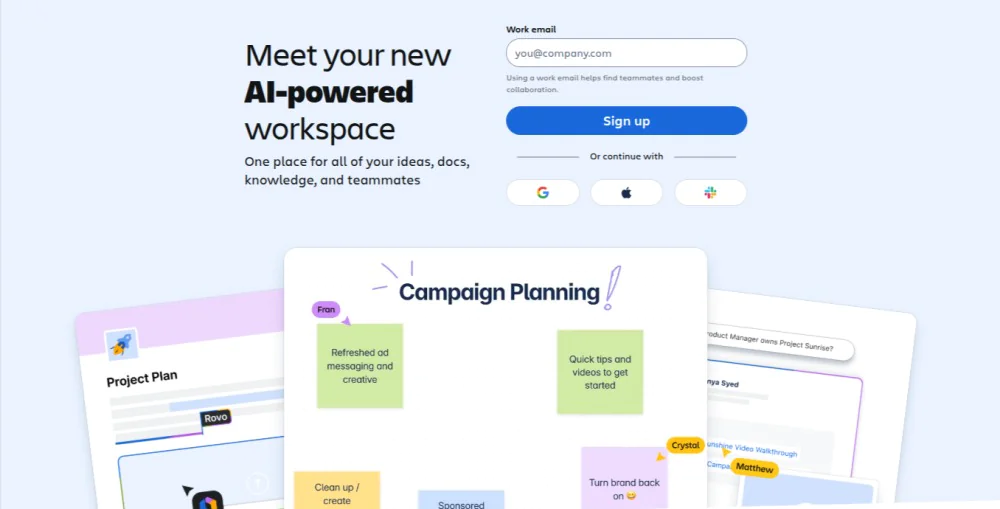
Confluence is designed for creating, organizing, and maintaining shared documentation within teams. It provides a centralized space where content is authored collaboratively and preserved as long-term organizational knowledge.
Teams co-edit pages, add contextual comments, and structure content using spaces and hierarchies. Version history and access controls ensure documentation remains accurate, governed, and accessible to the right audiences across the organization.
Key features
- Collaborative page editing: Create and edit documentation together with real-time updates and inline comments.
- Structured content spaces: Organize content into spaces, pages, and hierarchies to maintain clarity and discoverability.
- Version control and page history: Track revisions, compare changes, and restore earlier versions when needed.
- Comments and mentions: Capture feedback directly on pages and notify collaborators using mentions.
- Templates and macros: Standardize documentation with predefined layouts and dynamic content elements.
- Permissions and access management: Control who can view, edit, or manage content at the space and page levels.
- Integration with work management tools: Connect documentation with task tracking and development workflows.
Pros
- Strong documentation structure and organization
- Reliable version tracking and audit history
- Works well for internal knowledge collaboration
- Scales across teams and departments
Cons
- Limited advanced content approval workflows
- Interface is complex for new users
- Text-heavy and less intuitive for non-technical or creative teams
Pricing
Confluence provides four pricing options:
- Free: Free for up to 10 users
- Standard: Starts at $680 per year
- Premium: Starts at $1300 per year
- Enterprise: Contact sales team
Rating
- G2: 4.1
- Capterra: 4.5
6. ProofHub
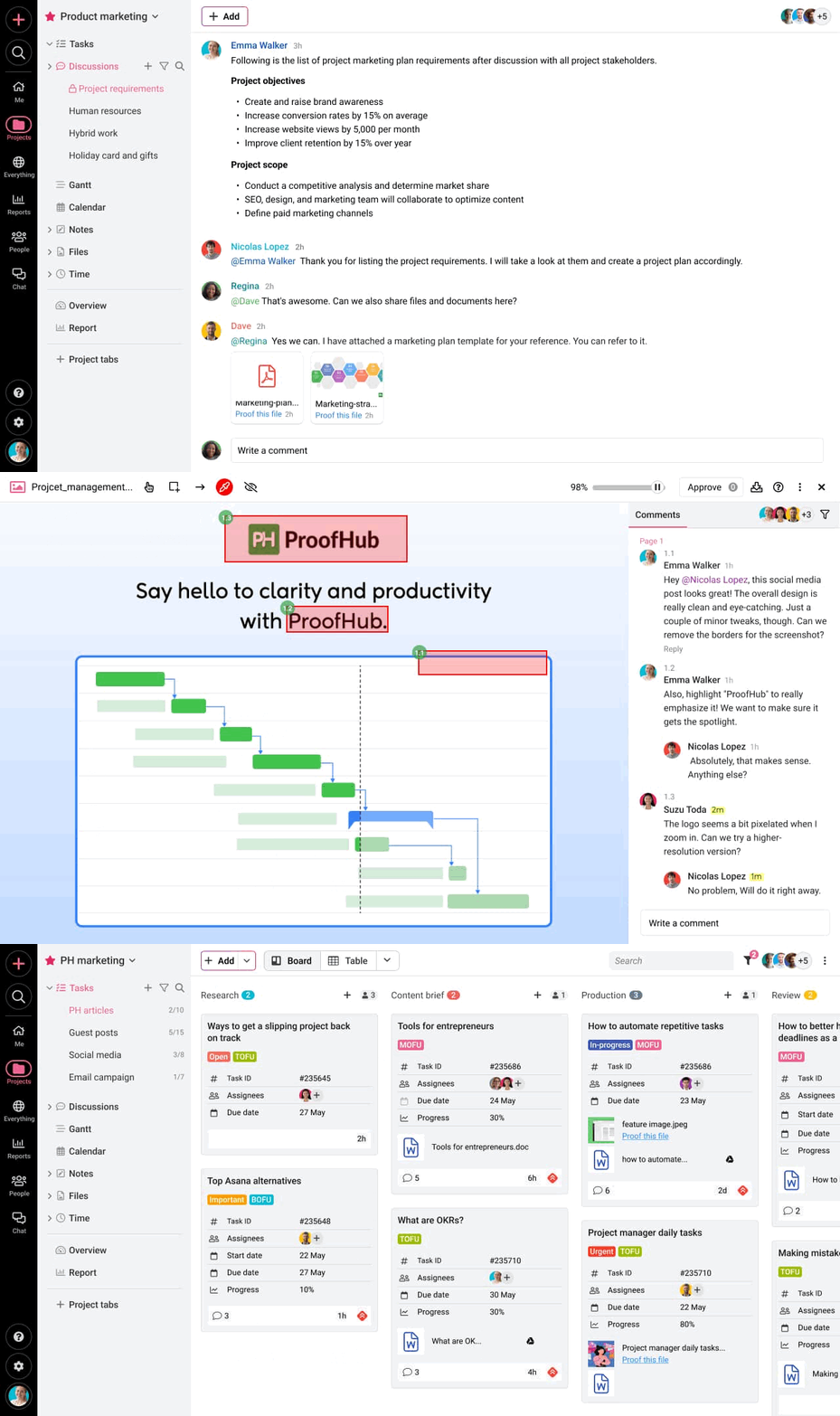
ProofHub is an all-in-one project management and collaboration platform that enables teams to share, review, approve, and manage content within controlled workflows. It brings documents, feedback, discussions, tasks, and approvals into a single workspace, ensuring content stays organized, traceable, and aligned from draft to final delivery.
Teams collaborate on content in real time, capture feedback directly on files, and move work through predefined review stages without relying on email or disconnected tools. External stakeholders collaborate through permission-based access, allowing visibility and approvals without exposing internal conversations or workflows.
Key features
- Centralized document collaboration: Store, share, and manage all content files in one place with controlled access and shared visibility.
- Real-time feedback and proofing: Review documents, designs, and creative assets using inline comments and annotations.
- Custom content workflows: Define structured review and approval stages that align with content creation, editorial, or marketing processes.
- Controlled approvals and stakeholder access: Invite external stakeholders to review and approve content with restricted permissions and shareable links.
- Version control and file history: Track every update to content files and maintain a single approved version to prevent duplication or errors.
- Integrated communication: Use discussions, task comments, mentions, and built-in chat to keep content-related conversations contextual and searchable.
- Task visibility and progress tracking: Monitor content tasks, deadlines, and responsibilities to maintain transparency across teams.
- Roles, permissions, and reporting: Control access levels, track time spent, and generate reports to improve accountability and planning.
Pros
- Centralizes content creation, feedback, and approvals in one platform
- Flat-fee pricing supports unlimited users and scalable collaboration
- Reduces content errors caused by scattered files and email feedback
- Strong control over permissions and stakeholder access
Cons
- No free plan available; Sign up for a 14-day free trial
Pricing
ProofHub offers a 14-day free trial and two flat-fee (no per-user) pricing options:
- Essential: Flat $45 per month for unlimited users and up to 40 projects (billed annually)
- Ultimate Control: Flat $89 per month for unlimited users, projects, and advanced features (billed annually)
Rating
- G2: 4.6
- Capterra: 4.5
7. Quip

Quip is a real-time content collaboration software that combines real-time document creation, spreadsheets, and team communication into a unified workspace. It enables teams to co-author content, track discussions inline, and manage dynamic content without switching between separate apps.
Teams work together on documents and data with live editing, embedded chat, and contextual feedback. Shared folders and flexible permissions keep content organized and visible to the right contributors while minimizing version conflicts.
Key features
- Real-time co-authoring: Multiple users edit documents and spreadsheets simultaneously.
- Contextual comments and chat: Discuss content inline or in integrated chat threads.
- Embedded spreadsheets and data: Combine narrative content and data in the same workspace.
- Version history and document snapshots: Track changes, review historical edits, and restore previous content states.
- Permission controls: Manage who can view, comment on, or edit content.
- Mobile and offline access: Work on content from anywhere, with sync support when connectivity returns.
Pros
- Strong integrated communication within the content
- Combines documents and spreadsheets in one app
- Real-time editing with contextual discussions
- Mobile-friendly collaboration
Cons
- Workflow automation and structured approvals are limited
- Not ideal for complex content governance
- Fewer advanced progress tracking features
Pricing
Quip offers three pricing plans:
- Starter: $10/user per month (billed annually)
- Plus: $25/user per month (billed annually)
- Advanced: $100/user per month (billed annually)
Rating
- G2: 4.2
- Capterra: 4.4
8. Box
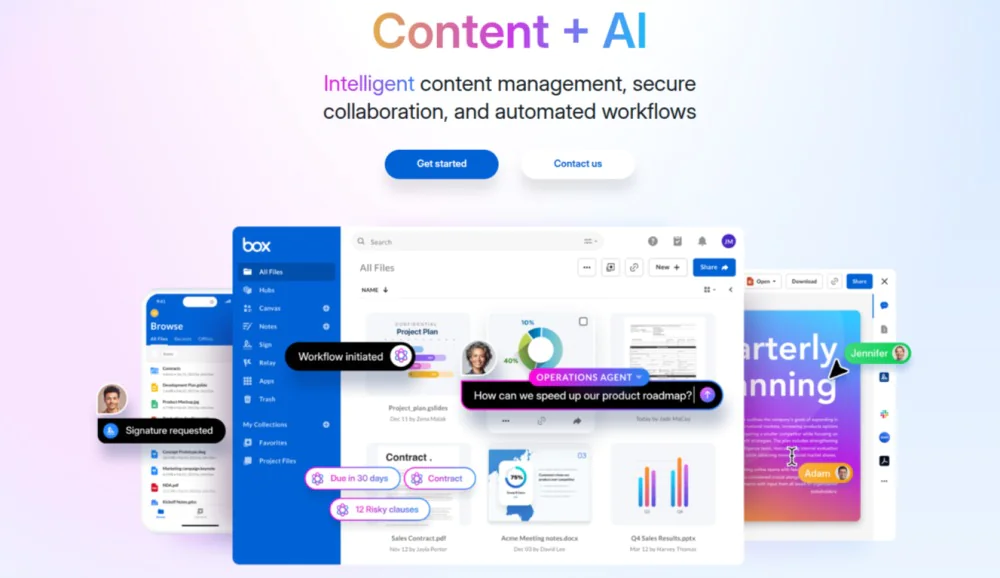
Box is a content collaboration system that focuses on secure file storage, sharing, and controlled collaboration for teams. It centralizes content in the cloud, enabling teams to manage documents, media, and files while enforcing strong security, permissions, and compliance controls.
Teams upload, organize, and share content with internal and external collaborators. Inline comments, tasks, and version history support review cycles, while access controls and encryption ensure sensitive content remains protected at every stage.
Key features
- Secure cloud storage: Store all content in a centralized, encrypted repository with scalable capacity.
- File sharing and collaboration: Share files and folders with customizable permissions for collaborators and stakeholders.
- Version history and rollback: Track file revisions, compare versions, and restore prior iterations when needed.
- Inline commenting and tasks: Add comments, assign tasks, and capture feedback directly on files.
- Access controls and permissions: Define view, comment, and edit rights for users and shared links.
- Advanced security and compliance: Support for encryption, governance controls, retention policies, and regulatory compliance.
- Integrations with productivity tools: Connect with document editors, communication apps, and workflow systems for seamless collaboration.
Pros
- Enterprise-level security and compliance
- Centralized, controlled content storage
- Strong permission and access governance
- Works well for highly regulated industries
Cons
- Less optimized for active content co-creation workflows
- Limited built-in document editing and approval automation
- Not as suitable for real-time content collaboration
Pricing
Box offers five pricing options for businesses:
- Business: $15/user per month (billed annually)
- Business Plus: $25/user per month (billed annually)
- Enterprise: $35/user per month (billed annually)
- Enterprise Plus: $50/user per month (billed annually)
- Enterprise Advanced: Contact the team for details
Rating
- G2: 4.2
- Capterra: 4.4
9. Zoho WorkDrive
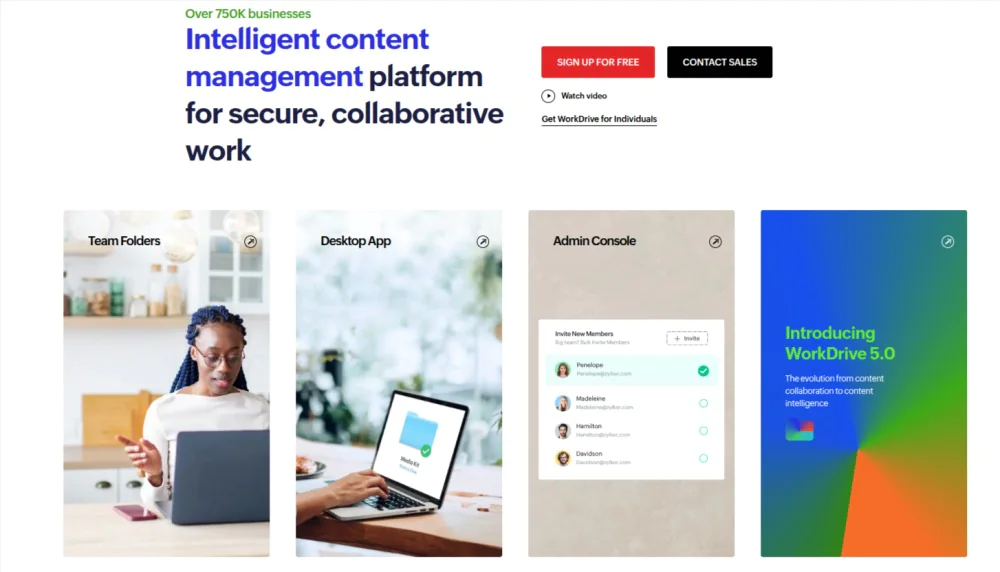
Zoho WorkDrive centralizes file storage, team folders, and collaborative editing to support shared content workflows. It allows teams to organize files in structured workspaces, co-edit documents in real time, and control access through flexible permissions.
Teams create, store, and share content across folders designed for departments or projects. Real-time document editing, comment threads, and version history help teams maintain clarity, reduce duplication, and work together without scattered files.
Key features
- Centralized team workspaces: Organize content in shared drives and folders accessible by defined teams and roles.
- Real-time document collaboration: Co-edit documents, spreadsheets, and presentations together with live updates.
- Version history and file recovery: Track changes across versions and restore earlier iterations when required.
- Comments and feedback: Add contextual comments on files to capture feedback.
- Permission controls: Define viewer, editor, and full-access roles.
- Cross-device sync: Access and collaborate on content from desktop and mobile devices with synchronization.
- Integrations with Zoho apps: Connect WorkDrive with Zoho productivity, CRM, and workflow tools.
Pros
- Centralized content storage with team-level organization
- Real-time co-editing and contextual feedback
- Flexible permission controls
- Strong integration within the Zoho ecosystem
Cons
- Lack advanced workflow automation and approval stages
- Limited structured content lifecycle features
- Not ideal for complex review or publishing pipelines
Pricing
Zoho WorkDrive offers four pricing options:
- Starter: $2.50/user per month (billed annually)
- Team: $4.50/user per month (billed annually)
- Business: $9/user per month (billed annually)
- Enterprise: Contact the team
Rating
- G2: 4.4
- Capterra: 4.6
10. Bit.ai
Bit.ai is an AI-powered collaboration application that enables teams to create, share, and collaborate on interactive documents, knowledge bases, and content hubs. It combines rich content creation with structured organization, allowing teams to work together on content that integrates text, media, and dynamic smart content blocks.
Teams co-author documents with embedded assets, comments, and live previews, making content more engaging and easier to iterate. Centralized workspaces and access controls help maintain clarity, reduce version conflicts, and streamline content workflows.
Key features
- Interactive document creation: Build content with rich media, embedded elements, and smart blocks.
- Real-time collaborative editing: Multiple users edit content simultaneously with live updates and synchronized changes.
- Contextual comments and feedback: Add comments and discussions directly on document sections.
- Content templates: Standardize content formats quickly with reusable templates.
- Workspaces and organization: Group related documents into dedicated workspaces for teams, projects, or departments.
- Version control and history: Track edits over time and restore earlier versions when necessary.
- Permission settings: Control who can view, comment, or edit content across shared workspaces.
Pros
- Supports rich, interactive content creation
- Centralizes content and feedback in one place
- Flexible organization with workspaces and templates
- Real-time collaboration with synchronized editing
Cons
- Limited built-in workflow approvals and structured review stages
- Less suitable for high-volume publishing pipelines
- Some advanced content governance features require upgrades
Pricing
Bit.ai offers three pricing options to choose from:
- Free: Free for up to five members
- Pro: $8/user per month (billed annually)
- Business: $15/user per month (billed annually)
Rating
- G2: 4.1
- Capterra: 5.0
11. Axero

Axero combines structured content creation with social collaboration, enabling teams to build knowledge bases, intranet hubs, and shared content repositories that support collective learning.
Teams co-author documents, capture discussions, and maintain organized content libraries that are easy to search and navigate. Permission controls and workspace organization help keep content relevant to the right audiences while preserving context and clarity.
Key features
- Collaborative content creation: Co-author pages and documents with live updates and shared editing controls.
- Structured knowledge hubs: Organize content into intuitive sections, categories, and intranet-style libraries for easy retrieval.
- Discussion and social collaboration: Engage teams through comments, likes, and threaded discussions tied to content.
- Searchable repositories: Powerful search tools allow teams to find content, decisions, and documents quickly.
- Version history: Track changes over time and roll back to prior versions when necessary.
- Role-based permissions: Define who can view, edit, or manage content across sites and sections.
- Integration support: Connect with other productivity and communication tools to unify content workflows.
Pros
- Strong for internal knowledge sharing and documentation
- Combines collaboration with community-driven engagement
- Searchable content libraries improve access to information
- Flexible organization for diverse team needs
Cons
- Limited native review and approval workflows for content publishing
- Documentation-first, not optimized for quick content cycles
- Setup complexity for teams new to structured intranet platforms
Pricing
Contact Axero team for custom pricing.
Rating
- G2: 4.3
- Capterra: 4.5
12. CoSchedule

CoSchedule is a social media content collaboration platform that helps teams plan, organize, and execute content initiatives using shared calendars and structured workflows. It centralizes content schedules, task assignments, and publishing timelines so teams stay aligned on deliverables, deadlines, and dependencies.
Teams coordinate content planning, manage assignments, and track progress across campaigns. Integrated feedback, team mentions, and status updates ensure content moves through planning and production with full visibility.
Key features
- Shared editorial calendars: Visualize content schedules, deadlines, and publishing plans in a centralized calendar view.
- Task coordination and assignments: Assign content tasks, set due dates, and define responsibilities.
- Content workflow automation: Automate content status updates, task transitions, and dependencies.
- Team comments and mentions: Capture feedback and discussions directly within tasks and content items.
- Integration with publishing tools: Connect with CMS platforms, social scheduling tools, and productivity apps.
- Reporting and analytics: Track content performance, team workload, and workflow efficiency through visual reports.
- Asset organization: Group related content and assets within campaigns or projects for contextual access.
Pros
- Excellent for editorial planning and deadline management
- Centralizes content schedules for cross-team visibility
- Workflow automation boosts consistency and reduces bottlenecks
- Integrates with publishing and marketing tools
Cons
- Not designed for real-time document co-authoring
- Limited contextual commenting on actual content files
- Less suited for structured review and approval workflows
Pricing
CoSchedule offers five pricing options:
- Free Calendar: Free for one user
- Social Calendar: $19/user per month (billed annually)
- Agency Calendar: $59/user per month (billed annually)
- Content Calendar: Contact the sales team
- Marketing Suite: Contact sales team
Rating
- G2: 4.3
- Capterra: 4.4
What is a content collaboration platform?
A content collaboration platform is a centralized digital application that enables teams to create, edit, review, approve, and manage content together in a shared workspace. It unifies documents, comments, version history, approvals, and publishing workflows, so content moves from draft to final stage without fragmentation or loss of context.
These platforms replace scattered files, email-based feedback, and disconnected tools by keeping all content assets, discussions, and decisions in one continuously accessible environment. This ensures content accuracy, faster reviews, clear ownership, and traceable changes across the entire content lifecycle.
A content collaboration tool supports structured collaboration across real-time and asynchronous workflows for distributed teams. Multiple contributors work simultaneously or independently while maintaining visibility into updates, feedback, and approval status.
What are the benefits of a content collaboration platform?
Some prominent benefits of a content collaboration platform are:
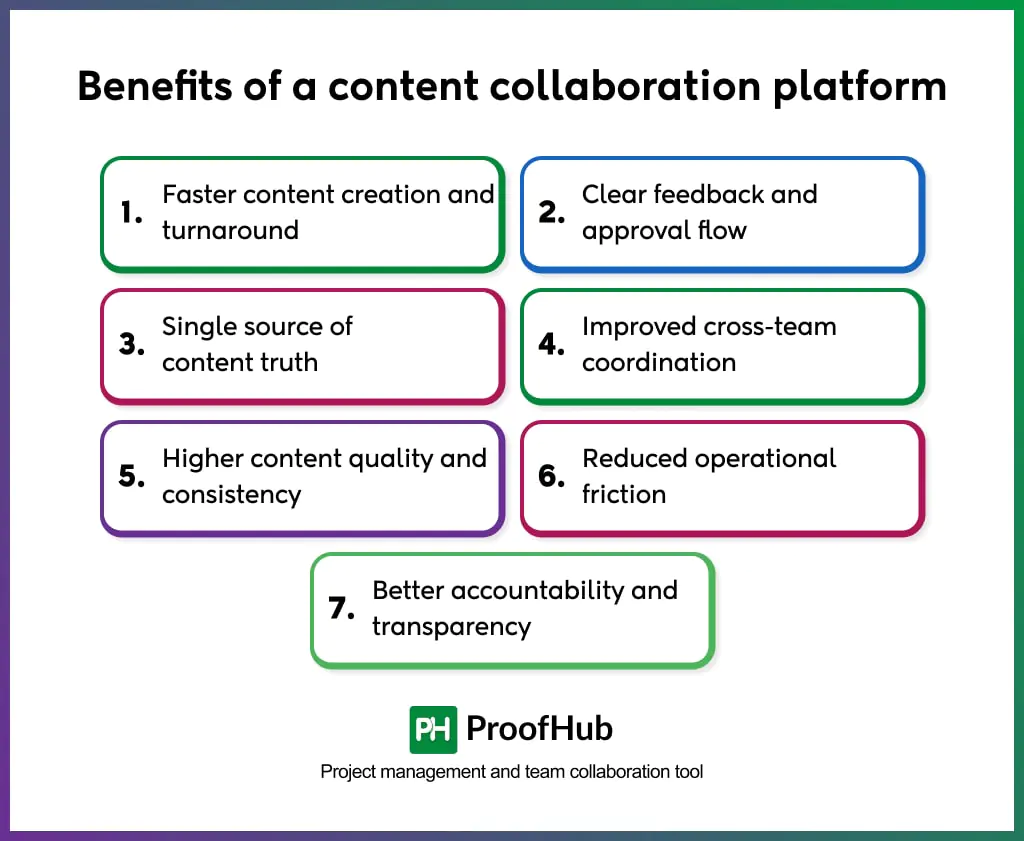
1. Faster content creation and turnaround: Teams draft, edit, and refine content in shared workspaces with live updates and version control. This reduces revision cycles and accelerates delivery without rework.
2. Clear feedback and approval flow: Comments, annotations, and approvals stay attached to the content itself. This eliminates vague feedback, prevents missed inputs, and ensures every change is traceable.
3. Single source of content truth: All documents, assets, and versions exist in one system. This prevents duplication, outdated files, and confusion over which version is final.
4. Improved cross-team coordination: Writers, editors, designers, marketers, and stakeholders collaborate within the same tool. This alignment reduces handoff delays and keeps content moving smoothly between teams.
5. Higher content quality and consistency: Standardized workflows, templates, and review checkpoints ensure content follows brand guidelines, messaging standards, and quality benchmarks.
6. Reduced operational friction: Teams spend less time switching tools, chasing approvals, or reconciling feedback. Structured collaboration increases output while lowering coordination overhead.
7. Better accountability and transparency: Ownership, deadlines, and approval status remain visible at every stage. This clarity improves responsibility and prevents bottlenecks as content progresses.
What are the key features a content collaboration platform should have?
Some essential key features a content collaboration tool should have:
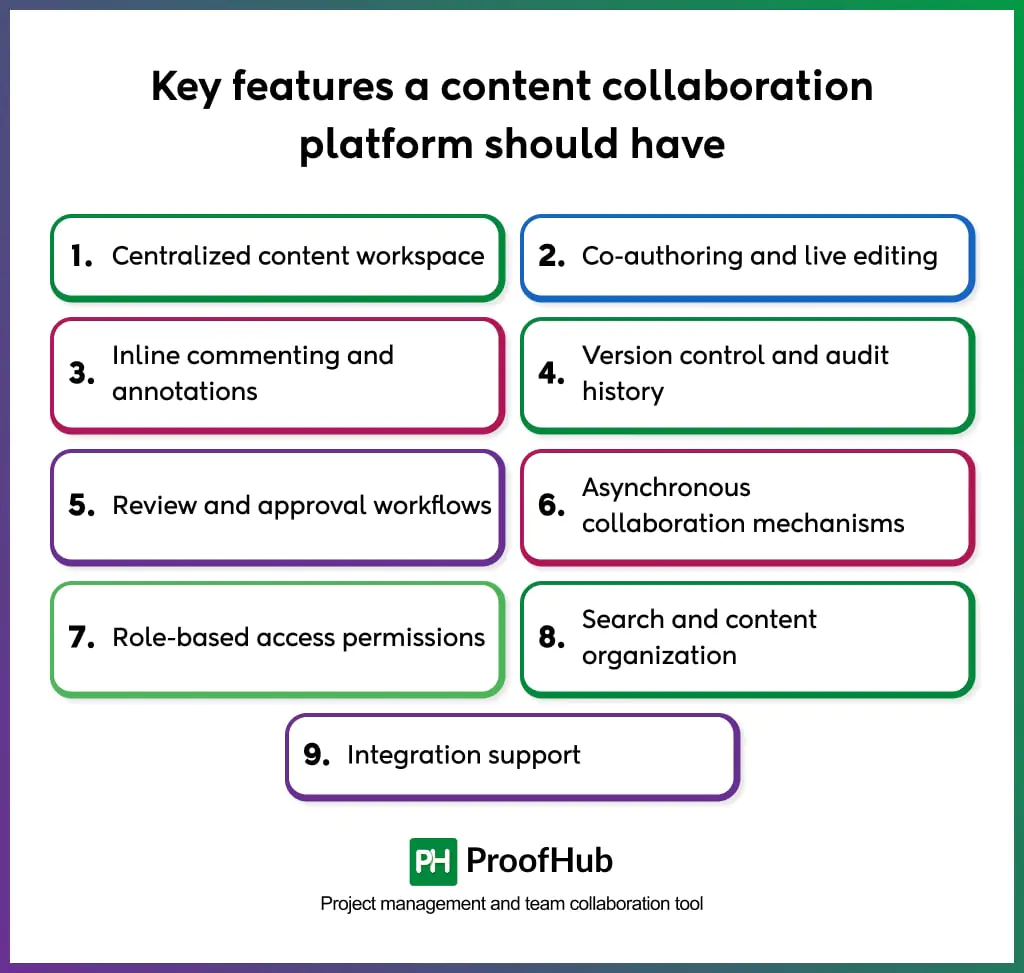
- Centralized content workspace: A single environment where documents, files, comments, and discussions are stored together to maintain content context and continuity.
- Co-authoring and live editing: Multiple contributors edit the same content at the same time while changes remain synchronized across users.
- Inline commenting and annotations: Feedback is attached directly to specific sections of content, enabling precise reviews and clear revisions.
- Version control and audit history: All content changes are recorded with author and time details, allowing comparison, rollback, and traceability.
- Review and approval workflows: Predefined stages manage drafts, reviews, approvals, and final versions, ensuring controlled content progression.
- Asynchronous collaboration mechanisms: Activity logs, comment threads, and update records support contributions without requiring simultaneous participation.
- Role-based access permissions: Permission levels regulate who can view, edit, comment on, or approve content within the platform.
- Search and content organization: Structured folders, metadata, and search functions enable rapid document retrieval and access to historical context.
- Integration support: Connectivity with content publishing, communication, and productivity systems enables workflow continuity across tools.
How to select the right content collaboration platform for your team?
Here is how to select the right content collaboration platform for your team:
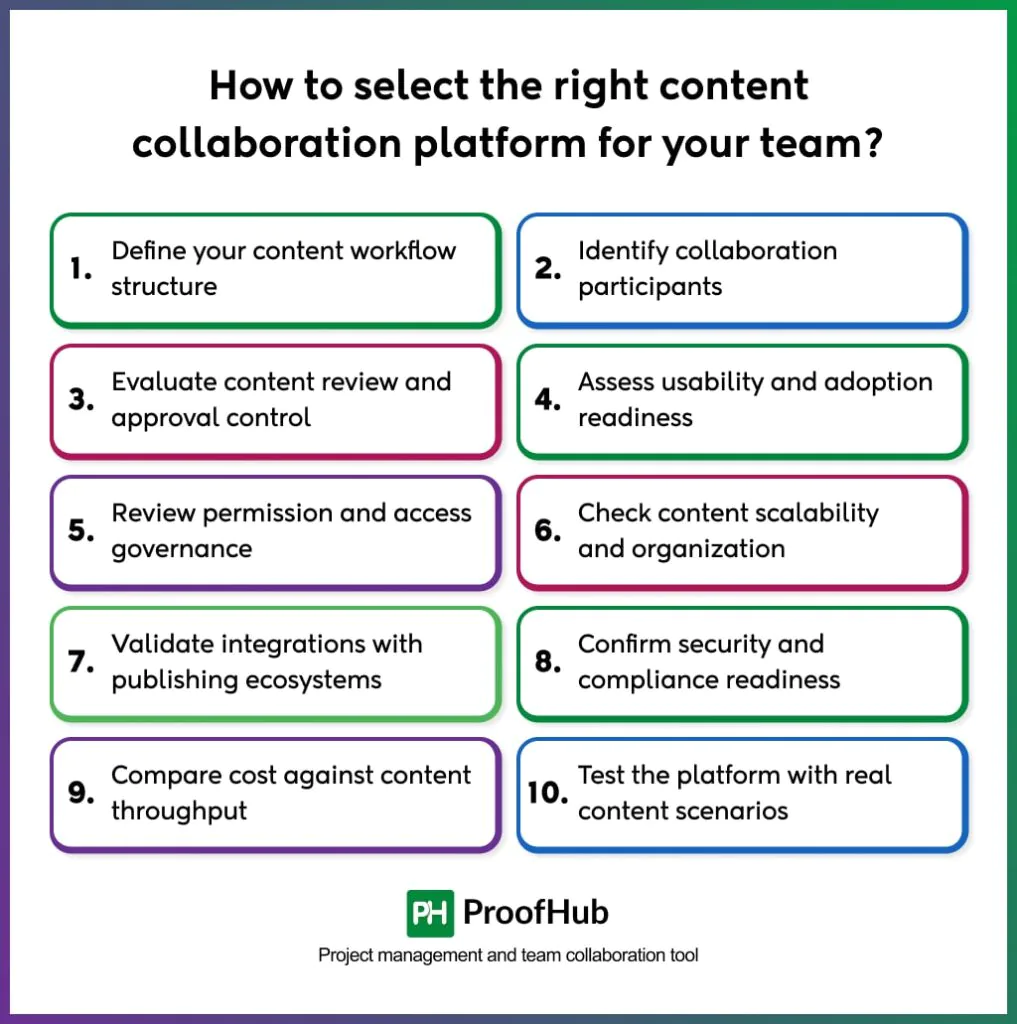
- Define your content workflow structure: Document how content moves from ideation to final approval, including contributors, reviewers, approval layers, and publishing stages.
- Identify collaboration participants: Determine who collaborates on content, such as writers, editors, designers, managers, or external partners, and how each role interacts with content.
- Evaluate content review and approval control: Assess how the platform manages comments, revisions, approvals, and status visibility across multiple content iterations.
- Assess usability and adoption readiness: Select a platform with intuitive navigation, clear editing interfaces, and a minimal learning curve to ensure consistent team adoption.
- Review permission and access governance: Verify role-based access, content restrictions, and approval rights to maintain control over sensitive or regulated content.
- Check content scalability and organization: Ensure the tool supports growing content volumes, structured repositories, and long-term knowledge retention.
- Validate integrations with publishing ecosystems: Confirm compatibility with CMS application, marketing tools, storage systems, and communication software used in your content operations.
- Confirm security and compliance readiness: Review data protection standards, authentication methods, audit trails, and industry-specific compliance certifications.
- Compare cost to content throughput: Analyze pricing tiers, user limits, storage capacity, and feature availability against expected content output and team size.
- Test the application with real content scenarios: Run a controlled trial using live content workflows to verify collaboration accuracy, approval efficiency, and system fit.
What are the common challenges teams face when adopting these platforms?
Some common challenges teams face when adopting content collaboration platforms are:
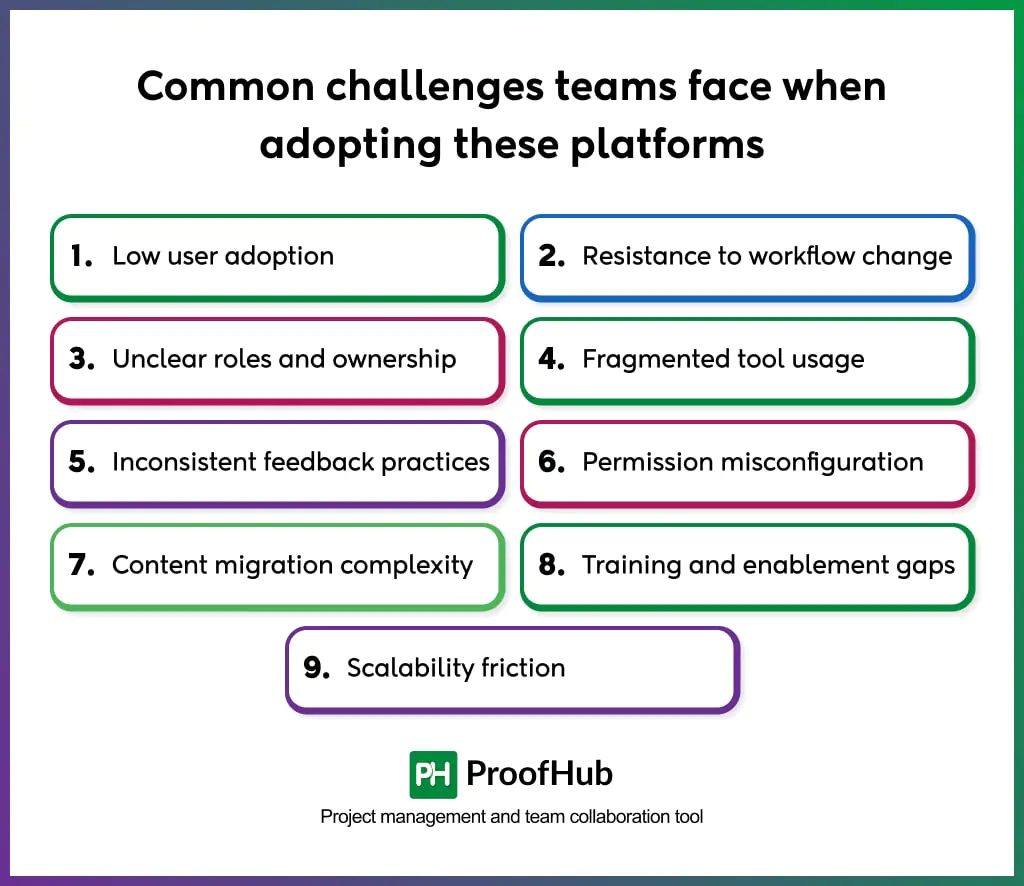
- Low user adoption: Teams continue using familiar tools when onboarding is unclear or workflows are complex, reducing platform effectiveness.
- Resistance to workflow change: Established content processes conflict with structured review stages and approval controls, slowing transition.
- Unclear roles and ownership: Content stalls when contributors, reviewers, and approvers lack defined responsibilities within the application.
- Fragmented tool usage: Parallel use of email, chat, and local files breaks content continuity and reintroduces silos.
- Inconsistent feedback practices: Comments and approvals lose clarity when teams do not follow standardized review methods.
- Permission misconfiguration: Improper access controls create security risks or restrict necessary collaboration.
- Content migration complexity: Moving existing documents, versions, and metadata without structured planning causes disruption.
- Training and enablement gaps: Limited guidance prevents teams from using advanced collaboration and workflow features.
- Scalability friction: Tool performance or structure fails to scale with increasing content volume, contributors, or projects.
What is the difference between a content collaboration platform and a content management system?
A content collaboration platform manages how content is created, reviewed, and approved, while a content management system manages how finalized content is stored, published, and maintained. The main difference lies in how the system is used within the content lifecycle and the type of control it provides.
Content collaboration software streamlines drafting, co-authoring, feedback, version tracking, and approvals, enabling multiple contributors to work on content before it reaches a final state. It keeps discussions, revisions, and decisions attached to the content itself, ensuring alignment and continuity throughout creation and review.
A content management system takes over after the content is approved. It organizes finalized content, manages metadata, controls publishing, and maintains consistency across websites, applications, and digital channels, with a focus on governance, presentation, and long-term content management.
Do content collaboration platforms support real-time and asynchronous collaboration?
Yes, content collaboration platforms support both real-time and asynchronous collaboration within the same system, allowing teams to contribute to content without dependency on shared working hours.
Real-time collaboration enables multiple users to edit, comment, and review content simultaneously, with changes appearing instantly for all participants. This supports live co-authoring, immediate feedback, and rapid iteration during active work sessions.
Asynchronous collaboration allows contributors to review, update, and approve content at different times. Activity logs, comment threads, version history, and status updates preserve context, so work continues smoothly across time zones and schedules.
How much do content collaboration platforms typically cost?
Content collaboration platforms typically cost anywhere from $2 to $100 per user per month, depending on the depth of collaboration features, workflow automation, storage limits, and administrative controls.
Entry-level plans include core content-creation and sharing features and are priced for small teams. Mid-level plans include advanced review workflows, permissions, integrations, and higher storage allowances. Enterprise plans use customized pricing tied to user volume, security requirements, compliance standards, and support levels.
Some tools offer flat-rate pricing with unrestricted users and projects, which suits growing teams that need predictable costs. The overall cost of the tool depends on team size, content volume, and governance complexity.
Are content collaboration platforms secure for sensitive content?
Yes, most content collaboration platforms provide security for sensitive content through controlled access, data protection, and activity tracking. Security depends on three critical factors: software capabilities, proper configuration, and the sensitivity of data.
Most modern content collaboration tools apply role-based permissions to restrict who can view, edit, comment on, or approve content. Authentication controls, access logs, and approval records maintain accountability and prevent unauthorized changes.
Data protection is maintained through encryption, secure storage, and audit trails that record every interaction with content. Compliance standards and administrative controls ensure sensitive information remains protected throughout collaboration and review.