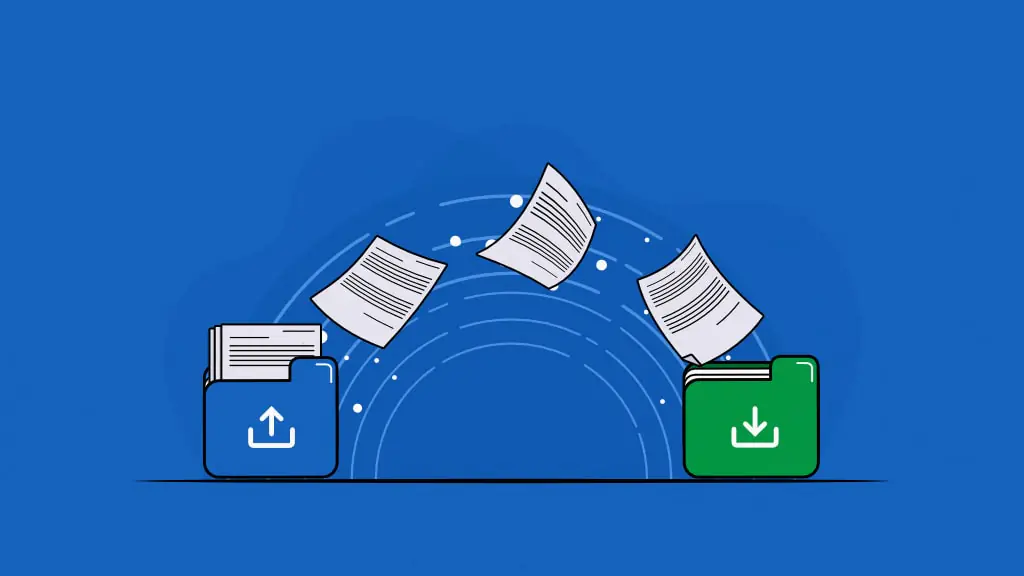
Document collaboration is synchronized teamwork where multiple team members or individuals work together to create, edit, review, and finalize the same shared document without relying on separate files or sequential handoffs. Contributors work in real time or asynchronously within the document, keeping content, feedback, and revisions in one continuous flow.
Document collaboration improves productivity, accuracy, communication, decision-making, and accountability through parallel work and shared visibility. Contributors edit simultaneously instead of waiting for handoffs, reducing cycle time. Multiple reviewers identify errors early, improving content accuracy. Centralized feedback eliminates fragmented communication and ensures context remains intact. Shared review environments enable informed decisions based on the same information.
To collaborate effectively, establish clear roles before work begins, maintain a single source of truth, choose the proper collaboration mode for each task, structure feedback directly in documents, and treat improvement as a staged process.
Document collaboration creates coordination, access, versioning, feedback, and governance challenges that can slow work if unmanaged. Both synchronous and asynchronous modes expose different risks: improper access controls lead to unauthorized edits, overlapping edits cause version conflicts, dispersed comments produce fragmented feedback, and unclear review cycles create approval delays.
What is document collaboration?
Document collaboration is the process where multiple team members or individuals work together to create, edit, review, and finalize a single shared document in real time or asynchronously.
It centralizes input, feedback, and revisions into a single workspace so contributors can co-author content, add feedback, track changes, and make revisions all within a single continuous flow. Document collaboration relies on shared access, real-time editing, commenting systems, and version control to preserve accuracy, prevent conflicting copies, and maintain a complete revision history.
Historically, document collaboration relied on single-user files shared via email or physical approvals, often resulting in version conflicts and approval delays. Network-based approaches later improved access through shared drives but continued to limit simultaneous editing. Today, document collaboration is cloud-based, enabling real-time co-editing, in-document feedback, permission controls, and workflow integrations that connect documents directly to business processes.
This evolution replaces sequential handoffs with continuous collaboration, allowing teams to work in parallel within a unified document environment that supports co-editing, structured review cycles, and seamless progression to the next stage of the work.
What are the benefits of document collaboration?
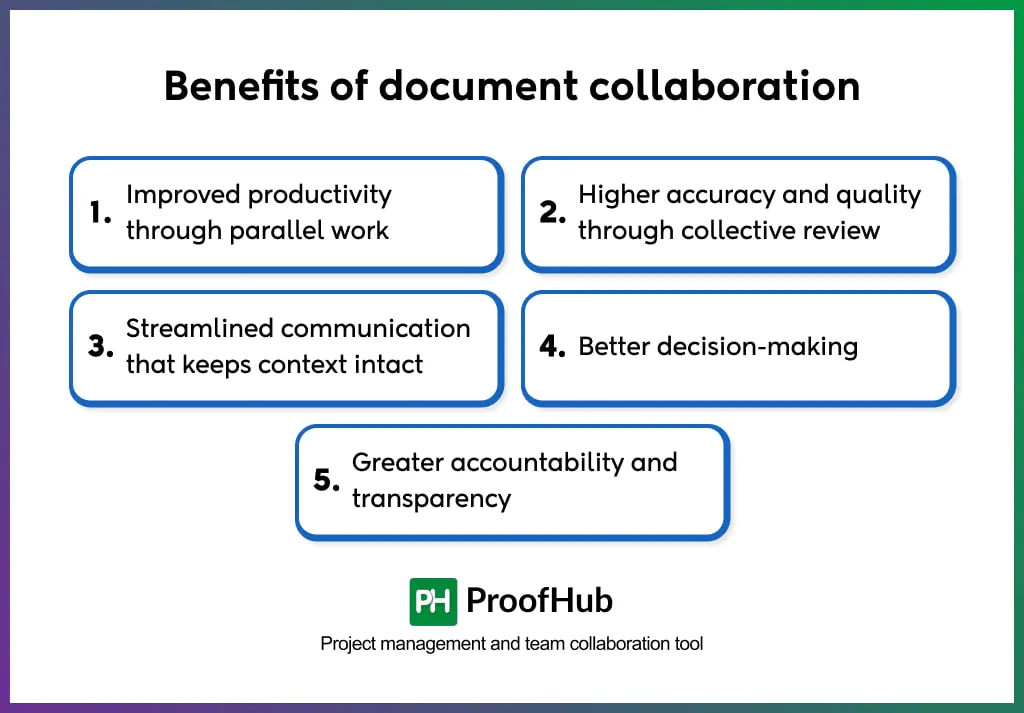
Document collaboration improves productivity, accuracy, communication, decision-making, and accountability by allowing multiple contributors to work on a shared, consistently updated document.
Here are some of the key benefits of document collaboration:
1. Improved productivity through parallel work: Teams move faster when multiple contributors can work on the same document at the same time. Parallel collaboration removes sequential handoffs, reduces waiting periods, and keeps progress continuous. Instead of pausing work while files move between people, contributors add, edit, and refine content simultaneously, enabling faster completion with less friction.
2. Higher accuracy and quality through collective review: Documents improve when multiple contributors review and refine them in a shared space. Errors, inconsistencies, and gaps surface earlier because each participant brings a different perspective and expertise. Beyond error detection, contributors help clarify intent, strengthen structure, and validate information, resulting in more accurate, complete, and reliable documents.
3. Streamlined communication that keeps context intact: In-document comments, suggestions, and discussions keep feedback directly tied to the relevant content. This eliminates confusion caused by fragmented emails or chat messages and ensures contributors understand not only what needs to change, but why. Context stays intact, reducing misinterpretation and rework.
4. Better decision-making: When teams review edits, discussions, and revisions in real time, they evaluate options within the same context. Contributors understand the reasoning behind changes, weigh trade-offs together, and resolve disagreements faster. Decisions become more informed, aligned, and easier to implement.
5. Greater accountability and transparency: Version history and activity tracking make every contribution visible and traceable. Teams can see who made changes, when updates occurred, and why revisions were introduced. This transparency supports audits, simplifies reviews, enables quick rollback of unwanted changes, and prevents confusion caused by conflicting document versions.
What are the types of document collaboration?
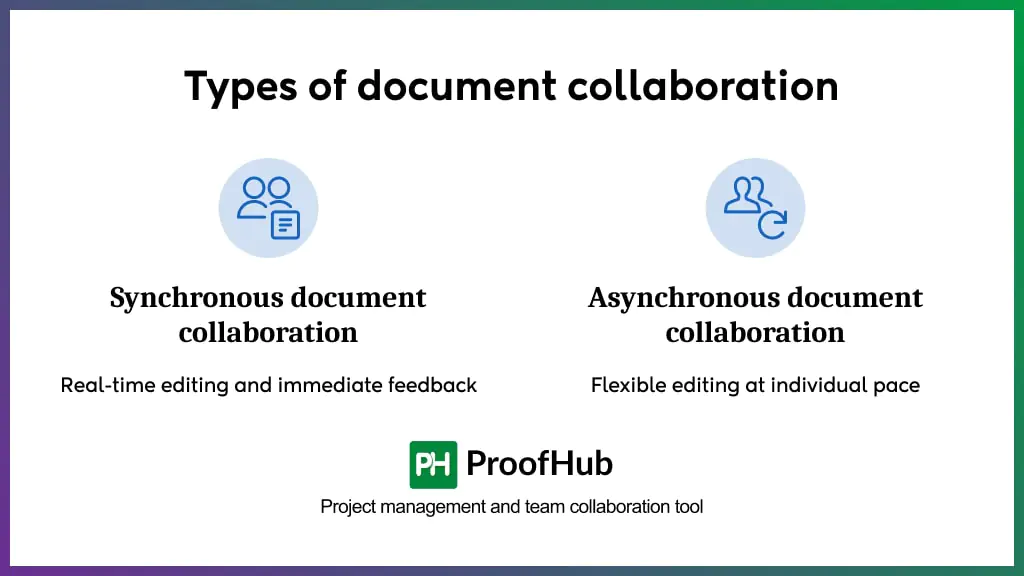
Document collaboration is classified into synchronous and asynchronous collaboration, based on whether contributors work together at the same time or at different times on a shared document.
1. Synchronous document collaboration
In synchronous document collaboration, multiple contributors work together on a single, shared document at the same time. All edits, comments, and structural adjustments appear instantly in a live, shared workspace where every team member sees changes as they occur.
The real-time interaction allows teams to co-edit text, exchange messages within the document, brainstorm ideas, and update drafts without delay. Contributors see each other’s cursors and changes as they occur, which strengthens coordination and reduces duplication.
Synchronous document collaboration is ideal for fast-moving, time-sensitive sessions where teams need immediate agreement and rapid iteration. Common scenarios include co-writing assignments where authors build on each other’s ideas in real time, developing meeting notes while discussions are still fresh, documenting workshops or training sessions as events unfold, and refining sprint plans where the team needs to resolve dependencies and align on commitments quickly.
2. Asynchronous document collaboration
Asynchronous document collaboration occurs when contributors work on a shared document at different times rather than simultaneously. Changes, comments, and suggestions accumulate over time, with each contributor reviewing and responding to others’ work as their schedule allows.
This approach works without time zone constraints or scheduling friction. A team member in one location can complete their edits and leave comments for colleagues in a different time zone, who review, respond, and add their own contributions when they’re ready.
Asynchronous collaboration is best suited where thoughtful review is more valuable than speed, where contributors work across different schedules or geographies, or where the document benefits from reflection time between stages. Content review cycles, formal approval workflows, comprehensive document development with multiple stakeholders, and iterative feedback on complex work all benefit from asynchronous collaboration. It also works well when contributors need time to gather information, consult with others outside the core team, or make considered decisions rather than react immediately.
What are the challenges of document collaboration?
The challenges in document collaboration are version control conflicts, scattered and duplicated files, communication gaps and lost context, real-time editing limitations, access and permission control issues, formatting inconsistencies, and complicated review and approval workflows.
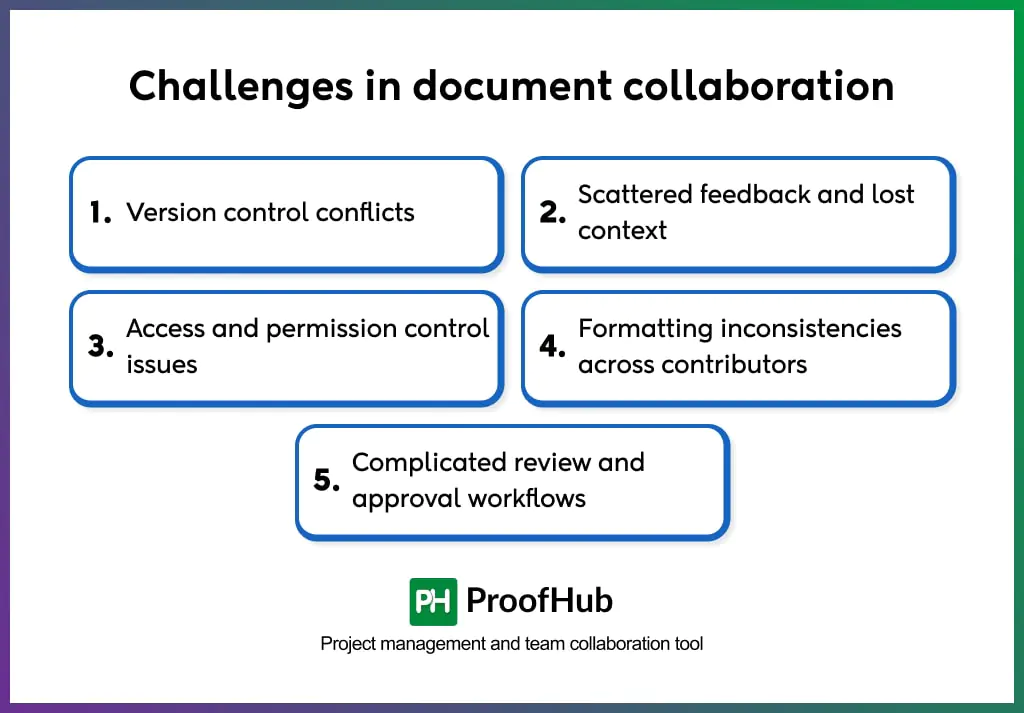
- Version control conflicts
Teams struggle to maintain a single source of truth when documents are edited across offline copies, email attachments, and parallel drafts. Contributors work on different versions at the same time, and when those versions converge, edits overwrite each other or conflict. This creates confusion over which version is final, leads to lost work, and forces teams to spend time manually reconciling changes instead of progressing.
- Scattered feedback and lost context
Scattered feedback dilutes the decision context, prevents contributors from seeing the complete rationale for changes, and weakens alignment. It is caused when feedback is distributed across email, chat tools, document attachments, and meetings. When feedback is spread across multiple channels, teams misinterpret priorities, repeat resolved comments, and overlook critical issues, reducing both efficiency and content quality.
- Access and permission control issues
Document collaboration requires different levels of access for viewers, contributors, reviewers, and approvers. Managing these permissions becomes complex as teams change and projects evolve. Overly restrictive access slows collaboration by blocking necessary input, while overly permissive access increases the risk of accidental or unauthorized changes that require correction later.
- Formatting inconsistencies across contributors
Different writing styles, templates, and formatting habits create documents that lack consistency and visual clarity. Variations in structure, spacing, and layout accumulate over time, resulting in content that appears disorganized or unprofessional. Teams then spend excessive time fixing formatting issues during final reviews instead of improving content quality.
- Complicated review and approval workflows
Without clearly defined review and approval processes, teams lose track of what has been reviewed, what feedback is pending, and who is responsible for final decisions. Approvals stall, feedback overlaps, and documents get stuck in review cycles, delaying completion and reducing accountability across contributors.
Best practices to follow for document collaboration
Effective document collaboration depends on clear ownership, structured workflows, disciplined communication, and continuity of context across the document lifecycle.
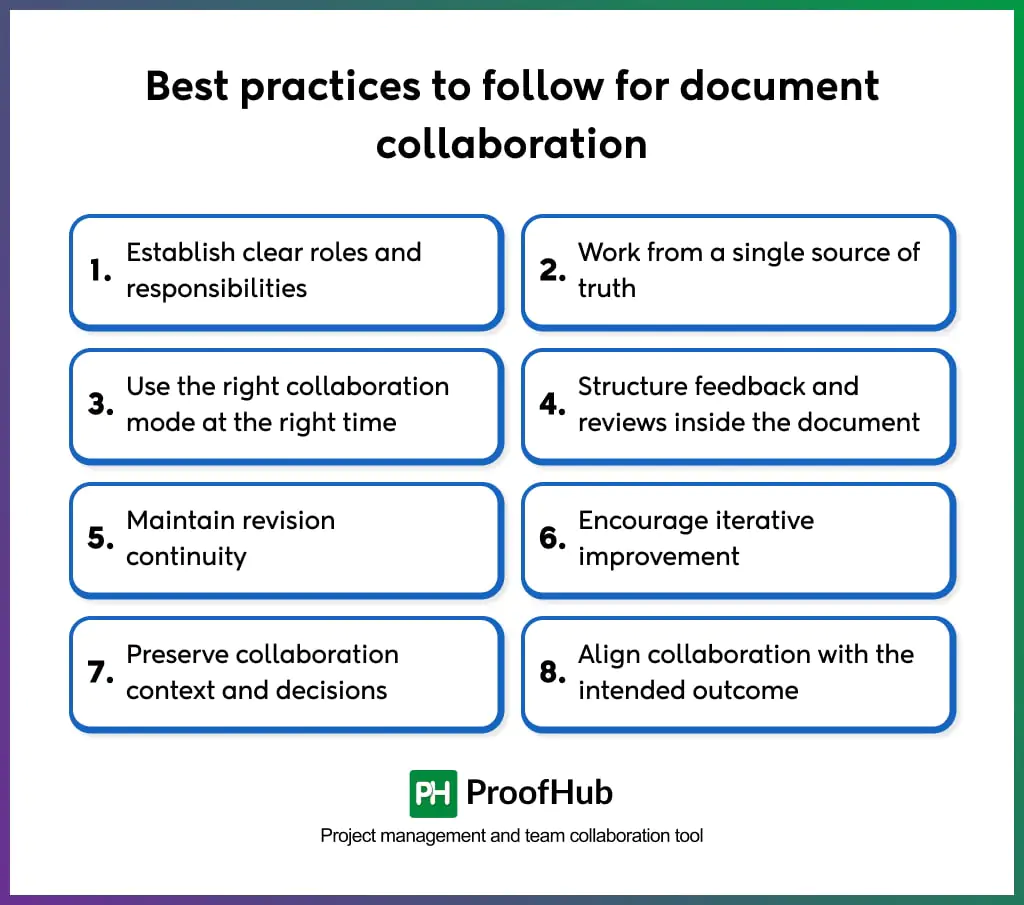
Here are some best practices to follow for document collaboration:
1. Establish clear roles and responsibilities
Clearly define who owns drafting, editing, reviewing, and approving the document before collaboration begins. When contributors understand their responsibilities and timelines, work progresses with coordination rather than overlap. Decisions move faster because accountability is clear, and contributors know exactly when and how they are expected to participate throughout the document lifecycle.
2. Work from a single source of truth
Limit collaboration to one shared, authoritative document that everyone accesses and updates. Avoid downloading, duplicating, or circulating copies, as parallel versions create conflicts and break continuity. A single source of truth ensures everyone sees the latest state of the document, preserves context, and prevents confusion caused by outdated or conflicting files.
3. Use the right collaboration mode at the right time
Utilize real-time collaboration for activities that require immediate alignment, such as brainstorming, strategic discussions, or dependency resolution. Use asynchronous collaboration for detailed reviews, research-driven edits, and approval cycles where contributors benefit from time to reflect and refine their input. Choosing the right mode prevents unnecessary interruptions while maintaining momentum.
4. Structure feedback and reviews inside the document
Keep all comments, suggestions, and discussions directly tied to the relevant content within the document. In-document feedback preserves context automatically, helping contributors understand exactly what triggered a suggestion and why it matters. Discussion threads remain visible, creating a shared record of decisions that new contributors can easily follow.
5. Maintain revision continuity
Make incremental edits rather than replacing entire sections. Building on existing content preserves earlier decisions, maintains narrative flow, and reduces the risk of reintroducing resolved issues. Revision continuity allows documents to evolve steadily instead of restarting with each round of changes.
6. Encourage iterative improvement
Treat document collaboration as a staged refinement process rather than a single, high-pressure review. Structured review cycles allow contributors to add focused feedback, resolve comments, and improve clarity over time. This approach distributes effort evenly, reduces last-minute overload, and leads to higher-quality outcomes through gradual improvement.
7. Preserve collaboration context and decisions
Retain comments, resolved discussions, and version history instead of deleting or archiving them. Preserved context helps teams understand why changes were made, prevents repeated debates, and provides a reference for future documents. Past collaboration becomes a learning asset rather than a lost effort.
8. Align collaboration with the intended outcome
Define the document’s purpose, target audience, and success criteria from the start. When contributors understand what the document is meant to achieve, feedback becomes more relevant and outcome-focused. Editors and reviewers can distinguish between essential improvements and personal preferences, keeping collaboration aligned with the document’s goals.
Examples of document collaboration
Below are some examples of document collaboration:
Example 1: Content team collaborating on a long-form article
A writer creates the initial draft of a long-form article and shares it with editors and subject-matter experts in the same document. The editor restructures sections for clarity, the subject expert adds factual corrections and examples, and reviewers leave contextual comments on tone, accuracy, and flow. This ensures consistency, preserves editorial intent, and shortens the publishing cycle.
Example 2: Product team documenting feature requirements
A product manager drafts initial feature requirements and invites engineers and QA leads to review the document. Engineers add technical constraints, QA defines acceptance criteria, and stakeholders comment on scope changes. Feedback is resolved inline, and updates reflect collective decisions. The document evolves from draft to approved specification without separate files, ensuring every contributor works with the latest requirements.
Example 3: HR team updating internal policies
An HR lead updates a workplace policy and shares it with legal, leadership, and operations teams. Reviewers add comments, suggest revisions, and approve sections over time. Earlier versions remain accessible, preserving context and rationale behind policy changes. The finalized policy reflects cross-department agreement and remains traceable for future audits and updates.
What are the best tools for document collaboration?
Here are some commonly used tools for document collaboration across team members:
- Google Docs: Google Docs enables real-time co-editing, integrated commenting, and granular sharing controls. Multiple contributors see changes instantly and can restore prior versions from the built-in version history.
- Microsoft Word Online (Microsoft 365): App of Microsoft 365, Word Online supports simultaneous editing, threaded comments, tracked changes, and cloud storage through OneDrive or SharePoint, making it easy to collaborate inside familiar productivity software.
- Notion: Notion combines documents, databases, and notes in a unified workspace. It supports inline comments, collaborative editing, and customizable access permissions, ensuring both structured documentation and knowledge sharing.
- Confluence: Confluence is a documentation platform with collaborative editing, inline comments, templates, and integration with project tools. It centralizes knowledge and provides controls for reviews and approvals.
- Dropbox Paper: Dropbox Paper provides a lightweight collaborative writing environment with real-time editing, comments, and task mentions, often used for drafts, notes, and content collaboration.
For managing documents, files, and related assets alongside tasks, discussions, and approvals, teams often rely on work management platforms that centralize collaboration beyond document editing.
Examples include ProofHub, Asana, and Wrike, which allow teams to store documents, control access, link files to tasks, and keep document collaboration connected to broader project workflows.
How does document collaboration differ from traditional document sharing?
Document collaboration enables multiple contributors to work within one shared, continuously updated document, while traditional document sharing distributes separate file copies that need to be merged later.
In traditional document sharing, a document is created by one user and sent to others through email attachments or file transfers. Each recipient edits their own copy, leading to multiple versions, conflicting changes, unclear ownership, and lost context. Feedback is received in fragments, forcing manual consolidation and repeated clarification.
Document collaboration removes file duplication by keeping all contributors inside a single document. Edits, comments, and revisions accumulate in one place, allowing contributors to build on each other’s work instead of overwriting it. Everyone sees the same content, feedback, and decisions in real time or asynchronously.
What is the difference between document collaboration and co-authoring?
Document collaboration is a complete process that includes creation, review, feedback, version continuity, and approvals, while co-authoring is a specific activity where multiple contributors write or edit content together.
Co-authoring focuses only on the act of jointly writing or editing a document. Contributors add, modify, or refine text, often at the same time, to produce content collectively. It addresses who writes and edits, but it does not define how feedback is reviewed, how decisions are approved, or how revisions are governed across the document’s lifecycle.
Document collaboration extends beyond writing to cover the entire workflow of a document. It includes co-authoring, commenting, reviewing, resolving feedback, managing revisions, and final approvals within a shared context. This broader scope ensures continuity from first draft to final version, maintaining clarity, traceability, and shared ownership throughout the process.
How does document collaboration accelerate approval and review workflows?
Document collaboration accelerates approval and review workflows by enabling reviewers to evaluate, comment, and approve content within the same shared document without creating separate versions.
Reviews occur directly on the working document, allowing approvers to provide contextual feedback next to the exact content under evaluation. This removes the delays caused by exporting files, consolidating feedback from multiple sources, and clarifying which version is under review.
Document collaboration also supports a clear review sequence where feedback builds progressively instead of restarting with each revision. Reviewers see prior comments, decisions, and resolved changes, which reduces duplicate feedback and speeds consensus. This continuity shortens approval cycles and ensures decisions move forward without repeated clarification.
How does document collaboration prevent revision history loss?
Document collaboration prevents revision history loss by centralizing all edits, feedback, and approvals within a single shared document instead of scattered file copies.
Contributors work on one authoritative version rather than creating separate files for each revision, removing the need to download, rename, or resend documents, which is the primary cause of missing or overwritten changes.
Document collaboration establishes a structured editing sequence where changes build on previous inputs instead of replacing them. Contributors review, refine, and extend existing content rather than starting from isolated drafts. This continuity ensures that earlier decisions, wording, and rationale remain accessible throughout the document’s lifecycle.