
Poor communication channel choices in a project cause real project problems: missed updates, decisions buried in the wrong tool, delayed responses, and remote teams losing context. The wrong channel for a message leads to confusion, rework, and lost time.
The right communication channel solves this by getting information to the right people, in the right format, at the right time. This results in improved collaboration, faster decision-making, and better alignment of teams and stakeholders.
This article covers what communication channels are and why choosing the right one matters. It explains how to calculate communication complexity, walks through the most common channels used in project management and when to use each, and shows how to choose the right channel for your team.
- 1.A communication channel is the medium through which project information travels.
- 2.The right channel choice improves information sharing, collaboration, productivity, engagement, and stakeholder confidence.
- 3.Communication complexity follows the formula n(n-1)/2. It grows faster than team size as projects scale.
- 4.Common channels include face-to-face, documents, video calls, phone calls, email, texts, online tools, webinars, and social media.
- 5.Channel choice depends on team size, complexity, remote setup, and security needs, and it impacts project success rates.
What are communication channels?
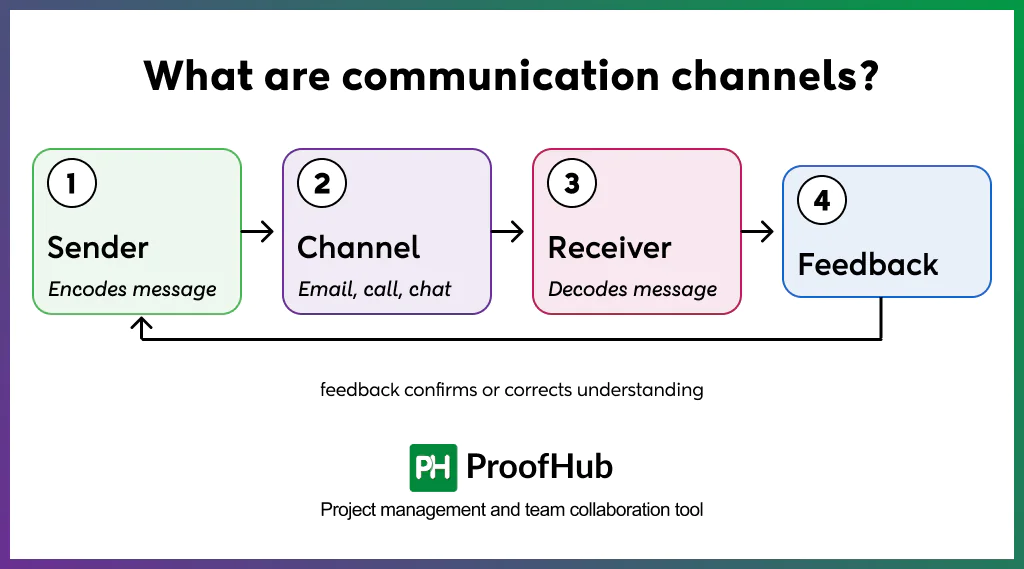
A communication channel is simply a medium used to share project information, such as email, meeting notes, a chat message, a report, or a phone call.
In a project, these channels dictate how updates, decisions, and problems get communicated between teams. Choosing the wrong channel causes delays, confusion, and mistakes.
Let’s understand how it works:
Someone (the sender) has a message, picks a channel to send it through, and another person (the receiver) reads or hears it. Then that person gives feedback, which could be a reply, question, or even a nod to show they understood. If any part of this breaks down, the message gets lost, misunderstood, and eventually the project suffers.
Why are project communication channels important?
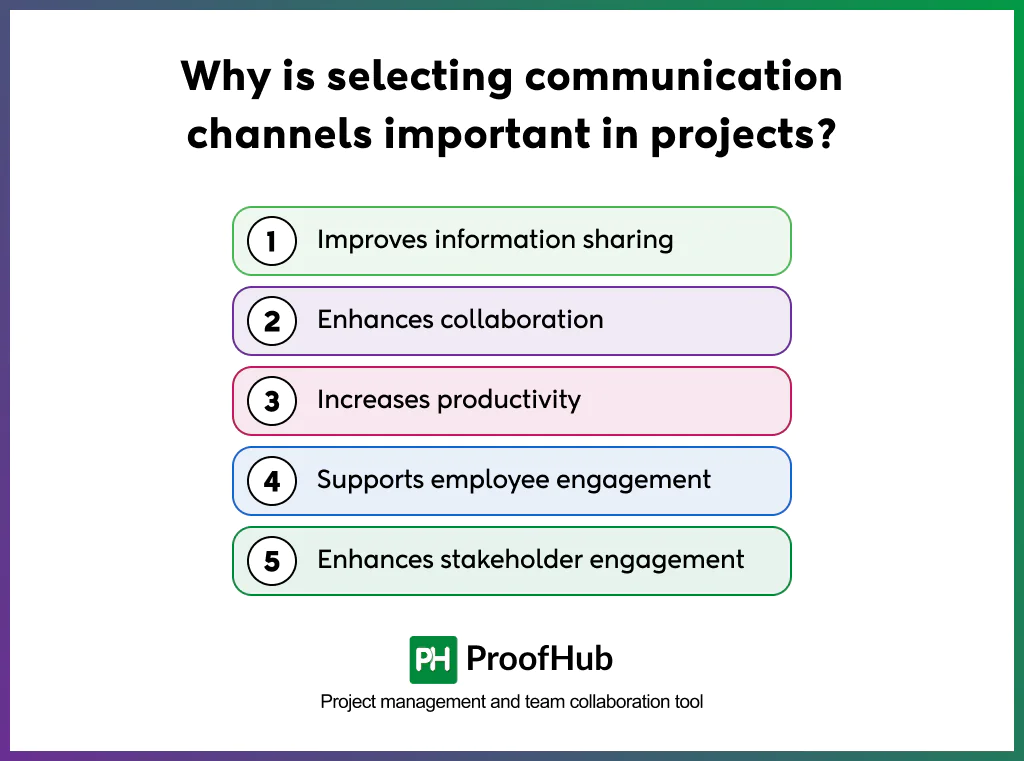
Project communication channels are important because they help improve information sharing, enhance collaboration, increase productivity, support employee engagement, and improve stakeholder engagement.
1. Improves information sharing: Ensures the updates reach people before they are outdated. A centralized channel such as a dashboard or a shared doc keeps everyone pulling from the same version of the truth. Without it, information scatters across inboxes and gets acted on late.
2. Enhances collaboration: Enables teams to work together on problems in real time through channels such as chat, video calls, and shared whiteboards. This reduces the gap between raising an issue and resolving it. Over time, it builds a habit of solving problems as a team rather than in isolation.
3. Increases productivity: Cuts down wasted effort on clarifications, meetings, and managing communications. Picking the right channels enables teams to focus more on tasks, brainstorming, and real work.
4. Supports employee engagement: Makes it easy for team members to speak up, ask questions, or share ideas. When the channels are clear and easy to use, communication is streamlined, and people participate actively.
5. Enhances stakeholder engagement: Helps keep stakeholders informed and confident in the project’s progress, without overwhelming them. It provides stakeholders the right amount of visibility and protects their time while still keeping them invested in outcomes.
Formula for calculating communication channels
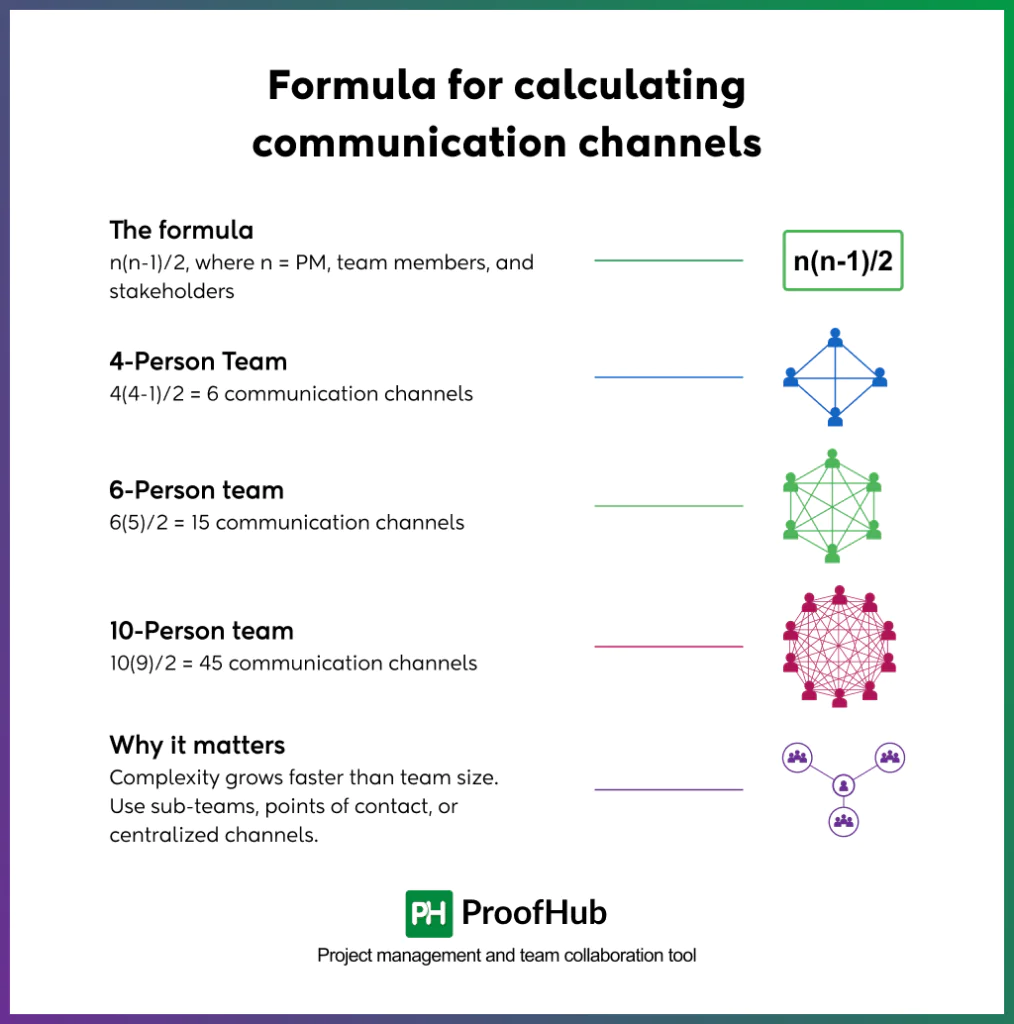
Project communication complexity can be measured with a simple formula: n(n-1)/2, where n is the total number of people involved in project communication: the project manager, project team members, and stakeholders combined.
For example, a 4-person team has 4(4-1)/2 = 6 communication channels. A 6-person team has 6(5)/2 = 15 channels. A 10-person team has 10(9)/2 = 45 channels.
This formula matters because communication complexity doesn’t grow at the same rate as team size; it grows much faster. Adding just a few people can multiply the number of potential communication paths, increasing the chances of messages getting delayed, duplicated, or missed entirely.
Understanding this number helps PMs anticipate communication risk before it becomes a problem. On larger teams, high channel counts often signal a need for structure: sub-teams, designated points of contact, or centralized channels to keep communication manageable instead of chaotic.
What are the common challenges communication channels used in project management?
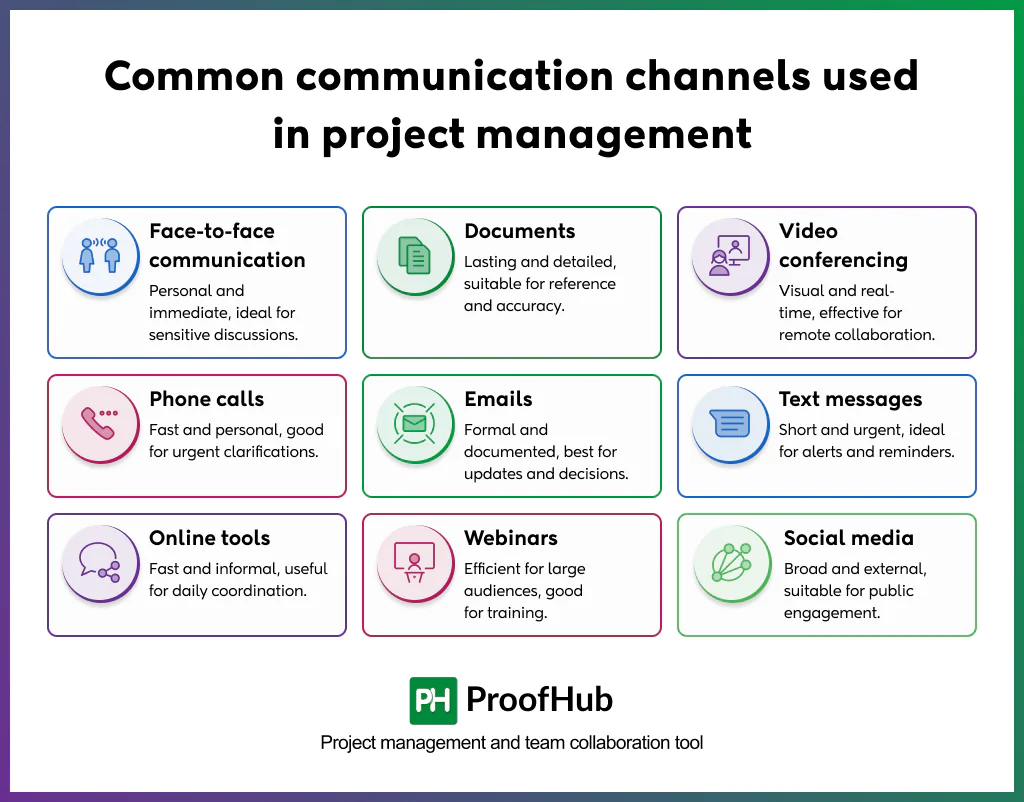
The common communication channels used in project management include face-to-face communication, documents, video conferencing, phone calls, Emails, text messages, online communication tools, webinars, and social media.
The following are the communication challenges used in project management:
- Face-to-face communication: Tone, body language, and instant feedback make this the most personal channel available, ideal for sensitive discussions, negotiations, and complex problem-solving. It is really slow to arrange and doesn’t scale across distributed teams. It is often saved for conversations where the little details matter.
- Documents: The communication channel involves reports, plans, and specifications, which create a lasting, referenceable record that teams can revisit anytime. These documents are built for detail and accuracy. Nobody opens a 20-page document for an urgent decision, so they’re better suited to precision than speed.
- Video conferencing: The medium is the closest digital substitute for face-to-face, supporting visual cues and real-time discussion across distances. This makes it well-suited to reviews, workshops, and remote check-ins. Overusing this communication channel causes fatigue. So project managers reserve it for conversations that genuinely need a live back-and-forth exchange.
- Phone calls: Fast and personal, with none of the scheduling or setup video conferencing needs. Ideal for urgent issues or quick clarifications that can’t wait for a reply. There’s no written record, though, so follow up in writing if the outcome needs to stick.
- Emails: The channel is a record while letting people respond at their own pace and reach everyone. This medium is best for formal updates and decisions needing documentation. The only downside is that it’s easy to ignore: messages sit unread and important updates get buried.
- Text messages: The chat channel is best for short, urgent, time-sensitive alerts such as a schedule change, location update, or a quick reminder. The medium is not suited for detailed or formal communication since there is no room for context. The important nuances are easily lost in a short message.
- Online communication tools: Fast, informal, and searchable, making them good for daily coordination and quick team-wide questions. Without discipline around channels and threads, messages can get lost in busy conversations, and important updates often go unnoticed among casual chatter.
- Webinars: Efficient for reaching large or dispersed audiences with structured, prepared content delivered consistently. They work well for training or major announcements. But they’re largely one-directional with limited real interaction, so they’re not suited to discussion-heavy or decision-making conversations.
- Social media: Useful for broad, external-facing updates or public stakeholder engagement on large or public-facing projects. Not appropriate for internal project detail or sensitive information, since content is public, informal in tone, and not built for confidentiality.
How to choose the right project communication channel?
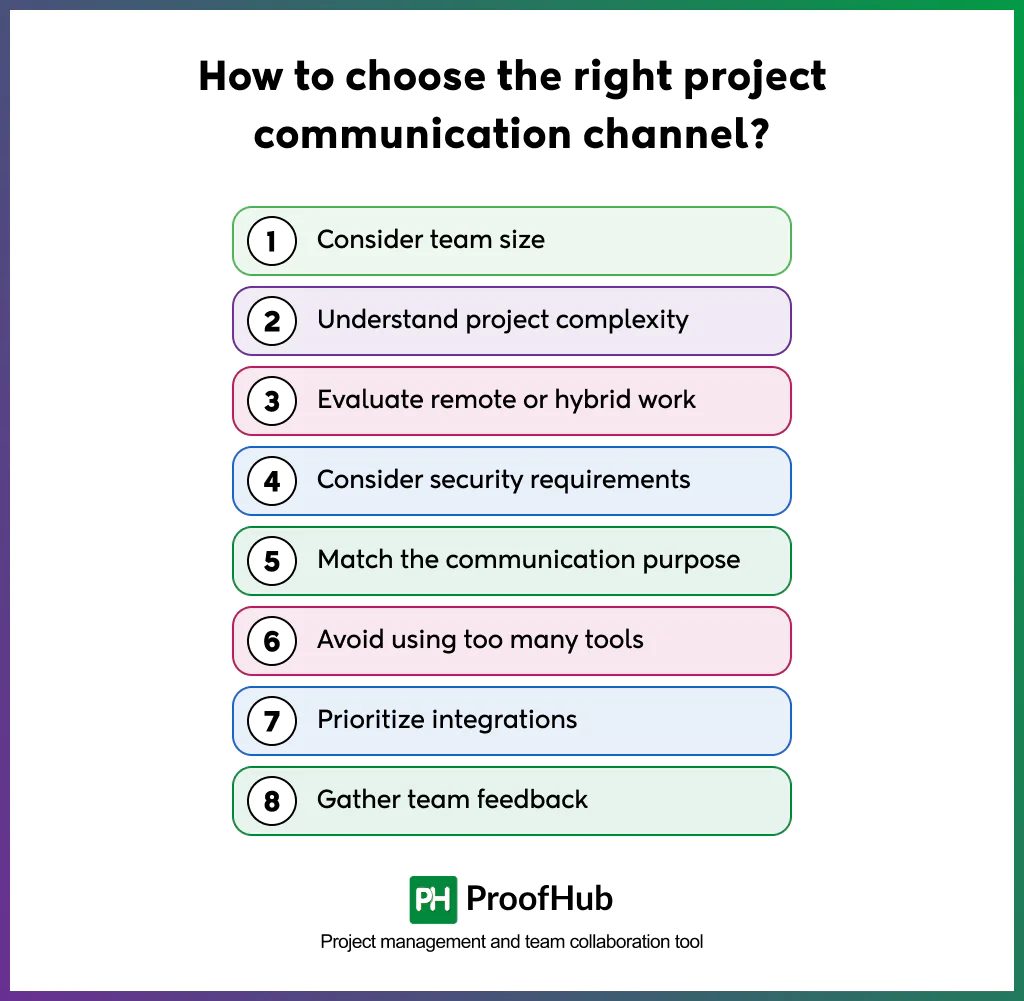
To choose the right project communication channel, weigh it against a few key factors each time: team size, project complexity, remote or hybrid setup, security requirements, communication purpose, tool count, integrations, and team feedback.
The following factors walk through each one, helping you match the channel to the situation instead of defaulting to habit.
- Consider team size: Larger teams create more potential communication paths, so channels need structure: designated threads, sub-groups, and clear points of contact. Smaller teams rely on a single tool without adding process overhead. As the team size grows, revisit your channel setup. Stop assuming what worked for five people will still work for twenty.
- Understand project complexity: Complex projects with many moving parts need channels that support detail and traceability, such as documents or structured status reports. Simple, low-risk projects can run on lighter, faster channels like chat or quick calls. Matching the channel depth to the project complexity prevents both under-communication on critical details and over-communication on routine ones.
- Evaluate remote or hybrid work: Distributed teams lose the informal updates while co-located teams pick up naturally. So the digital channels need to carry that weight deliberately. Prioritize tools that support async updates and searchable history so no one misses the context because of time zones. Without this, remote team members can quietly fall behind while everyone assumes they are in the loop.
- Consider security requirements: Projects handling sensitive data, contracts, or confidential decisions need channels with proper access control and compliance, not public or informal tools. Match the channel’s security level to the sensitivity of what’s being shared, not just team convenience. A breach or leak through the wrong channel can cost far more than any efficiency gained from using it.
- Match the communication purpose: Urgent issues need immediate channels like calls and messages; formal decisions need documented channels such as emails and reports. Using the wrong channel for the purpose creates delays or leaves no record when one is needed later. Before choosing, ask whether the message needs speed, a record, or both.
- Avoid using too many tools: Every extra tool adds a place where information gets lost and a habit that every team member has to maintain. The fewer, well-defined channels reduce confusion and keep everyone checking the same places consistently. Tool sprawl often creates more communication gaps than it solves.
- Prioritize integrations: Channels that connect with the existing tools reduce manual updates and keep information consistent across systems. Poor integration creates duplicate work and version mismatches between tools, especially on fast-moving projects. Choosing connected tools over isolated ones saves time that would otherwise go into re-entering the same information.
- Gather team feedback: Teams that actually use the channels daily know what’s working and what is being ignored. Regular feedback catches friction early, before it turns into missed updates or disengagement. Treat the channel voice as something to revisit periodically. It should not be treated as a decision made once and left alone.
How does ProofHub help you in project communication?
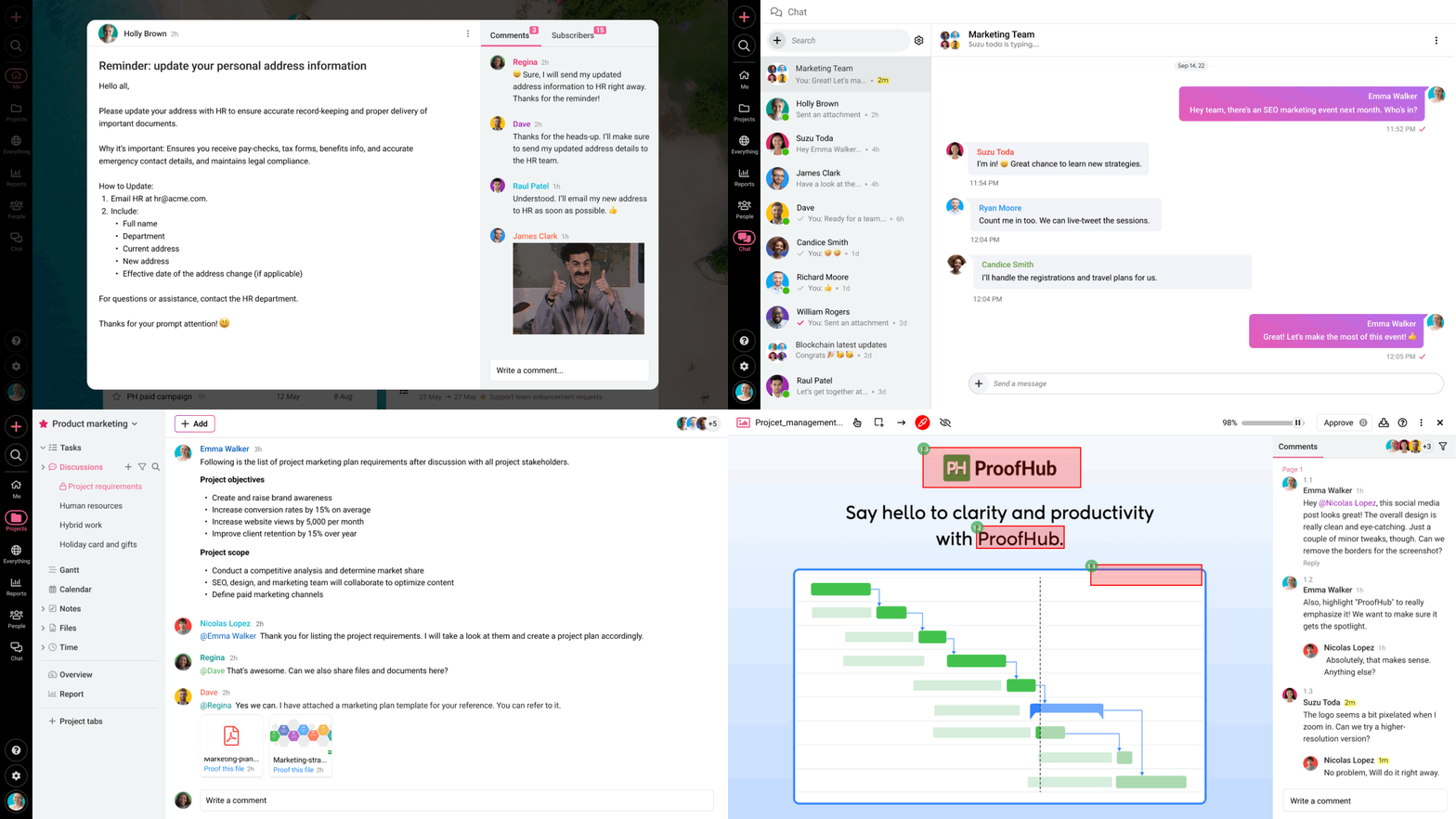
ProofHub centers everything around a single project workspace, so teams stop losing updates across scattered emails, chats, and apps. It directly solves the tool sprawl problem covered earlier.
Group and one-on-one chat sit inside the same platform as tasks and files, so discussions stay tied to the work they’re about instead of disappearing into a separate inbox.
A built-in proofing tool lets people comment directly on documents and designs, replacing back-and-forth email threads with feedback attached to the exact content.
External stakeholders can be added to specific projects to join discussions and reviews, giving them the right level of access without exposing the full internal workspace.
Admins can also control user roles and permissions, keeping sensitive project information restricted to the right people.
How do communication channels affect project success rates?
Communication channels have a measurable impact on project success. Projects with poor communication are far more likely to miss deadlines, exceed budgets, or fall short of their goals, while organizations with strong communication practices tend to deliver more consistently on time, on budget, and on scope.
What are the risks of using too many communication channels?
Too many channels fragment information: updates get scattered, duplicated, or missed entirely as team members check different tools. It increases cognitive load, wastes time switching contexts, and creates confusion over which channel is “official.” Decisions made in one tool often go unseen by people working in another, causing misalignment.
What is a communication matrix in project management?
A communication matrix is a planning document that maps out who needs what information, through which channel, how often, and in what format. It typically links stakeholders to specific messages, frequency (daily, weekly, milestone-based), the channel used (email, meeting, report), and the responsible sender. It also ensures nothing falls through the cracks and that no one receives communication they don’t need.
Conclusion
Communication channels shape how well a project runs, from daily coordination to stakeholder trust. There is no single channel that is right. The right choice depends on the team, the message, and the moment. Being intentional matters most: pick channels based on purpose and audience and adjust as the team or project changes. Tools will keep evolving, but the goal stays the same: getting the right information to the right people, and doing so in a way they can actually act on. Good communication is a choice PMs make deliberately, every time.