Client collaboration software is a digital application that helps organizations work effectively with clients and external stakeholders by creating a shared, structured workspace for communication, information exchange, and coordination. It enables teams and clients to collaborate without friction, regardless of location, timelines, or organizational boundaries.
Instead of relying on long email threads, scattered file links, and unclear status updates, client collaboration software centralizes conversations, documents, feedback, approvals, and progress tracking in one accessible workspace. This keeps interactions transparent, reduces miscommunication, and ensures clients always have visibility into what matters to them.
By organizing client communication, improving visibility into work progress, and maintaining clear control over access and permissions, client collaboration software strengthens trust, speeds up delivery, and creates a more professional, consistent client experience.
Here is the list of the best client collaboration tools.
| Sr. no. | Tool | Best for | Key features | Pricing (billed annually) | Rating |
| 1. | ProofHub | Structured client collaboration and project execution | Client-controlled access, task and project visibility, centralized communication, proofing and approvals, file versioning, time tracking | Essential: Flat $45/mo (unlimited users) Ultimate Control: Flat $89/mo (unlimited users) | G2: 4.6 Capterra: 4.5 |
| 2. | Content Snare | Collecting structured client content and approvals | Guided content requests, client portals, automated reminders, approval workflows, progress tracking | Basic: $35/month Plus: $71/month Pro: $119/month Custom: Starts at $215/month | G2: 4.7 Capterra: 4.9 |
| 3. | Basecamp | Simple client collaboration and shared visibility | Message boards, shared to-dos, schedules, chat (Pings), hill charts | Free: Free for one project at a time Plus: $15/user/month Pro Unlimited: $299/month | G2: 4.1 Capterra: 4.3 |
| 4. | Google Workspace | Document-centric client collaboration | Real-time co-editing, Drive sharing, comments and suggestions, version history, Gmail & Meet | Starter: $7/user/month Standard: $14/user/month Plus: $22/user/month Enterprise: Contact sales | G2: 4.6 Capterra: 4.7 |
| 5. | Microsoft OneDrive | Secure file sharing with clients | File sharing controls, real-time co-authoring, version history, security and encryption, Microsoft 365 integration | OneDrive Business: $5/user/month Business Basic: $4.40/user/month Business Standard: $9.29/user/month | G2: 4.3 Capterra: 4.5 |
| 6. | Filestage | Client review and approval workflows | File review, in-context feedback, approval stages, version control, secure sharing | Free: Basic: $109/month Professional: $299/month Enterprise: Contact sales | G2: 4.6 Capterra: 4.7 |
| 7. | Capsule | CRM-driven client collaboration | Client records, activity tracking, shared timelines, file storage, integrations | Free: Starter: $18/user/month Growth: $36/user/month Advanced: $54/user/month | G2: 4.7 Capterra: 4.5 |
| 8. | Adobe Workfront | Enterprise client collaboration and approvals | Work management, multi-level approvals, request intake, reporting dashboards, Adobe integrations | Custom pricing | G2: 4.1 Capterra: 4.4 |
| 9. | Toggl Track | Time tracking and billing transparency | Time tracking, client-ready reports, billable rates, exports, integrations | Free: Starter: $9/user/month Premium: $18/user/month Enterprise: Contact sales | G2: 4.6 Capterra: 4.7 |
| 10. | monday CRM | Client pipeline and account coordination | CRM boards, client portals, task tracking, automations, integrations | Basic: $12/user/month Standard: $17/user/month Pro: $28/user/month Enterprise: Contact sales | G2: 4.6 Capterra: 4.7 |
| 11. | FuseBase | AI-powered client collaboration portals | Branded portals, AI automation, secure file sharing, live chat, dashboards | Solo: $32/month Essentials: $82/month Advanced: $332/month Unlimited: Contact sales | G2: 4.7 Capterra: 4.7 |
1. ProofHub
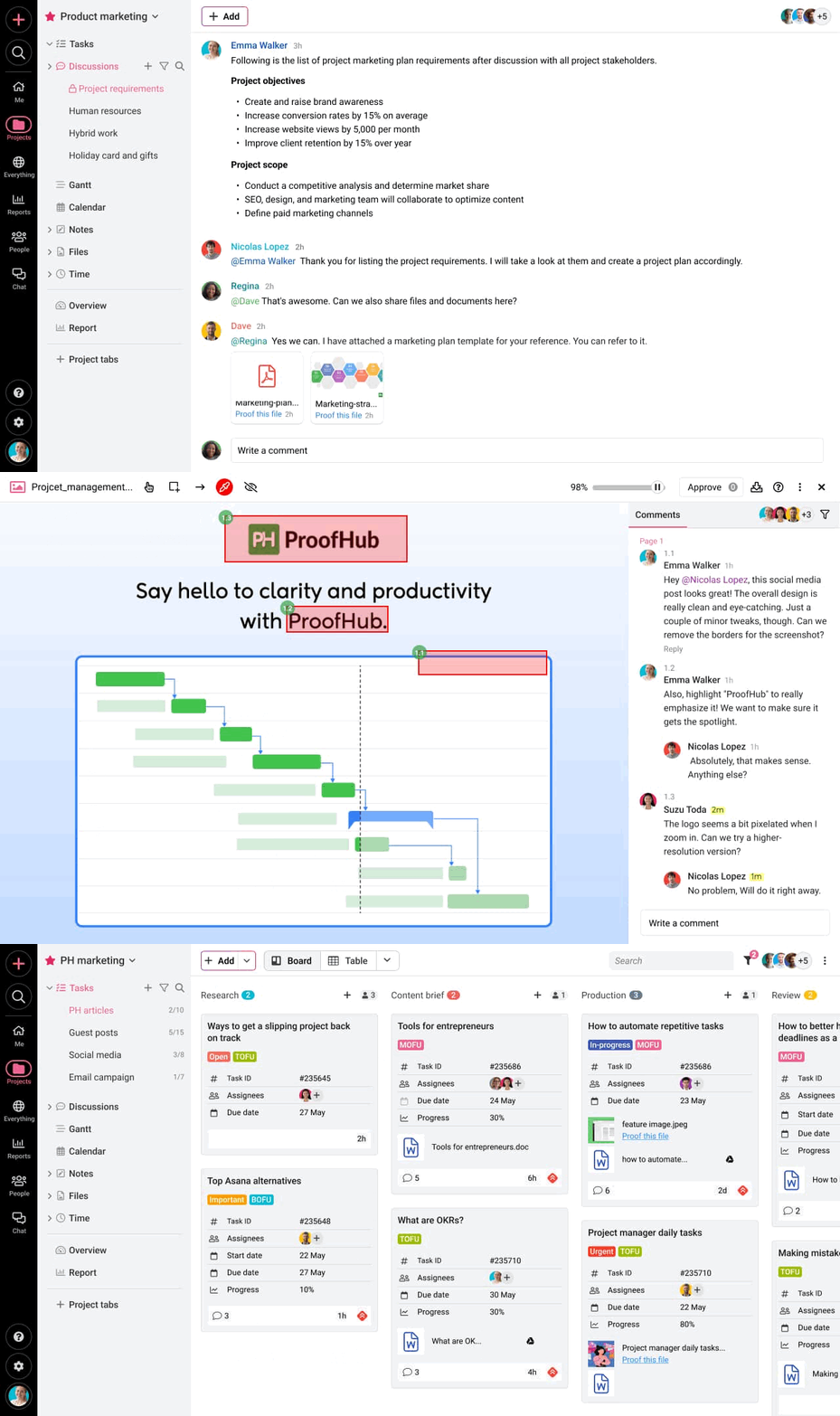
ProofHub is an all-in-one collaboration and project management platform that centralizes client communication, tasks, files, feedback, and approvals in a shared workspace. It allows teams to collaborate with clients using permission-based access, ensuring visibility without exposing internal discussions. Clients track progress, review files, and provide feedback directly within projects, reducing email dependency and keeping all client interactions organized and traceable.
Key features
- Client-controlled collaboration spaces: Invite clients with restricted access to tasks, files, discussions, and updates relevant to them.
- Task and project visibility: Share timelines, milestones, and task progress so clients can track work status without constant follow-ups.
- Centralized communication: Capture client feedback through task comments, discussions, mentions, and announcements instead of email threads.
- Proofing and approvals: Review designs, documents, and media files with markup tools and track client approvals in real time.
- File sharing and version control: Store, share, and update files in one place while maintaining a single approved version.
- Custom roles and permissions: Define exactly what clients can view, comment on, or approve to protect internal operations.
- Reports and time tracking: Share progress reports and time insights to improve transparency and accountability.
Pros
- Clear separation between internal teams and external clients
- Flat-fee pricing with unlimited users simplifies client scaling
- Reduces dependency on email and scattered feedback tools
- Supports structured, traceable client approvals
Cons
- No free plan available; Sign up for a 14-day free trial
Pricing
ProofHub offers a 14-day free trial and two flat-fee (no per-user) pricing options:
- Essential: Flat $45 per month for unlimited users and up to 40 projects (billed annually)
- Ultimate Control: Flat $89 per month for unlimited users, projects, and advanced features (billed annually)
Rating
- G2: 4.6
- Capterra: 4.5
2. Content Snare
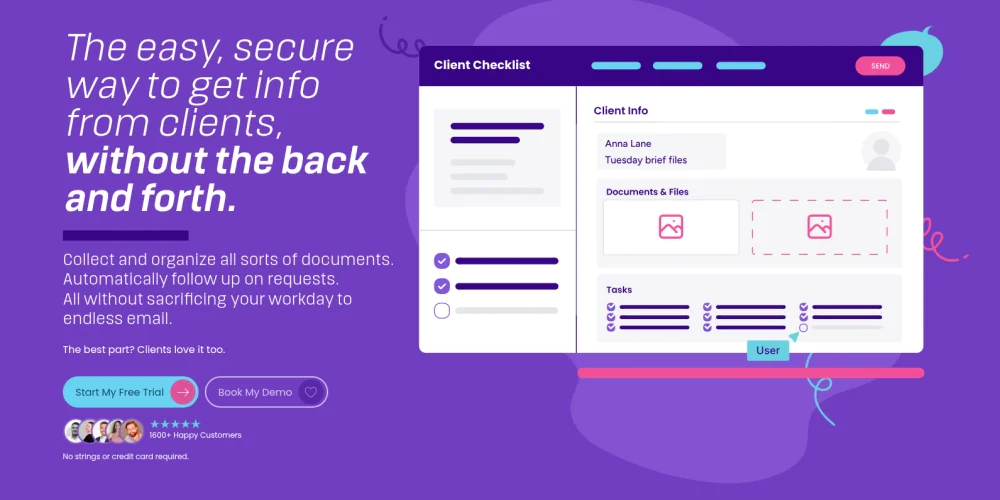
Content Snare is a client collaboration tool that collects documents, information, and approvals from clients through guided, form-based workflows. It replaces email follow-ups with structured requests, automated reminders, and centralized responses. Clients submit content, files, and approvals through a simple portal, while teams track progress in real time, reducing delays, incomplete submissions, and miscommunication during client onboarding and delivery.
Key features
- Structured content requests: Create predefined questionnaires and file requests to collect consistent client inputs.
- Client portals: Give clients a dedicated space to submit content, view requests, and track completion.
- Automated reminders: Send scheduled follow-ups to clients until submissions are complete.
- Approval workflows: Review, request changes, and approve client submissions within the platform.
- Progress tracking: Monitor request status and identify blockers across multiple clients.
Pros
- Reduces manual client follow-ups
- Improves the accuracy and completeness of client submissions
- Simple client-facing experience with minimal onboarding
Cons
- Limited project execution and task management capabilities
- Not suitable for real-time collaboration or ongoing project coordination
- Relies heavily on form-based workflows, which reduces flexibility for dynamic client interactions
Pricing
Content Snare offers four pricing plans:
- Basic: $35 per month for 30 active requests and 2 users (billed annually)
- Plus: $71 per month for 50 active requests and 5 users (billed annually)
- Pro: $119 per month for 100 active requests and 10 users (billed annually)
- Custom: $215+ per month for 200+ active requests and 20+ users (billed annually)
Rating
- G2: 4.7
- Capterra: 4.9
3. Basecamp
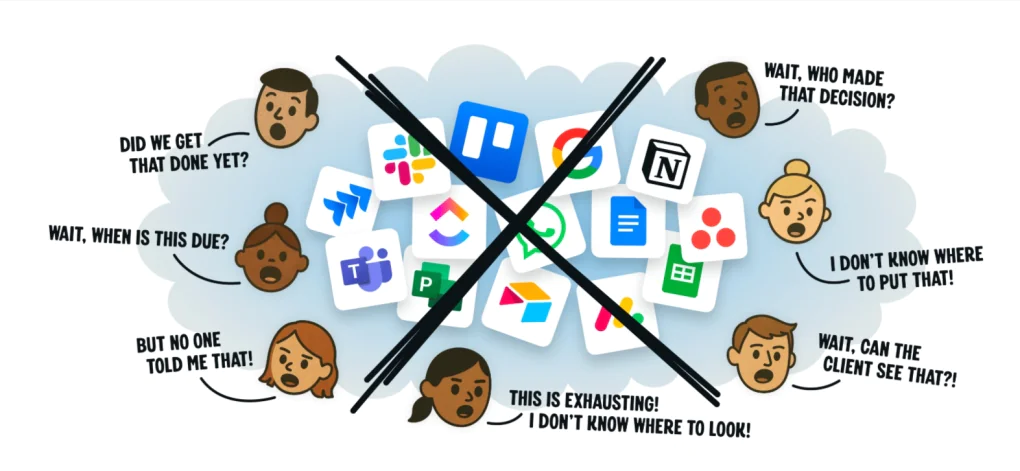
Basecamp is a collaboration platform that allows teams to work with clients inside shared project spaces built around communication and visibility. Each project provides message boards, to-dos, schedules, file sharing, and progress tracking so clients stay informed and engaged. Clients participate directly in discussions, task updates, and file reviews without complex setup. Basecamp emphasizes clarity and transparency over advanced workflow control.
Key features
- Client-accessible message boards: Centralize client discussions and decisions by topic.
- Shared to-dos: Assign tasks with due dates that clients can view and track.
- Project schedules and calendars: Share milestones, deadlines, and events with clients.
- Built-in chat (Pings & Group Chat): Enable quick, informal communication with clients and teams.
- Hill charts: Visualize project progress for client reporting and status reviews.
Pros
- Simple client onboarding with minimal learning curve
- Clear, transparent project structure for external stakeholders
- Supports ongoing client communication without email dependency
Cons
- Limited support for complex client workflows and approvals
- No advanced reporting, time tracking, or task dependencies
- Client conversations may spread across message boards, group chats, and pings
Pricing
Basecamp offers three plans:
- Free: Free for one project at a time and 1 GB storage
- Plus: $15/user per month
- Pro Unlimited: $299/month for unlimited users (billed annually)
Rating
- G2: 4.1
- Capterra: 4.3
4. Google Workspace
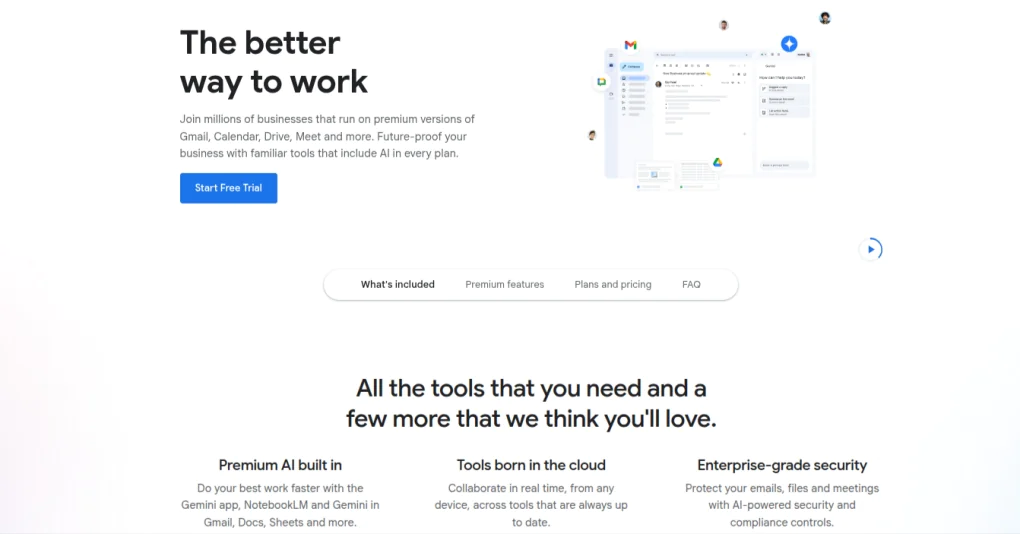
Google Workspace is a cloud-based collaboration suite that enables teams and clients to create, share, and collaborate on documents in real time. It brings email, cloud storage, documents, spreadsheets, presentations, and meetings into a single ecosystem. Clients collaborate through shared files, comments, suggestions, and version history without complex onboarding. This makes Google Workspace effective for ongoing client communication and content collaboration.
Key features
- Real-time document collaboration: Co-edit Docs, Sheets, and Slides with clients simultaneously.
- Secure file sharing via Drive: Control client access with view, comment, or edit permissions.
- Comments and suggestions: Collect structured client feedback directly within documents.
- Version history: Track changes, restore previous versions, and maintain document accuracy.
- Gmail and Google Meet: Support client communication through integrated email and video meetings.
Pros
- Familiar interface for most clients
- Offers Gemini AI assistance in Gmail, Docs, and more
- Strong version control and access permissions
Cons
- Lacks advanced project management and workflow automation features
- Using fragmented apps across Workspace requires constant switching and may feel overwhelming
- Client collaboration remains document-centric rather than workflow-driven
Pricing
Google Workspace offers four pricing options:
- Starter: $7/user per month (billed annually)
- Standard: $14/user per month (billed annually)
- Plus: $22/user per month (billed annually)
- Enterprise: Contact the support team
Rating
- G2: 4.6
- Capterra: 4.7
5. Microsoft OneDrive
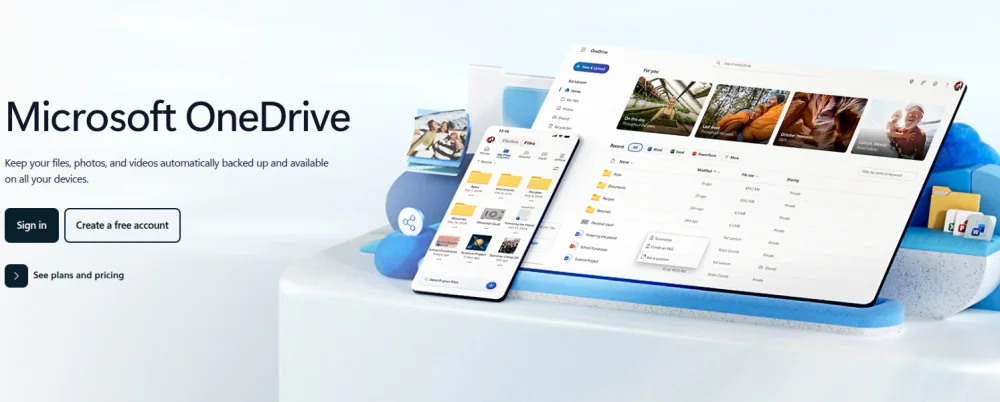
Microsoft OneDrive is a cloud storage and file collaboration platform that enables teams to share documents with clients and collaborate through controlled access securely. It allows clients to view, comment on, and co-edit files while maintaining strict permission settings. Integrated with Microsoft 365, OneDrive supports document versioning and real-time updates, making it suitable for client collaboration centred around file exchange and document control.
Key features
- Secure file sharing: Share files and folders with clients using role-based access and expiration controls.
- Real-time co-authoring: Collaborate with clients on Word, Excel, and PowerPoint files.
- Version history and file recovery: Track changes and restore previous versions easily.
- Access controls and security: Apply permissions, encryption, and authentication policies.
- Microsoft 365 integration: Connect files with Outlook, Teams, and SharePoint workflows.
Pros
- Strong security and compliance controls
- Seamless integration with Microsoft 365 apps
- Reliable version control for client-shared documents
Cons
- Limited project management and workflow features
- Client collaboration revolves primarily around files
- Advanced permissions require administrative configuration
Pricing
Microsoft OneDrive offers three pricing plans for businesses:
- OneDrive for business: $5.00/user per month (billed annually)
- Business Basic: $4.40/user per month (billed annually)
- Business Standard: $9.29/user per month (billed annually)
Microsoft OneDrive is also available as part of Microsoft 365 subscriptions with per-user pricing tiers.
Rating
- G2: 4.3
- Capterra: 4.5
6. Filestage
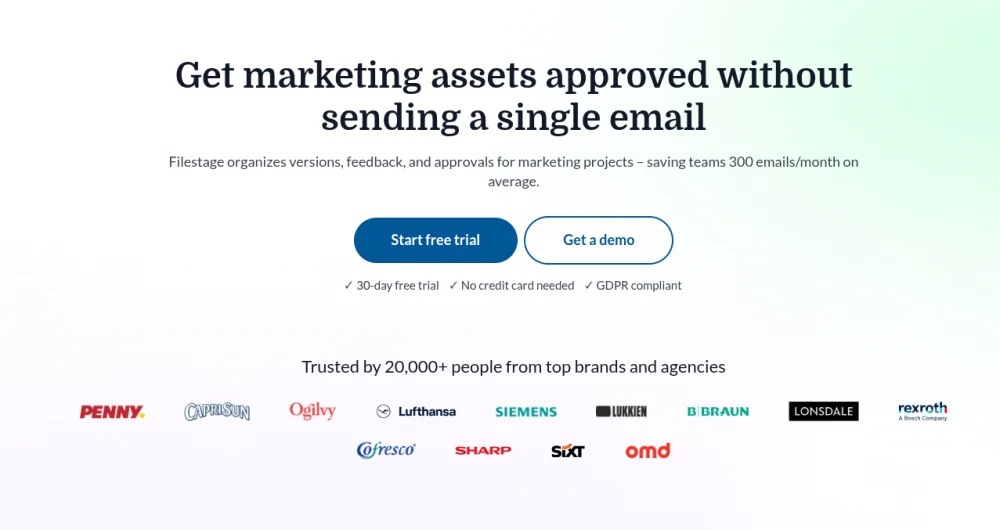
Filestage is a collaboration platform built for structured file review, feedback, and approvals across external stakeholders. It enables teams to share documents, videos, images, and creative assets with clients inside a centralized review environment. Clients provide precise, time-stamped comments directly on files instead of sending fragmented feedback. Approval stages and version history keep decisions traceable and controlled.
Key features
- Centralized file review: Share files with clients in a dedicated review environment.
- In-context feedback: Capture precise, time-stamped comments on creative assets.
- Approval workflows: Track review stages, approvals, and revision status clearly.
- Version control: Manage multiple file versions without losing feedback history.
- Secure sharing and access control: Restrict client access to specific files and stages.
Pros
- Speeds up client feedback and approval cycles
- Reduces miscommunication on creative reviews
- Simple client experience with minimal onboarding
Cons
- Limited project management and task tracking
- Not suitable for ongoing client communication beyond reviews
- Focused primarily on file-based approvals
Pricing
Filestage offers four pricing plans, including a free one:
- Free: Free for two active projects and two reviewer groups
- Basic: $109 per month for 10 active projects (billed annually)
- Professional: $299 per month for 25 active projects (billed annually)
- Enterprise: Contact the sales team for details
Rating
- G2: 4.6
- Capterra: 4.7
7. Capsule
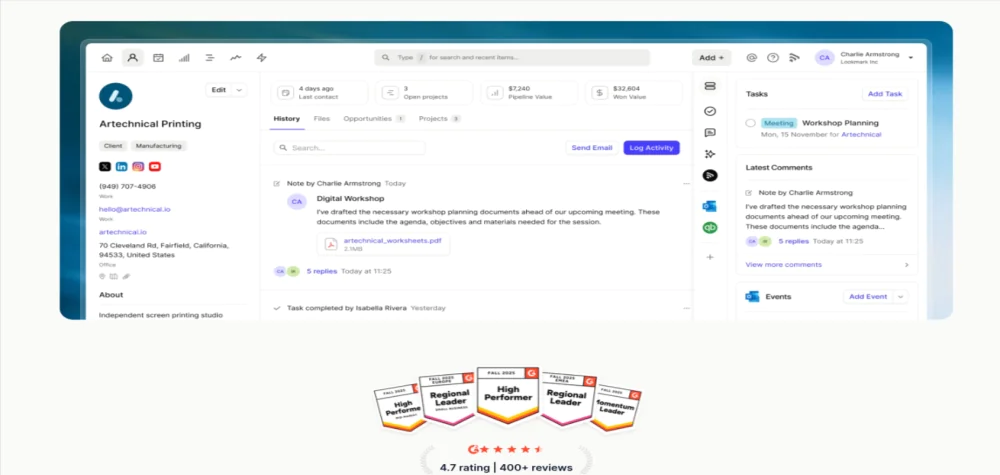
Capsule is a client collaboration-oriented CRM platform that helps teams manage client relationships, communication history, and shared activities in one centralized system. It allows teams to track interactions, notes, files, and tasks associated with each client. Clients collaborate indirectly through structured communication and shared updates rather than real-time workspaces, making it suitable for relationship-focused client coordination.
Key features
- Centralized client records: Store contacts, communication history, notes, and files in one place.
- Task and activity tracking: Assign follow-ups and actions linked to specific clients.
- Shared timelines: View past and ongoing interactions for better context.
- Document and file storage: Attach proposals, contracts, and shared files to client records.
- Integrations: Connect with email, calendars, and productivity tools.
Pros
- Strong focus on client relationship visibility
- Simple and structured interface
- Useful for sales and account management teams
Cons
- Not designed for real-time client collaboration
- Limited project execution and approval workflows
- Client access options are restricted
Pricing
Capsule offers four pricing plans including a free one:
- Free: Free for up to 2 users
- Starter: $18/user per month (billed annually)
- Growth: $36/user per month (billed annually)
- Advanced: $54/user per month (billed annually)
Rating
- G2: 4.7
- Capterra: 4.5
8. Adobe Workfront
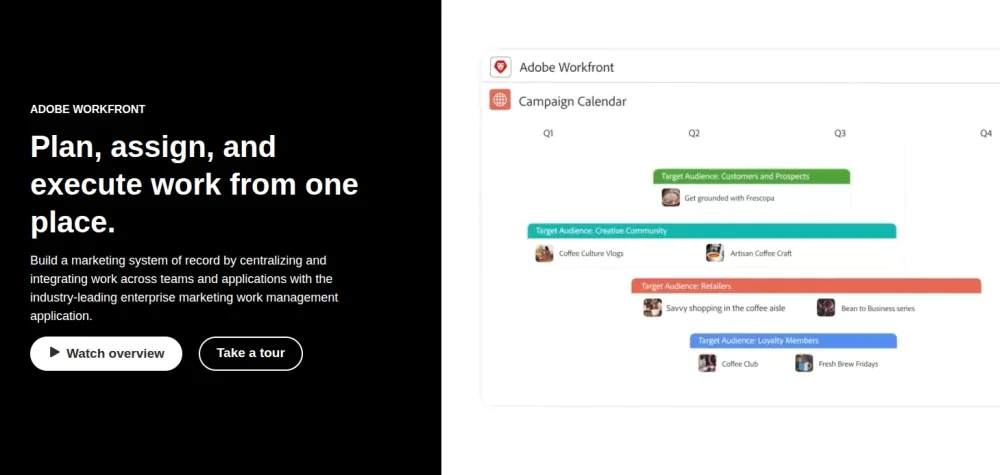
Adobe Workfront is an enterprise-grade work management and client collaboration platform built to manage large-scale projects, stakeholder coordination, and structured approvals. It enables teams to collaborate with clients across planning, execution, and review stages while maintaining strict governance. Clients participate through controlled access to requests, timelines, and approval workflows. This makes Workfront suitable for organizations managing high-volume, compliance-driven client work.
Key features
- Enterprise project and work management: Plan, prioritize, and execute complex client projects at scale.
- Advanced approval workflows: Manage multi-level client reviews and sign-offs.
- Request intake and demand management: Capture and route client requests systematically.
- Reporting and dashboards: Provide visibility into timelines, capacity, and performance.
- Adobe ecosystem integration: Connect with Adobe Creative Cloud and Experience Manager.
Pros
- Strong governance and compliance controls
- Handles complex client workflows effectively
- Deep reporting and visibility across projects
Cons
- Steep learning curve for teams and clients
- High cost compared to SMB-focused tools
- Too complex for simple or lightweight client collaboration
Pricing
Adobe Workfront offers custom pricing for its three paid plans – Select, Prime, and Ultimate; contact the sales team for more details.
Rating
- G2: 4.1
- Capterra: 4.4
9. Toggl Track
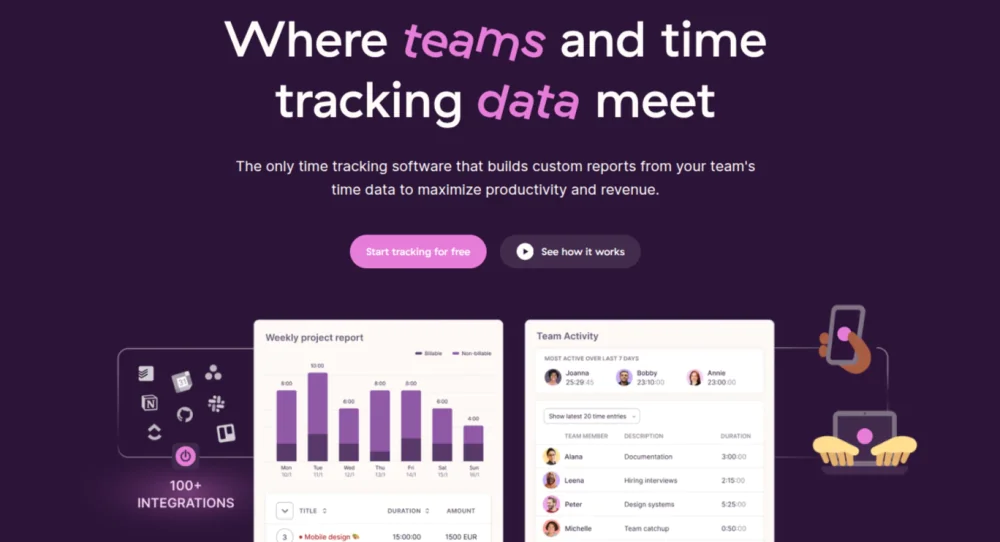
Toggl Track is a time tracking and reporting tool that helps teams track hours spent on client work and share clear productivity insights. It enables teams to record work time against tasks or projects and generate reports that clients can review for transparency and billing reconciliation. Clients receive shared summaries and breakdowns of effort without accessing internal task management, making Toggl Track suitable for agencies that bill or report based on tracked time.
Key features
- Simple time tracking: Start and stop timers or log hours manually for client-related work.
- Custom reports: Generate time and activity summaries tailored for client review.
- Billable rates and export: Assign billable rates and export invoices or summaries.
- Project and task association: Link tracked time to specific projects visible to both teams and clients.
- Integrations: Connect with project tools, calendars, and productivity apps.
Pros
- Clear visibility into time spent on client deliverables
- Easy-to-generate client-ready reports
- Lightweight and quick to adopt
Cons
- Not built for full project collaboration
- Limited feedback, communication, or approval features
- Clients can only view reports, not interact with task workflows
Pricing
Toggl Track offers four pricing plans, including a free one:
- Free: Free for up to five users
- Starter: $9/user per month (billed annually)
- Premium: $18/user per month (billed annually)
- Enterprise: Contact for custom pricing
Rating
- G2: 4.6
- Capterra: 4.7
10. monday CRM
monday CRM (product of monday.com) is a customer relationship management platform that helps teams handle client pipelines, interactions, and shared activities in a customizable workspace. It enables teams to track leads, contacts, deals, and client touchpoints while clients engage through shared portals, status updates, and collaborative boards. This makes monday CRM effective for client-facing sales, account management, and coordination workflows.
Key features
- Customizable CRM boards: Track client contacts, deals, and engagement stages in tailored views.
- Shared client portals: Provide clients with access to relevant updates and information.
- Activity and task tracking: Assign tasks, deadlines, and follow-ups linked to client records.
- Automations: Set triggers and alerts for milestones, renewals, and communication reminders.
- Integrations: Connect with email, calendars, forms, and other collaboration tools.
Pros
- Highly customizable to match client workflows
- Visual boards and dashboards simplify client visibility
- Automations reduce manual follow-ups
Cons
- Complex to configure for external collaboration
- Portals and client-facing views require setup expertise
- Advanced features are limited to higher pricing tiers
Pricing
monday CRM offers four pricing options:
- Basic: $12/user per month (billed annually)
- Standard: $17/user per month (billed annually)
- Pro: $28/user per month (billed annually)
- Enterprise: Contact sales team
Rating
- G2: 4.6
- Capterra: 4.7
11. FuseBase
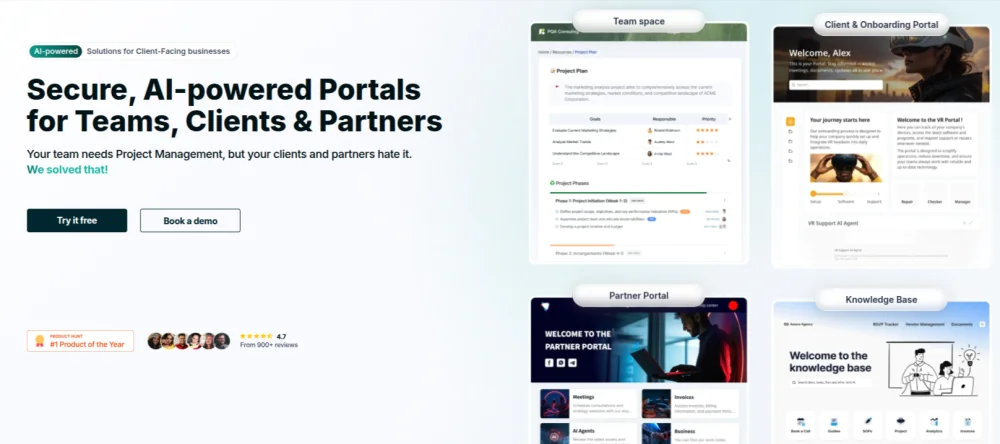
FuseBase is an AI-powered client collaboration platform that combines secure, customizable workspaces with branded client portals, real-time communication, and intelligent automation. Teams and clients share a centralized hub for documents, tasks, feedback, and updates, reducing email dependency and scattered tools. Its AI agents automate routine tasks like summaries, repetitive updates, and onboarding workflows, while client portals maintain transparency and control.
Key features
- Branded client portals: Create custom, secure workspaces where clients access documents, tasks, and updates.
- AI assistance: Automate routine communication and task workflows with embedded AI agents.
- Secure file sharing: Share files with role-based access and encryption controls.
- Live chat and communication: Enable client interaction and updates in real time within portals.
- Task lists and dashboards: Provide visibility into project tasks, timelines, and progress for clients.
Pros
- Centralizes client communication and visibility
- AI automation reduces repetitive admin work
- Custom portals improve client experience and professionalism
Cons
- Onboarding and setup can be complex for non-technical teams
- Occasional performance inconsistencies reported
- Some features (e.g., integrations and mobile support) are still maturing
Pricing
FuseBase offers four pricing options:
- Solo: $32 per month for one user
- Essentials: $82 per month for up to five users
- Advanced: $332 per month for up to 50 users
- Unlimited: Contact sales team for custom pricing
Rating
- G2: 4.7
- Capterra: 4.7
What is client collaboration software?
Client collaboration software is a centralized digital platform that enables organizations and external clients to communicate, share files, review work, track progress, and approve deliverables within a single controlled workspace.
It centralizes conversations, files, feedback, approvals, and timelines so both parties work from the same source of truth without relying on fragmented tools like email threads or spreadsheets.
Client collaboration tools includes client portals, project management systems with external access, file review and approval tools, shared dashboards, and communication hubs. Its core function is to formalize client interaction workflows so coordination, feedback, and approvals occur in an organized, traceable way.
What are the benefits of client collaboration software?
Client collaboration software improves client communication, feedback and apporval speed, transparency and trust, accountability, control and data access, reduced rework and misalignment and scales client coordination.
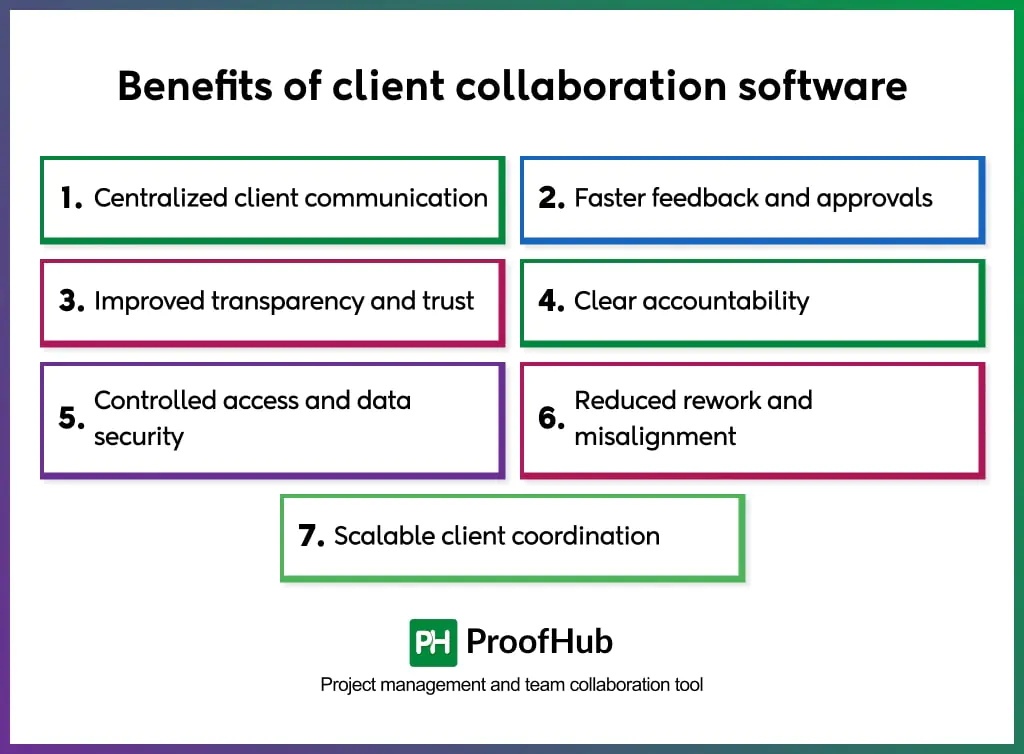
- Centralized client communication: All client conversations, feedback, and updates are consolidated in a single shared space, eliminating email chains and reducing context loss.
- Faster feedback and approvals: Structured review workflows allow clients to comment, approve, or request changes directly on files and tasks, shortening decision cycles.
- Improved transparency and trust: Clients see progress, timelines, and responsibilities in real time, strengthening confidence and reducing follow-ups.
- Clear accountability: Tasks, owners, and deadlines remain visible to both teams and clients, preventing misunderstandings and missed commitments.
- Controlled access and data security: Permission-based sharing ensures clients access only relevant information while preventing exposure of internal discussions or sensitive data.
- Reduced rework and misalignment: Centralized documentation and version control prevent conflicting inputs and outdated files.
- Scalable client coordination: Standardized workflows support consistent collaboration across multiple clients without increasing operational complexity.
What are the key features of client collaboration software?
The key features include shared client workspace, file sharing and version control, Feedback, review, and approval tools, task and milestone tracking, role-based access permissions, Real-time and asynchronous collaboration and communication, activity history and integrations with business tools.
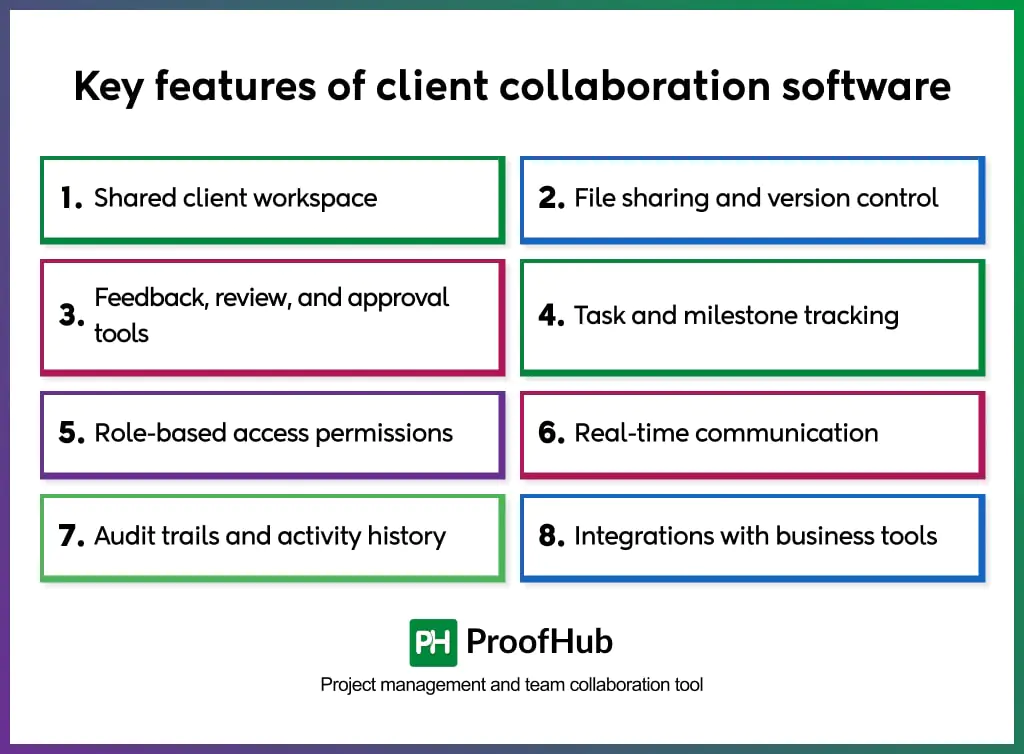
- Shared client workspace: A dedicated, permission-controlled space where clients and teams collaborate without mixing internal-only discussions.
- File sharing and version control: Centralized file storage with real-time updates, change tracking, and access to the latest approved versions.
- Feedback, review, and approval tools: Inline comments, annotations, and approval stages to capture client input directly on deliverables.
- Task and milestone tracking: Clear visibility into responsibilities, deadlines, and progress for both internal teams and clients.
- Role-based access permissions: Granular controls that define what clients can view, edit, or approve, protecting internal workflows.
- Real-time and asynchronous communication: Built-in messaging, notifications, and activity logs to support ongoing collaboration without delays.
- Audit trails and activity history: Logged actions, feedback, and approvals that create accountability and support compliance.
- Integrations with business tools: Connections with project management, CRM, cloud storage, and productivity platforms to maintain workflow continuity.
How to choose the right client collaboration software for your team?
To choose the right client collaboration software for your team, identify client collaboration needs, evaluate client-facing feature depth, assess usability for both teams and clients, review access control and permission settings, check integrations with existing systems, validate security and compliance standards, consider scalability across clients and projects, compare cost against operational value and run a controlled client pilot.
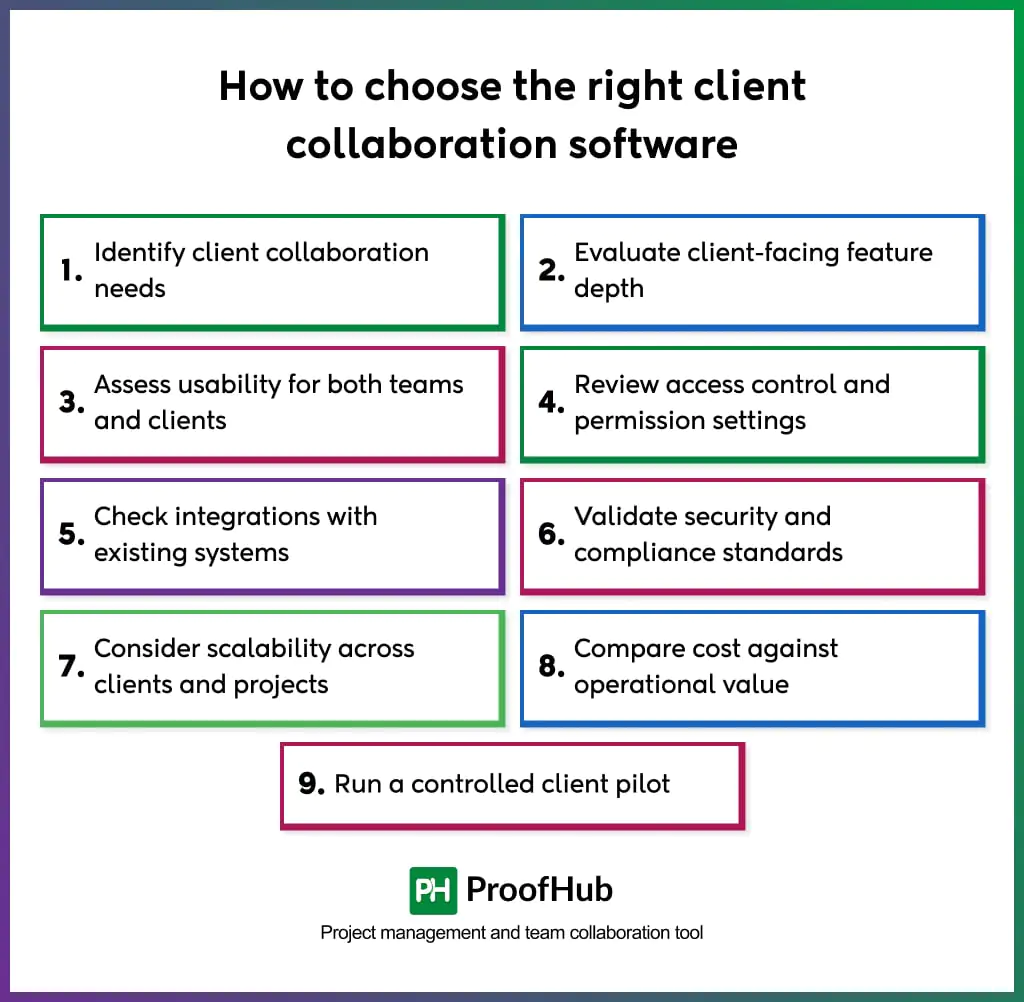
- Identify client collaboration needs: List how clients participate in your workflows, such as file reviews, approvals, feedback, task visibility, messaging, or status tracking.
- Evaluate client-facing feature depth: Assess how effectively the software supports external collaboration, including client portals, approval flows, commenting, version control, and activity tracking.
- Assess usability for both teams and clients: Select software with simple navigation, clear interfaces, and minimal onboarding steps to ensure client adoption without friction.
- Review access control and permission settings: Verify role-based permissions, view-only access, approval rights, and content restrictions to protect internal operations.
- Check integrations with existing systems: Ensure compatibility with project management tools, CRMs, cloud storage, communication platforms, and accounting systems to maintain workflow continuity.
- Validate security and compliance standards: Confirm encryption, authentication methods, audit logs, data handling policies, and compliance certifications to safeguard client data.
- Consider scalability across clients and projects: Choose software that supports multiple clients, concurrent projects, growing user volumes, and complex workflows without performance loss.
- Compare cost against operational value: Analyze pricing tiers, user limits, storage allowances, and feature access to ensure sustainable long-term use.
- Run a controlled client pilot: Test the software with a limited client group to evaluate real collaboration efficiency, feedback quality, and workflow alignment.
Best practices for using client collaboration software
Here are some best practices for using client collaboration platforms:

- Define clear collaboration boundaries: Set explicit rules for what clients can view, comment on, approve, and edit before onboarding begins. Clear boundaries prevent scope expansion and protect internal workflows.
- Create standardized client workflows: Use consistent structures for client onboarding, file reviews, approvals, and feedback cycles. Standardization improves speed, predictability, and quality across all engagements.
- Centralize all client communication: Ensure feedback, decisions, and updates occur within the platform. Centralization preserves context, reduces miscommunication, and creates a single source of truth.
- Assign ownership for every client-facing task: Link each task, request, or deliverable to a responsible owner. Ownership ensures accountability and timely follow-through.
- Use structured feedback and approval states: Enable inline comments, annotations, and approval statuses instead of open-ended messages. Structured feedback reduces revisions and speeds up decision-making.
- Set clear response timelines: Define expected turnaround times for reviews and approvals. Time boundaries keep projects on track and reduce delays caused by idle client input.
- Limit notifications to critical actions: Configure alerts only for approvals, deadline changes, and key updates. Focused notifications prevent overload and improve response quality.
- Maintain up-to-date documentation: Update briefs, requirements, and deliverables continuously so clients always work from the latest information.
- Review access permissions regularly: Audit client roles and permissions to remove outdated access and ensure ongoing data security.
What is the difference between client collaboration and internal collaboration software?
Client collaboration software focuses on structured interaction with external stakeholders, while internal collaboration software supports unrestricted communication and coordination within an organization.
Client collaboration platforms emphasize permission control, approval workflows, audit trails, and information boundaries to protect internal operations while maintaining transparency for clients.
Internal collaboration software prioritizes open communication, rapid idea exchange, and transparency among employees. It supports collaborative brainstorming, internal messaging, knowledge sharing, and cross-team coordination without strict access restrictions.
How much does client collaboration software typically cost?
Client collaboration software typically costs between $5-$15 per user per month for basic plans, $15-$50 per user per month for mid-tier plans, and custom pricing for enterprise solutions. Pricing varies significantly based on features, team size, and the vendor, but understanding the pricing models and typical ranges helps you budget effectively.
Most collaboration platforms use one of two pricing approaches. Per-user, per-month pricing charges based on active team members, meaning a 50-person team pays proportionally more than a 10-person team. This model works well for growing organizations since costs scale with headcount. Alternatively, flat-fee pricing offers unlimited users at a fixed monthly cost, benefiting teams with high turnover or highly variable participation, providing cost predictability regardless of team size.
Is client collaboration software secure?
Yes, client collaboration software is secure when it enforces access control, data protection, and activity tracking across all client interactions. These platforms protect sensitive internal information while allowing controlled external participation.
Security in a client collaboration tool includes role-based permissions, data encryption in transit and at rest, secure authentication methods, and detailed audit logs. These controls ensure clients access only authorized content, and every action remains traceable.
Some client collaboration tools also support compliance standards, data residency options, and administrative oversight to reduce operational and legal risk.