
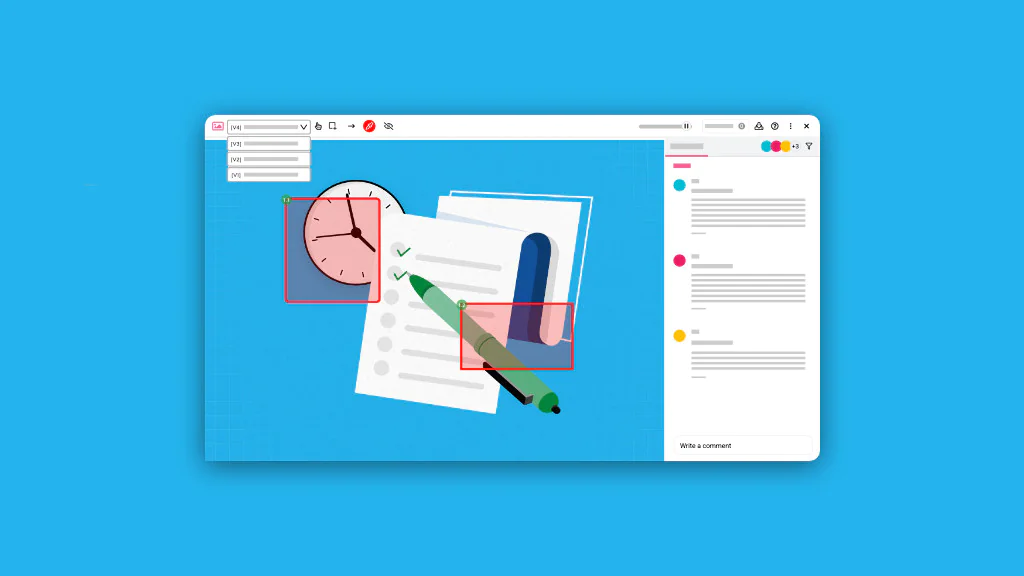
Design version control is a system for managing and organizing design multiple revisions of the same design file throughout the project lifecycle.
It enables designers and creative teams to track and compare changes, restore earlier versions, prevent overwriting conflicts, and collaborate on shared assets simultaneously.
Version control helps your team stay organized, accountable, and productive. It eliminates communication gaps to facilitate effective collaboration throughout the design process, ensuring every iteration moves you closer to the final product.
Implementing an effective design version control across your projects requires five steps: choosing the right system, establishing a naming convention, defining version save points, setting team permissions, and building a client approval workflow.
What is design version control?
Design version control is a system for tracking, organizing, and managing revisions made to creative design assets throughout the design lifecycle.
Whenever a change is made to the design, the particular design state is saved as a distinct version. This creates a single source design file with multiple organized and easy-to-navigate versions.
It helps designers maintain a record of design iterations and visual changes, compare different revisions, prevent review and feedback on outdated assets, support rapid experimentation and iterative design changes, and adapt quickly to evolving client and user requirements without losing progress or design history.
How has design version control evolved over time?
The roots of design version control go back to software development, where version control systems were originally used to manage changes to source code. This concept was then later adapted to manage creative work as design teams faced similar challenges in tracking changes, managing designs, and maintaining version history.
Design version control initially began with manual handling of the versions. Designers used file names, version numbers, dates, or project state to save different iterations of design files.
However, this approach often led to confusion, duplication, and loss of work as the efficiency in tracking and managing file versions was entirely dependent on individual discipline.
Later on, as projects became more complex, creative teams relied on folders and file naming conventions, such as “Final”, “Final_V2 “, and “Final_approved_revised” to organize designs and versions. While this improved the organization, the approach had its own limitations, including version confusion, accidental overwrites, and identifying the current version.
These challenges led to the adoption of cloud storage tools, which resolved the problem of preserving multiple file versions by automatically maintaining versions and backups.
After this, the emergence of cloud-native design platforms integrated version control directly into the design workflow. These platforms allow designers to create named versions, compare iterations, restore previous states, and access the complete version history.
Why is design version control important?
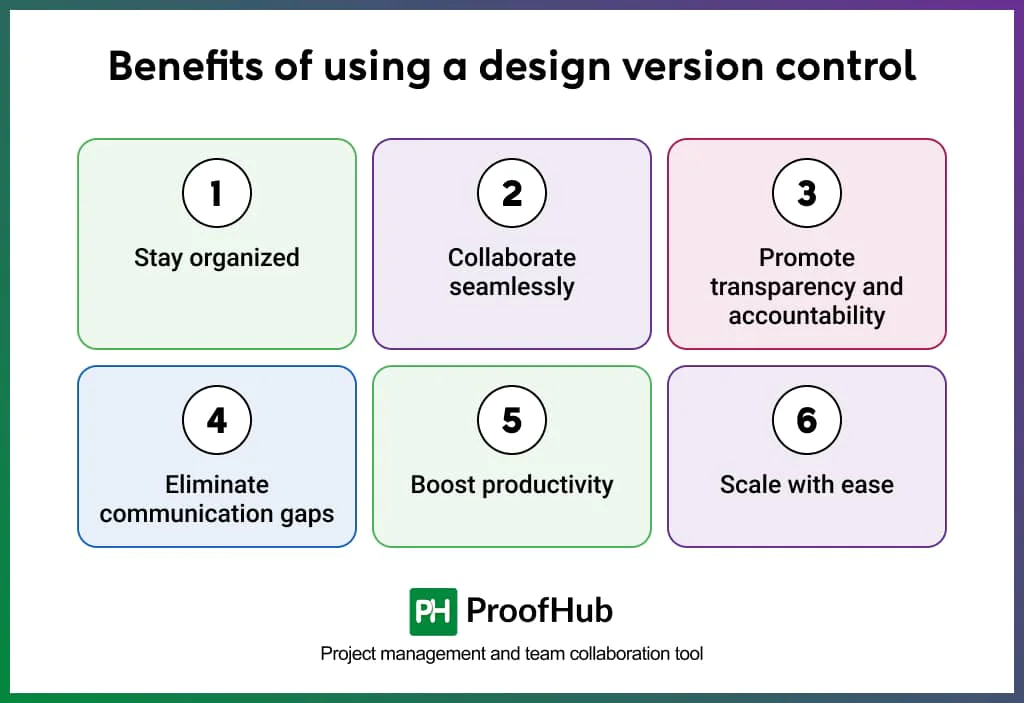
Design version control is important because it helps stay organized, collaborate, promotes transparency and accountability, reduces communication gap, improves productivity, and helps teams scale.
Key benefits of using a design version control system include:
1. Stay organized: Organizes every version, iteration, and piece of feedback in one accessible location. Enables teams to recover any past version without searching through duplicate files or reconstructing lost work.
2. Collaborate seamlessly: Enables designers and stakeholders to collaborate on the same master file and gather feedback without compromising the primary design.
3. Promote transparency and accountability: Preserves the full iteration history with timestamps, contributor names, and version notes. This makes it easy to track decisions, understand the reasoning behind each change, and maintain a clear record of contributions across the project.
4. Eliminate communication gaps: Version labels make it easy for teams to provide feedback on a specific named version, eliminating the confusion about which version the feedback refers to.
5. Boost productivity: Eliminates versioning conflicts and the time wasted in organizing and searching for the correct file. Teams spend less time manually managing versions and more time doing the creative work.
6. Scale with ease: Supports complex creative workflows and larger teams without breaking down. The version control system manages growing volumes of design versions, contributors, and feedback rounds without creating confusion.
What are the types of design version control systems?
Design version control systems are mainly categorized into local, centralized, and distributed version control systems.
1. Local version control systems
A local version control system stores all the design files locally on the individual designer’s system. All design versions exist only on a single machine.
It is suitable for solo designers who work on low-revision projects with limited or no collaboration needs. Designers have complete control over saved versions with no dependency on external platforms.
The files are shared manually and files are saved on internal storage devices.
Example
- RCS (Revision Control System)
2. Centralized version control systems
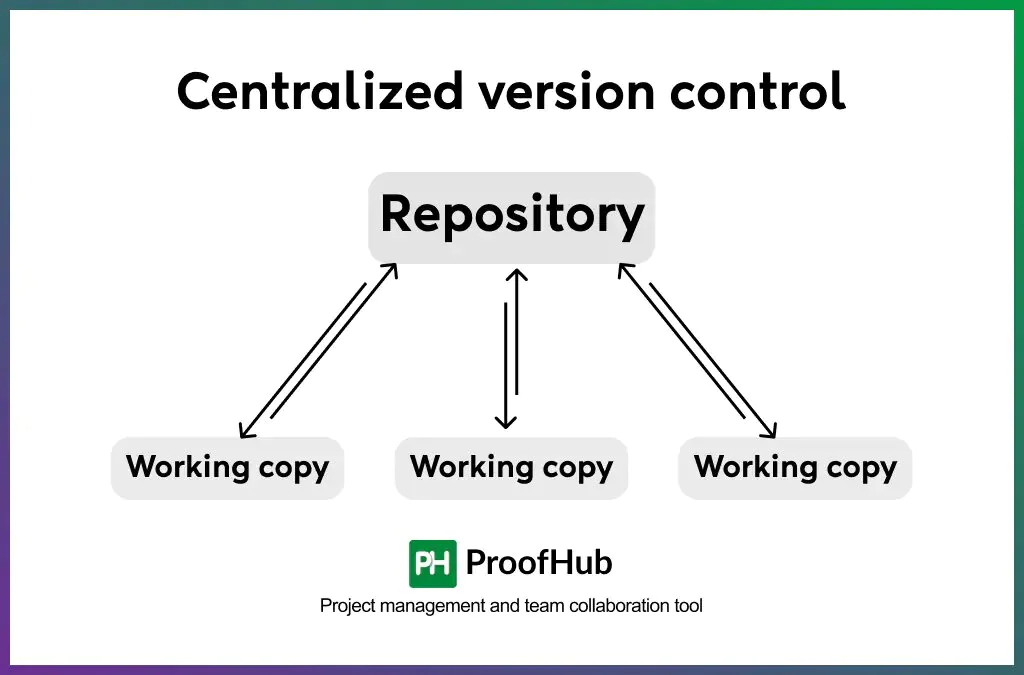
A centralized version control system uses a single central repository to store all design files and their revision history. Files are accessed from the shared location, edited locally, and the updated version is uploaded back to the source.
It is suitable for organizations that require strict asset governance and control over who can access, edit, or approve files based on permissions.
The system relies heavily on the central server being available at all times. If the server goes down, the entire team loses access to files and revision history until the time it is restored. Also, changes cannot be synced to the server without an active connection.
Example
- Figma (centralized cloud storage with permission-based access)
3. Distributed version control systems
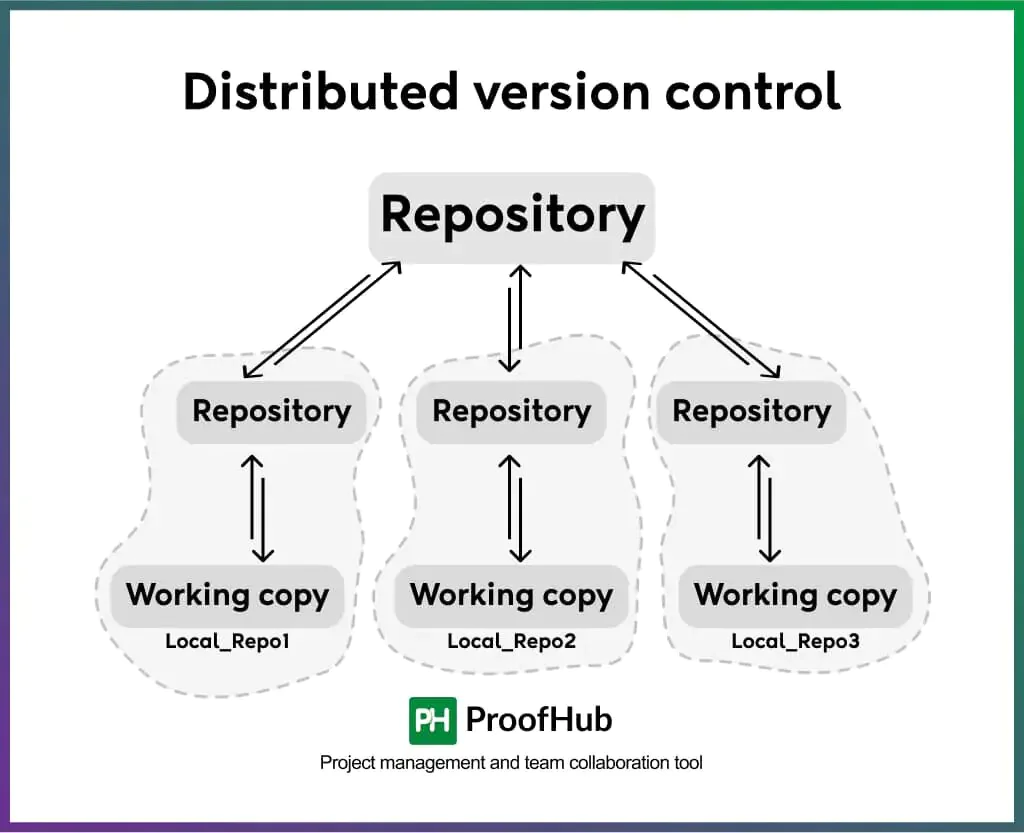
Adistributed version control system (DVCS) gives each user a copy of the entire repository locally with them, including the entire revision history. Designers can create separate branches to work on their independent local copy, and sync updates back to the shared repository when ready.
This system supports parallel experimentations, giving designers the flexibility to explore multiple creative directions simultaneously without overwriting each other’s work or affecting the main master file.
It is suitable for teams with collaborative workflows and remote-first design teams that require offline access and faster local operations.
The system requires sync with a shared repository regularly to avoid drifting out of alignment. Without regular syncing, the repository ends up with conflicting design versions that trace back to a single approved state.
Example
- Abstract
How to implement design version control effectively? (Step-by-step workflow)
Implementing design version control requires five steps: choosing the right system, establishing a naming convention, defining points where versions need to be saved, setting team permissions, and creating a client approval workflow
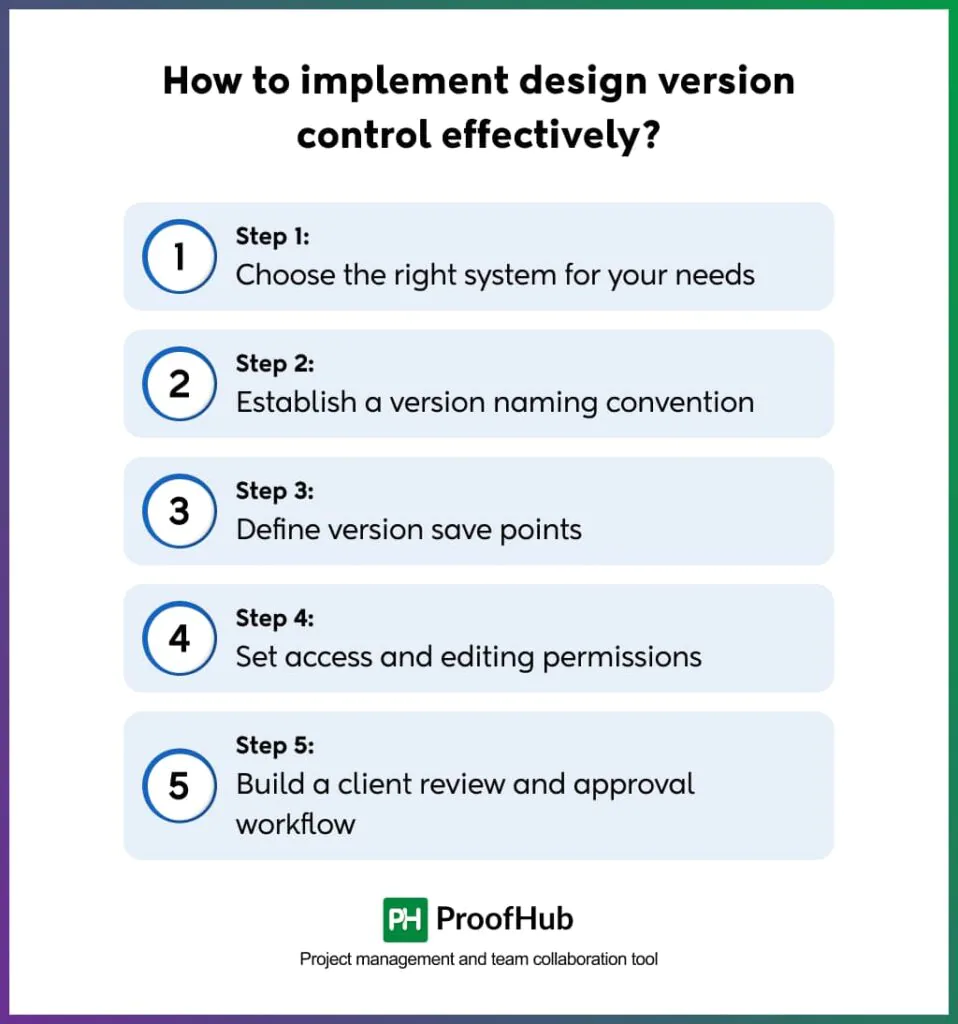
Step 1: Choose the right system for your needs
Based on your team’s requirements, the design software in use, and the version-related issues faced by your organization, select a tool that best complements your creative workflow.
Some important factors to consider when selecting a system:
- Creative workflow complexity
- Collaboration scale
- Design tool compatibility
- Security requirements
- Budget constraints
- Operational control
Step 2: Establish a version naming convention
Establish a standard version convention to avoid inconsistent file naming, duplicate assets, and confusion at any stage of the creative workflow.
Developing a clear naming structure ensures teams easily identify, track, and organize file versions, improving searchability and retrieval of the creative assets when required.
Various structure naming elements to use:
- Project name
- Version number
- Approval status
- Platform or asset type
- Department
- Date
- Contributor initials
Example structure:
- ProjectName_V1_Status
- V1_ProjectName_Date
- ProjectName_Status_V2
- Client_ProjectName_V3
- ProjectName_Platform_V1
- Department_ProjectName_Status_V4
Some design version control tools have a pre-defined version structure to remove manual and inconsistent naming practices and maintain consistency across the entire workflow.
Step 3: Define version save points
Decide the key workflow and approval points at which a new version of the creative asset should be saved.
The right triggers for saving a version could be after major changes:
- Before a stakeholder or a client review
- After client feedback implementation
- Before publishing or handoff
- Before experimentation or redesign exploration
- After component or design system updates
- Before collaborative editing sessions
- After major branding or typography revisions
- When handing off a design to another team member
- At every project milestone — concept, refinement, final delivery
Step 4: Set access and editing permissions
Ensure clear access and editing permissions to maintain the integrity and reliability of the design version control workflow.
Adding a structured permission layer to the assets protects them from unauthorized edits, accidental overwrites, deletion, or approval conflicts at any stage of the creative process.
Once permissions are implemented, design files and their versions remain protected while still allowing controlled collaboration.
Assign role-based permissions for:
- Editors
- Reviewers
- Stakeholders
- External collaborators
Step 5: Build a client review and approval workflow
Establish a client review and approval workflow to structure how feedback, revisions, approvals, and version history should be managed throughout the process.
This makes it easy to track approved versions, manage the feedback cycle, and maintain version consistency throughout the process.
Version control becomes more effective when every feedback round, approval, and sign-off is tied to a named version, creating a traceable record for teams and stakeholders to refer to.
This eliminates the scope for review confusion, outdated feedback loops, and revisions on incorrect versions.
Example:
Typically, a named version is shared with clients for review. The version either gets approved directly or returns with revision requests and stakeholder feedback. In the latter case, designers make the requested changes, and the updated file is saved as a new version with its own revision history and approval status.
What are the common challenges in design version control?
The most persistent challenges in design version control are managing excessive versions, scattered feedback across causing version confusion, accidental overwrites on shared files, and team members working from outdated versions.
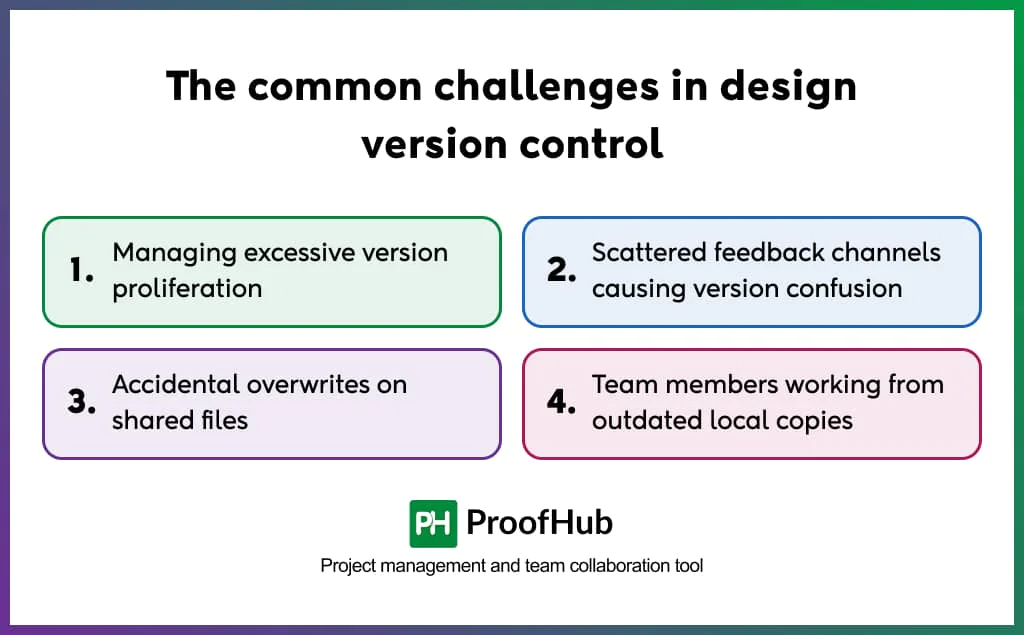
1. Managing excessive version proliferation: Constant concept explorations, client revisions, and experimental directions are difficult to manage and navigate. To fix, save aversion at a particular milestone (concept, client review, approval) and remove intermediate saves that no longer serve a reference purpose.
2. Scattered feedback channels: Sharing feedback through emails, Slack messages, or verbal updates creates confusion and misunderstandings, leading to incorrect revisions, feedback on incorrect design versions, or approvals on outdated iterations. Utilize a dedicated version control system that allows stakeholders to provide feedback as comments directly to the named version under review.
3. Accidental overwrites on shared files: Editing and overwriting each other’s work, results in lost work, confusion, and conflicts. To avoid overwriting, establish clear ownership guidelines, and use tools that offer real-time synchronization.
4. Team members working from outdated local copies: Parallel version outside the controlled system risk overwriting the changes performed by other team members, making it difficult to maintain a single source of truth. To fix, establish a rules for editing and maintain version at a central system.
Best practices for effective design version control
Some essential practices for effective design version control include centralizing feedback and version storage in one place, creating branches for experimentation, and sharing version links for review.
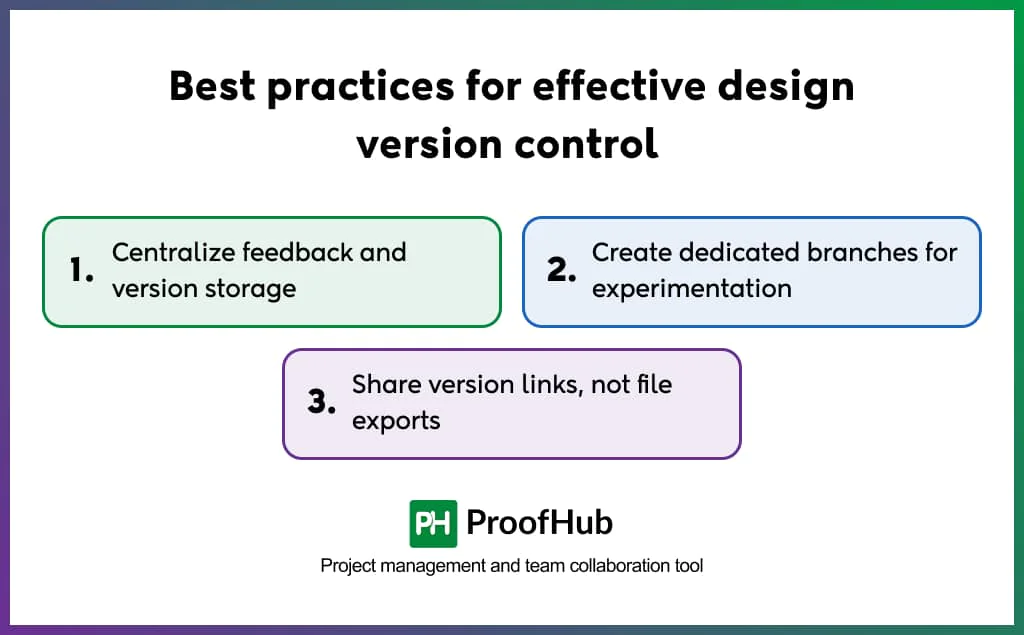
1. Centralize feedback and version storage: Keep all design iterations and stakeholder feedback in one place to maintain clarity. A centralized system eliminates confusion about where to find past versions or track feedback, ensuring everyone has a single source of truth to refer to.
2. Create dedicated branches for experimentation: Separate out the experimental ideas from the main project file to impact the primary design. Branching allows your team to try out new concepts, test feedback, or refine specific components without overwriting the main version.
3. Share version links, not file exports: Send named version links to stakeholders for review instead of directly sharing exported files. This practice reduces version confusion and duplicate files while ensuring feedback is provided on the required version.
Popular tools for design version control systems
Some of the popular tools for design version control systems include ProofHub, Perforce P4 one, Filestage and Figma.
1. ProofHub
ProofHub is a project management and team collaboration platform with built-in file versioning and proofing tools. For creative teams managing multiple rounds of client feedback and revisions, it provides a centralized space to manage design files, version history, feedback, communication, and approvals alongside the project workflow – without sifting through endless email threads or disparate folders.
2. Perforce P4 One
Perforce P4 One (formerly known as Snowtrack) is a version control system, part of the Perforce P4 Platform. Built specifically to suit the creative workflows of artists and designers, the tool provides a straightforward solution to work offline and to track design versions locally without losing history and sync with the cloud.
3. Filestage
Filestage is an online proofing and collaborative workflow software that helps teams review, approve, and manage creative content efficiently. It provides better control over versions and streamlines review cycles by providing centralized feedback, collaborative annotation, approval, and version comparison features.
5. Figma
Figma is a collaborative design platform with continuous cloud auto save and built-in named version history. It automatically saves and organizes changes in the background, creates a checkpoint every 30 minutes of inactivity, and lets designers manually name and annotate specific versions.
What is the difference between design version control and file backup?
Design version control and file backup both preserve design work, but in different contexts.
Design version control maintains a record of every meaningful iteration as a named, retrievable state. File backup, on the other hand, stores copied versions of files at scheduled intervals without a record of changes, iterations, or collaboration history.
What is the difference between centralized and distributed version control?
Centralized version control stores all versions in a single central repository, requiring a network connection for teams to access or commit changes.
A distributed version control system provides every team member with a complete local copy of the repository, allowing work offline and independent management of changes. Once the work is complete, they sync changes back to the shared repository.