PMI’s Pulse of the Profession research found that nearly half of unsuccessful projects miss their goals because of poor requirements management. The same study estimated that $51 million is wasted for every $1 billion spent on projects and programs. Much of that loss starts small: a requirement nobody tested, or a change that never reached the design.
A requirements traceability matrix, or RTM, closes those gaps by tracking each requirement from its origin to a verified result. It links every requirement to its source, design, test cases, and status in one table, so teams can see what is covered and what is missing.
- 1.An RTM links every requirement to its source, design or implementation, test cases, and verification status.
- 2.Forward, backward, and bidirectional traceability answer different questions about completeness and scope.
- 3.Six core fields cover most projects: ID, description, source, design, test case, and status.
- 4.Stable, uniquely numbered requirements are the foundation of a reliable traceability matrix.
- 5.Update the RTM whenever requirements, designs, or tests change, or it loses value.
- 6.Choose spreadsheets for small projects and dedicated tools for complex or regulated work.
What is a requirements traceability matrix (RTM)?
A requirements traceability matrix (RTM) is a table that links each requirement to its source, design, and tests. It shows where a requirement came from and whether teams built and verified it. Teams use an RTM to follow requirements across the lifecycle, confirm nothing is missed, and assess change impact. Requirements traceability is the practice behind it, and the matrix is its most common record.
In practice, a single traced item looks like this:
REQ001 → design note → TC001/TC002 → Passed
Why is the requirements traceability matrix important for a project?
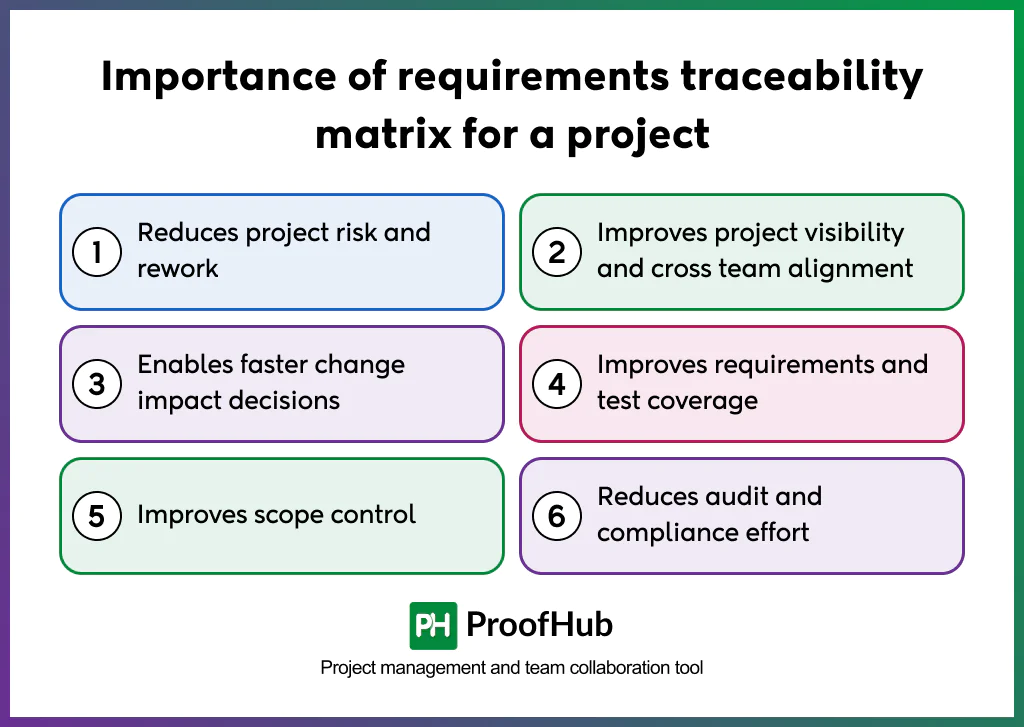
The requirements traceability matrix is important for projects because it reduces project risk and rework, improves project visibility and cross team alignment, enables faster change impact decisions, improves requirements and test coverage, improves scope control, and reduces audit and compliance effort.
An RTM records the links between each requirement, the design or build items that deliver it, and the tests that verify it. That trail supports planning, reviews, audits, and change decisions throughout the project. The benefits below apply to software, construction, engineering, and product work alike.
- Reduces project risk and rework: Each requirement is tied to a design item and a test, so gaps surface early. Catching a missed or misread requirement before release costs far less than fixing it after launch.
- Improves project visibility and cross team alignment: Developers, testers, analysts, and stakeholders read the same record of requirement status. This reduces guesswork and reduces conflicting assumptions between teams.
- Enables faster change impact decisions: When a requirement changes, the matrix shows every linked design item and test case. Managers can estimate effort, cost, and schedule effects quickly.
- Improves requirements and test coverage: Empty cells reveal requirements with no design or build link, so no approved requirement goes unbuilt. They also show requirements with no test case, and tests that trace to no requirement. Teams can close these gaps before testing ends.
- Improves scope control: Every deliverable traces to an approved requirement. Work that traces to nothing signals scope creep and can be questioned early.
- Reduces audit and compliance effort: Auditors can follow a requirement to its test evidence without searching through scattered documents. This shortens reviews in regulated fields such as healthcare, finance, and aerospace.
What are the types of RTM?
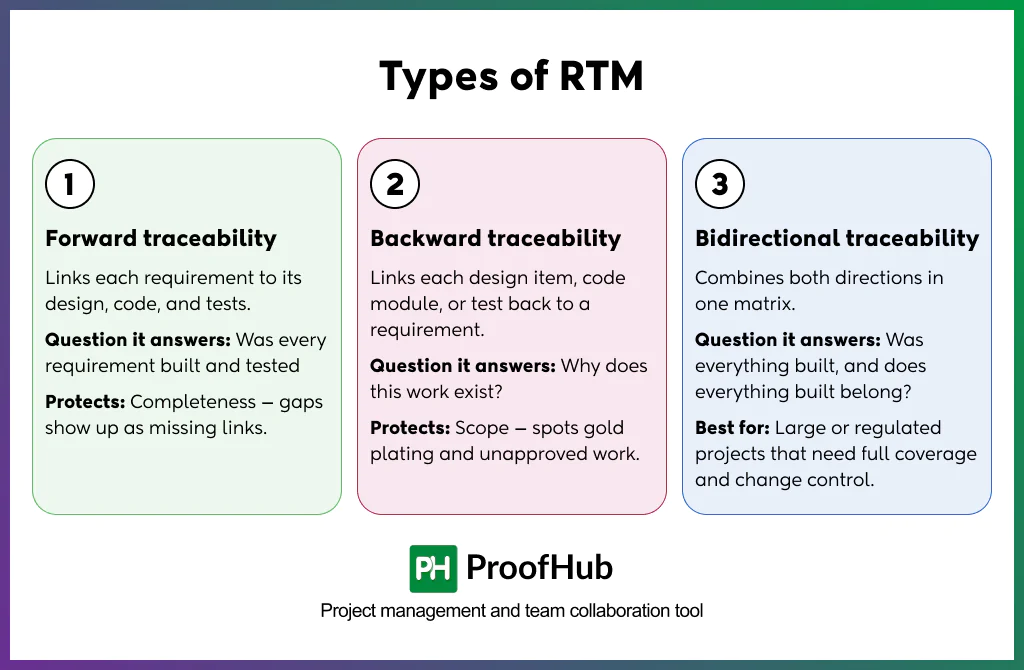
The three types of requirements traceability matrix include forward traceability, backward traceability, and bidirectional traceability.
Traceability can run in more than one direction, and each direction answers a different question. Some directions confirm that every requirement was built and tested. Others confirm that every piece of work has a valid reason to exist. Teams usually pick a direction based on project size, risk, and compliance needs.
We cover three types of RTM below:
1. Forward traceability
Forward traceability links each requirement to the design elements, code, and test cases that fulfill it. It starts at the requirement and moves toward delivery. The main question it answers is whether every requirement has been implemented and tested.
It protects completeness, because a requirement with no linked design item or test shows as a gap at once.
For example, REQ001 for password reset links to a design note, a code module, and tests TC001 and TC002. Project managers use it to track progress against the approved scope.
2. Backward traceability
Backward traceability links each design item, code module, or test case back to the requirement it serves. It starts at the work product and moves toward the source.
The main question it answers is why a piece of work exists. It protects scope, because an item with no source requirement may be unneeded or unapproved. This exposes gold plating, where developers add features nobody requested.
For example, tests TC001 and TC002 trace back to REQ001, while a loyalty badge module traces to nothing and is flagged. Business analysts and auditors use it to confirm that each deliverable matches a stakeholder need.
3. Bidirectional traceability
Bidirectional traceability combines forward and backward traceability in one matrix, so every link can be read in both directions. It runs from requirement to delivery and from work product back to source.
It answers both questions at once: was everything built, and does everything built belong? It protects completeness, scope, and change control, giving the strongest view of coverage and change impact.
For example, REQ001 links to its design note, code module, and tests, and each of those links back to REQ001. Quality leads in regulated industries and large project teams use it most. Small teams may start with forward traceability and add the reverse direction later.
What are the key components of a requirements traceability matrix?
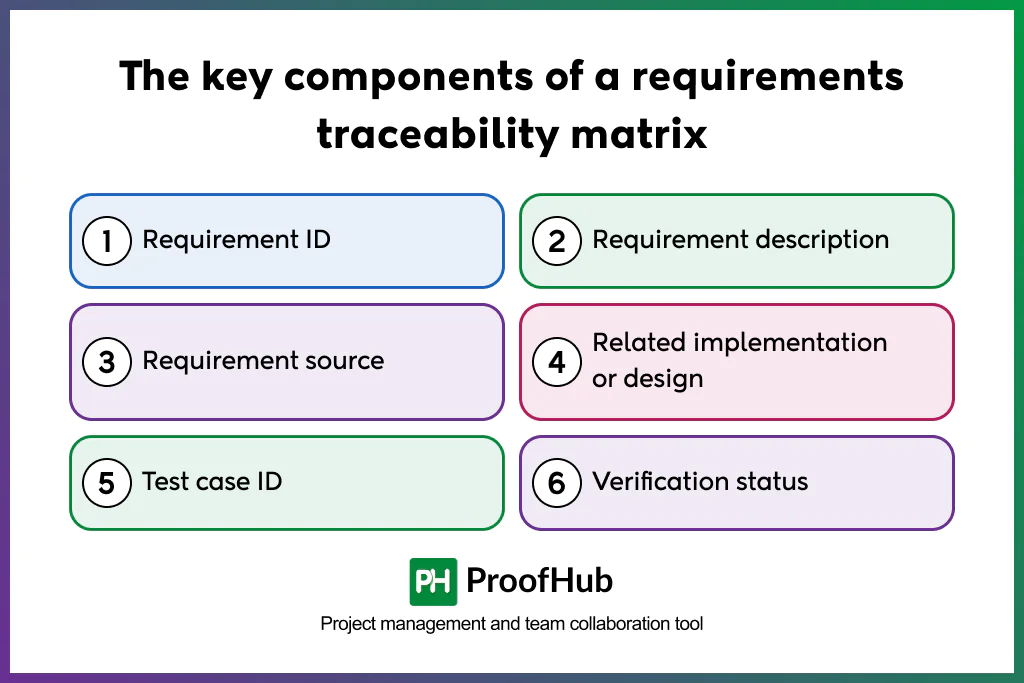
The key components of a requirements traceability matrix include requirement ID, requirement description, requirement source, related implementation or design, test case ID, and verification status.
- Requirement ID: A unique code such as REQ001 that identifies each requirement. The code never changes, even if the requirement text is edited or moved.
- Requirement description: A short, clear statement of what the system must do or provide. Managers make sure that the description should be specific enough to be tested.
- Requirement source: The origin of the requirement text, such as a stakeholder, contract, regulation, or user story. Reviewing the source shows who asked for it and why.
- Related implementation or design: The design document, module, ticket, or component that fulfills the requirement. This is the link between what was asked and what was built.
- Test case ID: This is the unique identifier of each test written to verify the requirement, such as TC001. One requirement often maps to several test cases, so list every ID that applies. This column proves that a requirement has been checked. A blank cell shows a requirement with no test, which is a coverage gap to close before release.
- Verification status: The current verification states, such as not started, in progress, passed, failed, or blocked. The status tells readers whether the requirement is proven.
How to create a requirements traceability matrix?
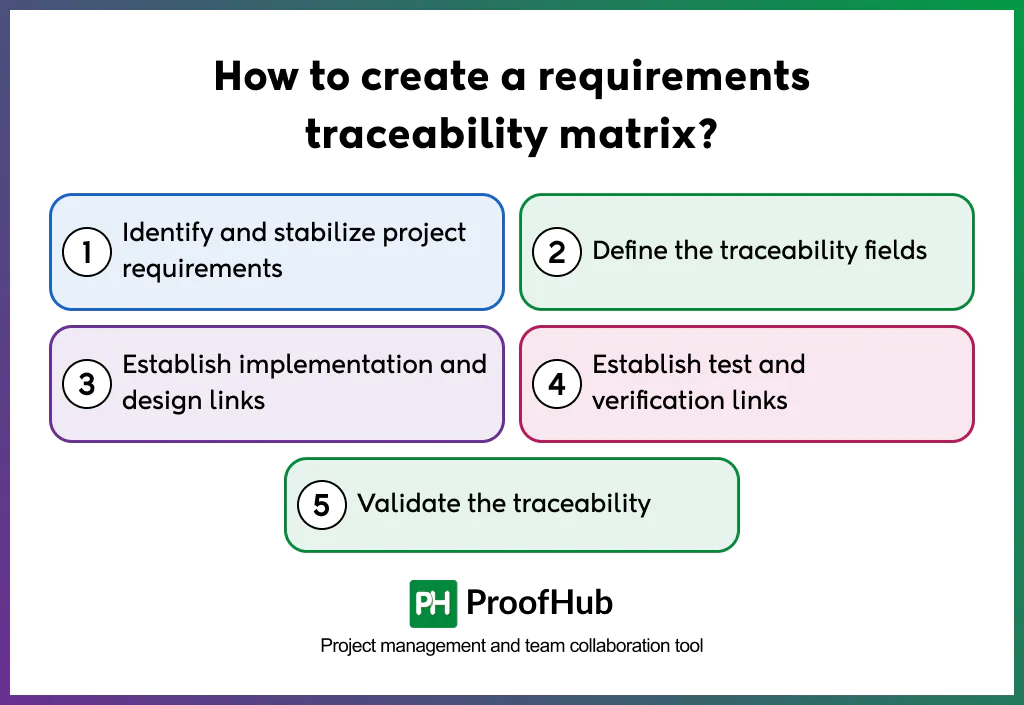
To build a requirements traceability matrix, first identify and stabilize project requirements, then define the traceability fields, establish implementation and design links, establish test and verification links, and finally validate the traceability.
Building an RTM is a short process, but the order matters. Weak requirements produce a weak matrix, so preparation comes first. The steps below suit a spreadsheet or a dedicated tool. Follow them in sequence, and revisit them whenever the project baseline changes.
- Identify and stabilize project requirements: Collect requirements from the business case, contracts, stakeholder interviews, and specifications. Review them for clarity, remove duplicates, and get approval. Then give each approved requirement a unique, permanent ID, such as REQ001, and never reuse it.
- Define the traceability fields and direction: Choose the columns your project needs, starting with the six core components. Add priority, owner, or release version only if the team will maintain them. Then decide whether the matrix will be forward, backward, or bidirectional, as covered in the types section. Forward protects completeness, backward protects scope, and bidirectional covers both.
- Establish implementation and design links: Map each requirement to the design documents, modules, or tickets that deliver it. Use the unique requirement ID in every linked item.
- Establish test and verification links: Attach one or more test cases to each requirement. Record the verification status and update it after each test cycle.
- Validate the traceability: Review the finished matrix for blank cells, tests with no linked requirement, and wrong links. Have the project manager, a lead tester, and a business analyst sign off.
- Identify and stabilize project requirements: Collect requirements from the business case, contracts, stakeholder interviews, and specifications. Review them for clarity, remove duplicates, and get approval before linking anything.
Common mistakes to avoid when creating a requirements traceability matrix
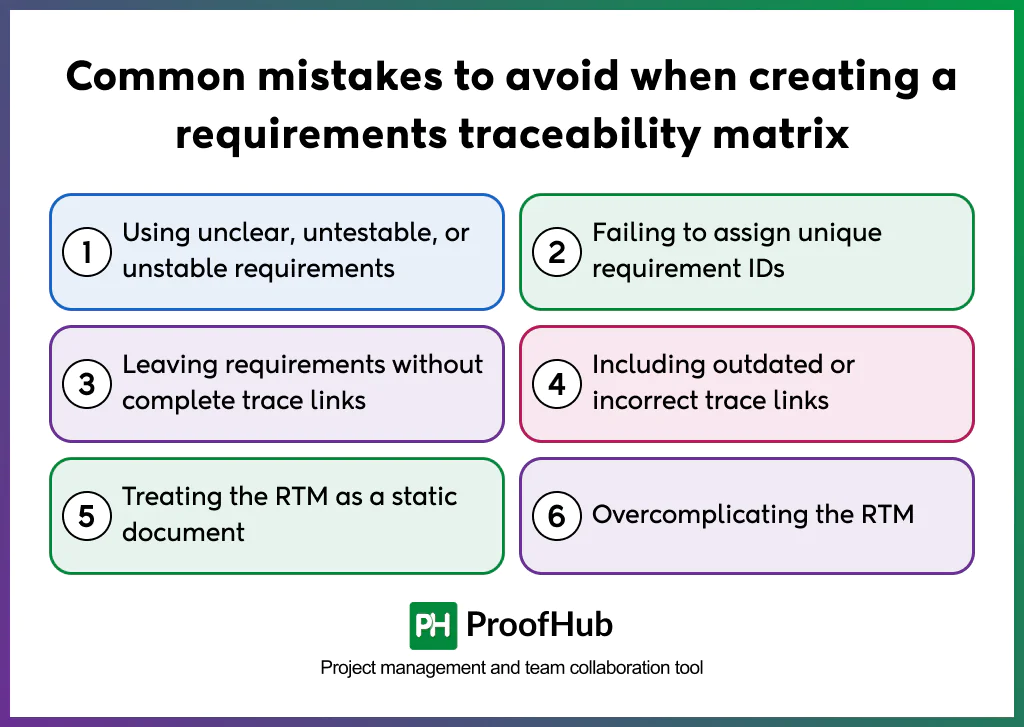
The most common mistakes to avoid when creating a requirements traceability matrix include using unclear, untestable, or unstable requirements, failing to assign unique requirement IDs, leaving requirements without complete trace links, including outdated or incorrect trace links, managing the RTM without change control or ownership, and overcomplicating the RTM.
Most RTM problems come from weak inputs and weak habits, not from the matrix format. A poorly written requirement cannot be traced or tested, no matter how good the table looks. A matrix that nobody updates can lead to errors.
The mistakes below are the ones that appear most often in real projects.
- Using unclear, untestable, or unstable requirements: Vague wording such as “fast” or “user friendly” cannot be verified. Rewrite such requirements with measurable criteria and keep a meticulous record of them before tracing.
- Failing to assign unique requirement IDs: Duplicate or missing IDs break the links between columns. Assign one permanent ID per requirement from the start.
- Leaving requirements without complete trace links: A requirement with no design or test link is a hidden risk. Check for blank cells regularly.
- Including outdated or incorrect trace links: A link can exist and still be wrong. It may point to a retired design item, a renamed test, or the wrong requirement ID. Wrong links give wrong information about coverage. Spot check links against the source items, and confirm each linked item still matches its requirement.
- Managing the RTM without change control or ownership: A matrix built once and never updated loses value within weeks. Make the matrix update a required step in change control, so no approved change closes without one. Name one owner, such as the business analyst, who maintains the RTM and signs off each update.
- Overcomplicating the RTM: Too many columns and levels make the matrix hard to maintain, so teams stop using it. Track only what supports decisions.
What are the tools for creating and managing RTMs?
Some tools used for creating and managing a requirements traceability matrix include spreadsheets and manual tools, dedicated requirements management software, test management tools, and issue tracking and project management tools.
The right tool depends on how many requirements you manage and how strict your reporting rules are. Small projects can run well on a simple table, while large or regulated programs need automation. Most traceability tools fall into four groups. Each group handles linking, reporting, and updates differently. Below, we have mentioned the most common types of tools used for creating and managing an RTM:
- Spreadsheets and manual tools: Excel and Google Sheets are affordable and familiar to most teams. They suit small projects, but links are updated by hand and errors grow with size.
- Dedicated requirements management software: Tools such as IBM DOORS, Jama Connect, and Perforce Helix ALM maintain links between items and flag changed or suspect ones and keep version history. They suit complex or regulated projects but cost more and take time to learn.
- Test management tools: Tools such as TestRail, Zephyr, and qTest link requirements to test cases and report coverage. They work well when testing is the main focus.
- Project management and issue tracking tools: Platforms such as Jira, Azure DevOps, and ProofHub track requirements as tasks with owners, statuses, and comments. Many also support custom fields or task relationships, which help build traceability alongside daily work.
Use these criteria to choose between them:
- Project size and risk: Small projects with limited requirements usually fit a spreadsheet. Large or high risk projects need automated linking and reporting.
- Compliance needs: Regulated work needs audit trails, version history, and access control. This points to dedicated requirements management software.
- Integrations: Check whether the tool connects with your existing development, test, and project tracking systems. Integrations make it easier to migrate your data, and make the transition as smooth as possible.
- Budget and learning curve: Consider license cost, setup time, and how many people must edit the matrix. Per user fees add up quickly when testers, developers, and analysts all need edit access. Weigh these costs against the training time each role needs before it can update links reliably. A tool that is slow to learn leaves links outdated, and outdated links defeat the purpose of the RTM.
Requirements traceability matrix example and template
Below we have provided a free spreadsheet template for requirements traceability matrix. Users can simply download and start using the template with Google Sheets or Microsoft Excel.
Requirements traceability matrix example and template
Below we have provided a free spreadsheet template for requirements traceability matrix. Users can simply download and start using the template with Google Sheets or Microsoft Excel.
Free RTM templateHow often should an RTM be updated?
Update the RTM whenever a requirement, design item, test case, or verification status changes. Review it on a fixed schedule as well.
Record each change in the matrix on the day it happens. This covers a new or revised requirement, a replaced design item, a new test case, and a changed test result. Tie the update to change control, so no approved change closes without it. Waiting for a milestone lets errors build up and links go stale.
A scheduled review checks the whole matrix, not just recent changes. Agile teams usually review it at the end of each sprint. Teams on phased projects review it at every phase gate. Look for blank cells, tests with no linked requirement, and links that no longer match their source.
Always do a full review before a release, a client review, or an audit. Assign one owner for both the updates and the reviews, so neither falls between teams.
What is a requirements traceability graph?
A requirements traceability graph is a visual map of trace links. Requirements, design items, and test cases appear as nodes. Lines between them show which items depend on each other. A graph makes dependencies easier to see than rows in a table. It is useful for impact analysis on large projects with many connected items. Many requirements management tools generate graphs automatically from the matrix data. The matrix and the graph hold the same links in different formats.
What is the difference between requirements traceability matrix and requirements management plan?
The difference between requirements traceability matrix and requirements management plan is:
The plan usually sets the rules for the RTM, including its fields and update frequency.
What is the difference between an RTM and a test coverage matrix?
The difference between an RTM and a test coverage matrix is:
Conclusion
A requirements traceability matrix turns a long list of requirements into a trackable record of progress. It connects each need to its source, design, tests, and verification result. That link improves coverage, scope control, change impact analysis, and audit readiness. Start small with the six core fields and a spreadsheet. Add forward and backward links as the project grows. Keep requirements unique and testable, and update the matrix after every change. Teams that treat the RTM as a living record catch gaps earlier and ship with fewer surprises.